
Last week I talked about Quicken. At one level, Quicken is a boring product – a database – but at another level it is a revolutionary tool for self-knowledge that can improve your relationship with money. Mac users who consistently apply Quicken’s tools are better off than those who don’t.

The key that unlocks Quicken’s power is user participation. Quicken can’t just drop out of the heavens and solve your money problems for you. But if you work with it, you can understand what sort of changes you need to make and how to do it.
 The same is true of Palms. If you don’t take the time to put information into your Palm, you won’t have much use for it. Many people buy Palms but don’t get their money’s worth. Writing in Graffiti (the Palm’s text input system) is slower than normal handwriting; it may seem like too much of a hassle.
The Pervasive Palm
But the Palm adds another dimension that can be truly revolutionary – if you let it. Palms can be pervasive. A Palm is small enough that you can carry it everywhere you go. That means that any information on your Palm can be at your fingertips anytime you need it – even when you didn’t expect that you would need it.
I’ve had a Palm for four years, and I’m still working on that concept. A pervasive database can provide information that you might not normally recognize as important. In some cases it is easy to understand, like the built-in datebook. When someone starts planning a meeting, you pull out your Palm and check to see what time is available. It’s easy to see why you’ll want that information later.
Record All Phone Numbers
 But the address book is frequently underutilized. Since you will always have the Palm with you, you should enter every phone number you dial into it. Say that you decide you want to order a pizza from the local takeout. You might locate an advertisement or use the phonebook to find the number. Then you call and order a large pepperoni and green pepper pizza.
Most people don’t recognize that event as an opportunity to put the pizza restaurant’s phone number in their Palm.
Writing down the number is an extra step, but chances are that you will save yourself time if you get in the habit of doing it. In my experience more than 90% of the numbers that I look up in the phone book or on phone lists are numbers I have previously looked up. Having those numbers nearby has been a lifesaver several times – you never know when you might need to have an emergency call to the pizza joint.
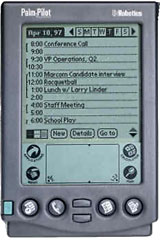 My Palm provides many opportunities to be productive in times that other people might not recognize as work times. For instance, I went to the public library about a week ago, but I was there 10 minutes before the opening time. I got ten minutes of Web surfing done.
No, my Palm doesn’t have wireless Internet or anything high-end like that, but every morning before I leave home, I sync my Palm with my computer. I have a Palm program called AvantGo that gets pages like Low End Mac off the Internet. I didn’t know I would have to wait for the library, but I was ready anyhow.
Update: The Low End Mac Mobile Edition provided low-bandwidth versions of articles especially designed for Palms and other handheld computers. It has since been replaced by a mobile edition optimized for smartphones.
When I’m talking with a patient about a prescription drug, I can look on my Palm if I don’t remember all the details of that particular medicine. It’s one thing to have all that information on my Palm, but what makes it powerful is that I am able to recognize when I need to reach in my pocket to look up a drug. Instead of planning to check up on it later, I can strike while the iron is hot.
The first year I had my Palm, I probably used it 2 or 3 times a day. Now I probably use it 50 times a day. I have so many different things I keep track of. If I create a new password for an Internet site, I get my Palm. Likewise if I hear of someone’s birthday, think of something to do, or a great idea hits me.
Many Palm users miss out on the power of the Palm, because they don’t carry it with them. Or if they do carry it, they don’t recognize what information they should put in it.
When you car breaks down, how useful is your Palm if it is sitting on your desk at home? Is it useful if you didn’t take the time to write in your auto shop’s number the last time you called?
You can’t predict or control little hiccups in your schedule, but if you always have and use your Palm, you can limit how much it affects you. Said another way: The power of the Palm comes from the combination of pervasiveness and your participation.
If you’re a Palm user, consider joining our Palm OS Users group on Facebook.
Keywords: #pervasivecomputing#palmos
Short link: http://goo.gl/PbWNc9
searchword: palmpower
