
By this stage, anyone following this column should have collected a Mac or two and some software. This week we’re looking at obtaining a flatbed scanner. All of the information here intended as nothing more than examples – and hopefully an aid to understanding scanners, rather than an inducement to purchase a machine from a particular manufacturer.
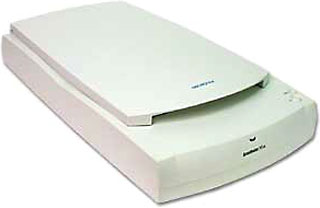 In one of those unplanned coincidences that make Low End Mac an invaluable resource, fellow contributor Adam Robert Guha recently devoted an article to scanning: Low Cost Photo Scanning and Image Editing on Your Mac.
There are hundreds of scanners available from a plethora of suppliers, including cheap and nasty efforts from the likes of Mustek up to hugely expensive devices from Heidelberg.
At this point, I am going to stick my neck out and say you should not go too far wrong if you buy from one of the big four manufacturers: Canon, Epson, Umax, and HP.
Understanding Scanners
The key to scanners is resolution. Your scanner must be able to scan images at at least the resolution at which you intend to print, and preferably higher.
When comparing models, beware of a manufacturers’ trick: optical resolution versus interpolated resolution. Interpolated resolution is a sham – the higher resolution is achieved due to software trickery, as with “digital zoom” on cameras. An excellent scanner might have an optical resolution of 1600 or 3200 dpi – the same machine’s interpolated resolution could be 19200 dpi. The lesson: Check the optical resolution.
Of course, it’s never quite as simple as all that. Resolution is irrelevant if the scanner’s CCD sensor is lousy, so if possible test the scanner before purchasing. The “Digital Imaging Guy” punctures a few myths about scanners on his website; the technically minded may wish to have a read, but here’s a quick quotation for the rest of us:
“Scanner resolution claims made by the manufacturers used to be based on ‘conventional’ 5000 element (or less) tri-linear array CCD. The CCD’s linear array is part of a calculation taking into account scan area, stepper motor and voilà! resolution is determined.”A tri-linear array is three (tri) rows (linear array) of CCD elements. In flatbed scanners, the industry has moved from three to six rows of CCD elements and claimed double the resolution. The scanner really doesn’t resolve double the resolution, but there is a resolution improvement over conventional tri-linear CCD’s. Performance is not very near what the vendors are claiming, because other parts of the scanner have been so compromised that the scanner doesn’t resolve very much detail. Even high bit-depth scanners suffer from poor performance in these situations.”
The other important parameter is color depth. Color depth refers to the number of bits used to represent the color of a single pixel in a bitmap image. The table below should help to explain the theory.
Bit Depth and Number of Colors1-bit color (2 colors) monochrome 2-bit color (4 colors) 4-bit color (16 colors) 8-bit color (256 colors) 16-bit color (65,536 colors) 24-bit color (16,777,216 colors) |
If you’re buying a new scanner, accept no less than 48-bit color, but be aware that color depth alone does not make for good scans.
The ability to scan film is another bonus, though in the age of digital photography transparencies are becoming rarer outside of the magazine world. As a rule, scanning from film produces better results than scanning from a print – think about it, no nasty halftones or other print artifacts are being scanned in. A dedicated film scanner will usually produce better results than a flatbed scanner with an adapter.
The long and the short of this is that there’s a lot to choosing a scanner, and most of it is beyond the understanding of those of us who aren’t optical engineers. Optical resolution and color depth are important qualifiers, but in the end, the best way to choose is to seek out actual test examples in the store.
Drumming Up Business
Some of you will be wondering at this point why I haven’t mentioned drum scanners – and the rest of you are probably wondering what a drum scanner is. I shall attempt to briefly answer both questions without going into too much detail:
- Drum scanners are largely redundant
- Drum scanners are overpriced
Drum scanners are extremely high resolution bitmap image capture devices. They are so pricey that they tend to be used only in top-end bureaus. Back when flatbed scanners were either monochrome or 8-bit, drum scanning was a necessity.
The good news is that drum scanners are effectively redundant these days because the vast majority of print production is prepared for printing on comparatively low-resolution presses. An inkjet printer rarely has a resolution higher than 250 dpi, and many newspapers are printed at 200 dpi or less.
A drum scanner will produce superior results, but if your output is going to be at such a low resolution, what’s the point?
User Two
In keeping with the low-rent fundamentals of The Low End Designer, the secondhand market is worth a look.
At the bottom of the useful range are scanners with an optical resolution of 300 x 600 dpi, such as the Umax Astra 610S. A step higher up would lead to the Umax Astra 1220S. Both are A4+ scanners with a maximum scan area of 8.5″ x 11.7″. The 610S is a 30-bit scanner, whilst the 1220S is a 36-bit scanner and can manage a resolution of 600 x 1200 dpi.
Both of these (and other) scanners are capable, but keep an eye on the optical resolution and remember – it’s only a rough rule – the higher, the better.
My personal favorite budget scanner is the Canon CanoScan series. I have a tiny little CanoScan N650U, which has provided loyal service under both the classic Mac OS and Mac OS X for years – including in a newspaper production environment. The N650U is a 42-bit scanner with a resolution of 600 x 1200 dpi.
Current models, such as the 8000F, offer a resolution of 2400 x 4800 dpi at 48-bit and include film scanning capabilities.
VueScan to the Rescue
The key to whether or not a used scanner is going to be of any use is a simple one: drivers. The Mac OS X issue rears its ugly head once more: If you’re planning on using an older scanner, there’s a good chance that no driver is available for OS X.
The solution? VueScan. In VueScan, Hamrik software have developed an almost generic driver that can operate hundreds of scanners – in fact, it’s often better than the supplied driver!
Low End Mac stalwart Charles W Moore recently took VueScan for a test-drive over in Charles W Moore Reviews VueScan 7.6 Scanner Software at Applelinks. I don’t want to retread old ground here, so consider it essential reading.
Going SANE
Of course, buying VueScan along with an older scanner may mean that you could have spent that money on a new scanner instead. For this reason, VueScan makes more sense if you already have a scanner that steadfastly refuses to work under Mac OS X.
However, for ancient scanners there is an alternative: SANE.
Scanners interface with your Mac using a software toolkit called TWAIN – Toolkit Without An Interesting Name. Almost every scanner driver that you come across will be based on this toolkit. TWAIN is the standard image capture API for both Windows and the Macintosh operating system; it doesn’t work with Unix or Linux, so the propellor heads had to develop their own alternative. The result was SANE – Scanner Access Now Easy. Now that Mac OS X is Unix-based, we Mac owners can benefit from their expertise.
SANE is a standard API that provides Unix operating systems with access to any raster image device, be that a scanner, digital camera, or a video camera. Swedish developer Mattias Ellert has developed a Mac OS X program that uses the SANE libraries to control your scanner. As with most open-source projects, it’s a bit more unwieldy than commercial alternatives, but the instructions aren’t too hard to follow. In theory, the TWAIN-SANE libraries should allow any TWAIN complaint scanner to work within applications such as Photoshop and GraphicConverter.
Epson users can also benefit from a handy front-end developed by British REALbasic developer, Joe Rickerby.
- Next week: Printers, external storage and graphics tablets.
Low End Designer Mailbag
From Aaron Parys:
Great article on Low End Mac, but you missed a few software choices – one being open source software like Gimp and CinePaint.
Another source of software is software bundles. When purchased with [their] hardware, scanner manufactures often offer upgrade bundles like Photoshop, even Apple offers software bundles when you purchase new Mac’s: Final Cut Express and Keynote. Advice: before you buy, check for software bundles
I suggest your readers should also check out the software sites like http://www.macupdate.com and http://www.versiontracker.com. There is a ton of free software [OS X and OS 9] available, such as MS Expression.
Keep up the good work.
Aaron
Hi Aaron,
Thanks for the email. Both Cinepaint and GIMP are of no use for designers due to their inability to handle CMYK colorspaces properly. I wrote a piece in 2001 for Linux Magazine (UK) which covered GIMP, and Low End Mac republished it in early 2002.
GIMP was started as a college project and is basically a clone of Photoshop 3, but it can only work with RGB and indexed colorspaces. Cinepaint (formerly FilmGIMP) was a derivative project funded partially by a major movie studio, and due to its focus on film and compositing, it cannot handle CMYKs.
Both apps will get a look-in when I turn to look at Web design, but at present I am concentrating on print design. The fact that they are open-source means that they will likely never handle CMYKs, and certainly never PANTONE®, as the investment required would be substantial, both in financial and technical terms.I will also be taking the readers through a series of alternative applications in a future edition.I agree that bundles can be an excellent way to acquire software.
All the best,
J
From Paul O’Keefe:
Jason,
Thank you for taking on this topic. I was waiting for this subject to appear on Low End Mac for a long time. I have recently set up my own freelance studio, and your articles speak directly to the hardware/software decisions that I faced.
In your article of 2004.07.28, you wrote: “When it comes to buying software, copies of Photoshop 5, 6, or 7 and Quark 4 cost a lot less than the more recent OS X equivalents.”
I strongly disagree. Originally, I wanted to stick with an OS 9 studio (it’s also what we run at work). Once the newer releases of XPress and the Adobe Design Collection (now CS) came out, all the vendors that still had older version sold them at a premium. It was like they were forcing us to buy/use the newer versions.
The Adobe CS Premium edition costs as much as a a single copy of Quark XPress, so that was a no brainer. Going CS also meant going OS X, so I bought a copy of Panther. I’m pleasantly surprised with how well it all works on my iMac 333 (with maxed out RAM – a must for design work). InDesign was really easy to pick up, and it’s not buggy like Quark. All my press ready work and presentations are done in PDF format, and that setup is working fine. I don’t even have a printer for proofing.
My main beef with the iMac is the lack of screen size and lack of processing power. It’s good for Web, email, and word processing, but I really feel its limits when it starts crunching those poster layouts and booklet spreads.
I have to agree that the B&W G3 is a good machine to do low-end design (partially because it’s so upgradeable), but I think the eMac is a better financial choice if you’re starting off from scratch. Why? It’s a computer, monitor, and media burner all in one. Compare the price and performance of an 800 MHz eMac to a BG&W G3 that has an upgraded hard drive, CD burner, possibly even a processor upgrade, and an external monitor, and I believe the eMac will win out. Those eMacs [the 700 MHz, 800 MHz, and 1 GHz models – ed] could also boot into OS 9, another potential money saving factor if you have a lot of older design software.
Based on my own experience setting up my studio, most of the money goes into software. One way folks can save money is by always asking for education/NGO/government pricing if you think you might qualify. You won’t save much on hardware costs, but XPress and Adobe CS products can be had for a third of the cost.
Again, thank you for this series of articles. Don’t bother trying to write Americanese. Much of Low End Mac’s readers/contributors come from Canada and other Commonwealth countries. Be proud of your colourful word culture.
Paul O’Keefe O’Keefe Design
Paul,
Thanks for the email and the kind comments. Some retailers do indeed charge a premium for older versions of software. This is a rather shortsighted way of doing business and stems from the fact that, as you suspected, they want you to get the newest version. Try some of the advertisers on the LEM site (including the great new Google ads) that specialize in old gear. Also, I don’t want to sound like a broken record, but eBay is fantastic for software. The secondhand market is great for software.
On the subject of Quark vs. Adobe CS: Yes, Quark need to halve the price of XPress immediately, or else InDesign will eventually kill it. Even the notoriously intransigent newspaper market is looking at InDesign. Here in Ireland the Lucan Gazette and East Belfast Observer both use InDesign (LG on Windows, EBO on Mac), and the late, unlamented Dublin Daily used Macs and InDesign. Older, established papers like the Irish Times and Belfast Telegraph still use Quark, not least due to investment in hardware, but the switch will be tempting to them in time.
I’ve even heard horror stories that Trinity Mirror, owner of Mirror Group Newspapers, is going to switch many of its papers over to Windows. As an anecdote, the Irish News tried this and had to switch back to the Mac as the support costs exploded exponentially under Windows.It would be a shame if Quark, the app, died. Personally, I prefer its relatively lightweight user interface to that of InDesign, but I won’t shed any tears for Quark Inc. if the firm were to go under.You don’t have a printer. Tut, tut, tut. I’ve been there myself though! From time to time I have sent pages to the press without printing them as deadlines approached. The end result was usually typos, as I still find paper layouts easier to proofread than onscreen layouts.
The iMac is fine for booklets if you load it up with RAM; I will concede that large posters can be problematic, both from the perspective of screen size and processing power. Mind you, I have done tabloid layouts with a printable area of 265mm x 340mm on a 12″ iBook, albeit slowly and with a lot of squinting and resizing! Of course, newspapers require a lot less Photoshop work than posters and magazines, so maybe that was in my favor.
As for American English, I am writing for a largely US audience, so they’ll get “ze” rather than “se”, and “se” rather than “ce”. I will also keep all of my surplus letter “u”s and use them make some nice ASCII art. The only American (and Canadian, I might add, as I’ve seen it in the Northern Pen, a local paper from Newfoundland) is the aversion to the word “and” in headlines.
All the best,
J
Editor’s note: For the record, Low End Mac’s policy on American English vs. versions used in Canada, the UK, Australia, and other parts of the world is straightforward: If the writer is in the States, we use American English. If the writer is from anywhere else, we accomodate their preferences – and try not to let our spell checker override them. However, in this case, the author has asked that we edit for the American audience. dk
PREVIOUS: Quark XPress, InDesign, Photoshop, Warez, and the Value of Software Suites
NEXT: Finishing (in) the Studio: Printers, Backup, and Graphics Tablets
Keywords: #scanner #flatbedscanner #filmscanner #lowenddesigner
Short link: http://goo.gl/SXlLRA
searchword: flatbedscanner
