
My first Mac wasn’t even mine, but it had a sufficient impact on me that I never forgot it. That, I figure, is much the same thing.
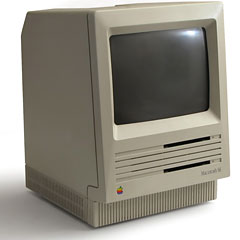
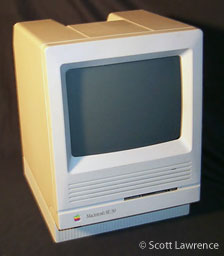 It was an SE, one of several that a section in my office had bought. The office Mac guru had invited everyone over to get to know them, so one day I picked up a 3.5″ diskette (still a novelty in 1988), sat down in front of this wonderfully compact little machine, and began to explore.
It was a revelation.
Every other computer I’d used, from the CP/M machine at home to the Zenith PCs and IBM word processors ($10k apiece!) in the office, was basically text-only. Lotus 1-2-3 on the Zeniths could make simple charts, but it wasn’t easy, and you couldn’t draw at all.
The SE, however, could draw. You could take the mouse and make a not-so-round circle on the screen, then fill it with whatever shade of grey you liked. If you wanted to put some words on the screen with your not-so-round circles, you could put them wherever you wanted and make the letters appear in any number of typefaces and sizes.
The Mac didn’t tell me where to put the words; it let me do that, and I didn’t have to define where I wanted the words to appear. Point, click, done. And that was just MacPaint!
There was an equally wonderful word processor, MacWrite, with proportional fonts even. No longer did “i” take up as much space as “w”. I learned, for the first time, why WYSIWYG was considered The Holy Grail of computing.
Naturally, I wanted one immediately.
Alas, I knew it wasn’t going to happen soon, so after playing with the SE for an hour or so, I reluctantly decided to retrieve my diskette and get back to work. This would prove to be the most daunting task of the entire experience.
I don’t know which Mac OS version this particular SE used – 6.0.something I suppose – but nowhere in any of those dropdown menus was there any mention of ejecting the diskette. I thought that it should be under “Special,” but it wasn’t, and believe me I looked. For a good ten minutes I looked. Nothing. Doggedly I kept at it, searching – searching with increasing irritation. Nothing.
Frustrated, I began to regress, going back through my teenage years, adolescence, childhood. Further and further back I went, until I wanted to kick and scream. Steam began to puff from my ears, my face turned red. All I wanted was that diskette. Why was this so difficult?
Just before the moment of Maximum Dynamic Pressure, the Mac guru strolled into the room. “Well, whaddya think?” he asked innocently. Eyes bulging, I fixed him with my most malevolent glare and shrieked, “I WANT MY DISK!”
After peeling his clothes and what little hair he had from the wall behind him, he calmly told me, “Just drag the icon to the little trash can.”
Well, I’d already thought of that. Slightly deflated but still seething, I inquired, “Won’t that erase the disk or something?”
“Nope.”
I tried it. Bzzzt! The diskette emerged from the drive. Mumbling to myself, I snatched it and fled.
Even with that small glitch, the Mac was easily the coolest and simplest computer I’d ever used. It did, for the most part, what I wanted it to do, and did it without requiring wizards or magic wands. It just worked.
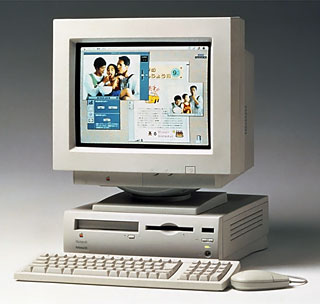 Several years and four PC clones later, I bought a Macintosh of my own, a Performa 636. My wife and I now have two tray-loader iMacs and a blueberry fruitBook, and she’s pining for an iceBook.
Me? I’d settle for a G4 Cube and a 15″ LCD. A new iMac would suffice, of course. Yum!
Addendum: Shortly after my initial encounter with the SE, I found myself sitting in front of a DOS laptop with a 3.5″ floppy drive. Out of idle curiosity, I plugged the Mac disk into the drive. It munched on the disk for a moment, then announced that it didn’t recognize it and asked whether I wanted to format the disk.
I declined the offer, then picked up a DOS diskette, marched over to one of the SEs, and slipped it into the floppy drive. It was like feeding a little kid spinach. Yuck! Ptooey! The Mac spit the DOS disk out instantly. I laughed so hard I nearly fell out of the chair. Détente, of course, arrived soon after that, but it wasn’t nearly as funny.
Want to share your own My First Mac story? Visit our My First Mac forum and let us know!
Keywords: #macrevelation #stevewassernich #myfirstmac
Short link: http://goo.gl/BK7whb
searchword: macrevelation
