
2001 – Over the past two years, I have collected a number of pre-PowerPC Macs, mostly through donations to our school by individuals and corporations.
At first, I used the machines to provide computer access for my students, but as more powerful computers were purchased or donated, these were eventually shunted to other teachers, and eventually my storeroom. According to district rules, equipment owned by the district (purchased or donated) cannot simply be sold on the used computer market to raise money for the science department – they must be remaindered and stored beyond obsolescence (rendering their resale value essentially nil) to prevent internal theft.
So even though many of the 68K Macs have ethernet ports, only 68040 machines can run Mac OS 8.1 “off the shelf,” and now that they’ve finally killed AppleTalk on our school network, pre-68040 machines are essentially dead in the water. Yes, I could use a number of utilities to trick the computer into thinking it is a 68040, but I’m busy enough with the machines that are legitimate. Furthermore, even some of the 68040 machines don’t have built-in ethernet, and I’m not anxious to buy ethernet cards for “unsupported” machines.
So what to do?
I decided to loan them out to students who don’t have computers at home. You read about this all the time on the Internet (you’re reading about it right now), so why not?
The first thing I did was wipe all the hard drives and installed System 7.5.5. I don’t want any problems in the future with using an OS requiring money to install, and bless Apple for providing this OS for us to use guilt-free. (If only they did the same with OS 8.1!) I feel for those nice folks down in Australia that Micro$oft took to task for using Windows illegally in their free computer distribution program.
Next, I verified that we had enough legal copies of AppleWorks 5 to install on the machines; no problem there.
I created a form and spread the word. An interesting thing is that none of my students wanted one; I had to ask in a P.A. announcement for the entire school before getting any takers. I think that goes back to the correlation between socioeconomic status and achievement – I teach physics, which tends to be taken by students with higher achievement levels – and I discovered that all of them already had computers.
After making the announcement, I have had a few bites from students elsewhere in the school. So far, I’ve 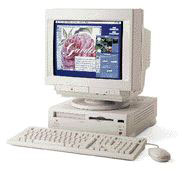 loaned 7 or 8 of the 12 machines that I “refurbished” last summer with leftover RAM, replacement hard drives and floppies, and cleaned mouse ball rollers.
Each student must fill out a form promising to follow the school rules and to repair the machine or replace it if broken – up to a maximum value of $100. This limit of liability is important to parents who can’t afford a used computer. And to be honest, unless somebody takes a hatchet to it, I’m not concerned about ordinary wear and tear – I have plenty of stuff in my junk – er, storage – room.
There’s no big speech involved from them or from me. They come in the room, sometimes a little sheepishly like they have to have an excuse to borrow a computer. “My mom’s computer is broken,” one says. He takes the computer and its monitor in two trips.
Another kid comes in. “No CD?”
“No,” I said.
“Internet?” came the query.
“No modem,” I said, pointing to the rear, where all the ports are empty.
“Can we hook one up ourselves?” says the kid.
“If you can figure it out, why not?” I said. “You’ll have to pay for Internet service, though. I can’t help you with that.”
The kid nods thoughtfully, consults with a friend or older brother briefly, and says, “Okay.” Then he takes the computer.
Another one, a girl, listens intently as I tell her there’s no CD player, no Internet, not much hope of listening to MP3s with it.
“That’s okay with me,” she says, “I just need to type. Can you believe they make you type papers even though you can’t get to a computer?”
“I believe it.”
She takes the computer and leaves.
Another one brings his mother. “Can I buy this at the end of the year?” she says.
“No,” I reply, “but you can keep it over the summer if you need it. I can tell you some places to go look for used computers, if you like. Prices are good right now, and you can do better than this for not much money.”
She considers this and corrals a little one wandering around in the storeroom.
“Maybe later.” And she takes the computer. She indicates her son. “He can do homework on it?”
“Yes,” I answer. “Typing papers, spreadsheets, and so on. They bring the disk to school and print the stuff in the library or wherever a teacher has a computer like this with a printer.” I point to a 5200 in the corner. We didn’t buy floppies for our iMacs, and eventually that’s going to be a problem, but not today.
“Good,” she says, and takes the computer.
What makes the days I spent cleaning the crud out of these computers worthwhile is the look I get when they leave. Lugging an LC III, a IIci, or a Quadra 630, they glance back at me as they leave the room.
“Thanks,” they say as they pop out the door.
“No problem,” I say, and my day ends a little brighter than it began.
Publisher’s note: You don’t have to be a teacher to do this kind of thing. If you have a few spare older Mac systems you can loan out, you can do the same thing. dk
Short link: http://goo.gl/8vzDYa
