
2000 – I’d like to get on the Internet with my Macintosh Performa 636. Is that possible? Can I buy a modem for it, or would it be useless? What kind of modem? What do I need to get online?
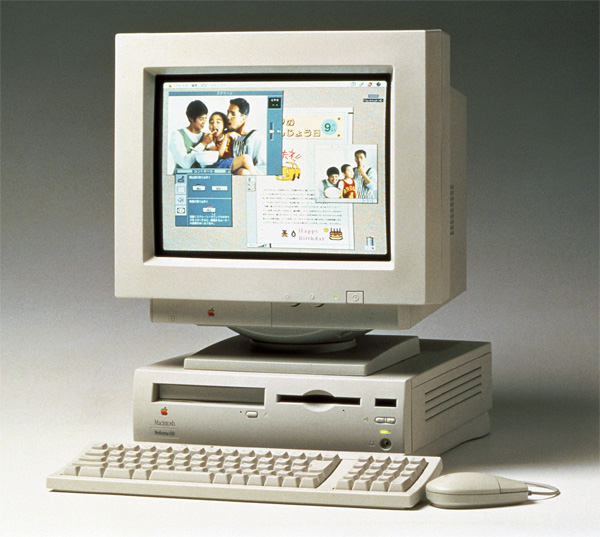 It is possible, and it is definitely not useless! Without knowing more about your Performa, I will make my recommendations with the most cost-effective solutions in mind.
- Upgrade your RAM. I’m going to recommend at least 32 MB in addition to the 4 MB on the system board, but if you don’t have a lot of cash lying around, go with at least 16 MB SIMM for a total of 20 MB. I’ve said it before: there is no such thing as too much RAM. Buy as much as your budget will allow.
- Upgrade to System 7.5.5. This is a free upgrade and will make getting on the Internet a lot easier for you. If you have some money to spend on an upgrade (and you have at least 20 MB of RAM, and preferably 32 MB), you can pick up a copy of Mac OS 8.1 from eBay for around $20-$30.
- Decide how you want to connect to the Internet. Depending on what is available in your area, this could be via a regular old modem, a DSL connection, or a cable modem.
- Regular old modem. This modem dials over the phone lines and connects to a modem bank at your ISP. I wouldn’t buy anything slower than a 33.6 modem – if you’re like me, you’ll get mighty tired of waiting for things to download, web pages to view, etc. Cost: $0 to $19.95/month.
- DSL connection. If it’s available, it will be taken care of through your phone company and ISP. In my area, it costs $49 per month – not cheap, especially for the casual Internet user. Availability can also be dicey, depending on how up-to-date the phone system in your area is. You’ll also need to purchase an LC PDS ethernet card for your Performa 636.
- Cable modem. Again, this depends on how up-to-date your local TV cable system is. For my local cable provider, it runs around $30/month, and they provide email services. It’s nice and fast, and the cost isn’t prohibitive. Once again, you’ll need an LC PDS ethernet card in your 636 for this option. Most cable providers will provide some setup help and some even will sell you the ethernet card and install it for a fee.
From the three options, the cable modem is my favorite solution for getting on the Internet. It costs slightly more than a regular dial-in ISP, but it is much faster and it doesn’t tie up your phone line. It is my opinion that when putting these older Macintoshes on the Web, the fewer speed bottlenecks on the connection, the better. My LC 580 really flies when I have the occasion to put it on a high speed network; your 636 will, too.
If you’re operating on a tight budget and want to stick with a regular dial-in ISP, remember a few things: make sure they’re Mac friendly. It’s not worth your time to deal with ignorant or intolerant techs if you call up with a question about your connection. Also look for an ISP with a low user-to-modem ratio. They really should not go any higher than eight users for every one of their modems – you shouldn’t have to deal with busy signals.
Putting older Macs on the Internet is anything but a hopeless endeavor. With a little bit of time and not a lot of money, they can remain very useful machines for years to come.
Update: Low End Mac’s Comm Slot FAQ, Tommy Yune, 2018.03.20
Keywords: #performa630 #quadra630 #lc630 #gettingonline
Short link: http://goo.gl/9npw1D
