
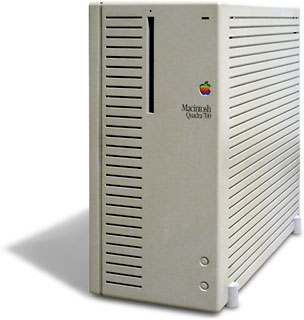
1999 – I’ve found/been given/bought on the cheap a 68030/68040 Macintosh. I’m a broke college student, and I need to set this machine up to do word processing and surf the Internet as cheaply as possible. What should I do? (A common question around here.)
 You’ll need a few pieces of software and maybe a piece or two of hardware. Since this older Mac probably didn’t arrive on your doorstep with a massive hard drive, we’ll aim this towards being frugal with your storage space. You need:
- an operating system
- a word processor
- internet software (browser, FTP, telnet, chat client, etc.) and ISP
- a modem
- at least 16 MB of memory
1. An operating system. This one is pretty easy. System 7.5.5 is a nice OS (operating system), and Apple has released it for free, so you’re free to download it from Apple (click here for links to downloadable Macintosh system software). System 7.5.3 and the 7.5.5 updater make for a pretty big download, so it might be worth your while to find a friend with it on floppies or CD (assuming your older Mac has CD-ROM).
2. A word processor. You have a couple of choices here. Corel recently released WordPerfect for the Macintosh as a free product, so version 3.5.3 costs nothing to try. [Update: WordPerfect for Mac went as far as version 3.5e and can be very hard to locate. At present, you may be able to download a copy from CSUSB or System 7 Today.]
You have another option in this arena: NisusWriter. You can download NisusWriter 4.1.6 for free, or Nisus Compact – the compact version is a streamlined version of NisusWriter, weighing in at a feather-like 1.1 MB! Perfect for folks with limited space.
3. Internet software. With browsers, it seems everyone has the “perfect formula” for speed and stability . . . but it seems that the best advice I can offer is Your Mileage May Vary. In any case, older versions of Netscape Navigator can be found in Netscape’s online archive. One piece of advice: Stick with just downloading Navigator – I wouldn’t bother with the full Communicator. You won’t use half the stuff that comes with it, and it will only take up space you need for something else.
- Another excellent choice is iCab, a web browser under development and available in English, German, and Japanese. The download is under 1 MB, it is not a memory hog, and it’s free. dk [Update: iCab is no longer being developed for 680×0 Macs. The download for v.2.9.9 has grown in size, requires Open Transport, and needs to be on a Mac with at least 4 MB total memory.]
For email, you can’t go wrong with Eudora Light, another free product. For FTP, my favorite is Anarchie, and I’m a big fan of BetterTelnet for terminal emulation. Try Pure Mac or The Mac Orchard for those two programs – plus much, much more.
As far as an ISP goes, check in your area to see if some of the free ISPs offer a dialup number. If you’re a student in university, chances are your school has some sort of cheap Internet access. Talk to your friends who are connected – see what they recommend for your locale.
4. A modem. Okay, here comes the “not free” part. 33.6 modems go on eBay for US$30 or less. If you watch, you may even be able to get into a 56K modem for less than $50. Some brands are better than others are – check with Mac savvy friends/salespeople/Mac Daniel folks for advice on who to buy and who to avoid. And be sure to look for a Mac compatible modem. Otherwise, you’ll have to spend even more money for a modem cable
5. At least 16 MB of RAM. Sorry, kids, you’re going to be miserable on the Internet with anything less – System 7.5.5 will run on 8 MB, but the Net will be dog slow, and you’ll be limited to running Netscape Navigator 2.02 for your browser. Netscape Navigator 2.02 isn’t a bad browser, but it lacks some features and is still going to be slower than molasses in January with only 8 MB of RAM. There are lots of good cheapo memory places out there (ramseeker tracks a lot of them). There is also tons of wonderful information in the Low End Mac’s Online Tech Journal on RAM – I urge you to read it. One piece of advice: There is no such thing as too much RAM. Buy as much as your budget will allow.
Hopefully, this will get you well on your way to low-budget computing! 🙂 With all the money you saved on your computer, you can have peanut butter with your Ramen this week. As always, I’m open to (and hoping for) feedback, suggestions, and questions.
Short link: http://goo.gl/nyDT7O
