Miscellaneous Ramblings
High-End Word Processing for a Low-End Price: Free
Charles W. Moore - 2001.02.12
Don't like the overbearing bloatedness of Microsoft Word? Don't want to cough up the hefty tariff for Word? Or just prefer to avoid Microsoft software?
Despite the overwhelming hegemony Word currently enjoys in word
processing on both the PC and Mac platforms, there are
alternatives. One is my personal choice - to use a small, agile,
text editor like Tex-Edit Plus,
BBEdit, Pepper, Style, or one of many others. There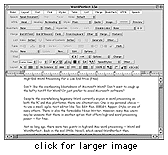 is also
the formidable Nisus Writer. However, many Mac users may be unaware
that there is another option that offers high-end word processing
power - for free.
is also
the formidable Nisus Writer. However, many Mac users may be unaware
that there is another option that offers high-end word processing
power - for free.
Not so long ago, there were two giants in high-end Mac word processing - Word and WordPerfect. Back in the mid-1990s, Novell, which then owned WordPerfect, managed to beat Microsoft in getting the first PowerPC-native word processor out the door - WordPerfect 3 for the Mac.
For a while during the Word 6 debacle, Macworld magazine even rated WordPerfect 3 the "editors choice" in Mac word processing applications.
However, Novell sold WordPerfect to Corel in 1996; development of the Mac version of the application essentially ground to a halt in 1997, with Corel officially terminating support for it last year. However, as a consolation to Mac users, Corel commendably posted a final build of WordPerfect for the Mac, version 3.5e (enhanced), which includes all upgrade patches that had been released up to October 1997 as a free download on their web site. It reportedly includes some of the technology that was to be used in the stillborn WordPerfect 4 for Mac. WordPerfect 3.5e is a pretty cool piece of software for free, and for the past few days I have been using it as my word-cruncher to see how it performs under Mac OS 9.1. I downloaded and installed the Mac OS 8.6-9 updater, and the application seems to work fine under 9.1.
Corel WordPerfect 3.5 Enhancement Pack for Macintosh is a full, uncrippled version of WordPerfect. The free download consists of the WordPerfect software only. Clipart, web art, sounds, templates and some fonts that are included with the full product are not included in the downloadable package.
No registration is required to install the product. However, customers are asked to enter their name, country, and email address, and to complete a questionnaire.
It had been several years since I used WordPerfect, and this review reminded me just how good and powerful this program is. While I won't be switching to WordPerfect from my AppleScript customized Tex Edit Plus, for users who, unlike me, need to produce documents that will be formatted for hard copy printing, or who just like to have a full arsenal of word processing features available, this program is definitely worth a look.
WordPerfect 3.5 is an evolutionary refinement of versions 3 and 3.1. The program's features include customizable tool bars and keyboard shortcuts, a built-in graphics editor, tables, style sheets, a macro language, full Macintosh drag and drop support, an equation editor, envelope printing, bookmarks and hyperlinks within a document or other documents, AppleScript support, WorldScript (foreign language) support, text-to-speech, an HTML editor, a grammar checker, automated tables of contents, on-the-fly spelling correction and watermarks. A "Make It Fit" command automatically reformats documents that are just a little too long to fit on the desired number of pages.
WordPerfect's clean, easy-to-use toolbars use plain-English labels, and a master tool bar allows you to select with a click which other toolbars you want to display. WordPerfect can also import Word documents with stylesheets intact.
Another feature that WP has that Nisus doesn't support is kerning, and WP has an excellent table editor and better cross-referencing.
WordPerfect 3.5's HTML editor allows you to import HTML documents from the Web and edit them, or you can create your own formatted Web pages from directly within WordPerfect without fooling around with manual HTML coding.
Missing in WordPerfect are integrated outlining, character styles, and the extremely useful true glossaries found in Word and Nisus Writer.
WordPerfect uses about 10 MB of hard drive space - much less than Word demands.
The downside, of course, is that WordPerfect for Mac is no longer being developed or supported, and there will be no OS X version (unless Corel decides to port their WordPerfect for Linux to OS X). But for classic Mac OS users, it is definitely a viable alternative to Word, and the price is certainly right. And as long as Mac OS 9.1 remains the Classic support for Mac OS X, you won't be shut out.
You can download WordPerfect 3.5e for Mac from LEM's Dropbox.
A free OS 8/9 updater (also slows scrolling speed for 7x users) can be downloaded here.
WordPerfect Conversions 2.0 (Open/Save Most Types Of Files In WP)
WordPerfect Conversions 2.0 includes more than 40 conversions, to make the WordPerfect free download equal in flexibility to the commercial product. Includes MacLink, DataViz, all popular graphics formats, MS Word 6 and other word processors, Quark Xpress and PageMaker
System requirements:
- System 7.5 or later
- WordPerfect 3.5e
WordPerfect Conversions can be downloaded here.
You may want to subscribe to the WordPerfect email list.