Mac Musings
More Macworld Reflections
2000.07.24 - Daniel Knight - Tip Jar
What a week! My wife drove me from Grand Rapids (MI) to Detroit last Tuesday, where I caught a ProAir flight from Detroit City Airport to LaGuardia. (Looking for a real airfare bargain? ProAir only serves a few markets - including Detroit, Chicago, New York, Atlanta, and Orlando - but has great Web fares.) A LaGuardia I hooked up with Bryan Chaffin of Mac Observer in baggage claims.
We spent some time there, hoping my suitcase would show up. It didn't. Somehow it ended up in Baltimore, but ProAir retrieved it, had United transport it to LaGuardia, and then sent it to the Ramada Millford Plaza, where I had it one day after reaching New York. As far as misrouted luggage goes, I don't think it could have gone much better.
For the next three days, I sent a lot of time with the Mac Observer crew, including a nice visit to Little Italy and an unexpected foot tour of Brooklyn.
Day One
Knowing the first day would be the heaviest in terms of collecting literature, I elected to leave my wife's WallStreet PowerBook locked in my room. I had a spacious Kensington case which I believed would be perfect for all I might accumulate.
When I signed up for Macworld, I should have registered as a member of the media. That would entitle me to use of the press room (including iMacs and an Internet connection) and attend any session - including the keynote. But I didn't have a media pass, so I missed the keynote, as well as the free Apple Pro Mouse given to everyone who did attend the presentation.
I learned about the media pass after the keynote and managed to upgrade my pass, which allowed me to rub shoulders with people involved in all kinds of media: print, web, video, TV, radio, and who knows what else.
By noon the Kensington bag was weighing me down and being shifted
from shoulder to shoulder with increasing regularity. I knew Tenba had
a booth and had also seen some cases from Tutto. After some comparison, I purchased
the Tutto Office on Wheels, which
allowed me to pull my literature and equipment behind me. That
 purchase, my biggest expense after lodging and airfare,
greatly improved the Expo experience.
purchase, my biggest expense after lodging and airfare,
greatly improved the Expo experience.
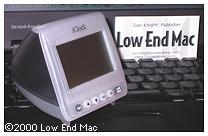
Purchases on Wednesday included an iClock, a Contour UniPad, RAM Doubler 9, and CopyAgent. I wasn't planning on buying RAM Doubler, but the show prices and a $10 discount for buying to Connectix programs got the better of me. On Friday I would have the perfect reason to use RAM Doubler.
I took most of my Expo photos on Wednesday, including ones of the Cube, the new snow iMac DV Special Edition, the new colored iMacs, the Harman Kardon SoundSticks, and more. I was as pleased with my Canon PowerShot as the day I got it. It's a great camera for the webmaster: compact, plenty of resolution (1280 x 960), lightweight, and very easy to use. The key feature for me is the widest lens on any digicam, the rough equivalent of a 28mm lens on a 35mm camera. After all, you can always crop in when you can't zoom, but you can't put more in the photo than the lens will cover.
Unfortunately, I had no way to get the pictures from my PowerShot or CompactFlash card to the PowerBook - I'd left the serial cable at home and didn't have a USB port for my SanDisk card reader. This was a problem I'd solve on Friday.
I got to meet the rest of the Mac Observer crew on Wednesday, as well as the DealMac guys, who had a great booth. (Dan at DealMac was kind enough to call Low End Mac "the definitive resource for older Macs." I really appreciated that.)
Since I hadn't taken the PowerBook with me to the Javits Center, I didn't have a chance to write anything until late in the evening.
For ease of use, I'd packed a mouse and non-extended keyboard. Unfortunately, when I went to plug in the mouse, I discovered it was one without a mouse ball. Sigh. At least the keyboard worked nicely, although it was sometimes frustrating reaching past the keyboard to the PowerBook's touchpad to move the cursor.
Just as on our family vacation at the start of July, Claris Home Page worked beautifully on the PowerBook. Sure, I'd love a screen larger than 800 x 600, but it's only temporary. Also, the EarthLink connection through the Ramada Millford Plaza's phone system connected at 57,600 bps every time, making it quick and easy to update the site and check one of my email accounts.
But the best part of the day was getting my suitcase and having fresh clothing to wear.
Day Two
Since I had the wonderful Tutto Office on Wheels, I decided to bring the PowerBook to the show with me on Thursday. I'm glad I did, since it gave me the opportunity to do some writing during down time.
I wore my new DealMac T-shirt on Thursday in gratitude, for Dan at DealMac had given it to me on Wednesday after hearing about my missing luggage. I even got to explain to one gentleman what DealMac was and point him to the booth.
I think that was the day I began to realize how little the average Mac user knows of the Mac Web. I had assumed that almost all Mac users were connected and visited Mac-related sites regularly. Well, that simply isn't the case. They all know print media such as Macworld, MacAddict, and Mac Home, but a lot of them didn't know a thing about Mac Observer, DealMac, Low End Mac, or other Mac-centric sites. It's definitely something we need to address. (I've tried to expose the Mac Web to a wider audience through Link Exchange banners, but the results are not encouraging.)
Wednesday evening was my only Expo party, an invitation only cocktail party sponsored by Sonnet Technology at Tavern on the Green. The food was fabulous, the bartender liked to make his drinks strong, and the company was excellent.
After that we walked through Central Park, watching cyclists, joggers, and bladers pass us in the road while fireflies kept popping on their tail lights. The group split, with most going to the Mac the Knife party while Kyle and I headed to Little Italy. We visited Ferrara, which Kyle tells me is one of the two best pastry shops in Little Italy. Michael Munger of Mac Observer joined us there, and I had my first canolli - yum.
Then we got on the wrong train on the right track, or something like that, and somehow took the subway to Brooklyn. Around midnight we realized what we had done and found a subway station to take us back to Manhattan. That's why there was no site update Thursday night.
Day Three
Friday was the day I finally knew how to get my pictures onto the PowerBook's hard drive. John Braun of Mac Observer had used a PC Card adapter with a CompactFlash card to copy KeySwapper to the PowerBook. (KeySwapper lets you assign keys missing on PowerBook, iBook, and the old USB keyboards, such as a forward delete key.) I thought that was pretty clever, saw that DataVision was selling them for $12, and tried to buy one late Thursday. Too many customers there, so I went back Friday morning.
With a little more foresight I would have put my copy of Photoshop 4.0 on the PowerBook before I left home - or even my registered copy of GraphicConverter, a truly valuable piece of shareware. Instead, I ended up downloading it over the Net on Friday morning. In using it for image editing (which I almost always do in Photoshop), I was both glad it was freely available for download and glad that it wasn't my normal image editing tool.
I have a tendency to hold the camera not quite level, especially when taking vertical shots. In Photoshop it's very easy to rotate the image one or two degrees clockwise or counterclockwise without losing image quality. GraphicConverter can't do that, so I ended up increasing the resolution of the original image to two or three times what it was to start with. That ate up memory in a hurry.
I didn't want to use virtual memory, since power outlets are rare at the Expo and drive access would reduce battery life. (So does saving to disk. I should have though of that sooner, as the PowerBook eventually forced itself to sleep after a lot of image edits and saves.) To provide the needed memory for these oversized images, I boosted GraphicConverter to 30 MB, but even that wasn't enough for some images. Time to install RAM Doubler, which gives you the benefits of virtual memory without disk access. (If I'd really thought it through, I would have used the CompactFlash memory or set up a RAM Disk to edit images. That would have reduced drain on the battery. Of course, hindsight is 20-20.)
Despite all that, I managed to rotate, crop, sharpen, reduce, and do other things to my photos before adding a few to Low End Mac. One Photoshop feature I really missed was automatic balance for brightness, contrast, and color. But I did the best with the tools at hand, and when I finally saw the results on a iMac in the press room, I was quite pleased with the results.
By Friday, I was very jealous of the Mac Observer crew, almost all using AirPort for Internet access while on the show floor. Internet is definitely another "insanely great" technology first widely used by Apple (others include the mouse, 3.5" floppy, CD-ROM drive, and USB.) If anyone had been selling AirPort compatible cards for the PC Card slot in the WallStreet PowerBook, I would have bought one - it's that impressive.
I left when the Expo closed at 04.00 p.m., took the shuttle back to the hotel, got my bags, and had a nice cab ride through Central Park on the way to LaGuardia. I arrived a couple hours early, so had time for a leisurely dinner at a Chinese fast food restaurant in the airport's food court. (The sweet and sour chicken was good, but the honey chicken and bourbon chicken were spectacular, far better than expected from fast food.)
Through the x-ray machine and metal detector, where someone accidentally grabbed my computer case as I emptied the change from my pocket. Serious panic there, but I found them before they boarded their plane.
Then off to find a power outlet, begin writing this article, and give the battery a chance to charge up beyond the 40-50% level. In fact, I had enough time for it to register 100% before boarding the plane. I also had a chance to talk with an iMac owner about computers and Low End Mac.
The flight home was a bit bumpy, but the worst part was spending about an hour on the ground waiting our turn to fly out of LaGuardia. We had the same flight attendants as when I flew out Tuesday, a group that seemed a bit punchy after a long day and a pleasure to have on the plane. Kudos to ProAir for hiring a nice plane (737) and support staff from Casino Airlines.
We reached Detroit City Airport an hour later than scheduled. My wife and I each had a cup of beer cheese soup and a beer at Big Buck Brewery before calling it a night.
Conclusion
Saturday morning included some time in the sauna and hot tub to relax road weary muscles, a little outlet shopping in Birch Run, and then heading across state to pick up our youngest son from the in-law's cottage. Then home to Grand Rapids.
It was quite a week. I'll continue to gather my thoughts on the show over the coming days. There's an awful lot to process.
Tomorrow: Items that should have been at Macworld.
Join us on Facebook, follow us on Twitter or Google+, or subscribe to our RSS news feed
Dan Knight has been using Macs since 1986, sold Macs for several years, supported them for many more years, and has been publishing Low End Mac since April 1997. If you find Dan's articles helpful, please consider making a donation to his tip jar.
Links for the Day
- Mac of the Day: 12" 867 MHz PowerBook G4, introduced 2003.01.07. The PowerBook got smaller and lighter, adopting an alumimum case and AirPort Extreme.
- Support Low End Mac