
Low End Mac
Search LEM 
Donate · Amazon.com · MacResQ · Advertise
Other Cobweb sites: Low End Living · Reformed.net

Apple Archive

  • Mac of the Day: Centris 650, Feb. 1993 - The replacement for the Quadra 700 has room for an internal CD-ROM.
  • List of the Day: Old Mac MP covers 604-based multiprocessor Macs and clones.
  • Channels
     Power Macs
     iMac Channel
     iBook/PowerBook
     MacInSchool
    Computer Profiles
     iMac
     Power Mac
     PowerBook/iBook
     Performas
     Mac Clones
     Older Macs
     LisaNeXT
    Editorial Archive
    Mac Daniel's Advice
    Email Lists
    LEMchat (uses AIM)
    Online Tech Journal
    Consumer
     advice, reviews
     guides, deals
    Software
    Apple History
    Best of the Web
     Best of the Mac Web surveys
    Miscellaneous Links
     Best Used Mac Buys
     Used Mac Dealers
     Video Cards
     Mac OS X
     Mac Linux
     Macspeak
     RAM Upgrades
    About Low End Mac
    Site Contacts

    Open Link

    Support LEM

    Affiliates

    The Apple Store
    .mac
    iTunes Store
    Club Mac
    MacMall
    MacResQ
    ExperCom
    eBay
    Amazon.com
    PayPal
    PCMall
    PC Zone
    Crucial Memory

    Our advertising is handled by BackBeat Media. For detailed price quotes and advertising information, please contactat BackBeat Media (646-546-5194). This number is for advertising only.

    The Mac and Windows Compatibility

    - 2002.10.04

    Low End Mac Reader Specials

    Memory To Go Special: New 2008 iMac 2GB $42 / iMac Intel Core2 DUO & MacBook Pro 2GB $36 - 1GB $20. MacPro 8 Core Memory 4GB kit $154 / 2GB kit $94 -- Free shipping available.

    Download Typestyler, still the Ultimate Styling Tool for Internet, Print and Video Graphics. Works great in Classic with a Native OS X Version on the way. Free Tryout: www.typestyler.com

    LA Computer Company: Specials on AppleCare, iMac's, Apple Batteries and Apple A/C Adapters. Also Great prices on Used Apple Computers. Call 1-800-941-7654 Click Here.

    OWC: NewerTech NuPower Batteries for iBook and PowerBooks Designed+Built in USA to run longer, LAST LONGER TOO! Free Battery Recycling Return Label; Quality High-Capacity from $99.95

    Mac users can finally play Party Poker for Mac. Not only that, they can also learn how to play PokerStars for Mac.

    Laptop Hardware Provided by TechRestore - Overnight Mac & iPod Repairs.

    Compare products like desktop computers, laptops, and LCD TVs side by side! All the information and reviews to make the best purchasing decision for a new cell phone GPS products or MP3 players. The Ciao network makes searching products easy for you.

    MacBook/MacBook Pro / MacMini / iMac Intel Core2 DUO DDR2 667Mhz 4GB Kit $80, 3GB Kit $60, 2GB Kit $40, 1GB $20 - Click to Maximize your Macs...

    One thing that has really been overlooked about the Mac is its excellent compatibility with Windows. While compatibility has long been a part of the Mac OS (including PC Exchange and DOS cards for Quadras and early Power Macs), in the past couple years it really has been ignored as a feature.
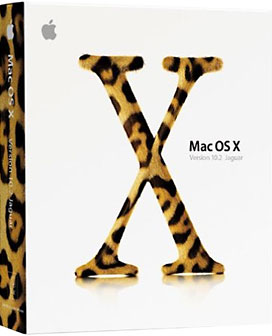
    Until Mac OS X, that is.

    Mac OS X's file extensions really improved Mac/Windows compatibility. In the past, if you sent a Word document from a Mac to your friend's PC, he couldn't open it unless he knew what the file extension was (.doc) for the PC and added it to the file's name. Mac OS X places file extensions on most files, so when you transfer them to a PC, they open right up.

    What about sending from a PC to a Mac? Again, since Mac OS X can read the PC's file extension, it has no problems opening it, unlike Mac OS 9 and before which depended on creator codes to know what application opens what file.

    The other thing that many people seem to forget is that the Mac has the advantage of being able to run Windows applications in Virtual PC. With today's 800 MHz and faster Macs, this is almost as fast as running it on an older PC, although video does tend to be slow, and games can't really be run unless they are text based or otherwise very simple.

    However, the fact remains that you can run many modern PC applications on a Mac. You can also run Mac applications on a PC, but it is considerably more difficult, and as far as I know, you can only emulate a 68040 processor, which doesn't make Mac emulation too useful.

    One very nice capability that Virtual PC offers is the ability to transfer files from the Mac side to the PC side. Since Mac OS X recognizes file extensions, files transferred from the PC desktop have no trouble opening on the Mac. You can also connect to Windows networks and share files, and in Mac OS X 10.2 you can easily connect to Windows computers over a network using the Windows File Sharing option in the Network System Preferences.

    Another thing I was really stunned by was how compatible CDs created with Apple's Disc Burner are with PCs. The other day I was helping someone set up her Dell laptop so it would connect with the Apple AirPort base station with a Linksys wireless card. The Mac was seeing it fine, but the PC was having problems. I was on the phone with tech support, and after trying almost everything, we determined that the drivers needed to be reinstalled. Not having the latest version on CD, the only option was to download them from the Internet.

    Since the Dell couldn't get online, the only computer that could do it was her G4 tower. I downloaded the latest drivers, inserted a CD-R disc, and hoped that the disc Apple's software makes would work on a PC. When I inserted the disc into the PC, it recognized it as a PC CD-ROM, and the drivers installed perfectly. I was really amazed and pleased at how seamless that whole process was; in the past it was much more difficult to transfer files from the Mac to PC and vice versa without something going wrong.

    I would also just like to mention how helpful the Linksys phone support was. Not only were they willing to help with an older product, but they stayed on the phone with me for almost three hours until everything worked. That's good tech support.

    Not only is the Mac software becoming more PC-friendly, the hardware is, too. Since nowadays Macs use USB and FireWire, you can often use the same peripherals.

    Until the iMac shipped in August 1998, the Mac used its own proprietary ADB ports and Mac serial ports. Companies could add Mac compatibility by making special hardware; now all they have to do is write Mac drivers for their USB devices. Four years ago I would have had to buy two scanners, printers, and digital cameras - or at least two different kinds of cables - if I wanted to have each compatible with both a Mac and PC. Now all you need is one.

    Overall, it's better for both consumers and corporations that Macs and PCs have become so compatible with each other. The consumer benefits by no longer having headaches when transferring files (trying to figure out what application should open what file or what the file extension might be) and saving money when buying new hardware, and Apple (and PC makers) benefit by now having more devices available for their machines.

    I'm also sure that both Microsoft and Apple will be receiving a lot fewer phone calls from people having trouble opening a Mac file on a PC or vice versa.

    Recent Apple Archive articles

    Links for the Day

    • Mac of the Day: Centris 650, Feb. 1993 - The replacement for the Quadra 700 has room for an internal CD-ROM.
    • List of the Day: Old Mac MP covers 604-based multiprocessor Macs and clones.
    • September 7 in LEM history: 98: Banner exchanges - 00: Tips from the Mac manager - Getting a Mac job - 01: Apple and the gray market - Repositioning the 'Books - 04: Tray loading iMac a good choice for OS X? - Pismo CPU upgrades - 06: Mac mini value equation - Setting up a Mac Classic II - Putting the Intel transition in perspective - 07: Region free DVD viewing, - My Newton - Solving Mac disk and hardware problems - 2 apps every MacBook should have

    Recent Content on Low End Mac

    Apple Archive articles copyright ©2000-07 by Adam Robert Guha. Entire Low End Mac website copyright ©1997-2008 by Cobweb Publishing, Inc., unless otherwise noted. All rights reserved. Advice presented in good faith, but what works for one may not work for all. Please report errors to .
      LINKS: We allow and encourage links to any public page as long as the linked page does not appear within a frame that prevents bookmarking it.
      Access our RSS news feed at http://lowendmac.com/feed.xml.
      Email may be published at our discretion; email addresses will not be published without permission, and we will encrypt them in hopes of avoiding spammers. If you prefer your message not be published, mark it "not for publication." Letters may be edited for length, context, and to match house style.
      PRIVACY: We don't collect personal information unless you explicitly provide it. For more details, see our Terms of Use.
      Low End Mac is an independent publication and has not been authorized, sponsored, or otherwise approved by Apple Inc. Apple, the Apple logo, Macintosh, iBook, iMac, eMac, iPod, PowerBook, MacBook, Mac Pro, Apple TV, and AirPort are registered trademarks of Apple Inc. Additional company and product names may be trademarks or registered trademarks and are hereby acknowledged.
