
How many clicks or keystrokes did it take you to get to Low End Mac?
I used to do nine clicks and keystrokes to get to Low End Mac. One click on iCab on my launcher program called Malph. One Cmd-L to open a URL, and then six keystrokes to type “www.lo” – at which point iCab recognizes where I am going, and I hit Return.

In this article I want to look at a few ways of eliminating keystrokes and clicks so that you can be more efficient.
First off, it used to be worse. Back in the early days, the browser couldn’t remember where you had surfed. In those days you had to type the whole address, including the “http://” and the “www.” and the “.com” at the end. Then browsers got smarter by automagically filling in these parts after you entered “lowendmac” – that was a big step.
Down to Two Clicks
The main built-in way of reducing typing in browsers is bookmarks. By adding a bookmark, you can select a site with a single click-drag-select. In my case that would reduce my number of clicks from nine to two: one to open iCab, and one to select the bookmark.
Which way is faster? I haven’t done time tests, but my guess is that I can type much faster than I can select a bookmark. The problem with using a bookmark is that I have to select that bookmark from all the others in my list. That involves scanning all the options, which takes time.
My dad, for example, has about 100 bookmarks all in a single list. I’m sure that it takes him more time to select a bookmark than it does for me to type. Any time you have a menu that is longer than your screen, you end up wasting a lot of time scrolling.
The next best thing to speed up bookmarks would be to use the built-in organization. By using folders to organize your bookmarks, you can make it much quicker to navigate through lots of bookmarks. For example, you could put Low End Mac, MacInTouch, MacNN, and the other Mac sites you visit into a Mac folder. With a lot of bookmarks, such a hierarchical listing will be much faster than a flat one.
Just One Click
I could reduce it to one click if I set iCab to use Low End Mac as my home page. If you have never set your homepage preference, do it now! There’s no reason to start with a web page that you don’t want to visit. Besides, using Low End Mac as your homepage helps support the site (instead of giving advertising revenue to some large corporation that had the leverage to be the default for your browser).
Zero Clicks!
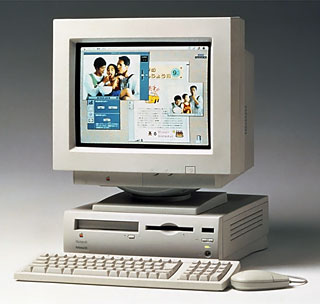 My favorite number of clicks to get to Low End Mac is zero. Rather than manually opening up my web browser and checking my email every morning, I have my Quadra do it for me. There are a lot of ways to do this, but let me describe a way that costs nothing, since that is often popular with low-end users.
I use three things to automatically get my email and favorite websites: AppleScript, iDo Script Scheduler, and Auto Power On/Off (from System 7.5).
My AppleScript is very basic – it just logs on if I’m not already on, gets email, and loads some Mac websites in separate windows. If you haven’t done any scripting (or are leery of programming), here’s the script in its full glory.
if (state of (PPP status) is "idle") then
    PPP connect with quiet mode
end if

tell application "Eudora Light"
    activate
    connect with checking
end tell

tell application "iCab"
    Activate
    OpenURL "http://www.macnn.com" toWindow 0
    OpenURL "http://www.macintouch.com" toWindow 0
    OpenURL "http://www.lowendmac.com" toWindow 0
end tell
I saved the script as an application. I could put it in my Startup Items folder in my System Folder and have one button access to the Internet. When I hit the power button, it would do all that for me. But I don’t always want to get on the Net when I start my computer, so that is where iDo script scheduler comes in. It comes as a lite version that can schedule up to three scripts. If you upgrade, you can schedule more scripts and have more control over how they are scheduled.
Finally, I use the Auto Power On/Off control panel to automatically start my Mac before I get up in the morning. Then iDo does my AppleScript, and when I get to my computer, I used exactly zero clicks to get to Low End Mac, MacInTouch, and MacNN.
Keywords: #zeroclick #noclick #zeroclicksurfing
Short link: http://goo.gl/BABTOC
searchword: zeroclick
