
For years I have been following Macintosh hardware advances. When I first started using Macs in 1990, the wicked fast 40 MHz Mac IIfx was on the top. I was in college at the time, and I knew two frosh in my dorm who owned IIfxs. I did not realize then how rich their parents must have been to send their kids to college with more than $10,000 worth of computer equipment! This hardware was so fast that heads would spin.

Fast forward to the beginning of 1998. I had just come back from two years as a Peace Corps volunteer. Since I had spent a couple years volunteering, I wasn’t exactly rolling in money.
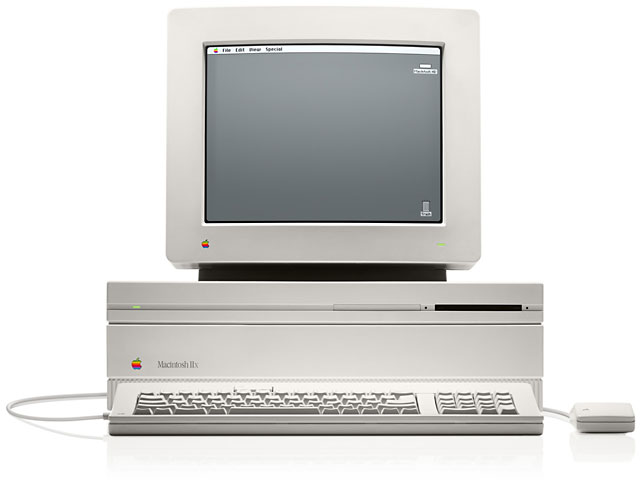 An acquaintance of mine, who was a graphic artist, was upgrading his system, so he gave me a Mac IIfx with a Radius Two Page Display. I found a LaserWriter IInt for $50. That same setup would have cost me near $20,000 when I was a freshman in college. (I didn’t actually keep the IIfx, since I was shipping some computers to the school where I had been a volunteer.)
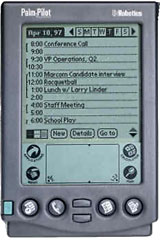 Around the same time I got the IIfx from my friend, I bought my first Palm Pilot, then selling for $230. It was worth more than my IIfx. If you could benchmark a Palm Pilot, it would probably be competitive with a Mac SE. While the Mac SE was always considered slow, the Palm Pilot Personal was pretty fast – but nowhere near as fast as a IIfx.
What’s going on here? How can a Palm Pilot, which is slower than a IIfx, be worth more? How can a Palm Pilot Personal – that’s as fast as a Mac SE – be considered speedy?
Obviously the reason why the Palm Pilot was more valuable was that it fit in my pocket and runs off batteries.
But the last question gets at the real issue.
Dan Knight points to the issue of speed in one of his articles, How Fast Is Fast? He notes that we what we consider fast doesn’t always line up with the absolute speed. A Palm Pilot is not really fast in an absolute sense. I would not want to being crunching data for the SETI project on any Palm Pilot. I doubt it could finish a work unit in a week.
But the Palm Pilot’s interface is responsive and streamlined. My Palm Pilot does what I want with only a few screen taps. It turns on instantly. It’s irrelevant how “fast” the hardware is, because the software seems fast. Perceived speed is what matters.
Most Macs can seem fast, too, if you focus on the software. Users who focus on absolute hardware speed can get caught in a never-ending upgrade cycle. Newer Macs are faster than older ones. But that does not mean that newer Macs will always seem faster than older Macs. Perceived speed depends on the software.
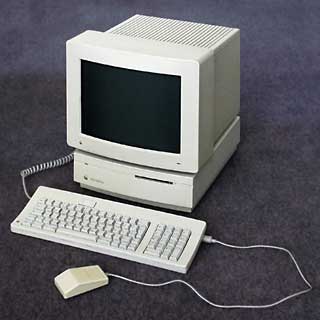 Say, for example, I wanted to send an email to my parents. That would be faster with my Mac IIsi than I can ever get my current PowerCenter Pro G3. Sure, the G3 is worlds faster at all the hardware specifications that are measured for speed: CPU, FPU, hard drive, and video speed. But Mac OS 9 takes over a minute to boot up. In that minute, a IIsi with System 6 could boot up (15 seconds!), open Eudora, and be on the Net.
When you read articles on Low End Mac about picking a version of the Mac OS for your Mac, what the author is really getting at is which version will seem fastest for you. Perceived speed, as with the Palm Pilot, is a balance of responsiveness and streamlined use. Newer versions of the Mac OS use more system resources and are usually less responsive. Sometimes later versions can be more responsive, as with the use of more PowerPC native code, but the overall trend is that software becomes less responsive.
With the loss of responsiveness, later versions may offer you ways to streamline your work. Using a contextual menu from Mac OS 8 can be much more convenient than any option you had in System 7. Using multiple users in Mac OS 9 can let you do more customizing on a shared family Mac than you could have done with Mac OS 8.
If you decide to increase how responsive your system is by using an older version of software, make sure you take advantage of the ways to streamline things. With System 7, for example, that means you might make some aliases of your favorite applications so you can get to them easier. With System 7.5, you might look into organizing your Apple Menu so you can take advantage of the Apple Menu Options. With Mac OS 8 or 8.1 you might learn how to use popup folders or contextual menus.
What’s true for the Mac OS is just as true for other software. Newer versions take up more hardware resources and become less responsive, but they offer new features that should streamline your work. This explains why I love old software. It may not have the latest features (which I do not necessarily want), but it is more responsive. I know that there are still many users who love WriteNow, because it is the most responsive word processor for the Mac, but it has enough features that I feel like it is streamlined. I think I could make a pretty convincing argument that ClarisWorks 4 is a better program than AppleWorks 6.
What does this mean for Low End Mac readers? Spending time picking the right software and customizing it for the way you work is time well spent. Within reason, an older Mac can seem as fast as a current Mac if you pick responsive software and learn how to streamline it for your use.
A few years ago, Apple hit it right on the mark with one of their tag lines: It’s not how powerful the computer is, it’s how powerful it makes you.
Keywords: #palmos #palmpilot #responsivesoftware
Short link: http://goo.gl/m4e76a
searchword: speedreconsidered
