
There are many different illustration programs for Mac OS X, including both high- and low-end choices. Freeverse launched Lineform last year, a powerful illustration tool with a simple user interface that bears a familiar resemblance to both Apple’s and Omni Group’s applications, meaning there is little to learn.
Lineform’s main features include Boolean operations, outlines, free transformations, CMYK preview, artistic strokes, gradients, Bezier editing, arrows, freeflow text, and more.
After installing Lineform, I was amazed to see the application size is a mere 9.3 MB (this includes the French and Japanese localizations).
Lineform is easy-to-use, incredibly fast, and has Universal Binary support.
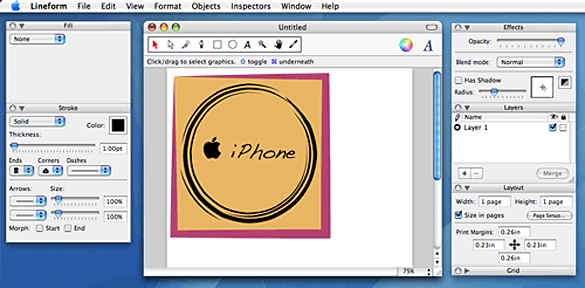
The first feature I came across that struck me as übercool were the Stroke effects. Unfortunately, there are minor user interface annoyances throughout the program. The custom floating palettes look nice, but are missing resize-widgets in the corners, meaning I cannot view all of the different Stroke effects at the same time. However, this is only a very minor problem.
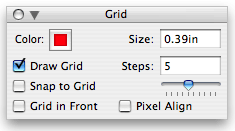
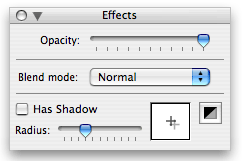
Left: Grid floating palette. Right: Effects floating palette for opacity/blends/shadows.
Although Freeverse do not position Lineform as a competitor to Illustrator on their website, many of Adobe’s customers have been switching over. Lineform includes many capabilities you’d expect from any illustration program, such as shadows and layout grids. There is also an outline view.
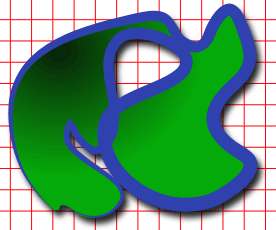

Left: Custom shape created using the Paint tool, with a Radial fill, effect stroke on top of a red layout grid. Right: The same custom shape in Outline View with layout grid turned off.
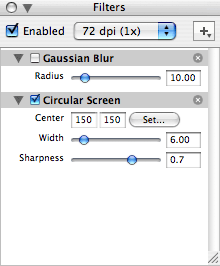 My second favorite feature is the filters, of which there are over 50, including crop, distortion, blur, halftone, color adjustment, tilt, gradients, and transformations. Using Lineform’s built-in filters, your dull illustrations can come to life.
These filters also make Lineform very appealing for those involved in designing logos, posters, and other marketing and branding materials for a client or business.
iPhoto users will be glad to know that Lineform includes it’s own Media Browser feature for adding photos into Lineform directly from iPhoto – and also from your Pictures folder.
Using the Media Browser in Lineform, I created a circle, applied a custom artistic stroke, and then dragged and drop a photo of San Francisco’s Transamerica Pyramid into the Fill palette Image canvas box. And ta-da! I also created another shape, and applied an arrow and the halftone filter. Very easy, and very cool.

There is currently a lack of a wide range of different premade shapes to choose from, but Freeverse has stated that they are receptive to customer feedback regarding feature suggestions.
In conclusion, Lineform is a very strong competitor to other illustration programs on Mac OS X, including many appealing features and a good price tag. I was very happy with the performance of Lineform and would suggest it to others.
Rating: 
Version changes for 1.2.5:
- Improved palette positioning
- Improved PDF export
- Improved text editing
- Improved palette positioning
- Various bug fixes
Lineform is shareware, costs $79.95 (boxed version available), includes printed manual, compatible with Mac OS X 10.3.9 or later (Universal Binary). Available in English, Japanese, French. It has since been discontinued.
Keywords: #lineform #illustrationsoftware
Short link: http://goo.gl/owyffT
searchword: lineform
