
Low End Mac Reader Specials
TypeStyler For Mac OS X is Now Shipping! Download The Free Fully Functional 60 Day Tryout at www.typestyler.com
OWC: Plug & Play Hardware RAID up to 8.0TB. High Performance, Data Redundant Solutions. FireWire 800, FireWire 400, USB2, or eSATA. Hot Swappable Bays, Data Rates over 200MB/s. Click here
Don't install Parallels to play poker online! Poker Mac will show you how
to download and install a native Mac poker application such as Full
Tilt Poker Mac.
Laptop Hardware Provided by TechRestore - Overnight Mac & iPod Repairs.
Compare products like desktop computers, apple laptops, apple macs, and LCD Monitors side by side! All the information and reviews to make the best purchasing decision for new mobile phones, sat nav systems, or MP3 players. The Ciao online shopping community makes searching products easy for you.
Dealing with Resource Forks and .DS_Store Files on non-Mac Volumes
- 2006.01.04
We all know that Mac OS X is a good citizen in mixed networks. Connecting to Windows shares, Linux NFS mounts, and FTP/SFTP servers is a snap. And the Sharing system preference panel makes it even easier for these other operating systems to connect to your Mac.
However, it sometimes seems that the Mac doesn't really play so well with non-Mac systems. Connecting to a shared volume, your Mac will gladly leave behind pesky .DS_Store and resource fork files. It might also create a .Trash folder - or, even better, a "Network Trash Folder".
Your Windows-using colleagues are likely to express irritation at these files and folders. While they are invisible on your Mac, they are definitely visible when viewed on their computers. In the best-case scenario, you may have to put up with a little grumbling. At worst, it may give the Windows users more fuel for the anti-Mac fire because Macs "litter" the network with "useless" files.
.DS_Store and Resource Forks
Just what are these mysterious files?
In essence, they help make your Mac a Mac. .DS_Store files keep track of icon sizes and positions and also allow you to do neat things like keep a picture as the background of a folder.
While .DS_Store came to the Mac with OS X, resource forks have been with us ever since the first Mac. They store information like the type of file and its creator code. For years this was how your Mac knew what type of file you were dealing with and what application to open it with - without having to use file extensions like the DOS/Windows world.
On Mac file systems (i.e., MFS, HFS, and HFS+), the actual data file and its resource fork are seen as one file. Copying a Mac file to other volumes can cause the data and the resource fork to be split into different files. (For a detailed analysis of the resource fork, check out Wikipedia's Resource Fork article.)
The end result is a lot of junk generated every time you open a file on a non-Mac volume - or perhaps even by just browsing its contents.
The Desktop
The worst offender here is .DS_Store, which represents a huge step back from the classic days. In the classic Mac OS (up to version OS 9.2.2), the Desktop Database file kept track of icon and folder positions, among other things.
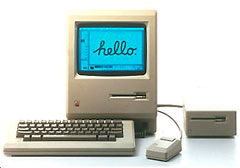
This was not a perfect solution, but it was very clever at the time the first Mac was released. The biggest problem was that the Desktop Database could get very large and unwieldy - or get corrupted. Hence the age-old Mac troubleshooting tip of "rebuilding the desktop".
No matter the shortcomings of the Desktop Database, it was a lot better than creating an invisible file in every single folder that was ever opened, which is what OS X does.
Playing Well with Others
We may have to wait until OS XI to see Apple fix these shortcomings. Until then, there are a few things you can do to make sure your Mac continues to play well with others in your mixed environment.
As of OS X 10.4, you can enter a Terminal command to prevent the creation of .DS_Store files on remote volumes. Apple has a knowledge base article explaining how to do this. However, it's not a global fix, and it must be done for every user on a particular Mac.
For a more complete fix, check out Ross Tulloch's BlueHarvest. This system preference panel works with OS X 10.3 and 10.4; it disables the creation of .DS_Store and resource fork files in locations of your choosing, and it will also wipe out preexisting .DS_Store and resource fork files from certain folders if you like.
BlueHarvest is US$10 shareware, which may add up to a lot of if you need to deploy it on a large number of Macs. But for those who need to peacefully coexist in a mixed environment, it's highly recommended.
Apple has acknowledged that .DS_Store files and the like are not
always desirable, as evidenced by their knowledge base article. Here's
hoping that one day they will come up with a better system that will
provide all the functionality without the mess of extraneous files.
- Link: Resource Fork, Wikipedia
- Link: How to prevent .DS_Store file creation over network connections, Apple
- Link: BlueHarvest
Recent Plays Well with Others articles
- End of G4 models points to unprecedented value for used G4 Macs, 06.02. The PowerPC G4 may no longer have a place in Apple's product line, but that's a far cry from saying G4-based Macs are obsolete. If anything, there value is going to increase.
- X11: Your window for using Unix apps on the Mac, 05.17. Mac OS X is a Unix variant. X11 is the tool that lets you access Unix applications using a graphical interface with mouse support.
- 6 extensions to make Firefox even better, 03.29. Improve Firefox with everything from web developer tools to nuking unwanted ads, from faster page loads to knowing the weather.
- Intel Mac mini confounds market with higher price, 03.23. After the raging success of the $499 Mac mini, why did Apple feel a need to move away from the entry-level market by making the Intel Mac mini more expensive?
- More in the Plays Well with Others index.
Links for the Day
- Mac of the Day: 17" iMac G4/800 MHz, July 2002 - The iMac 'grows up' with a 17" 1440 x 900 display.
- Group of the Day: LisaList supports Lisa users.
- November 8 in LEM history: 99: OS 9: I think I like it - 01: The simplified Mac life - Soured on Windows - Flea market Mac - 02: Little room for improvement in new 'Books - Combo drive upgrade for iceBooks - 04: Re-Porter - 05: Fix the old iMac or buy a Mac mini? - Apple's Copland project - 06: MacBook Core 2 - MacBook value equation - Cheap is as cheap does - 07: Problems with Classic mode in Tiger - The G4 Power Mac that won't run Leopard
- Support Low End Mac
Recent Content on Low End Mac
- Quad-Core CPU Makes Sense in MacBook Pro, OS X 10.6 Causing Overheating, Overseas Power, and More, The 'Book Review, 11.06. Also Late 2009 MacBook reviewed, how to add RAM to new MacBook, 18.4in Acer notebook used Intel i7, and SanDisk SSD chosen for Sony VAIO X.
- Dumping Macs for Google Apps, SSD in iMac, Late 2009 iMac Performance Problems, and More, Mac News Review, 11.06. /newsrev/09mnr/1106.html
- WiFi Paranoia, iMac-O-Lantern, Magic Mouse Does Click, Free Clipboard Managers, and More, Charles W. Moore, Miscellaneous Ramblings, 11.05. Also strange time stamps, problem with ColorIt on Intel Mac, and the story behind OS X 10.5.4 install discs.
- IDE Is Dead; Long Live SATA!, Dan Knight, Mac Musings, 11.04. SATA has displaced parallel ATA. While IDE hard drives haven't disappeared, the best deals are in SATA hard drives.
- QuickTime X in Snow Leopard Imports, Trims, and Publishes Video Quickly and Easily, Alan Zisman, Zis Mac, 11.04. The long, slow process of importing video into iMovie to edit it, then render it to another format, is history as QuickTime X does that much more quickly.
- More links in our archive.
Recent Deals
- Best Mac Pro Deals, 11.03. Used 2.66 GHz 4-core, $1,300; 3.0 8-core. $2,299; refurb 2.66 4-core Nehalem, $2,149; 2.93, $2,549; 2.26 8-core, $2,799; 2.93, $4,999.
- Best iPhone Deals, 11.03. New 8 GB iPhone 3G, $$99; refurb 16 GB 3GS, $149; new, $199; 32 GB, $299.
- Best 12" PowerBook G4 Deals, 11.03. Used 867 MHz SperDrive, $348; 1 GHz, $499; 1.33 Combo, $298; SD, $559; 1.5 Combo, $448; SuperDrive, $589.
- Best Power Mac G3 and PCI Video Card Deals, 11.02. Used beige 300 MHz, $25; G4/366, $49; blue & white 350, $80; 400, $90; 450, $105; PCI video cards from $15; shipping additional.
- Best Power Mac G4 and AGP Video Card Deals, 11.02. Used 400 MHz, $50; 733 MHz, $69; 933 MHz, $209; 1.25 GHz dual, $299.
- Best 15" MacBook Pro Deals, 11.02. Used 2.0 GHz, $800; 2.2, $900; 2.4, $1,000; refurb 2.53, $1,449; 2.66, $1,699; 2.8, $1,949; 3.06, $2,169; new 2.53, $1,579; 2.66, $1,799; more.
- Best Mac mini Deals, 10.30. Used 1.33 GHz G4 mini, $379; 1.42, $389; 1.5, $419; 1.83 GHz Core Duo, $350; Core 2, $439; new 2.26 GHz nVidia, $580; 2.53 GHz, $770; Server, $990.
- Best G4 iBook Deals, 10.30. Used 12" 1.07 GHz Combo, $225; 1.33 GHz, $298; 14" 1 GHz, $349; 1.33 GHz, $398; 1.42 GHz SuperDrive, $498.
- Best Classic Mac OS Deals, 10.30. System 6.0.8 floppies, $10; 7.1, $12; 7.5, $20; 7.5 CD, $4; 7.6 $13; 8.1, $11; 8.5, $20; 8.6, $90; 9.0, $20; 9.2.2, $30.
- More deals in our archive.
About LEM | Support | Usage | Privacy | Contacts
Navigation
Used Mac Dealers
Apple History
Video Cards
Email Lists
Favorite Sites
MacSurfer
MacMinute
MacInTouch
MyAppleMenu
InfoMac
Macs Only!
The Mac Observer
Accelerate Your Mac
RetroMacCast
PB Central
MacWindows
The Vintage Mac
Museum
DealMac
DealsOnTheWeb
Mac2Sell
ramseeker
Mac Driver Museum
JAG's House
System
6 Heaven
System 7 Today
the pickle's Low-End
Mac FAQ
Abandonware
Petition
Mac vs. PC Info
Affiliates
The Apple
Store
Mac
Connection
B&H
MacMall
TechRestore
ExperCom
Crucial
Memory
batteries.com
Advertise
MacMinute
MacInTouch
MyAppleMenu
InfoMac
Macs Only!
The Mac Observer
Accelerate Your Mac
RetroMacCast
PB Central
MacWindows
The Vintage Mac
Museum
DealMac
DealsOnTheWeb
Mac2Sell
ramseeker
Mac Driver Museum
JAG's House
System 6 Heaven
System 7 Today
the pickle's Low-End
Mac FAQ
Abandonware
Petition
Mac vs. PC Info
Mac Connection
B&H
MacMall
TechRestore
ExperCom
Crucial Memory
batteries.com
