
Blu-ray is officially a “bag of hurt” no more for those who want to take advantage of the high-end optical media format on the Mac without the distraction of external drives and wires. Enter the Matshita UJ-167 and UJ-267!

Blu-ray logo
Although these drives are not yet widely available, limited quantities of each have been secured by eBay seller virtanen13. After clicking on the seller’s link, simply search UJ-267 or UJ-167 (the 167 does not write to Blu-ray, it is read-only for Blu-ray) after clicking items for sale to find these drives. (If you do order one, please let virtanen13 know Low End Mac sent you his way. Thanks!)

The UJ-267 is the first 9.5mm slot-loading internal SATA Blu-ray writer on the market. It fits nicely in place of the Apple SuperDrive. The UJ-167 is the first 9.5mm slot loading DVD±RW/BD-ROM combo drive.
I am reviewing the UJ-267, which I acquired from our eBay seller, and I will explain the top five reasons why this particular Blu-ray drive is a must have for any media enthusiast.
1) Blu-ray Provides an Unparalleled Permanent Storage Solution
You can’t beat having a disc that can hold nearly the content of three dual-layer DVDs on a standard single-layer 25 GB Blu-ray disc, which doubles to 50 GB on a dual-layer disc.
Sure, there are flash memory solutions that exceed the capacity of even dual-layer Blu-rays that are more portable, but when the data is burned to a Blu-ray, it’s a permanent solution. There’s no risk of data degradation over time (at least in all sense of practicality) or the potential for corrupt data, provided that the disc is properly cared for and preserved. Back-up copies are easy to make. It’s a great all around solution that should be embraced rather than shunned.
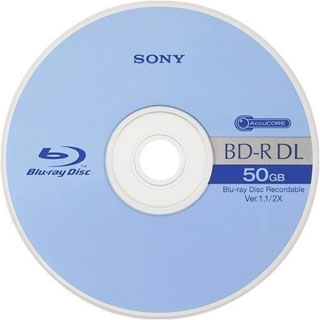
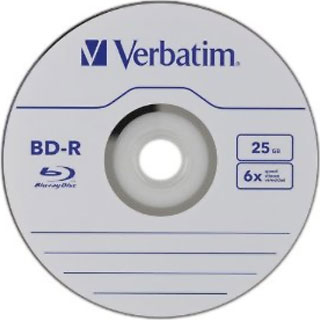
Blue-ray discs can store 25 GB (single-layer)
or 50 GB (dual-layer) of data.
2) Blu-ray Is the Only Optical Media Format That Supports Full 1080p Video Playback
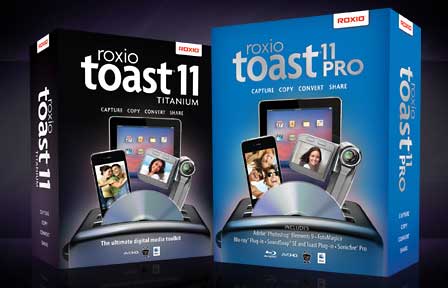 The UJ-267 allows you to author fantastic quality 1080p home videos using software such as Roxio Toast 11 Pro, along with Apple’s own Final Cut Pro 7 and Final Cut Pro X that can be played back on your commercial Blu-ray player or Sony PlayStation 3 in full 1080p over HDMI.

Macgo Mac Blu-ray Player
Blu-ray playback in OS X is now also possible with the only official Blu-ray player software for the Mac, Macgo’s Blu-ray Player for Mac (see our review). One thing to note is that software packages such as those just mentioned are essential to authoring your own Blu-ray discs and playing back commercial media. Aside from basic disc burning, Apple doesn’t fully support Blu-ray (at least for now, since these drives are new and are the only compatible internals drives for the unibody MacBook Pro).
3) No Loss of Normal Behavior While Gaining Much More
Although the Mac doesn’t yet have the ability to play commercial Blu-ray discs from within Mac OS X or iTunes without the aid of third party software, you still have all the normal behaviors of a SuperDrive, while gaining the extra abilities to use Blu-ray with those third party applications. With functionality gained and no loss to what already existed, upgrading to a Blu-ray capable internal drive is a wise decision for anyone who wants to either enjoy or create more content on their Mac!
4) The Internal Solution Is the Most Elegant
It’s much better to have a built-in optical drive instead of an external one that needs to have an extra cord hanging off of it. Imagine yourself on a plane ride wanting to enjoy your favorite Blu-rays from your home collection. Think about the logistics involved with using a small tray and having to hang the cord off to the side somewhere while you load your disc. That’s inconvenient!
Also, what if you forget your USB or FireWire cable? You’d be completely out of luck! With an internal drive, there’s no extra cord to bring or worry about. It’s just there (once installed) and ready to use. You insert your discs just like you would a DVD, and you’re ready to go.
5) The Difference Is Clear
No doubt that pushing HD video will run your battery life a bit shorter and will make your MacBook Pro run a bit hotter than it would with DVD or a digital copy, but the gorgeous video is worth it, especially on a 17″ MacBook Pro with its 1920 x 1200 screen (alas, discontinued in favor of the 15″ Retina MacBook Pro) that can handle full 1080p HD video, which is 1920 x 1080 resolution. See the comparison with a still shot from the film 2012 taken from my Early 2011 17″ MacBook Pro. It’s evident which is the still from Blu-ray playback.

iTunes detail

Blu-ray detail
You can clearly see the advantage Blu-ray (left) has over a Standard Definition Digital Copy (right) in this scene from “2012”. In addition to superior picture quality, the Blu-ray movie is playing directly from the disc, takes up no hard drive space, and can be easily used in any Blu-ray player.
It’s obvious how much better it is to work with high quality HD video. When DVD was released, all computers, both desktops and portables, were quickly able to take advantage of the technology from a consumption and creative standpoint. Physical media is still desirable for its versatility, and with Blu-ray media displacing the DVD as the finest and greatest capacity optical disc format for both commercially developed media and for blank media, it seems obvious to adopt it – as much as Apple would rather not have you do so.
Summary
There are plenty of options for those who would rather enjoy HD digital content on the go, but for those who already own commercially produced Blu-ray films, the UJ-267 will add impressive value to your Mac by allowing you to both author your own Blu-rays and enjoy the commercial discs you already own without the penalty of an external enclosure or cords. It’s a wonderful upgrade, and I would highly recommend it to anyone who owns a unibody MacBook Pro. It earns a rating of 5 out of 5.
The UJ-167 is also a great choice if you just want to enjoy Blu-rays on the go but are satisfied with burning DVDs only.
On playback alone, my 17″ MacBook Pro now feels like my own portable home theater, and I can’t wait to get back to enjoying more movies on the go using Mac Blu-ray Player. Macgo isn’t perfect and doesn’t yet allow you to use all the special features or the menus from a Blu-ray disc, but the main features work flawlessly. Stay tuned for my review of this great application, which is absolutely a no-brainer for those who have added Blu-ray to their Mac in any shape or form.
Keywords: #bluray #macbluray #macbluraysupport
short link: https://wp.me/p51SSp-4UZ
