
I’ve been suffering from Product Confusion Fatigue (PCF). It happens a lot in the world of computing. You want to upgrade something simple like a hard drive. Instead of just looking for the best price, you find a half-dozen different product descriptions – and now you don’t know which one is compatible with your computer.
Probably the worst offender is RAM. It constantly changes name, number of pins, bus speed, etc. It’s just a total mess.
The best thing to do is shop at a website that helps you find the RAM to match your computer model. Since I’m shopping for a Mac, it always feels like I could have saved a little more money if I could have picked a cheaper generic PC equivalent. But I always end up going the safe route, since I’d rather not have to send it back and try again.
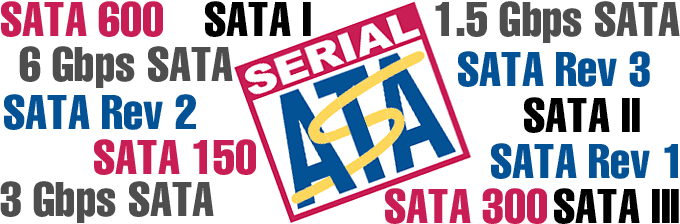
SATA Confusion
This time I was looking for another SATA hard drive for my Mac Pro. The last time I bought, I just looked for SATA on the box and got the largest size I could afford. This time I went on eBay looking for a cheap spare drive. Suddenly I saw listings for Serial ATA, SATA, SATA-II, SATA 150, SATA 300, SATA-II/300, SATA with 3 Gb/s, etc.
When did buying a SATA drive get so complicated? What do all these extension mean? And most importantly, which ones are compatible with my computer?
Time to search the Web for answers.
First, what kind of SATA does my Mac have? I stop in at Apple for the answer, which is SATA 3 Gb/s.
Next it’s time to find out the differences with SATA drives. I find some links that leads me to SATA-IO’s website. This is the organization that controls the SATA specification and tests if products are compatible. These people should know what is going on with the SATA specification!
On this page they list some of the details about transfer speeds. The original SATA bus topped out at 150 MB/sec or 1.5 Gbit/s. Then they went up to 300 MB/sec (or 3 Gb/s). And soon they will be finalizing the specs for 600 MB/sec drives. [Editor’s note: It was finalized in May 2009.]
Great, there are now two – and soon to be three – possible speeds for SATA drives.
They’re All Compatible
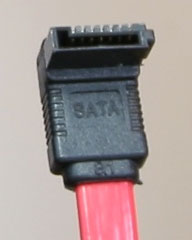
The good news is that the cable and connector is the same for any speed of SATA drive. What appears to be true is that any flavor of SATA is compatible with the other ones due to autonegotiation, although your computer’s motherboard may not be able to communicate at the faster speed that SATA II drives support. Jumper pins may be needed to set the speed of your drive to match your computer’s SATA bus.
My Mac Pro shouldn’t need any jumpers set on the hard drive, but this may vary depending on the brand of drive you choose.
Here’s a summary of what the terms mean:
- Serial ATA = SATA
- SATA/150 = SATA 1.5Gb/s = Serial ATA Revision 1.0
- SATA II = SATA 2 = Serial ATA Revision 2.0 = SATA/300 = SATA II/300 = SATA 3Gb/s (usage of the first two names is contrary to the wishes of the Serial ATA International Organization)
- SATA 600 = Serial ATA Revision 3.0 = SATA 6Gb/s (the Serial ATA International Organization hopes to avoid this being called SATA 3.0, which would be easily confused with 3.0 Gb/s Serial ATA Revision 2.0)
In brief:
- SATA Revision 1.0 has 1.5 Gb/s (150 MB/s) of bandwidth.
- SATA Revision 2.0 has 3.0 Gb/s (300 MB/s) of bandwidth.
- SATA Revision 3.0 has 6.0 Gb/s (600 MB/s) of bandwidth.
Any drive should work, but you may need to set jumper pins to match faster drives to computers with a slower data bus.
[Editor’s note: SATA Revision 3.1 (July 2011) added official support for solid-state drives (SSDs) using mSATA in devices such as the MacBook Air. Revision 3.2 added M.2, an even smaller SSD form factor.]
Good News!
This is great news, because despite the naming confusion, you can buy new drives without much worry about compatibility. This is much better than the ATA-33 and ATA-66 fiasco where drives above a certain capacity (roughly 128 GB) couldn’t be used fully. This time the change in specification isn’t about drive size so much as new controllers to allow for faster transfer speeds.
Now aren’t you glad that someone else figured this all out so you don’t have to?
Keywords: #sata #sataconfusion
Short link: http://goo.gl/ed1UOY
searchword: sataconfusion
