
2008 – When you’re reviving an old laptop, you face one issue that you don’t when you rehab a desktop computer – power. Hence the need to have a least a power brick in order to use a laptop as a desktop. Of course, almost (but not quite) every different laptop has a different AC power transformer and a different fitting. You need to have the right one and should probably shy away from the purchase of an older laptop if one isn’t included in the deal
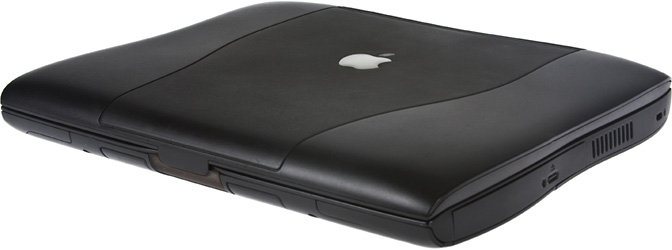
I was fortunate in that my used Pismo had it’s own yo-yo power supply, and I salvaged another from a dead clamshell iBook.
Batteries
Batteries – if you want to go mobile, you got to have ’em. Again, I was very lucky. My Pismo had two batteries – one still has about 3400 mAh out of the original 4400 mAh. The other was deader than a doornail. If I wanted to unleash the full potential of both of the Pismo’s battery bays, I would have to buy another battery.
Or would I?
Charles Moore has an excellent column, Are Extended Life Laptop Replacement Batteries Worth the Extra Cost? over on MacOpinion, on aftermarket batteries for your Pismo (and probably other iBooks and PowerBooks). I agree that if you’re going to get a replacement battery, the more milliamp-hours, the better. And I also agree that if you’re going to buy a new battery, stay away from OEM. Even if the Apple battery still has the original shrink-wrap on it, it’s been on a shelf for the last seven years. You’re better off with a newly manufactured battery.
In the past, I’ve had a lot of luck rehabbing batteries for the PowerBook 500 series and the PowerBook 5300. Jeremy Kezer’s Battery Amnesia [see Low End Mac’s review] is a great utility for truly discharging NiCad batteries on PowerBooks, and Apple’s own Intelligent Battery and Battery Recondition are must haves. Be patient and keep at it, as a really dead ‘un will require a number of attempts to be revived.
New Life for Dead Batteries
The Pismo, like almost all modern laptops, uses Li-Ion batteries, and once they are gone, they’re gone. I tried just about everything (resetting Power Management, resetting PRAM, resetting NV-RAM) and was about to use the dead battery as a doorstop, when I ran across Battery Refill, a firm out in California. Battery Refill supports almost every Apple notebook since the PowerBook 500 series. This firm breaks open your old battery box, takes out the old cells, and replaces them with new – and oftentimes more powerful – cells. All for the reasonable price of $85 (plus $10 shipping).
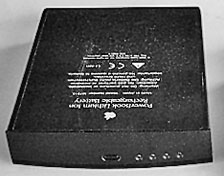 Disclaimer time. This is by no means an endorsement on my part, and I am not responsible if your experience with Battery Refill isn’t the same as mine. (I’m sure the staff of Low End Mac feels the same way.)
Let me tell you about my experience, and you can make up your own mind.
I sent Battery Refill my dough, they sent me a prepaid mailer, and I mailed off my dead battery. Now it did take me a month to get the battery back, so if you have been drinking too much Jolt (or coffee) and just can’t wait to get your battery back, this is not a good option for you. I had a working battery and the patience that comes from having three teenage children.
Battery Refill emailed me when they received the dead battery and emailed me again when they shipped it out. According to them, I would have to cycle it five times to get it up to snuff.
I’ve done that, and it works great. I now have two batteries for the Pismo and can trot around with it for most of an eight hour day without plugging it into an AC outlet. Now that’s wireless!
Eventually, my other battery is going to bite the dust, and when it does, I’ll sent it off to Battery Refill and have it rebuilt. It’s cheaper, a tad bit more eco-friendly, and my original battery case looks almost brand new.
Short link: https://goo.gl/oz5KtK
