
I deal with older (pre-G3) systems regularly, both through my consulting work and my personal collection, the Vintage Mac Museum. Here are some tips I’ve found for keeping the old beasts running and working with modern monitors.
Proprietary Video & Monitor Mania
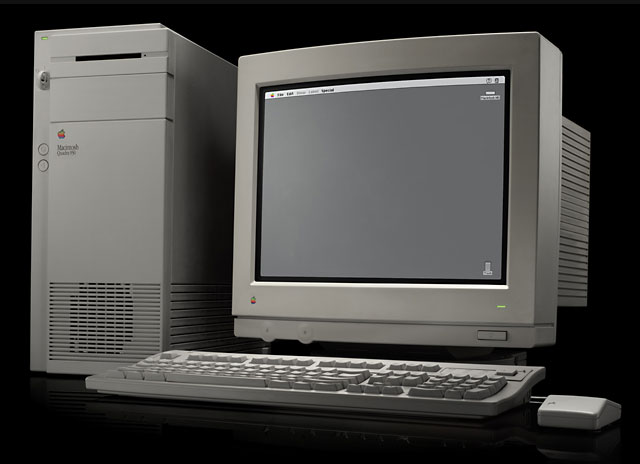 Old CRT monitors are a dime a dozen (literally, in some cases), but they’re bulky and heavy; unless you have lots of space, it’s hard to keep more than a few around. I make due around the Vintage Mac Museum primarily with two monitors for older systems: a 15″ VGA LCD (1024 x 768 resolution) and a 17″ multisync CRT.
Nearly every Mac that has a video out port or dedicated video card supports 1024 x 768 – what’s needed is an adapter to convert the Mac’s DB15 connector to a VGA (HD15) style output. These are cheap and readily available; a few different ones may be needed due to quirks between machines. The 15″ LCD monitor is small and can work with nearly any old or new Macintosh.
The other useful item is a multisync CRT. 17″ models are dirt cheap (often free) and can support 640 x 480, 800 x 600, 1024 x 768, and sometimes up to 1280 x 1024 resolutions. Older Macs and Apple monitors come with the DB15 style video connector; newer Apple monitors and other brands use a VGA plug, so a DB15-to-VGA adapter is needed with older Macs.
More Tips and Suggestions?
I’m sure there are many other tips and suggestions on the topic of working with old and vintage Macs; contact me with your suggestions and we may do a follow-up to this column with additional ideas.
This article was originally published on Adam’s Oakbog website. It has been adapted and reprinted here with his permission.
Keywords: #macmonitors
Short link: http://goo.gl/jP0ApO
searchword: vintagemacmonitors
