
1999 – Apple wants us to think different, right? So, why do all of our Macs look the same?

Today I’ll show you how you can make your computer truly think different. All you need to do is follow these few easy steps, and you can have your Mac as different as you are.
Get Some Window Dressing
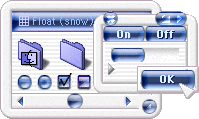 If you don’t like the plain silver-ish Apple default style of the windows, you can change ’em. All you need is the great program by Arlo Rose and Greg Landweber. This program is called Kaleidoscope. (You can get it at <http://www.kaleidoscope.net/>.) When you install it, you can pick different themes for your Mac. A theme is file that changes the way everything looks. There are many themes out there, so you will definitely find one to match your personality.
One good place to find new themes is Mac Plaza (themes no longer online).
iCon Your iMac
Every time you turn on your Mac, you see them. Yep, they’re icons. By default, the icons on your computer are quite dull. But with a little time, you can make look really cool. All you have to do is go to <http://www.iconfactory.com/> and download some new icons. (Update: iconfactory.com is mostly modern icons – check out Classic Mac OS icons at icons.cx for a good selection.)
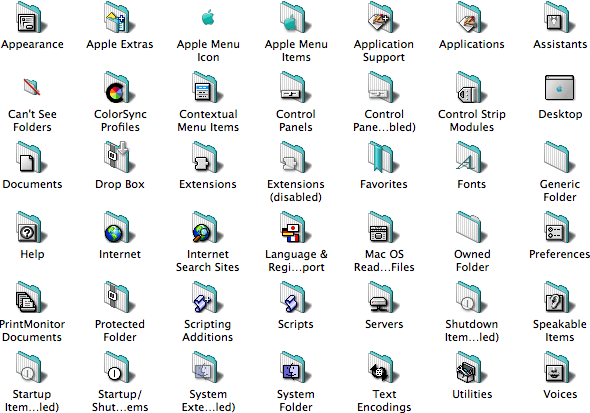
A nice selection of folder icons themed in Bondi blue.
Then select the icon you want to copy by clicking it once (not twice), hit Command-I to Get Info, select the icon in the Get Info window, and hit Command-C. Then close the Get Info window, select the file or folder you want to display the new icon, single-click it, hit Command-I, click on the icon in the Get Info window, and hit Command-V to paste the new icon in place.
Change Your Startup
This is another thing you see every time you turn on your computer. It’s the startup screen. You know, the one with the little Mac OS sign. Well, you can change it. All you need is a program called GraphicConverter. Just make a picture, save it as a startup screen in your graphics program, put it in your System Folder, and violà! – you have a new start up screen.
With these programs, you can make your Mac look and think different.
Keywords: #themes #kaleidoscope
Short link: http://goo.gl/tmVwLG
searchword: themes
