
This week’s column takes the intermediate user to that step where they finally dive in and register a domain name.
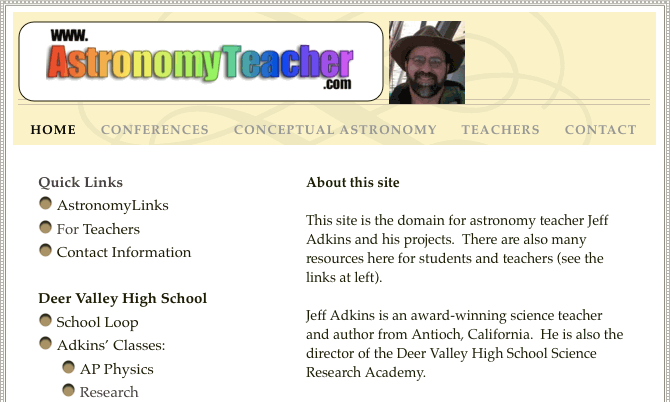
This is what astronomyteacher.com has grown into over time.
Today’s Agenda
What Is a Domain Name?
A domain name is a text version of an IP address (such as 192.168.0.101). Domain names are phrases such as www.lowendmac.com. Computers around the world that route Internet traffic have a file which contains a database of these names and numbers. When you type www.lowendmac.com, a computer somewhere else – known as a Domain Name Server (DNS for short) – along the way looks up the appropriate IP address and routes your request to the proper computer – in this case, Low End Mac’s server. This may be your computer or a computer at your Internet service provider, if you upload files to another location.
For more information about the history of domain names – did you know the entire domain name list used to be one file on one person’s computer? – check out the following:
Long Domain Names
School districts in the United States have a fairly common domain name structure. They are usually in the form www.districtname.k12.stateabbreviation.us. Districtname is either the district’s name or an abbreviation of it. Stateabbreviation is a two-letter abbreviation for your state, the same as used by the post office.
When I set up a web page on the school server, students complained that the URL was too long. Well, it is. Take a look at this:
So I decided to buy a domain name.
A Registration Saga
I started by visiting about.com and looking at the background information on domain names. They pointed out that the granddaddy of domain name registrations, Network Solutions, is where many people go; so as a newbie, there I went.
All Internet domain name registration sites allow you to test your potential name to see if it is taken. I tested several different variations, such as www.astronomerathome.com, which matches my email address, astronomer@home.com. I eventually decided against that one, because I didn’t want to say astronomer@home.com-with-the-at-symbol and www.astronomerathome.com-with-at-spelled-out a-t.
First Try
Eventually I settled on www.astronomyteacher.com, which, surprisingly, wasn’t taken.
I filled out the forms and supplied a credit card number for the basic version for the nontechnical do-it-yourselfer: Dot Com Forwarding, which lets you simply forward requests for one address to an existing address. I typed in an existing web page address from my @home user account and waited the required 24 hours for the new registration to percolate out to all the servers of the world.
The next day, I typed: http://www.astronomyteacher.com/ and saw:
404, page not found.
What could be wrong? In the bottom of the browser window, the forwarded address was displayed before the 404 error appeared – in all capital letters.
This, my friends, is what led to the dot-com deflation of recent days. Too many things require too many years of experience to do efficiently or at all. Or, as a friend of mine once said, “Half of every engineering problem is a human being.”
Second Try
So as any reasonable human would do, I simply went back to the page where you edit your account information, noted that the field was already completed in uppercase letters, assumed I had done it carelessly, and typed it again in lowercase. Then waited 24 hours.
404, page not found.
Still all caps.
Third try
I returned to Network Solutions page and searched the help files for “CAPS” and “Mac,” and “Netscape,” thinking it was some sort of OS or browser issue. Nothing I could find indicated this problem had ever come up before. All dead ends. So I fired off a message to the help center, explaining the problem: The address I enter gets converted to all uppercase. My address is case sensitive. Please convert to lowercase.
I received an automated response equivalent to “All our operators are busy. Please be assured your call is important to us…”
I was “on hold” for more than 24 hours. A couple of days later was the earliest I could return to the problem. By now my students were saying, “Your new domain name doesn’t work. Do you host it on a Mac? I have a PC. I think. My dad said so, anyway.” So I wrote another message.
Fourth Try
In my second message I said, “I still haven’t heard from you.” I repeated the problem. I quickly received another “Email Hold,” and so I waited the requisite 24 hours (Ahh-gain, as Forrest Gump would say), and I finally got a response to the original message.
It said (I swear I am not making this up, apologies to Dave Barry) :
Please call customer service.
So I did.
I told the gentleman there – late one Saturday night/Sunday morning – what had been going on, and that I simply wanted the same forwarding address as was currently registered, only in lowercase.
“Well, if you type it in lowercase on this page, it should be lowercase,” he said.
“I know that; I tried it. But it gets converted to uppercase when you post it to WHOIS,” I replied.
So I gave him my name, account number, password, domain name, and forwarding address – three times, spelling each completely each time – until he said it would be taken care of.
I waited 24 hours and tried again.
404, page not found.
This time, the address had actually been changed. Instead of being all uppercase, the “http” was lowercase. The rest remained uppercase.
Fifth Try
I fired off another help desk email, telling the story above, and suggesting that Network “Solutions” owed me a week of free hosting because it had been a week now and the forwarding had not worked for a week.
I got the usual “Hold” message followed by a suggestion to go to a particular website to register my new dot-com forwarding address – the same page I had started on a week before.
This is where I started using CAPITAL LETTERS and large red fonts. And did I mention I write a weekly column on technology use in the classroom?
Sixth Try
My last set of instructions indicated I was to go fill out a complex form similar to the original form but apparently – it wasn’t clear to me until after the fact – authorizing Network Solutions to actually fix the problem without my direct intervention on the original form. It definitely wasn’t clear from either the email or the form; it contained many technical fields which I wisely left blank, because they didn’t apply to me.
All of these communications, while signed by different people, had the distinct air of form letters pre-made in advance for a situation completely different than mine. Each carefully avoided mentioning the requested extra days to compensate for the downtime. I figure Network Solutions owes me $1.37 of my annual registration fee back.
Anyway, by the time I checked back again – after a total of 10 days had passed – the site started working. Dot-Com Forwarding was now online, and students could type in the web address www.astronomyteacher.com to get access to my class materials.
Now, of course, the problem is that the @home servers hosting the page are a little slow (sometimes deferring to proxies 2, 3, and even 5), and since our school servers use multiple proxy-cache layers as the district, county, and school each examines your requests to see if they are “not inappropriate,” the page loads pretty slowly.
The day after my triumph, a kid working at a desk says to me, “Your page isn’t loading. It is because it was done on a Mac?”
If you listen carefully, you can still hear the echoes of my head banging on my desk.
Keywords: #domainname
Short link: http://goo.gl/PvVBjm
