
2001 – We continue the review of the old Apple 75 Macintosh Advantages brochure here, attempting to update it to Mac OS 8.6-9.1 vs. Windows 95/Me/2000 as much as possible.

Better Graphics and Multimedia Capabilities
Internet
- Easier Internet Authoring
- Easier Internet Access
- Secure Internet Servers
- 100% Pure Java
- Easier TCP/IP Configuration
- The Power of Cyberdog
Better Graphics and Multimedia Capabilities
40. It’s easier to work with graphics and multimedia content on the Macintosh.
Macintosh graphics and multimedia formats are more standardized, and therefore more flexible. On a Macintosh computer, the PICT file format is supported by most applications that can deal with graphics, which allows for easy cut and paste between applications. In fact, the OS level integration between three dimensional and video data formats provided by Apple’s QuickTime Media Layer even allows you to cut and paste three dimensional data and motion video.
Windows users are often subjected to dozens of different formats for graphics and multimedia. Windows users have no assurance that what they create in one graphics application can be cut and then pasted into a different graphics application for further processing or modification.
Update: This is still true in OS 9.1, but as I understand it OS X will be using some more universal format for pictures other than PICT. However, the Mac OS in general, thanks to the QuickTime Media Layer, is more universally compatible with multimedia than PCs.
Advantage: Macintosh
41. Macintosh computers have superior sound capabilities compared with PCs running Windows.
Every Macintosh sold today has 16-bit CD quality stereo sound capable of handling a sampling rate of 44.1 kilohertz. Every Macintosh also has MIDI capability built in, so driving complex sound modules and synthesizers is simple. The QuickTime Musical Instruments extension that comes with QuickTime 2.5 includes 41 instruments (and more can be added), allowing a Macintosh to output sampled MIDI files in multi-voiced sound through any speakers. QuickTime can even be used to sample tracks right off an audio CD. Add to all this the built-in speech capability of PlainTalk, and Macintosh becomes the platform of choice for sound professionals.
Windows users must first make sure that their systems include a sound card, and that it is capable of handling CD quality sound. But the very real problem lies in conflicts with sound cards; the source of many of the incompatibilities that PC users experience when trying to use games or sound software.
Update: I don’t think this has changed much, despite the prevalence of included sound cards on most consumer PCs. These sound cards are included, but they aren’t built-in, if you follow my meaning. They suffer from the same sort of compatibility problems all PCs face. Just the other day I was listening to a Cnet radio show where the advice guy was telling this older gentleman he had to reinstall a video driver or run a Windows 98 update just to get his computer to shut down from the Start menu – that’s typical of the problem to which I refer. If you think tech support is hard on the phone, try it on the radio with thousands of people listening.
I think it’s probably a mistake for Apple to have eliminated the sound input port on their latest machines. Even a low-end iMac (little site pun there) has built-in sound and Harman Kardon speakers.
The advantage remains with Macintosh.
42. Games for the Macintosh work better than their Windows counterparts.
Macintosh games do not suffer from the driver problems that Windows games do. Because so many games on the Windows platform have unique drivers for running sound cards and other devices, the driver difficulties encountered by the average Windows user are well known. Because most Windows games are actually written for DOS and use older DOS drivers, many will not work at all on Windows NT.
Macintosh games utilize the same drivers built into each and every Macintosh, so this problem doesn’t exist on the Macintosh platform. And Macintosh games frequently use advanced Macintosh technologies such as QuickTime movies, QuickTime VR, QuickDraw 3D, and PlainTalk speech.
Update: Well, this item’s a little dated considering the adoption of OpenGL and the rise and fall of Game Sprockets, but it is still basically true that if you have multiple games installed on your Mac, you’re less likely to trash your system than if you’re on a PC.
But no one can say that the Mac’s a better gaming system than a PC; even though it is true the Mac has made tremendous strides in the past couple years – more games than ever before are available, to the point where it’s not likely that a dedicated Mac gamer can own all the games available for a Mac (which used to be the case), there is just such a huge variety of stuff available for PCs (and yes, some real junk too) that I can’t in good conscience say the Mac’s a better gaming platform than a PC. It just ain’t. But it is good and getting better.
So we’re going to leave the Advantage with Macintosh because it isn’t about which platform is better for gaming, its about the ability to install and play games with little hassle and no downtime for your OS. But when I get around to writing about PC advantages, I’m definitely putting a big fat +1 for gaming in the PC column.
For now.
Advantage: Macintosh
43. Every Macintosh comes with the ability to capture screen shots.
For those who have ever tried to create manuals or publications, capturing images of on screen menus, windows, and commands is a snap with Macintosh. Simply press Shift-Command-3 to capture the entire screen. In Mac OS 7.6 and Mac OS 8, you can also use Shift-Command-4 to insert a cursor that allows you to select just part of the screen. Windows does not offer such a built-in feature.
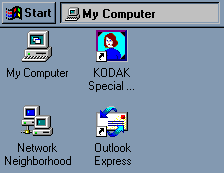 Update: I was under the impression that this booklet was written after the introduction of Windows 95. My copy of Windows 95, even running in emulation mode via RealPC, captures the screen just fine using the key on my Mac keyboard (which is labeled Print Screen, by the way). Here’s a sample (right).
So this advantage, if it ever was one, is pretty much history.
Advantage: Neutralized – if it ever existed at all.
44. The Macintosh has more sophisticated font manipulation.
One of the reasons for the Macintosh computer’s popularity in the publishing world comes from the fact that Macintosh fonts are more versatile than their Windows counterparts. For example, PCs simply don’t include “outline” or “shadow” versions of a font. In addition, the fact that Windows NT doesn’t handle Adobe Type Manager (ATM) fonts means that text posted on the Internet can be viewed much more clearly on a Macintosh.
The Macintosh comes with QuickDraw GX, which provides a rich drawing environment and excellent font capabilities; even for complex languages such as Cyrillic and Chinese. Microsoft’s closest answer to QuickDraw GX is a font format called TrueType Open, which is simply a specification for a font format and is not directly usable by users.
Update: Does this really need discussion? Aside from displaying really tiny fonts in older systems, Windows has always trailed the Mac in publishing. Some publishers are feeling pressure to switch because their clients don’t have Macs. The old culture of “we produce the content and you publish it” is starting to fade as it becomes easier to move big files around. This means the publishers have to go with the flow. Fortunately, the flow, including font handling, is still going with Macintosh.
Advantage: Macintosh.
Internet Technology Advantages
45. The Macintosh makes Internet authoring easier.
The QuickTime Media Layer (QTML) makes it easier for Internet content creators to use the Macintosh to enhance their online offerings with images, sounds, video, 3D, and virtual reality. Perhaps that’s why Macintosh is the number one platform for World Wide Web authoring, and why more than half of the digital video content available on the Internet today was created using QuickTime technology. In addition, Apple peripherals such as the QuickTake digital camera and the Apple OneScanner scanning devices are extremely easy to use; and ideally suited to web content creation.
Update: Well, I always have a twitch reserved for vague statistics – “Number one platform” by what criteria? As measured by whom?
I’d be willing to bet that Macs don’t make more than half of the digital video content today, although I could be wrong about that. It would be nice to find an updated reference on this particular item.
I’ve used the QuickTake and OneScanner, and both worked really well, better than third party devices that existed at the time. Now my Umax scanner actually scans better than the old OneScanner I used to use – more colors, faster, etc. – but the Umax has got to have the world’s ugliest scan interface with blotchy, indecipherable buttons and hidden functions without online help. I hate it. And FireWire makes transferring images to the Mac much faster and easier than it was with a serial port. The Macintosh has improved in this area even though Apple no longer makes a digital camera or scanner.
Truth be told, my wife decided to go with a PC simply because her website, originally designed in Homestead, was incompatible with the Mac. Homestead has some nice features that they are carefully not making available for the Mac.
Still, with mac.com sites and QTML still going strong and closely integrated into the OS, this is definitely an advantage for Macintosh. One reason is that it is easier to make a site compatible with every browser on the Net if you are using a Mac. If you have a PC, you have to buy a Mac to see if Mac users can use your site. If you have a Mac, you just fire up VirtualPC and check it that way.
All the major standalone packages are available for the Mac, although (like many others) I lament the loss of Home Page from FileMaker. [Editor’s note: Low End Mac is completely done in Claris Home Page. It may be discontinued, but it still works just fine.] Too bad FileMaker didn’t spin off Claris to continue work on all those fine programs we used to enjoy instead of just shutting them down.
The addition of iTools to Apple’s lineup must give Bill Gates tremendous headaches, because it is this level of integrated Internet/operating system use that got him in hot water with the Justice Department in the first place. And iTools came out after the trial started for Microsoft, so from Gates’ perspective Apple simply exploited a known weakness of Windows – but not as an operating system. The weakness is that Microsoft cannot explicitly integrate the browser into the operating system until the case is settled. No such restriction holds Apple back.
Also, Apple’s implementation of iTools is more elegant than the Microsoft approach. Whereas Microsoft sought to have users interact with their hard drives and files using a browser that included the Internet as well as your local drive, Apple has users create content within the operating system and post it using a virtual hard drive mounted on the desktop like any other drive. Clean and elegant, requiring almost no new training for users. And it bypasses the need to use Microsoft Internet Explorer (IE) to interface with the universe nicely. A Windows user trying to use a browser other than IE would have (before the trial) had to partially disassemble the operating system to remove IE.
I haven’t seen much about how iTools works with OS X yet. Probably won’t for a while either, until OS X goes to 10.1 at least.
Advantage: Still Mac, but weakening, I think.
46. The Macintosh makes Internet access easier.
Apple’s commitment to making Internet access as easy as possible has lead to a variety of powerful built-in capabilities. Mac OS 8 includes a wealth of Internet technologies that make it easy to access the Internet, including Netscape Navigator, Microsoft Internet Explorer, Pointcast Network, Marimba Castanet, America Online, and Cyberdog. And the Internet Setup Assistant on Mac OS 8 lets users set up their Internet connection in seconds. Windows simply does not come with this wealth of Internet tools, nor is it as simple to set up Internet services from a Windows PC.
In addition, only the Macintosh keeps track of the source of files downloaded from the Internet. Every Macintosh file downloaded retains its URL in the Get Info box, making it easy to catalog or return to the file’s source for more information or files.
Update: Let’s look at the tools cited in this advantage:
- Netscape Navigator: No longer a serious contender for supremacy; its biggest group of supporters are just too lazy or curse Microsoft too much to switch to IE. You can quote me on that one, baby.
- Microsoft Internet Explorer: The Mac version is better than Windows version, I hear. Not that I care.
- Pointcast Network: Probably the first dot-com to implode. Doesn’t even have its own Web site any more.
- Marimba Castanet: Does anyone know what this is or was? There’s a completely empty ftp directory at www.castanet.com.
- America Online: The Service That Will Not Die, Even When You Try to Cancel It.
- Cyberdog: Strangled in the back yard on its own leash.
Aside from Internet Explorer for Mac’s advantages, the second item about URL posting in info windows is still a Macintosh advantage. I impressed a Windows user with that one just a couple of days ago. “How do you get Windows to do that?” the kid asked. “You don’t,” I replied.
When I got my cable modem, the cable guy struggled valiantly for two hours to get the custom browser window for @home to open. He even had to come back the next day. While he was gone, I discovered that the Internet connection actually worked (the entire time since he plugged it in) – it was just the @home home page that didn’t. So here’s a little secret: You don’t have to use the @home home page. Really. At least with my ISP.
Anyway the problem was that the installer left cookies off by default, but @home’s proprietary home page content requires cookies, which I figured out when left alone for 10 minutes.
Anecdotes aside, it is still easier to get a Mac on the Internet than a PC. Apple ought to run a real-time commercial for setting up a Mac, in five parts.
- Part 1. Get the Mac out of the box.
- Part 2. Plug it in and turn it on.
- Part 3. Answer the basic questions with default values, including typing a person’s name.
- Part 4. Start surfing.
- Part 5. Use iTools.
As easy as it is, it’s still not easy enough. What the Apple Stores being opened around the country ought to do is pre-register the user with OS 9 or X, find out where the user lives, and set up the ISP so that when they go home, they just plug it in and turn it on – and completely skip the initialization routines.
Advantage: Macintosh
47. The Macintosh makes running an Internet server easier and more secure.
Another way that Apple is broadening Internet use is by providing the tools to make publishing information on the Internet much more accessible. The Apple Internet Server Solution is a collection of easy-to-use, best-of-class products that includes all the functionality needed to publish information on the World Wide Web. Since this software comes preinstalled on the Apple Workgroup Servers, your server can be up and running in as little as 15 minutes. A Mac OS based server is far easier to set up and maintain than a Windows NT or Netscape Internet server.
And Mac OS 8 provides powerful personal web sharing, which lets a user set up a web site in minutes from their own Macintosh. It can be accessed from any Mac or Windows user in the world, either as HTML pages or a simple list of files to share.
Update: Well, the Army likes the Mac. I wonder if there are any hacking statistics available since the Army switched over.
Anyway, as a web server, it is fair to say Macs are easier, but PCs are probably more scalable. Perhaps some readers with more experience than I in such matters could enlighten me.
And it is very easy to set up your own web server in OS 8+. Almost too easy.
Advantage: Macintosh
48. The Macintosh gives you 100 percent pure Java.
With the Macintosh Runtime for Java, Apple has built Java directly into Mac OS 8. Java is the revolutionary computer language that will enable new technologies on the Internet and beyond. As a committed partner with Sun Microsystems, the developer of Java, Apple Computer is providing industry standard “100% Pure Java” for the Macintosh.
There is widespread speculation that Microsoft is attempting to “own” the Internet by creating their own proprietary version of Java. Microsoft has elected to make modifications to their implementation of Java that raise serious compatibility questions. Microsoft Java applets may not work correctly with other platforms. Also, Microsoft is bypassing the use of certain features of Java as implemented in Sun’s Java Developers Kit 1.1 in favor of their own ActiveX, which has been shown to have serious security problems that are not an issue with 100% Pure Java.
Update: There’s an old joke that goes like this: How many Microsoft engineers does it take to screw in a light bulb? Answer: none, because Microsoft will declare darkness the new standard.
Apple’s implementation of Java has always been a little buggy, although promises are being made for OS X. Sloppy programmers who fail to test their code on a variety of platforms tend to leave Mac users waiting for features delivered initially to Windows users only. This is only possible because the claim made in the Advantages brochure is true: Java (conceptually a platform-independent virtual computer) is modified in Windows machines so that Java programs written specifically for PCs won’t run on other platforms. This is what led Sun (the developer of Java) to sue Microsoft over Java.
Another hoary old saying is: Be careful what you wish for, you might get it.
The Sun/Microsoft case settled out of court, with Microsoft agreeing not to push for altered “impure” Java in Windows machines. However, Microsoft’s real strategy, in my opinion, is to abandon Java entirely and focus on its own proprietary system – thus establishing a new standard. Read this quotation:
” … the upcoming Windows XP operating system would integrate an assortment of products in markets that Microsoft does not yet dominate, including instant messaging and streaming media. Consumers would be prompted to sign up for HailStorm services when they use Windows XP, which will probably reduce demand for competing products from AOL, RealNetworks, Yahoo and others. HailStorm also incorporates Microsoft’s Passport software, which stores consumers’ credit card numbers, making online shopping easily. Competitors claim that Microsoft could conceivably take a small cut of every commercial transaction processed through Passport.
For more on the settlement, read this.
Advantage: Not Macintosh, due to buggy Java implementation in classic OS.
49. Configuring TCP/IP on a Macintosh is much easier.
Since Apple builds in TCP/IP into every Macintosh, connecting to the Internet is a simple process. The Internet Setup Assistant in Mac OS 8 will configure everything you need automatically; no confusion with IP addresses, flow controls, and modem speeds. But for the power user who wishes to have multiple ISPs or other TCP/IP connections, configuring PPP and Open Transport is a snap. Windows users have a much harder path to achieve the same result.
Update: Two clicks. One screen. No contest.
Advantage: Macintosh
50. The Macintosh has Cyberdog.
Cyberdog, a standard part of Mac OS 7.6 and Mac OS 8, is a breakthrough approach to the Internet that provides easy and intuitive access to all the Internet resources you use most. Cyberdog brings Internet connectivity into mainstream applications and documents.
Because Cyberdog uses OpenDoc component technology, it’s completely integrated into the operating system and can be extended with other OpenDoc components. This integration allows you to drag and drop files from the Internet right to your desktop, copy URLs to your desktop to revisit them or embed them into email, and much more. Using Cyberdog’s DocBuilder, you can create your own custom applications to access the Internet.
This type of advanced Internet component technology is not available for Windows.
Update: This kind of advanced Internet component technology is not available for the Mac OS, either, because Apple took Cyberdog out in the back yard and put it to sleep.
Many of the OpenDoc conventions still exist in the OS, but this one is about Cyberdog. It’s neutralized due to abandonment by Apple.
Advantage: Neutralized – by Apple
Summary
We’ve moved the summary to a separate page, which also functions as an index to this series of articles.
Keywords: #75macadvantages #macadvantages #cyberdog
Short link: http://goo.gl/ozlh1C
searchword: 75macadvantages
