
Once upon a time Apple Computer issued a document called 50 Macintosh Advantages, which became 75 Macintosh Advantages in 1997, a document that purported to list 75 different advantages the Mac OS had over its chief competitor, Microsoft Windows 95.
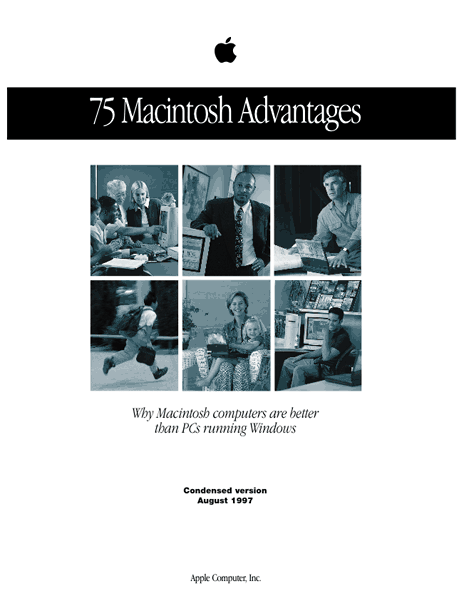 The Advantages document was created as a promotional item to be handed out to Evangelistas. Origin of the 75 Mac Advantages describes the history of the development of the 75 advantages in more detail.
Despite some flaws, the original document listed substantive differences between Mac OS 8.1 and Windows 95, which were contemporary products. Among other problems, the original document had a disconcerting way of shifting between versions of Windows to put the Mac OS in its best light. Overall, however, it was a very popular document with Mac advocates, and this series was based on an archival copy located at Alex Paterson’s website [no longer online] and used as source material.
In this series of articles, I have attempted to update the 75 Macintosh Advantages to reflect the current state of the Mac OS (at 9.1/X) and the Windows operating system (now reflected by its Windows 2000, Me, and upcoming XP offerings). This being Low End Mac, the emphasis is on Windows 98 and OS 9, but information about the other versions is included from time to time.
Publisher’s note: We’ve spent much of the past week editing, adding images, checking links and adding new ones, and otherwise giving these articles from 2001 a bit more polish. We have not updated them to include versions of Windows or the Mac OS.
Advantages Index
- 75 Mac Advantages, Part 1
- Feedback on Part 1
- 75 Mac Advantages, Part 2
- Feedback on Part 2
- 75 Mac Advantages, Part 3
- 75 Mac Advantages, Part 4
- 75 Mac Advantages, Part 5
- 75 Mac Advantages, Part 6
According to my analysis, I estimate that despite the enormous effort that has gone into improving Windows, 56 of the original 75 Macintosh advantages still remain (not counting one advantage awarded two credits); 18 advantages are either neutralized due to improvements in Windows or abandonment from Apple, and one advantage is still being researched. The totals may change again if I am persuaded by my well-informed readers that I have some flaw in my reasoning.
Summary: Mac Advantages Revisited
Each advantage is linked to the article where it is discussed.
| Advantage | Status | Count |
| 1. Plug & Play | Weakened, still true. Windows improving. | +1 |
| 2. Adding Peripherals | SCSI defunct, but FireWire is a plus | 0,+1 |
| 3. Driver Management | Still mostly true, but slightly weakened | +1 |
| 4. Integrated User Interface | Still true, but Windows is improving | +1 |
| 5. No ‘Mystery’ Files | Still true but not perfect | +1 |
| 6. More Versatile Networking | Neutralized pending further study | 0 |
| 7. Flexible Monitor Support | Neutralized due to Windows improvements | 0 |
| 8. Better Telephony Support | GeoPort is dead | 0 |
| 9. Easier Installation | Still true | +1 |
| 10. Ready for year 2000 | Already passed, currently irrelevant | 0 |
| 11. No Registries | Still very true | +1 |
| 12. Boot from CD-ROM | Windows can do it now, but Macs are easier | +1 |
| 13. Dependable Aliases | Still true, and Mac has more combinations | +2 |
| 14. Easier OS Management | Still true | +1 |
| 15. No DLL Problems | Still true (but DLL is not an extension) | +1 |
| 16. Active Assistance | Still true, but not a big deal | +1 |
| 17. Easier Troubleshooting | Still true, but do Macs have more problems? | +1 |
| 18. Extensions Manager | No contest | +1 |
| 19. Easier to Add Resources | Self filing extensions still win | +1 |
| 20. Easier to Input Devices | Reduced to parity due to USB, but Mac still easier | +1 |
| 21. Apple System Profiler | Function available but buried in Windows | 0 |
| 22. Easier Network File Management | Still true | +1 |
| 23. Fewer File Name Limits | Still true but not a huge advantage | +1 |
| 24. Alternate Characters | Still easier and more consistent | +1 |
| 25. Better Folder Management | 260 character limit on pathnames in Windows | +1 |
| 26. Better Window Management | Still true | +1 |
| 27. Easier File Disposal | No functional trash on Windows floppies | +1 |
| 28. Advanced Industrial Design | Varies by vendor; loss of ports on Macs weakens | +1 |
| 29. Better Floppy Disk Management | Still true, and applies to CD-ROMs, too | +1 |
| 30. Mouse Button Simplicity | Still true | +1 |
| 31. Applications Launching | Still true | +1 |
| 32. Security Customization | Neutralized due to Windows changes | 0 |
| 33. Built-in QuickTime | Only within the OS, not as a standalone | +1 |
| 34. Superior 3D Graphics | Neutralized due to Apple adoption of OpenGL | 0 |
| 35. Built-in Virtual Reality Software | QuickTimeVR rocks | +1 |
| 36. Better Desktop Video | iMovie & FireWire set the standard | +1 |
| 37. Better Color-matching | ColorSync is more robust | +1 |
| 38. Better Speech Capabilities | Only in text-to-speech | +1 |
| 39. Using CD-ROMs | Windows has innovated, Mac still better | +1 |
| 40. Superior Multimedia | Still true | +1 |
| 41. Superior Sound | Musicians love the Mac | +1 |
| 42. Games Work Better | When you can find them | +1 |
| 43. Easier Screen Capture | Doesn’t seem to have ever been true | 0 |
| 44. Better Font Management | Publishers love Macs for a reason | +1 |
| 45. Easier Internet Authoring | Still true, but I miss Home Page | +1 |
| 46. Easier Internet Access | Yup | +1 |
| 47. Secure Internet Servers | Pretty dang secure | +1 |
| 48. 100% Pure Java | Buggy | 0 |
| 49. Easier TCP/IP Configuration | Two clicks. One screen. | +1 |
| 50. The Power of Cyberdog | Oh My God! They Killed Cyberdog! | 0 |
| 51. Faster Performance | In some things yes, some no, but perception rules | 0 |
| 52. PowerPC Over Pentium MMX | An embarrassing flip flop, but coolness wins | +1 |
| 53. Built-in Scripting | AppleScript just keeps getting better | +1 |
| 54. Superior Mobile Computing | Great value, long battery life | +1 |
| 55. WorldScript | Microsoft does a better job promoting its solution | 0 |
| 56. Fewer Viruses | Sometimes more software for PC is a good thing | +1 |
| 57. Powerful Applications | True, but not nearly enough of them | 0 |
| 58. Better Printing | More control but less speed; mixed advantages | 0 |
| 59. Component Technologies | Reduced to a trivia question; what’s OpenDoc? | 0 |
| 60. Multiprocessing | Seems to be better implemented in Mac OS | +1 |
| 61. Better Hard Drive Management | I have absolutely no idea | ?? |
| 62. Dependable Battery Management | We’re talking about the PRAM battery here | +1 |
| 63. Macintosh computers let you run more applications. | Mac on Windows exists, but it isn’t pretty | +1 |
| 64. You can easily work with PC files on your Macintosh. | PCs panic when we give ’em Mac files | +1 |
| 65. A Macintosh running Windows can share data between OS environments. | Flip back and forth with ease | +1 |
| 66. A Macintosh computer can be a client in virtually any network. | Not unless your IT staff cooperates | 0 |
| 67. Macintosh computers include many features that cost extra on PCs. | If Macs have what you need, they’re better value | +1 |
| 68. The Macintosh platform provides better customer support. | If ZDNet says it, it must be true | +1 |
| 69. Macintosh computers retain their usability and value longer. | You better believe it | +1 |
| 70. The Macintosh is rated more reliable for the third year in a row. | Why did PC world drop Macs from rankings? | +1 |
| 71. Macintosh has better backward compatibility. | There’s not much that won’t run on a modern Mac | +1 |
| 72. Macintosh computers require less hardware than PCs running Windows to run similar applications. | I see no evidence for this | 0 |
| 73. The Mac OS is more stable than Windows 95. | Windows much better now; jury still out on XP vs. X | 0 |
| 74. Macintosh users are the most brand loyal of all computer users. | Cold Dead Fingers and all that | +1 |
| 75. “Dual users” prefer their Macintosh. | Only data is an old study; still looking | +1 |
Total: 56 of 75 still remain Mac advantages; (not counting one advantage awarded two credits); 18 advantages either neutralized due to improvements in Windows or abandonment from Apple; one advantage still being researched.
Concluding Thoughts
I also know there are additional Mac advantages that have appeared since the original document was written, and some advantages of unique interest to hobbyists and people who preserve computers and use low-end machines. A forthcoming article will discuss these advantages.
When OS X settles into the Mac universe in a more-or-less final version and Windows XP is released, the series should be updated again – that will be next year at the earliest, in my opinion. Other unfinished work in this project includes an extension to the advantages, listing features not covered or not existing in the original document, a list of Windows advantages over the Mac OS (for Apple to use the same way Microsoft has used the original Advantages document to improve Windows); and a revision of the entire list including some unfinished research on certain items and items which changed my mind based on reader feedback.
I’d like to thank Dan Edelen, the original author of the 75 Macintosh Advantages booklet; Dan Knight for his patience and assistance with this series; John Droz for his excellent Mac advocacy resource pages; Alex Paterson for keeping an electronic version of the Advantages brochure alive; and many, many readers for their thoughtful feedback during the preparation of this series of articles.
If this series proves useful to you, I’d appreciate a note to let me know the work was worth it; and if you feel compelled to contribute to Low End Mac for assisting you in promoting Our Favorite Computer, feel free to support Low End Mac by clicking on the Donate button to the right..
Keywords: #75macadvantages #macadvantages
Short link: http://goo.gl/9g8Oip
searchword: 75macadvantages
