
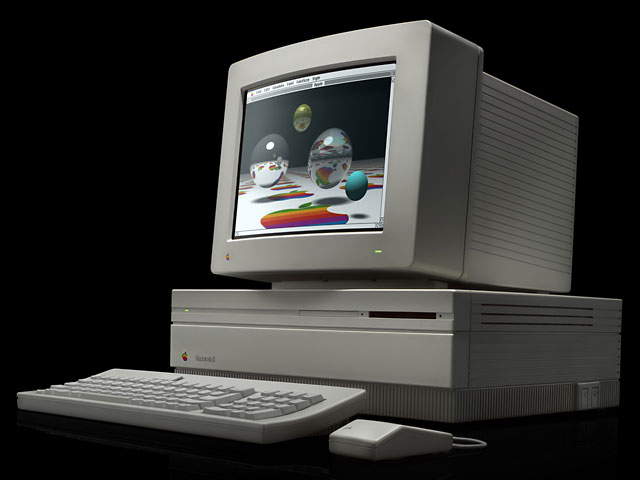
2000 – Well, it finally happened. After years of dispensing advice on how to revive dead Macs, I finally had one go dead on me while doing email. The Mac in question is an old one – a Mac II that dates back to May 1988 (based on the date on the PRAM batteries). In most of these cases, these startup failures are blamed on the PRAM battery or batteries.
PRAM batteries are lithium-based energy sources that provide enough energy for the computer to keep track of things like the clock and control panel settings while the computer is turned off. For the most part, these lithium batteries last three to five years.
When new, the batteries are supposed to generate 3 volts of power. For the Mac II, there are two PRAM batteries soldered onto the board. Newer Macs, such as the Mac IIcx, have just one 3.6 volt battery in a removable “cage.” You can find a PRAM battery (or sometimes two) in every Mac ever built. For this and other reasons, some of the troubleshooting advice that follows applies to G4s as well as Mac IIs.
There are other reasons for a Mac II to stop working. There could be a high buildup of dust in the cabinet that causes shorts in the system and keeps it from powering up. One could also have a bad NuBus board that causes startup trouble.
When I opened up the Mac II and used my volt meter to check the PRAM batteries, I was getting readings at or above 3 volts. This is not bad for a thirteen year old battery! However, certain batteries can develop “internal resistance” and stop delivering power to the logic board. I know that this happens with old 1.5 volt dry cells that are left in storage for a long time. Many old fire alarm systems from the 1960s used such batteries as a backup to the AC main power supply. If the batteries are not changed after about ten years, the backup power for the alarm will not work when you need it to. The internal resistance in the batteries will have built up to the point that no current flows even though there is still a 1.5 volt reading when the battery is checked with a volt meter.
I next checked for dust. The inside of the Mac II cabinet was covered in dust and assorted detritus. I even found the remains of an infant cockroach that tried and failed to make my Mac a home. I cleaned out some of the mess with a camel hair brush, but there is still some more cleaning to do. I now need to buy some compressed air to blow the dust particles out of the machine. I will also wash and dry the plastic shield that goes under the logic board to make it dust free.
I was fortunate enough to have a spare power supply and logic board for the Mac II. I was not able to get any positive results after swapping out both items. This narrows the cause of the problem to the NuBus video card, the remaining dust, and 1988 vintage PRAM batteries. I will be getting new batteries and the compressed air through Radio Shack. I will also probably order an extra NuBus video card from a used Mac vendor.
Will the Mac II rise from its coma and join the world of the living? Stay tuned.
Further Reading
- Raising the Dead, Part 2, 2000.02.14
- Raising the Dead, Part 3, 2000.03.20
Keywords: #macpram #prambattery #macii
Short link: http://goo.gl/hJGIYd
