Low End Mac Reader Specials
TypeStyler For Mac OS X is Now Shipping! Download The Free Fully Functional 60 Day Tryout at www.typestyler.com
Don't install Parallels to play poker online! Poker Mac will show you how
to download and install a native Mac poker application such as Full
Tilt Poker Mac.
Laptop Hardware Provided by TechRestore - Overnight Mac & iPod Repairs.
Compare products like desktop computers, apple laptops, apple macs, and LCD Monitors side by side! All the information and reviews to make the best purchasing decision for new mobile phones, sat nav systems, or MP3 players. The Ciao online shopping community makes searching products easy for you.
Mac Daniel's Advice
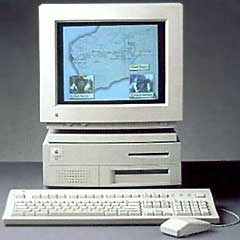
Is Upgrading My Centris 650 Worth It?
Dan Knight - 1998.10.26
DB sent this letter: I had a few questions I was hoping you could help me with.
I have a Centris 650 with 52 MB of RAM, a 2x CD-ROM, and a 230 MB hard drive, and I am running OS 7.6.1 . I use the computer for surfing the Web mostly (I have a 33.6 external modem) and word processing. I also like to play games a bit. I am happy with the computer but would like to have it perform better, but I don't know if it is worth it to upgrade. The main problem is speed when I am net surfing and playing graphic intensive games such as Doom or Dark Forces.
I was thinking a video card might help, but I don't know what kind would be good to buy or how much it would cost. The other option was to upgrade my VRAM, which should be pretty inexpensive. I definitely need a faster CD-ROM. I know I can probably replace the stock one for something faster for about $100.
I was also considering a Sonnet QuadDoubler for $200. They claim it will give me double performance, but it still can't run PowerPC programs. The alternative to that would be to try to find a used Apple PowerPC PDS upgrade card. When you can find them, I have seen them go for around $300. The advantage being able to use PowerPC programs.
Last, but not least, is hard drive space. I need more space and am considering adding an external drive. I have a friend that has a Micropolis model 1936 drive he pulled out of his PC. It is 3 GB, and he will give me the drive for nothing. The thing is, this drive is full height, and I don't know if it will make a difference or not. Could I put it in a external enclosure and use it with my Mac. If it is usable, then I know it probably will not work with Apple Drive Setup, so I will have to buy a copy of FWB Hard Disk Toolkit for about $50. If the drive is not usable, then I could by a 1 GB refurbished drive for about $100. So I am looking at spending anywhere from $400 to $500.
I am not a power user but would like a little more performance from my Centris. Do you think I should go ahead with these upgrades or save for a new Mac.
Mac Daniel writes: You've obviously given this a lot of thought - exactly the kind of thinking I did when looking at my Centris 610 some months back. My choice was to replace and sell the Centris, but let's see how things add up for you.
The Centris 650 runs a 25 MHz 68040. The QuadDoubler replaces that with a 50 MHz chip. Because of overhead, the overall gain is on the order of 70%. That could be worth $200, but we should look at the bigger picture.
That PowerPC card is very, very hard to find.
VRAM is cheap, and NuBus accelerated video cards are probably quite inexpensive these days. But the downside is that they don't have the kind of 2D and 3D video acceleration today's games are designed for. Based on that, I'd suggest you maximize VRAM instead of buying a video card.
I would avoid Micropolis drives at any price, especially on the Macintosh. I believe Micropolis has gone out of business. While there are a lot of brands out there, I don't think you can go wrong with a Quantum mechanism. Given the choice, it's what I specify.
You can get a nice 1-1.2 GB internal hard drive for about $100 these days, which I think is very reasonable. If you search, you can sometimes even find surplus Apple-branded drives, which means they will work with Apple's drivers.
The best buys I've seen on third-party CD-ROM players are the 24x and 32x CyberDrives, available from several sources starting at about $100 internal. The best reason to buy CyberDrive: You can boot your Mac from these CD players, something you can't do with most CD-ROM mechanisms.
Add it all up: $200 for the QuadDoubler, $100 for a hard drive, $100 for a CD-ROM, a bit more for VRAM and the postage to get it to you. Let's call that $500.
A used Centris 650 16/500 is usually worth $250-300. With the extra memory, you should be able to do at least that well. If you sell it, you can add that money to your upgrade budget. For $750, you should be able to pick up a nice used Power Mac 7500 with a 100-120 MHz PowerPC chip, at least 16 MB RAM, 500 MB to 1 GB hard drive, and 8x CD-ROM. And the next time you want to upgrade, you can drop in a G3 card or an accelerated video card.
This is one case where it may be wiser to sell your Centris and buy a newer computer.
Not sure if you should upgrade your old Mac or replace it? Check the Mac Daniel index to see if we've already addressed your problem.
Recent Mac Daniel columns
- WiFi Hardware Compatible with Desktop Macs Running OS X, MetaPhyzx, 03.11. USB, ethernet, PCI, and other wireless hardware compatible with Mac OS X.
- WiFi CardBus Adapters Compatible with PowerBooks, MetaPhyzx, 03.11. CardBus hardware and drivers compatible with PowerBooks running Mac OS X.
- WiFi PC Cards Compatible with PowerBooks Running OS X, MetaPhyzx, 03.11. PCMCIA/PC Card hardware and drivers compatible with PowerBooks running Mac OS X.
- WiFi PC Cards for PowerBooks Running Mac OS 9, MetaPhyzx, 03.10. PCMCIA cards and drivers reported to be compatible with PowerBook running the Classic Mac OS.
- More in the Mac Daniel index.
Links for the Day
- Mac of the Day: Mac mini Core Solo, Feb. 2006 - The only Mac to use a Core Solo CPU, this model ran at 1.5 GHz, has integrated graphics, and includes a Combo drive
- Group of the Day: SuperMacs is for those using Umax SuperMac clones.
- November 23 in LEM history: 99: Should I buy a USB card? - 01: Can a low-end Mac be an only Mac? - Palm Desktop without a PDA - CyberDog saves the day - 05: How Consumer Reports could compare Macs fairly - Speakers for your Mac - Living with the hi-res 15" PowerBook - Birth of the PowerBook - Daystar 1.9 GHz iMac G4 upgrade - 1.92 GHz PowerBook upgrade
- Support Low End Mac
Recent Content on Low End Mac
- Why Spaces is My Favorite Leopard (and Snow Leopard) Feature, Charles W. Moore, Miscellaneous Ramblings, 11.23. Spaces, a feature introduced with OS X 10.5, is like having several monitors on your Mac without the cost and space of using multiple displays.
- i5 iMac Benchmarked, Mac mini 'Shouldn't Be Overlooked', Twitter Client for Classic Mac OS, and More, Mac News Review, 11.20. Also why Apple leaves the low end to others, 10.6.2 fixes video playback problem in 27" iMac, 3D Leopard and Snow Leopard performance, and more.
- Apple's Tablet an End Run Beyond Netbooks, Frank Fox, Stop the Noiz, 11.20. Whatever Apple has planned will leverage existing technologies while going beyond what its competitors can offer.
- Apple #4 in Reliability, Apple Tablet a Gadget for All?, HP's i7 Notebook Outdoes Mac Rivals, and More, The 'Book Review, 11.20. Also Flash 10.1 improves video on Hackintosh netbooks, thin-and-light notebooks impress, Windows XP finally on the way out, and more.
- NASA Chemical Sensor for iPhone, Smartphone Death Match, iPhone Earrings, and More, Ian R Campbell, 11.20. Also mobile phone dangers, new apps, GPS solution for iPod touch, new iPod and iPhone cases, and more.
- Replacing the Hard Drive in a Clamshell iBook, John Hatchett, Recycled Computing, 11.19. Yes, it is one of the most difficult Apple notebooks to disassemble and reassemble, but a 10 GB hard drive just will not do.
- IBM Model F: A Great Old Keyboard with an Outdated Layout, Tommy Thomas, Welcome to Macintosh, 11.19. Although it used a different technology than the revered IBM Model M keyboard, the Model F was a great keyboard in its own right.
- More links in our archive.
Recent Deals
- Best 12" PowerBook G4 Deals, 11.23. Used 867 MHz SuperDrive, $348; 1 GHz Combo, $379; SD, $519; 1.33 GHz, $529; 1.5 GHz Combo, $549; SuperDrive, $609.
- Best Time Capsule and AirPort Deals, 11.23. Used 802.11g AirPort Extreme, $49; 500 GB Time Capsule, $150; new, $190; 1 TB dual-band, $280; 2 TB, $469; 802.11n AirPort Extreme, $170.
- Best Mac Pro Deals, 11.23. Used 2.66 GHz 4-core, $1,300; 3.0 4-core. $1,919; refurb 2.66 4-core Nehalem, $2,149; 2.93, $2,549; 2.93 8-core, $4,999; new 2.26 8-core, $2,290.
- Best eMac Deals, 11.18. Used 1 GHz Combo, $100; SuperDrive, $269; 1.25 GHz Combo, $119; SD, $319; 1.42 GHz Combo, $289; SD, $498.
- Best Mac OS X 10.6 and Mac Box Set Deals, 11.18. "Snow Leopard", single user, $25; 5 users, $45; Mac Box Set, single user, $139; 5 users, $180; Server, $414. Shipping included.
- Best Xserve Deals, 11.18. Used 1 GHz dual G4, $649; 2.3 dual G5, $795; 3.0 4-core Xeon, $1,899; refurb 2.26 4-core, $2,499; new, $2,888; refurb 8-core, $2,999; new, $3,449; more.
- Best 15" MacBook Pro Deals, 11.17. Used 1.83 GHz, $750; 2.16, $800; 2.33, $900; refurb 2.4, $1,299; 2.53, $1,449; 2.66, $1,699; 2.8, $1,899; new 2.53, $1,579; 2.66, $1,799; more.
- Best Power Mac G4 and AGP Video Card Deals, 11.17. Used 400 MHz, $50; 933 MHz, $80; 500 dual, $60; 867 dual, $90; 1 GHz dual, $150; 1.25 GHz dual, $225; 1.42 GHz, $499.
- Best Mac OS X 10.5 Deals, 11.17. "Leopard" upgrade, $80; single user license, $135; 5 users, $173; Mac Box Set, 5 users, $230; Server, 10 users, $340; unlimited, $850. Shipping included.
- More deals in our archive.
About LEM | Support | Usage | Privacy | Contacts
Navigation
Used Mac Dealers
Apple History
Video Cards
Email Lists
Favorite Sites
MacSurfer
MacMinute
MacInTouch
MyAppleMenu
InfoMac
Macs Only!
The Mac Observer
Accelerate Your Mac
RetroMacCast
PB Central
MacWindows
The Vintage Mac
Museum
DealMac
DealsOnTheWeb
Mac2Sell
ramseeker
Mac Driver Museum
JAG's House
System
6 Heaven
System 7 Today
the pickle's Low-End
Mac FAQ
Abandonware
Petition
Mac vs. PC Info
Affiliates
The Apple
Store
Mac
Connection
B&H
MacMall
TechRestore
ExperCom
Crucial
Memory
batteries.com
Advertise
MacMinute
MacInTouch
MyAppleMenu
InfoMac
Macs Only!
The Mac Observer
Accelerate Your Mac
RetroMacCast
PB Central
MacWindows
The Vintage Mac
Museum
DealMac
DealsOnTheWeb
Mac2Sell
ramseeker
Mac Driver Museum
JAG's House
System 6 Heaven
System 7 Today
the pickle's Low-End
Mac FAQ
Abandonware
Petition
Mac vs. PC Info
Mac Connection
B&H
MacMall
TechRestore
ExperCom
Crucial Memory
batteries.com