Mac Musings
The Next 'Book I'll Buy
Daniel Knight - 2005.11.16
Seven years ago, I wrote The PowerBook I'll Buy. This was the age of the beige Power Mac G3 and the Series II WallStreet, and I'd never owned a laptop.
I knew I wanted one, something I could use at home and at the office (this was long before I ever dreamed of publishing Low End Mac as a full-time job). I looked at the way I worked, and I realized that the PowerBooks of the day wouldn't meet my needs.
I had a 20" Sony monitor on my desk at work, running at 1280 x 1024. I had a 17" Nokia monitor at home, running at 1152 x 854 - anything higher was too fuzzy to use for any length of time.
When I work on Low End Mac, I usually have two windows open side-by-side. On the left is Claris Home Page 3.0, the same version of the program I've used since 1997. Or sometimes Nvu, the free WYSIWYG HTML editor that's not exactly stable. And on the right I'll have my browser window open, usually Firefox these days, although I've been using Opera more and more.
This lets me do my online research without obscuring my writing, and vice versa. There's some overlap, and the smaller the display, the worse the overlap, the more difficult the work. In 1998, I figured 1280 pixels wide was a practical minimum for the way I worked. (I also thought a 4 GB hard drive and 128 MB of RAM was plenty. Of course, under OS 9, it was!)
Nearly Perfect
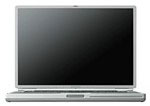 26 months later Apple announced the first
PowerBook G4 with an
1152 x 768 display. It sounded like Apple had read my mind - or perhaps
my column. I ordered mine and was among the first to receive one. It
was a bit cramped, but it was workable. 1024 x 768 would have been
unworkable for me.
26 months later Apple announced the first
PowerBook G4 with an
1152 x 768 display. It sounded like Apple had read my mind - or perhaps
my column. I ordered mine and was among the first to receive one. It
was a bit cramped, but it was workable. 1024 x 768 would have been
unworkable for me.
Fifteen months later, Apple reached the 1280 x 854 level, and I've been tempted by the display of the newer 15" PowerBooks ever since. I run my eMac at 1280 x 960. I have a 1280 x 1024 display on my Power Mac G4/1 GHz dual. That's almost wide enough for me, and when I go back to the 1152 x 768 TiBook display, it feels cramped.
(If you really want cramped, try running OS X on a clamshell iBook at 800 x 600. You can do it, but it feels somewhat claustrophobic. I'll have to write more about that someday.)
Absolutely Perfect
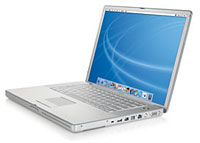 Apple outdid itself in October, releasing new iMacs, iPods,
Power Macs, and PowerBooks. The new 15"
PowerBook goes past the 1280 x 854 of the past and offers a 1440 x
960 display. That's pretty much perfect, and it's all in a computer the
same size as my five-year-old TiBook. - not to mention over 4x the
clock speed, a huge (for a notebook) 80 GB hard drive, Radeon 9700
graphics, and a dual-layer SuperDrive. (My 'Book can't even burn
CDs!)
Apple outdid itself in October, releasing new iMacs, iPods,
Power Macs, and PowerBooks. The new 15"
PowerBook goes past the 1280 x 854 of the past and offers a 1440 x
960 display. That's pretty much perfect, and it's all in a computer the
same size as my five-year-old TiBook. - not to mention over 4x the
clock speed, a huge (for a notebook) 80 GB hard drive, Radeon 9700
graphics, and a dual-layer SuperDrive. (My 'Book can't even burn
CDs!)
I'd looked at widescreen displays when I bought my Power Mac a few months back, but 1280 x 1024 displays were much more affordable. Mine (a Dell 1704FPV) cost about $285; 1440 x 900 screens were in the $500+ range.
And then there's the 17" iMac. A 1440 x 900 display, a 1.9 GHz G5, and an iSight webcam make this the perfect desktop for almost anyone. Sure, some need dual processors, but most people would find the iMac more than adequate.
The Road Ahead
I'm trying to anticipate what lies before us. The 12" PowerBook didn't get a higher resolution screen when the 15" and 17" ones did in October. The iBooks got a speed bump in July, but they've had 1024 x 768 displays since the first 500 MHz iBook shipped in May 2001.
Rumors have been circulating since summer that Apple will be going widescreen on the iBook Real Soon Now. Maybe January?
Pure speculation, but here's what I think could happen. Apple introduces a new 12" or 13" widescreen iBook with an 1152 x 768 display. They top the iBook line with a 15" model that uses the 1280 x 854 display found in recent PowerBooks. For the first time in the history of the iBook line, the larger model would actually display more.
At the same time, there's a new 12" or 13" PowerBook with a 1280 x 854 display.
This would allow Apple to share much of the design between the smaller 'Books, just as they do now with the 12" iBook and 12" PowerBook. And by moving the top-end iBook to a 15" display, it could share a lot of components with the 15" PowerBook.
The difference between the iBook and PowerBook would come down to rugged plastic vs. brushed aluminum, screen resolution, CPU speed, and price.
All things considered, were Apple to do that, I'd seriously consider a 15" widescreen iBook as my next portable computer. The new 15" PowerBook may have a killer screen and be faster and lighter, but 1280 x 854 pixels would be enough, and the iBooks are more rugged and a lot more affordable.
Of course, if this scenario plays out, there would also be a 12-13" PowerBook with a 1280 x 854 display. All the resolution I need (1440 x 960 is lust, 1280 x 854 is need) in a very compact package.
I guess either one would be perfect, assuming Apple doesn't transition to Intel CPUs at the same time. I, for one, still need Classic Mode for productivity. I'm comfortable with Claris Home Page 3.0 and Photoshop 5.5, very productive in either, and they run faster than equivalent OS X-native programs (such as Nvu and Photoshop Elements 3.0 - why are so many OS X apps so slow?).
As long as it has a 5400 rpm hard drive and I can expand RAM to at least 768 MB (1 GB is nicer), I'll be happy. I just need the features that fit my needs and workflow.
Were Apple to introduce Intel 'Books in January, I'd probably take a long hard look at the refurbished 1.33-1.5 GHz 15" aluminum PowerBooks often available from Apple.
Either way, it's also tempting to consider replacing my last eMac with a 17" iMac.
We'll all be able to make better plans after the Expo, and it looks like I'll be taking the first and only new PowerBook I've ever owned with me on the fifth anniversary of its unveiling.