
This article was written in 1999, the days of the Classic Mac OS (then at version 8.5), which was designed for a single CPU – and the G3 was then bleeding edge. We now have OS X, which supports multiple CPUs, CPU cores, and hyperthreading, but some of the problems discussed in this article remain relevant in this day of multicore CPUs with multithreading and interleaved memory.
 There’s a big difference between most personal computers and “big iron” – whether they be mainframes, minis, or even smaller Unix servers. They multi better.
That is, they multitask better, multithread better, and handle multiprocessing better.
Multitasking
The Mac OS allows multitasking, as do all modern operating systems. I can type this while downloading a file. At the same time, Claris Emailer is checking for new messages every five minutes and the OS is updating the clock in the menu bar.
The simple definition of multitasking: The computer does several things simultaneously – or at least they appear that way to the user.
In reality, most computers (especially personal computers) fake it by dividing a single processor’s attention between tasks and switching from task to task several times per second.
The great thing is, it works. We perceive that the computer is printing and downloading and sending email all at the same time because the time slices are so short that they are imperceptible.
The drawback is that a single processor doing multiple tasks means each task is done more slowly. Usually the foreground task takes priority, so it runs at maybe 50-80% of full speed. But the background tasks can take far, far longer than they would in the foreground.
The 40 minute download that takes an hour is one example. The color printout that takes two hours instead of twenty-five minutes (we’re talking high resolution tabloid printouts on a networked Epson Stylus XL) is another.
Multithreading
The easiest way to program is linearly. Process A runs, then process B takes over, then it goes to process C. One thing happens at a time.
But just as multitasking allows the computer to run more than one application at a time, multithreading permits a program (including the OS) to run more than one process at a time.
To use an analogy, if the program is cleaning up the kitchen, one thread would be loading and running the dishwasher, another wiping the counter, another sweeping the floor, another cleaning the oven. These tasks can take place at the same time, much as multiple threads of a program or OS can.
Multiprocessing
Multitasking lets you run more programs at once, but at the cost of reduced throughput. Each program runs more slowly under multiprocessing than it does alone.
Multithreading is usually implemented in such a way that the threads interleave with each other. This can be more efficient than linear processing, especially if the CPU has multiple processing units (integer, floating point, etc.).
But there are only three ways to make a program run faster:
- Rewrite it. But we assume the programmers have already done this, providing us as efficient a program as they know how to make.
- Get a faster processor. This is an option if you’re using a 300 MHz or slower computer, but what if you’re already at 400 MHz?
- Use more processors.
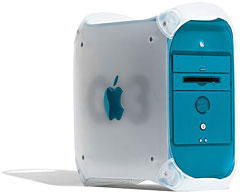 Multiprocessing is using two or more processors [update: or processor cores]. The current Mac OS has a very limited form of multiprocessing that only supports the PowerPC 604 and 604e. The G3 has very limited support, only permitting two processors – and then with a lot of overhead.
The G4 will fully support multiprocessing, as will Mac OS X and probably Mac OS 8.6.
What multiprocessing does is split up the task so more than one processor can take a part of it, so in many ways it’s analogous to multithreading. But instead of one processor time slicing tasks, two or more CPUs are using the “divide and conquer” method to complete the task in much less time than a single processor could.
The Benefit of Multiprocessing
Don’t you just hate it when one program takes over the computer? I do. When I upload web pages from Claris Home Page, I can’t do anything else on my computer. Better multitasking might help, as would multithreading.
But with multiple processors, one CPU could always be handling input and output – no matter what application is trying to hog all the system resources.
Update: That’s exactly what happened with OS X and Classic Mode. Claris Home Page could completely tie up on CPU in a dual processor Power Mac G4, but the other CPU was free to handle everything else. Because of that, some tasks actually became faster in Classic Mode than running natively in Mac OS 9.
Granted, a well implemented OS could prevent any task from taking over the way Home Page does when uploading pages, but the current Mac OS simply doesn’t do that. (And there are times, such as when Retrospect does backup over a network, that you really do want to keep the user from changing anything.)
But with multiple processors, there’s enough processing power (even if you’re not using the fastest chips available) to let you run lots of programs with lots of threads and still leave enough system resources for typing and switching applications.
The Bottleneck
As David K. Every notes in his article on Performance, simply using a faster bus, faster memory, or even a faster processor doesn’t necessarily make the computer that much faster. There are always bottlenecks.
The same is true when using multiple processors. No matter how well designed the system is, the OS must dedicate some time to coordinating efforts among the processors. In a poorly designed dual processor system, we might see only a 70% improvement, while in a really tweaked system, the second processor might increase performance by 95%.
Assuming a 15% performance hit as CPUs coordinate their work, dual 233 MHz processors could outperform a single 400 MHz processor if the OS and programs all provided full support for multiprocessing.
But as the number of processors increases, a problem arises: each one has to communicate with all the others, so a three processor system takes three times the penalty of a dual processor system (A talks to B and C, and B talks to C). Still, with out hypothetical 15% penalty system, three processors would yield 2.55 times the performance of one.
Adding a fourth processor increases the penalty further, since each CPU now talks to three others. Assuming 15% overhead for that, this theoretical system would be only 3.1 times more powerful than a single CPU computer.
In a system with 15% overhead, a 6 processor system would be only marginally faster than a 5 processor one.
Breaking the Barrier
Traditionally, a lot of the bottleneck comes from the processors communicating slowly. If the CPUs share a 100 MHz data bus, that’s as fast as they can move data back and forth.
What kind of data do they share? For one, before using any data from system memory, each CPU has to make sure no other CPU is working on that particular chunk of RAM – or if it’s mirrored in the other CPU’s cache. If it’s in use, CPU A has to wait. If it’s in another CPU’s cache, CPU A has to instruct the other CPU to flush that data from its cache.
The G4 is designed with two features that should greatly minimize the overhead of multiple processors.
First, the CPUs will be able to communicate with each other at full CPU speed over a dedicate 128-bit bus. Second, there is a unified cache controller. I believe this is specifically for the L2 cache (up to 2 MB!), but rather than polling several CPUs about their cache data, it looks like this will allow each CPU to check with a central cache manager.
Because of this, there is speculation that a dual-G4 system could possibly offer more than double the performance of a single-G4 computer. Although it sounds too good to be true, the combined benefit of a faster, wider bus between CPUs with a large unified L2 cache could make it happen.
Going to 4 or 8 processors might not result in 4x and 8x base performance, but with the optimized G4 design, bus, and cache, the reduced overhead should make it possible to come closer to the theoretical maximum than any personal computer has done before.
Frankly, if you’re impressed with the G3 (I certainly am), you will be stunned by the multi capabilities of the G4 and Mac OS X.
All those multi-promises will finally come true.
And the “blue door” Pentium III will turn green with envy.
Keywords: #multitasking #multiprocessing #multithreading
Short link: http://goo.gl/Dgc1uk
serchword: multipromises
