Low End Mac Reader Specials
TypeStyler For Mac OS X is Now Shipping! Download The Free Fully Functional 60 Day Tryout at www.typestyler.com
Don't install Parallels to play poker online! Poker Mac will show you how
to download and install a native Mac poker application such as Full
Tilt Poker Mac.
Laptop Hardware Provided by TechRestore - Overnight Mac & iPod Repairs.
Compare products like desktop computers, apple laptops, apple macs, and LCD Monitors side by side! All the information and reviews to make the best purchasing decision for new mobile phones, sat nav systems, or MP3 players. The Ciao online shopping community makes searching products easy for you.
Mac Musings
Unix to the core
8 October 1998 - Dan Knight - Tip Jar
If you cut your teeth on the Mac, or even a Windows machine, count yourself fortunate. A graphical operating system lets you play around and figure out how things work. It's user friendly, which is why the Macintosh caught on and influenced the shape of the dominant PC operating systems.
The same concepts are playing a larger role in the Unix world, with X Windows, NeXTstep, and BeOS offering graphical interfaces for the underlying operating system.
Until next year, the Macintosh OS is highly integrated from the kernel through the interface. But next year Mac OS X will integrate our familiar interface with a kernel designed around very different principles.
In the beginning
The first computers didn't use keyboards, punch cards, or any kind of tape. They were hard wired. Then came programmable computers and ways to save and replay programs. Eventually we got to things like keyboards, video displays, and disk drives.
Early computer operating systems would greet you with a blank screen. Well, nearly blank. There might be a cursor awaiting your input - a blinking cursor on some systems. But you couldn't just sit down and use these computers. You had to know their language. You had to work to get them to work for you.
Unix was born at AT&T about 30 years ago. In an age when most computers had proprietary operating systems, Unix was designed for portability. Written in the C language, all you needed to do to put C on another computer was write a C compiler and compile Unix for the new computer.
In that era, computers did many jobs for many users and cost many, many dollars. They also generated many dollars by leasing computer time, so a top concern was a robust operating system - you wanted that machine earning its keep every minute it was running.
Unix became a leading operating system because it was designed from the ground up to track users, track system resources, track time used, and keep the computer up and running. Today you hear stories of Unix computers that never crash, only going down for preventive maintenance, system updates, or natural disasters.
Enter personal computers
The first personal computers didn't have the resources to run Unix. With only a few kilobytes (KB) of memory, there was no reason to even consider multi-user support. Early PC operating systems such as TRS-DOS, Apple DOS, and CP/M assumed one CPU, one user, and one program running at a time. If the system crashed, only one person lost data. The key was making as much functionality as possible fit in a limited amount of memory. Stability was nice, but not always foremost.
But they all had the same kind of blank screen waiting for input as the earlier mainframe and minicomputers.
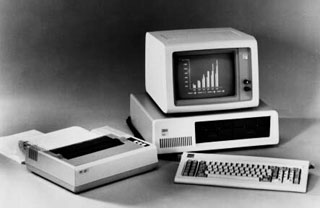
That didn't change with the introduction of the IBM PC. Sure, it could handle an unimaginable 640KB of memory, but MP/M-86 (an early multi-user OS for the PC) was never a hit. Users had become used to one CPU, one user, and one program running at a time.
Over time the paradigm shifted, thanks to utilities that let DOS machines keep two or more programs in memory and switch on the fly. Then came operating systems for personal computers (including Windows, OS/2, and the Mac OS) that let you run more than one program at a time, even allowing the background programs to keep working (although usually at reduced performance).
One CPU, one user, many programs has given way, over the past few years, to one or more CPUs, one user, many programs. Both the Mac OS and Windows support 2 or more CPUs, which can be very helpful for Photoshop filters and a handful of other intensive tasks.
Full circle
Windows and the Mac OS grew out of the single user, single task, single CPU paradigm to allow multiple tasks and multiple users. But they lost stability along the way.
It's tiresome restarting a computer and waiting while it reloads. And it's frustrating losing your work. Stability has become a top concern among PC users, whether we use Macintosh, Windows, or Windows NT.
From that perspective, Unix looks like the holy grail. Stable. Multitasking. Support for multiple CPUs. Even if we don't need the multi-user capabilities, it looks like a much better platform to build upon than a hacked at OS with roots going back to DOS 1.0 (1981, rooted in CP/M from the 1970s) or Macintosh System 1 (1984).
Really full circle
I've done a little experimenting with MacBSD, an implementation of Unix that runs on older Macs. I find it as opaque as MS-DOS was when I first set out to learn it. There's a blank screen with a cursor.
What do you do?
For all its power, Unix is an operating system for gurus and wizards. For most users, it will be enough to run a graphical shell that isolates us from Unix, just as Windows 98 isolates users from DOS.
From what I've seen of BeOS, it's not difficult to implement a version of Unix that hides the underlying OS behind an easy-to-use shell. For most of us, Mac OS X will look and act a lot like OS 8.x - but it'll keep running if our applications crash.
I'm glad Steve Jobs is willing to lead Apple forward by finding roots even deeper in the past than the Apple II. Unix will give Mac OS X the stable, extensible foundation it needs to enter the 21st century.
And Jobs should know. He's went down this road with NeXT, perhaps the first consumer computer designed to run Unix with a graphical shell.
Further reading
- Operating Systems: Past, present, and future, Mac Musings
Dan Knight has been using Macs since 1986, sold Macs for several years, supported them for many more years, and has been publishing Low End Mac since April 1997. If you find Dan's articles helpful, please consider making a donation to his tip jar.
Recent Mac Musings
- Why Is Apple Ditching Netbook Support Now?, 11.16. Mac OS X 10.6.2 deliberately removes Atom support. What does Apple have to gain by doing so?
- IDE Is Dead; Long Live SATA!, 11.04. SATA has displaced parallel ATA. While IDE hard drives haven't disappeared, the best deals are in SATA hard drives.
- The Future of Personal Computing: Personal Servers and Low Cost Portables, 11.02. With WiFi everywhere, virtual network computing, and remote access, your iPhone, iTouch, iTablet, or MacBook Air becomes a gateway to your home or office computer.
- The Late 2009 Mac mini Value Equation, 10.21. We called the Mac mini 'the best value in desktop Macs' two months ago, and the refreshed Mac mini only improves that value.
- More in the Mac Musings index.
Links for the Day
- Mac of the Day: 17" MacBook Pro Core Duo, Apr. 2006 - The top-end MacBook Pro includes a 1680 x 1050, 2.16 GHz Core Duo CPU, and supports Apple 30" Cinema Display.
- Group of the Day: G4 List is for those using Power Mac G4s or G4 upgrades.
- November 24 in LEM history: 98: Microsoft's heavy hand - 00: Looking at the iMac - 04: The best Mac for the holidays - Picking the right replacement for a dead mouse - Better battery for 15" AlBook
- Support Low End Mac
Recent Content on Low End Mac
- Pismo WiFi Networking Issue Finally Solved?, Charles W. Moore, Miscellaneous Ramblings, 11.24. It turns out the problems wasn't the Pismo, the Buffalo WiFi card, or Mac OS X 10.4. It was the Wireless G router - Linksys to the rescue!
- Mini VGA to S-video Adapter a No Go for eMacs, Dan Bashur, Apple, Tech, and Gaming, 11.24. You might think that Apple's Mini VGA S-video adapter is a cheap way to connect your eMac or G4 iMac to your TV. You would be wrong.
- Google Calendar with iPhone or iTouch Is Great for Scheduling, John Hatchett, Recycled Computing, 11.24. Web-based Google Calendar allows access and updates from any computing platform, including Mac, Windows, Linux, and iPhone OS.
- Why Spaces is My Favorite Leopard (and Snow Leopard) Feature, Charles W. Moore, Miscellaneous Ramblings, 11.23. Spaces, a feature introduced with OS X 10.5, is like having several monitors on your Mac without the cost and space of using multiple displays.
- i5 iMac Benchmarked, Mac mini 'Shouldn't Be Overlooked', Twitter Client for Classic Mac OS, and More, Mac News Review, 11.20. Also why Apple leaves the low end to others, 10.6.2 fixes video playback problem in 27" iMac, 3D Leopard and Snow Leopard performance, and more.
- Apple's Tablet an End Run Beyond Netbooks, Frank Fox, Stop the Noiz, 11.20. Whatever Apple has planned will leverage existing technologies while going beyond what its competitors can offer.
- Apple #4 in Reliability, Apple Tablet a Gadget for All?, HP's i7 Notebook Outdoes Mac Rivals, and More, The 'Book Review, 11.20. Also Flash 10.1 improves video on Hackintosh netbooks, thin-and-light notebooks impress, Windows XP finally on the way out, and more.
- NASA Chemical Sensor for iPhone, Smartphone Death Match, iPhone Earrings, and More, Ian R Campbell, 11.20. Also mobile phone dangers, new apps, GPS solution for iPod touch, new iPod and iPhone cases, and more.
- More links in our archive.
Recent Deals
- Best G4 iMac Deals, 11.24. Used 15" 700 MHz CD-RW, $150; 800 MHz Combo, $229; 1 GHz, $289; 17" 1.25 GHz, $200; 20" 1.25 GHz, $509.
- Best MacBook Air Deals, 11.24. Used from $899; refurb from $1,099; new 1.6 GHz/120 HD, $1,150 after rebate; 1.8/64 SSD, $1,150 a/r; 1.86/128 SSD, $1,350 a/r; 2.13/128 SSD, $1,694 a/r.
- Best PowerBook G3 Deals, 11.24. Used 233 MHz WallStreet, $75; 266 MHz, $160; 400 MHz Lombard, $199; 400 MHz Pismo, $289; 500 MHz, $350.
- Best 12" PowerBook G4 Deals, 11.23. Used 867 MHz SuperDrive, $348; 1 GHz Combo, $379; SD, $519; 1.33 GHz, $529; 1.5 GHz Combo, $549; SuperDrive, $609.
- Best Mac Pro Deals, 11.23. Used 2.66 GHz 4-core, $1,300; 3.0 4-core. $1,919; refurb 2.66 4-core Nehalem, $2,149; 2.93, $2,549; 2.93 8-core, $4,999; new 2.26 8-core, $2,290.
- Best Time Capsule and AirPort Deals, 11.23. Used 802.11g AirPort Extreme, $49; 500 GB Time Capsule, $150; new, $190; 1 TB dual-band, $280; 2 TB, $469; 802.11n AirPort Extreme, $170.
- Best eMac Deals, 11.18. Used 1 GHz Combo, $100; SuperDrive, $269; 1.25 GHz Combo, $119; SD, $319; 1.42 GHz Combo, $289; SD, $498.
- Best Mac OS X 10.6 and Mac Box Set Deals, 11.18. "Snow Leopard", single user, $25; 5 users, $45; Mac Box Set, single user, $139; 5 users, $180; Server, $414. Shipping included.
- Best Xserve Deals, 11.18. Used 1 GHz dual G4, $649; 2.3 dual G5, $795; 3.0 4-core Xeon, $1,899; refurb 2.26 4-core, $2,499; new, $2,888; refurb 8-core, $2,999; new, $3,449; more.
- More deals in our archive.
About LEM | Support | Usage | Privacy | Contacts
Navigation
Used Mac Dealers
Apple History
Video Cards
Email Lists
Favorite Sites
MacSurfer
MacMinute
MacInTouch
MyAppleMenu
InfoMac
Macs Only!
The Mac Observer
Accelerate Your Mac
RetroMacCast
PB Central
MacWindows
The Vintage Mac
Museum
DealMac
DealsOnTheWeb
Mac2Sell
ramseeker
Mac Driver Museum
JAG's House
System
6 Heaven
System 7 Today
the pickle's Low-End
Mac FAQ
Abandonware
Petition
Mac vs. PC Info
Affiliates
The Apple
Store
Mac
Connection
B&H
MacMall
TechRestore
ExperCom
Crucial
Memory
batteries.com
Advertise
MacMinute
MacInTouch
MyAppleMenu
InfoMac
Macs Only!
The Mac Observer
Accelerate Your Mac
RetroMacCast
PB Central
MacWindows
The Vintage Mac
Museum
DealMac
DealsOnTheWeb
Mac2Sell
ramseeker
Mac Driver Museum
JAG's House
System 6 Heaven
System 7 Today
the pickle's Low-End
Mac FAQ
Abandonware
Petition
Mac vs. PC Info
Mac Connection
B&H
MacMall
TechRestore
ExperCom
Crucial Memory
batteries.com