
2004 – Backup is one of those things most computer users fail to do on a regular basis, and there are several reasons for it.
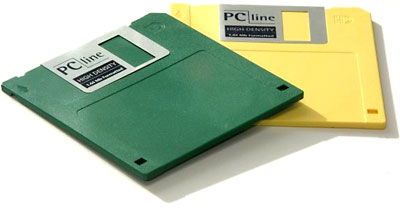 In the old days, backup was a slow, tedious, inconvenient process involving any number of floppy disks. Later on, people began using tape drives or Zip! disks for backup. Over time, higher capacity tape drives kept tape a viable option, especially for network backup, and CD-R replaced Zip! disks as the removable medium of choice. Today DVD-R and DVD-RAM are beginning to fill that spot. [Reminder: This was written in 2004.]
The problem is, tape is linear, so it takes a long time to get from the start of a tape to the spot where new data is appended, and even DVDs don’t have the capacity to allow backing up today’s hard drives on just one or two discs.
The solution to these space problems is backing up to another hard drive. You can pick up a nice 80 GB drive for US$80 or so these days, add a FireWire or USB 2.0 enclosure for around US$30, and be ready for relatively fast, efficient backups. (You can use USB 1.1, but there’s nothing fast about it.)
Backup Strategy
The next question is, “What is your backup strategy?”
First, what is your goal – storing important files (but not everything on your hard drive) for safe keeping, being able to pull old files from an ever-growing file archive, or being able to restore your hard drive as of the most recent backup?
If you just want to archive files, CD-R or DVD-R is probably adequate. Copy your important files once a week, burn the disc, and store it off site.
If you want to archive everything, you’re probably looking for a high-end solution like Retrospect, which I used for years as an IT Manager. It can back up to disc, tape, or hard drive, and it can restore any file you’ve ever backed up to any existing archive.
If you’re more concerned about having a full, bootable, up-to-date backup of your hard drive, look no further than SuperDuper from Shirt Pocket Software. SuperDuper is the reason I finally gave up on an endless string of expensive Retrospect updates.
Just Do It
I first learned about SuperDuper, then a $20 shareware program, reading about it on Tera Patricks’ Mac360. Ron McElfresh calls it his favorite backup utility, and publisher Tera Patricks gives it her #1 rating among ten backup programs.
With praise like that, I had to check it out.
SuperDuper starts with backing up your entire hard drive to another drive. It takes things a step further and makes the other drive into a fully bootable clone of your main hard drive. That means that if your modern Mac crashes, you can boot it from the backup. (Exception: Macs that won’t boot from your backup drive, such as the indigo iBook 366, which will not normally boot from a FireWire drive, although you can usually work around that by holding down the Option key during startup and selecting the FireWire drive as your boot volume.)
Carbon Copy Cloner can do that for free. [Update: CCC is now a $40 program.] So can SuperDuper – it’s one of the features in the unlocked version of the software, and it’s easier to work with and seems faster than Carbon Copy Cloner. [SuperDuper now sells for $28.]
Once you register your copy of SuperDuper, you unleash its true power. Now you can do an incremental update of your backup, adding new files, replacing updated ones, and deleting those deleted from your main hard drive. Where the initial full-disk backup may take an hour or more, I find the incremental backup usually take 5-6 minutes on my 1.25 GHz eMacs and 8-12 on my 400 MHz PowerBook G4.
As if that wasn’t worth US$20, SuperDuper adds the Sandbox feature. If you’ve ever installed an OS X Update only to find it causing more problems than it solves, you’ll love this. You can clone just the OS to a second drive (internal or external), boot from it, access everything on your primary drive, and try the updater on the second drive before you commit to it on your main drive.
Best of all, SuperDuper is easy to use. You don’t need to be a rocket scientist or learn the arcane language of backup. When you make your choices, everything is very clearly spelled out in front of you – no need to use help screens to figure out what each option means.
On top of that, SuperDuper can inform you when upgrades are available and handle the entire upgrade process within the program itself. Smart. Very smart.
As Patricks mentions, the only thing SuperDuper lacks is scheduling software so you can tell it to run backup when you go to lunch or at the end of the work day.
I’m sold on SuperDuper, using it to back up my eMacs and PowerBook G4 to a trio of external FireWire/USB 2.0 hard drives (one dedicated to each machine) on an almost daily basis. My next step will be to get the old indigo iBook running and use SuperDuper for backup – although the clamshell iBooks can’t boot from FireWire, they should be able to boot from USB 1.1, albeit slowly, using the Option key trick noted above.
I also plan on using SuperDuper with the iMac at home, one we’re currently using for our voice mail system with PhoneValet (review forthcoming). Backup will be slow over USB 1.1, and the old iMac won’t be able to boot from the backup, but at least everything will be backed up safely. [Again, the Option key trick may resolve this issue.]
I’ve tried a lot of different backup programs and used various backup strategies over the years, and SuperDuper has won me over. I can still use CD-R if I want to make long-term archives of specific projects, but for day-to-day peace of mind, SuperDuper is worth every penny.
If you don’t have a backup system in place or are unhappy with what you’re currently using, give the free demo of SuperDuper a try.
SuperDuper has been made even better since this review was first published. The current version sells for more than $28.
Update: After years and years of using SuperDuper, I discovered something new in 2014. If you want to restore from backup, you must boot from the same OS version or newer for restoration to proceed correctly. If you boot from the backup you plan to restore, this won’t be an issue for you. If you boot from another drive or partition, this can be a problem.
Manufacturers and distributors: Interested in having your product reviewed? Please read our review policy.
Keywords: #backupsoftware #diskcloning
Short link: http://goo.gl/mKtUa7
searchword: superduper
