
The early versions of System 7 provide broader capability for modern tasks than System 6 while still being practical for even the lowliest Macs.
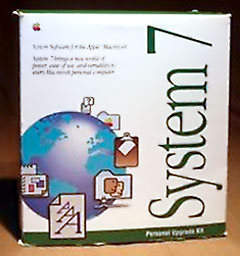 With the introduction of System 7 in early 1991, a deep shift occurred in Macintosh computing. The Macintosh was no longer a viable floppy-only system, but the real promise of the Macintosh was coming closer to fulfillment.
Jef Raskin wanted the Macintosh be be wholly devoted to its human user. That devotion is the Macintosh promise. Simplicity is one component, but the earliest microcomputers (like the Altair and Apple I) were far simpler and clearly less personable. Proper organization is the other ingredient.
System 7 employed both principles to great effect by introducing many new features while also improving the organization of existing elements.
Get ‘System 7 Savvy’
Many new features greet you when you first boot System 7, some of which have no equal in modern operating systems.Computing help is only a mouse-point away with Balloon Help, System 7’s new help technology. When activated, cartoon-like speech balloons appear wherever the user points to explain that item.
Need your files to appear in several places at once? You can do that with Aliases. Aliases look and behave exactly the same as the original file, but they only take up about 5 KB of disk space. Whenever an Alias is opened, the Macintosh opens the original file for you, no matter where it is – even on a network server!
Managing several applications at once is much easier with a dedicated Application Menu, and Show/Hide-ing helps make the most of your monitor.
Also exciting is the new System 7 Sound document format. Marked with the icon of a blue speaker, just double-click the file to listen to it.
The Apple Menu now provides access to any application or file, not just Desk Accessories. Simply placing a file into the new Apple Menu Items folder within the System Folder allows access from the Apple menu.
Launcher provides quicker access to frequently used applications by turning them into large single-click buttons that appear at startup.
Both Apple Menu Items and Launcher are great uses for Aliases – keep the original documents wherever you like and place Aliases to them in the Launcher Items or Apple Menu Items for easy access.
The Blue Meanies’ message is still there, hidden inside every copy of System 7.0.1: “Help! Help! We’re being held prisoner in a system software factory!”
System Folder Improvements
Inside the System Folder, the INITs are all nestled gently in their own Extensions folder and cdevs in Control Panels. Desk Accessories have grown up and moved out of the System suitcase, taking up residence in the new Apple Menu Items folder.
Sounds and Fonts remain part of the System file, but a special Sound Mover or Font/DA Mover program is no longer required to get at them: You can just open the System file and drag them in or out – very simple.
The Macintosh knows what applications or files to open at startup, because they’re in the new Startup Items folder.
Applications’ preference files have been swept up and stashed in their own folder, too. The System Folder is a peaceful place.
Looking inside the Control Panels folder reveals several cdevs for another major new feature, built-in file sharing. Name your Macintosh and give yourself a username in the Sharing Setup control panel, add accounts for all your networked friends in Users and Groups, and then press Start File Sharing in Sharing Setup. That’s it.
Numerous less visible changes also enhance System 7.
- The desktop database format is improved in System 7 vs. System 6.
- TrueType scaleable font support is built in, allowing users to experience “what you see is what you get” at any font size.
- The Macintosh is always multitasking under System 7 – no MultiFinder or Switcher needed.
- Fill your Mac with RAM to your wallet’s lament: 32-bit addressing won’t say “uncle” until you do.
- Built-in 32-bit QuickDraw means applications can support rich color without installing extra extensions.
- AppleEvents enable many of these new technologies by standardizing the way applications talk to one-another.
- Virtual Memory can help you get through a larger job than your Mac could otherwise handle.
System 7 was updated to version 7.0.1 in October 1991.
System 7.0.1 Trip-ups
They say you can’t make an omelet without cracking a few eggs, and even with all its improvements, System 7 had a few drawbacks.
With its greater complexity and multitasking, it imposes what’s commonly said to be a 15% speed penalty against System 6’s performance.
While System 6 could fit comfortably on an 800 KB floppy disk (and make 1.44 MB feel roomy), System 7 needs to tighten its belt to fit on a 1.44 MB floppy. Users with a floppy-only pre-FDHD SE, Plus, or the dual-floppy education-only version of the LC needed to buy a hard drive or be left out in the cold.
This larger System software also used more RAM – approximately 1300 KB compared to around 800 KB for System 6, so you needed at least 2 MB of RAM for System 7 just to launch the operating system..
Certain applications that depended on undocumented features of System 6 broke under 7 and no longer functioned. While most commercial software packages were updated for compatibility, some smaller, obscure titles work only under 6.
Related to this is the issue of 32-bit cleanliness. Previous System versions only used the lowest 24 bits of each address “word” to describe the address of a memory location. Because of this, many software applications – and even some hardware devices – began using the upper 8 bits to represent other things. When System 7’s 32-bit addressing is enabled (it’s off by default), these software and hardware accessories can (and do!) cause crashes when they stomp on the memory addresses. Even some Macintosh ROMs (in the Mac II, IIx, IIcx, and SE/30) have this problem, and 68000-based Macs can’t use 32-bit addressing at all, because that CPU is limited by its 24-bid bus.
Switching the Memory control panel to 24-bit addressing avoids these difficulties but limits the user to 8 MB of RAM. Updating all software and hardware to 32-bit clean versions is the best solution. Connectix Mode32 software (free from Apple) can update “32-bit dirty” Macs.
The earliest version of System 7 included a particularly nasty and famous “disappearing folders bug”. Make sure to apply the “System 7 Tune Up” to any Macintosh you intend to run System 7 on.
Unfortunately, Mac OS X 10.4 Tiger and later are not file sharing compatible with System 7. You cannot connect a System 7 client to a 10.4 server, nor can a 10.4 client connect to a System 7 server. A good solution is readily at hand: NetPresentz (now freeware) makes System 7 a full-featured FTP server to which nearly all computers can connect. Another option is to use OS X 10.3 Panther, which can talk to both System 7 and newer versions of OS X.
System 7.1 (Pro)
System 7.1 is in an uncomfortable position. Released in August 1992, it builds on the progress made in System 7.0.x with many new features like AppleScript and a new Sound Manager. It adds a Fonts folder. It’s a little fatter than 7.0.1 and has a newer core architecture. This core allows it to take updates so it can offer most of the features of System 7.5.5, such as Open Transport, Thread Manager, and CFM-68k.
Out of the box, it’s a big brother to 7.0.1, but its added features are negligible compared to the differences between System 6 and System 7. Once you’ve applied all the available updates, its feature list is nearly on par with that of 7.5.x, but it’s just as large and it’s less stable.
Also, while the smaller 7.0.1 and the more mature 7.5.3 are both available for free from Apple’s website, System 7.1 is not freely available – you’ll have to either buy it or find an illegal copy.
System 7.1 introduced some landmarks in Macintosh computing, but in retrospect it will be remembered for setting the stage for System 7.5. Unless you’re one of the few people who needs AppleScript support with a smaller footprint than 7.5.x, there’s not much reason to recommend 7.1 over the free alternatives.
The Bottom Line (with a Nod to Don Crabb)
System 7.0.1 is an excellent choice for users with smaller Macs based on 68000 or 68020 processors, or those with larger Macs confined to less than about 16 MB of RAM. With all its updates and add-ons, it consumes less than 1.8 MB of RAM at start up and can connect to the Internet, print to shared printers, mount Windows and most Macintosh CD-ROMs, and network with Mac OS X 10.3.9 and earlier.
System 7.1.1 was eclipsed for most users by it’s newer and older siblings, but it is still a good choice for those who don’t wish to use Open Transport or who need AppleScript on a smaller Mac. It is also the most modern choice for users with a Radius Rocket accelerator.
My personal website has a more technical article series about installing a fully up-to-date System 7.0.1.
Next: System 7.5 and Mac OS 7.6
Further Reading
- Jef Raskin, the Visionary Behind the Mac, Jason Walsh – 2005.01.19
- Jef Raskin, Creator of the Macintosh, 1943-2005, Jason Walsh, 2005.02.28
- Mode32 download
- NetPresentz
- Radius Rocket
- Radius Rocket: Far More than a Mac Accelerator
- Computer expert Don Crabb dies, Chicago Sun Times
- Installing an Up-to-Date System 7.0.1
Keywords: #system7
Short link: http://goo.gl/cbGwcZ
searchword: system7




