
Recently posted in our community, Guillermo had a question regarding his Intel Core 2 Duo iMac, and some of the suggestions shared by others were helpful – now to be featured as a part of the “Low End Mac Mailbag“. As a part of the Low End Mac mailbag, we aim to:
- Greatly increase daily article output
- Save the knowledge shared by others
- Have our community be more “out there”, etching their name on the website.
- Answer commonly asked questions, helping you problem-solve your Mac.
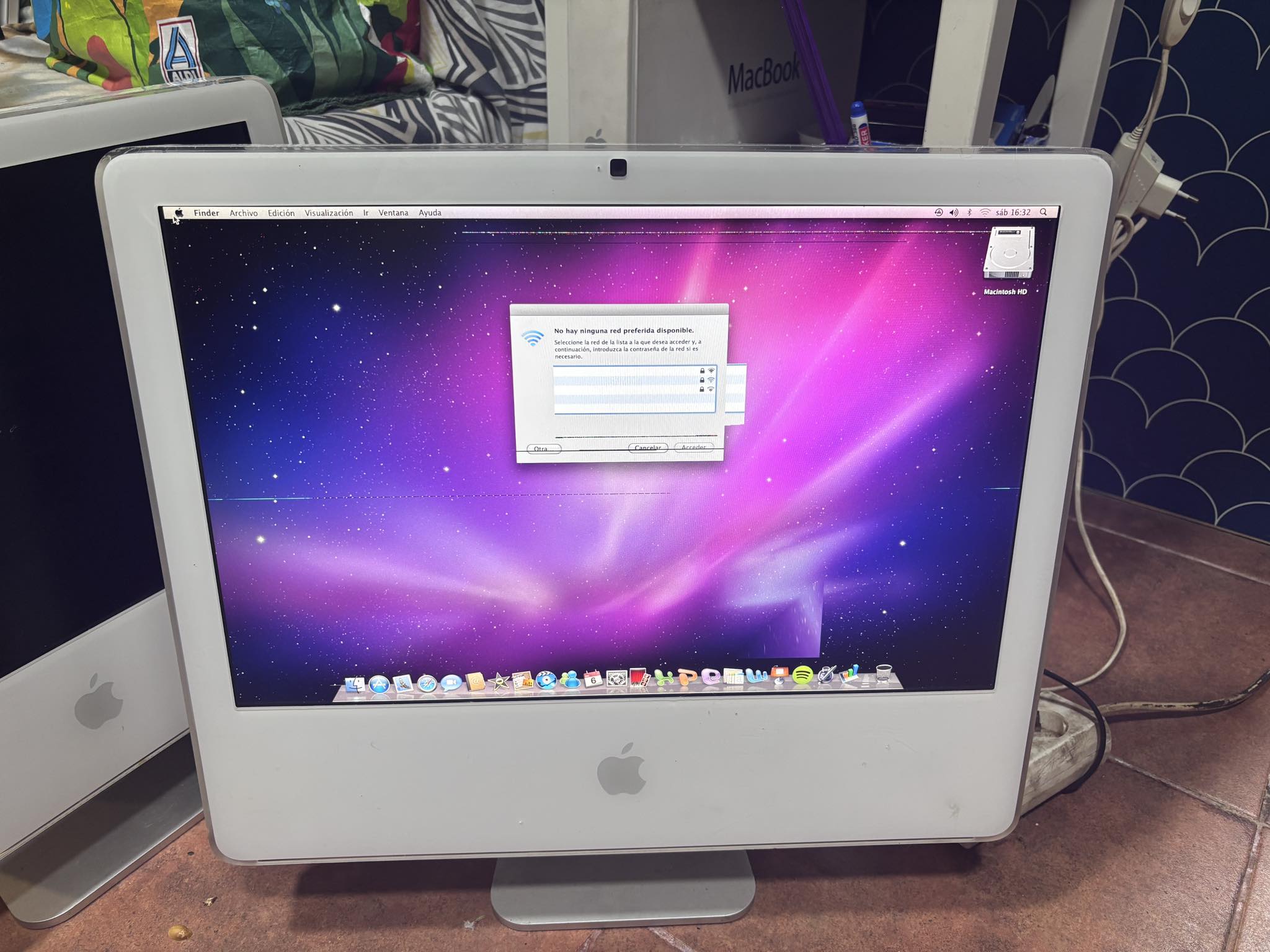
Guillermo: Hi! Question. Bad graphics or bad LCD? Its a core 2 duo with Intel graphics.?
.
 .
.
Editor’s note: This is a situation quite a few of us have run into before, and at first glance it’s hard to tell what’s going on without further inspection. But one comment in the thread stuck out to me more than the rest.
- Suggestion #1: Just change resolution. If stripes on same place its bad LCD. If stripes changes they positions its bad GPU/VRAM.
. - Suggestion #2: Change the display setting to use 16-bit color (Thousands of colors). If the problem goes away, it could be bad VRAM.
. - Suggestion #3: With the lines it could have been either, however the block points to bad graphics. If it’s a shared memory, could be dodgy connection or dodgy ram stick
. - Suggestion #4: I would suggest trying to reflow the GPU chip since the 20 inch ones have them soldered to the motherboard.
It’s one of those simple tricks that make you go “Gee, why didn’t I think of that before?”. Well, now you know!
