Good morning everyone,
As always, thank you for taking the time out of your day to stop by and read, and being a better part of our online community. As the website continues to grow and evolve into 2026, we want to recognize the reality that visitors will arrive using a broad range of devices; such as Intel Macs, Apple Silicon devices, PowerPC Macintoshes, and more.
Since Early 2025, Low End Mac has dramatically transformed its navigational UI and functionality, evolving along with the site’s design which has been around since 2016. This is no accident – by making sure the site stays “low-resource”, it ensures devices of many generations can reasonably load this website with their own web browser.
Today, I would like to announce a brand new addition to our website’s navigation UI, called “Horizontal view” – now, you can visit our website and the pages can stretch bezel to shining bezel.
Horizontal View
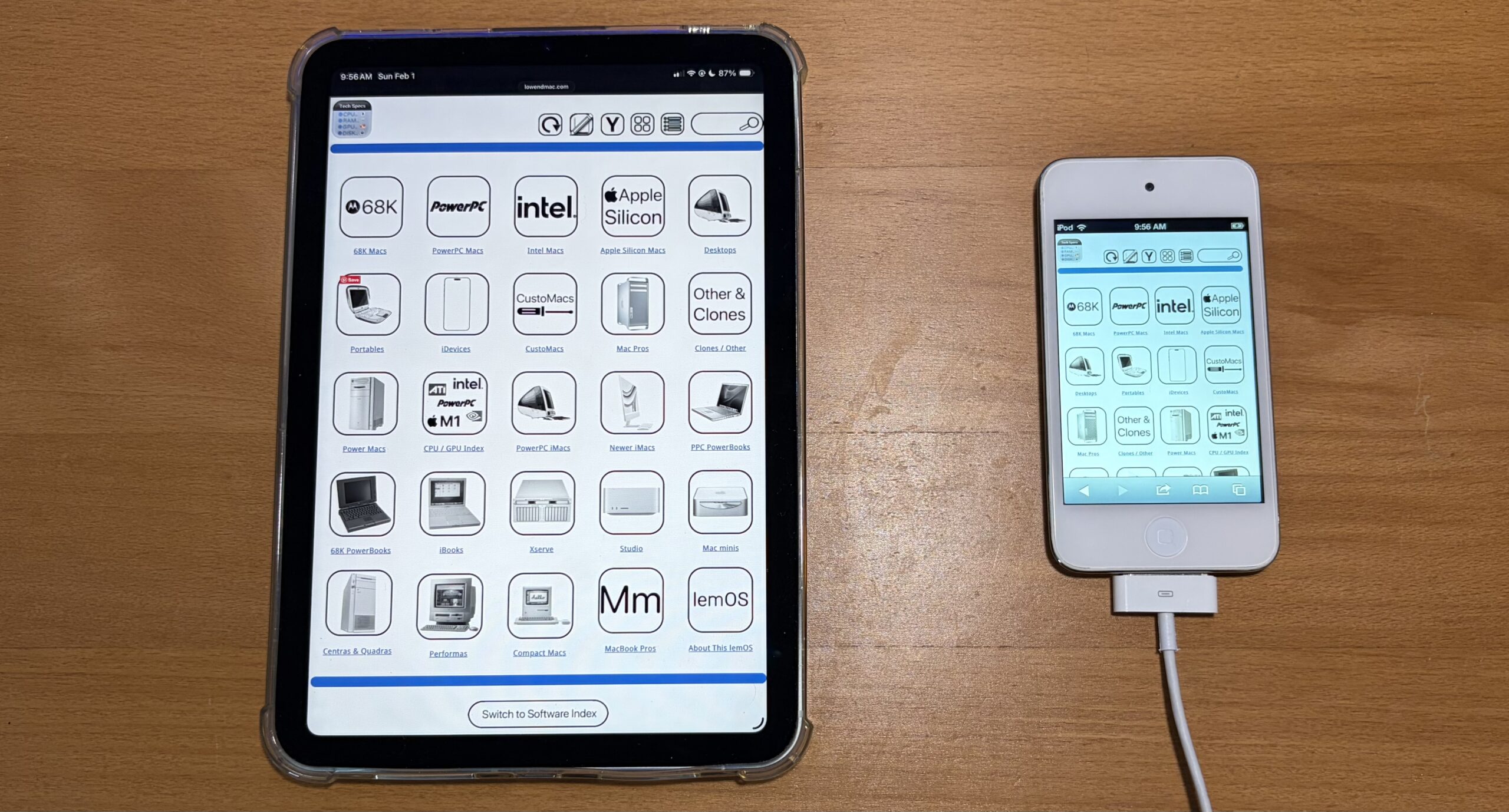
“Horizontal View“, iPad View, or even full screen mode. The new circular arrow button in the lemOS UI will stretch the icon view to the full width of the website. Since the old sidebar was removed last year, alot of web pages now have this awkward shift to the left, and this is the first “part” or “project” in addressing this matter.
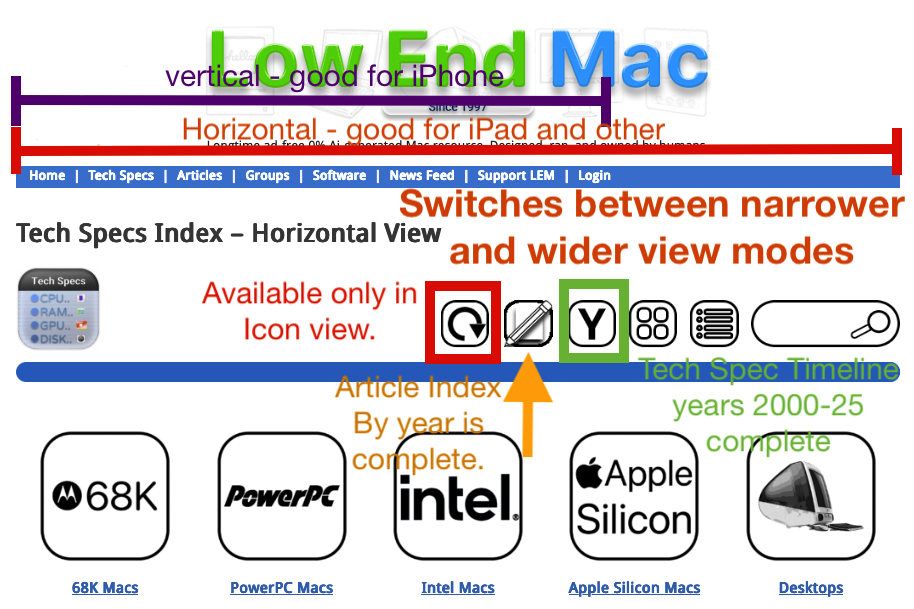
The original, narrower icon view has a benefit: it’s better for devices with narrower screens, and also acts as a fallback if the site UI needs the sidebar temporarily restored. Once you switch to this new widescreen viewing mode, the UI will stay like this unless you change it with any of the options above. Not all pages currently have this feature, but it will complete by the end of this week.
- Circular arrow: Switch between a narrow “iPhone” mode, or a wider “iPad” Horizontal mode. Available only in Icon view UI.
- Grid guidelines: iPhone/narrow view – 4 x 6 maximum per page, iPad/widescreen view: 5 x 6 maximum per page
- Paper + Pencil: Article Timeline View by Month & Year
- “Y” button: Tech Specs by year, completed for years 2000 – 2025. Lists when devices were announced.
- 4 squares: Default icon view, “iPhone” mode
- List of items: List mode, reduced images, with directory listing
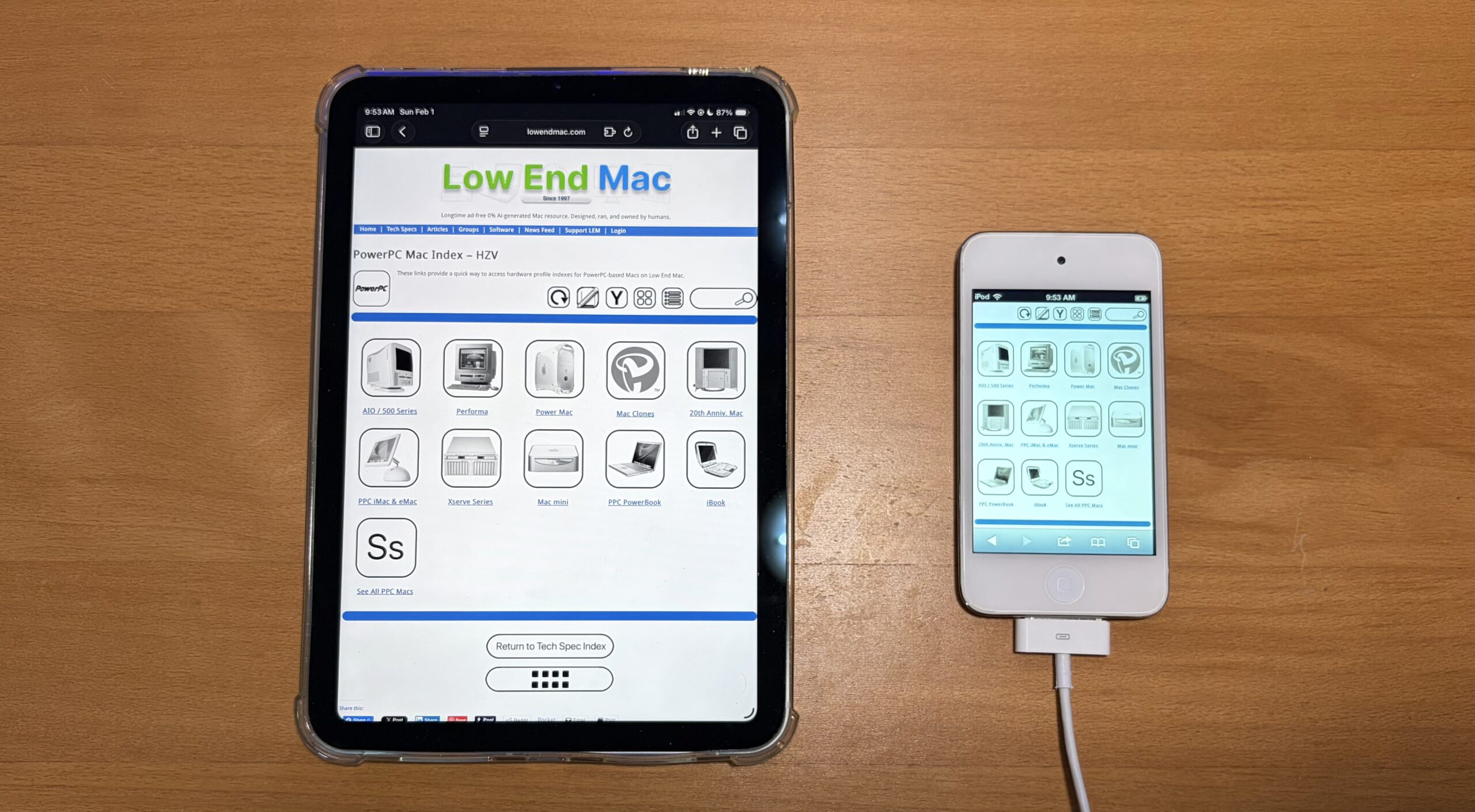
- This feature will only be available in Icon Mode.
- When you navigate all the way to an article in your browser, use your browser’s back button to go back to the UI mode you were in. That way, all the site’s navigation buttons stay in the mode of your preference.
- The nav ui buttons on the bottom of each article will link you back to the default icon view, just like the nav ui buttons on the site toolbar.
- If a page randomly switches viewing modes while you’re browsing, it means that page you navigated to is either incomplete or has a broken link. Please allow until end of week for completion.
- All articles display in the narrow view mode.
Since Early 2025:
- All site toolbar links have been fixed
- Site sidebar has been deleted/removed entirely.
- For navigational UI:
- Added a default icon view
- Added a list-view with reduced images + directory navigation path
- Re-organized everything into its own place. Anything teetering toward software is now under the “software index”. Also: CPU/GPU index.
- lemOS UI runs on the idea of muscle memory, familiarity, consistency, and simplicity. Taking the principles and functionality of modern devices, and baking some of the “logic” into our website.
- Although we used to stay away from uploading images as much, times have changed – our website is far more media-centric, and GUI-driven than ever before. Loading JPEGs and PNGs on the screen isn’t challenging for most devices these days, so we have a balance.
- Added an Article Timeline View – this is not the same as “Articles” on toolbar, however, this may change.
- This feature can be accessed on nearly any part of the lemOS UI by clicking on the “Pencil + paper” icon.
- Jump to any article we ever made, ever – by Month + Year.
- Added Hundreds of new articles for the Intel + Apple Silicon CPU index, in addition to the 356 articles Low End Mac made in 2025.
- Working on a Tech Spec timeline view, separate from Article timeline view
- Extras added: A software repository, page for wallpapers, a place for site changes/changelogs, web apps, and a website bug reporter.
- Dedicated pages for specific article categories: Other OS Articles, Low End Mac Hacks, App Highlights, macOS, iOS/iPadOS.
- More things not listed here have been done to the website.
One more thing…
In addition to these changes, I’m happy to let everyone know our website should now be faster to load than in recent months – especially impacting visitors with older devices. There was a site plugin which made it so site images were optimized and hosted there instead of Low End Mac, causing errors, sometimes glitches, and at times long loading times. The specific feature impacting this site behavior has been turned off, resulting in faster loading times.
In Conclusion
Whether you’re browsing on a smartphone, tablet, PowerPC Mac, an Apple Silicon Mac, or even on 90s tech sporting an up-to-date browser, Low End Mac should now be easier and faster to navigate than ever before.