
Apple took a radically different approach to their notebook lineup this year by re-introducing the MacBook as an affordable, lightweight and colorful MacBook Neo. With a starting price of $599 USD (and $499 through Apple’s Education Store), this is the most affordable Mac ‘Book to-date.
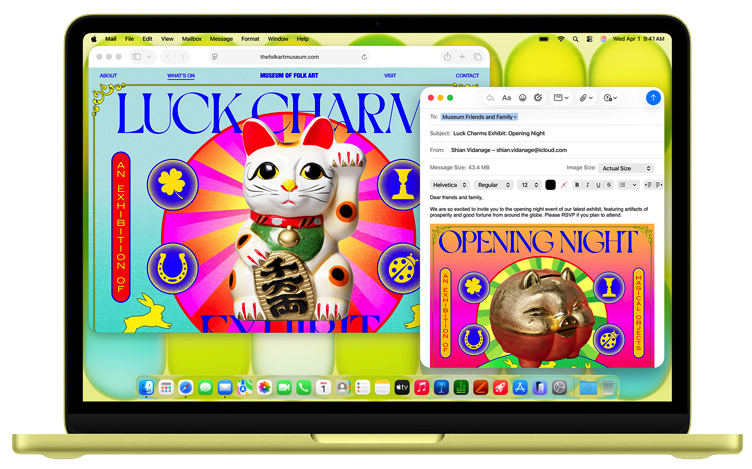
The Neo is no slouch despite being the first Mac to use the same chip as an iPhone (a 16 Pro), providing nearly twice as much CPU performance as an M1 MacBook Air. Where ChromeBooks tend to use underpowered intel chips and Windows notebooks in this price range don’t offer the same build quality, Apple went for sturdy aluminum, a redesigned trackpad, and a single core CPU performance which matches AMD’s Ryzen 9 9950X3D.

The MacBook Neo ships in 4 colors: Silver, Blush (Pink), Citrus (Gatorade Lemon-Lime), and Indigo (dark faded blue), has a 500 nit 13-Inch IPS LCD at 219 ppi with a 2408 x 1506 resolution, starts with 8 GB 3750 MHz LPDDR5X-7500 SDRAM, a 5-core GPU, and the A18 Pro chip runs on a 3 Nanometer N3E FinFET process by TSMC.
For mostly anyone using this, the storage speed will be quite acceptable and contribute to the performance of the MacBook Neo – sporting PCIe NVMe K8A5 NANDs clocking in at ~1.4 GB/s read and write speeds! Although the onboard storage is soldered-on just like the RAM, unlike the RAM, it’s possible to upgrade it at least to 1 TB with the right tools, as demonstrated by DosDude1. In a store, this device sells with either a 256 GB SSD ($599) or a 512 GB SSD ($699).
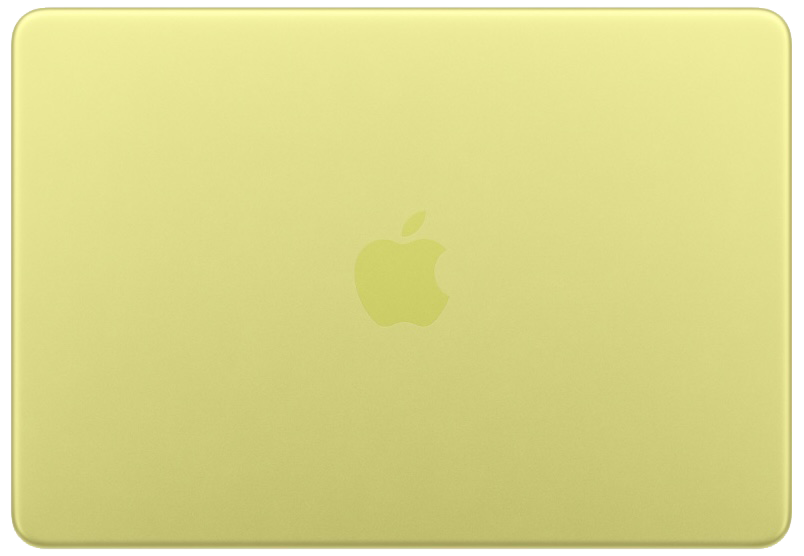
A few things are missing. This is the first MacBook since 2020 without MagSafe, and it only has one USB 3.0 port, the other being USB 2.0. Unlike the other MacBooks, this model lacks a backlit keyboard, but has a light-tone color keyboard which matches the body color. Touch ID is available only on the $699 model. Apart from two USB ports, there’s a headphone jack.
Apple Intelligence
macOS supports Apple intelligence on any Mac with Apple Silicon. This feature is also available on most iPads with an M-chip, as well as iOS devices running iOS 18 and later with an A17 Pro chip or better (iPhone 15 Pro/Pro Max, or all iPhone 16 models+).
What You need to know
- If you’re someone who’s transitioning over from an Intel Mac, or will be using Intel Mac apps, Apple has an app called Rosetta 2 for Apple Silicon Macs. Once installed, this isn’t something you directly interact with. Rather, you may simply open an Intel app, and it’ll open. Rosetta 2 does an Intel to Arm “ahead of time” translation, using an instruction set in the A18 Pro chip. The first time the Intel app launches it’ll be noticeably slow, as Rosetta caches and stores code. Once this process is done, the App should work just as normal.
 Closed Lid Mode: All ‘Books support “lid closed” (or clamshell) mode, which leaves the built-in display off and dedicates all unified memory to an external display or two. To use closed lid mode, your ‘Book must be plugged into the AC adapter and connected to an external display and a USB or Bluetooth mouse and keyboard (you might also want to consider external speakers). Power up your ‘Book until the desktop appears on the external display and then close the lid. Your ‘Book will go to sleep, but you can wake it by moving the mouse or using the keyboard. The built-in display will remain off, and the external monitor will become your only display.
To resume use of the internal display, you need to disconnect the external display, put the computer to sleep, and then open the lid. This will wake up your ‘Book and restore use of the built-in display.
Battery life is claimed to be 11 hours of wireless web, and up to 16 hours of video streaming.
Details
- Announced March 4th, 2026
- Available March 11th, 2026
- Model Identifier: Mac17,5
- Model: A3404 (EMC 8984)
- MHFA4LL/A (Silver, 256 GB) $599
- MHFH4LL/A (Blush, 256 GB) $599
- MHFD4LL/A (Citrus, 256 GB) $599
- MHFF4LL/A (Indigo, 256 GB) $599
. - MHFC4LL/A (Silver, 512 GB) $699
- MHFJ4LL/A (Blush, 512 GB) $699
- MHFE4LL/A (Citrus, 512 GB) $699
- MHFG4LL/A (Indigo, 512 GB) $699
- Model: A3404 (EMC 8984)
Mac OS
- Requires macOS Tahoe 26.3.1 (Build 25D2128) or later
Core System
Legend: L1i = L1 Instruction Cache, L1d = L1 Data cache, SLC = System Level Cache
Note – All A18 Pro chips have this memory configuration for their cache in their CPUS:
- L1 Per-performance core: 192KB L1i, 128KB L1d
- L1 Per-efficiency core: 128 KB L1i, 64 KB L1d
. - A18 Pro ($599): 6 Cores, 2x 4.05 GHz “A18 Pro” High Performance Cores: 384K L1i, 256K L1d, 16 MB L2, 24 MB System Level Cache
- 4x 2.42 GHz “A18 Pro” energy efficient cores: 512K L1i, 256K L1d, 4 MB L2, 24 MB SLC
- 16-Core Neural Engine
Memory
- 8 GB 3750 MHz LPDDR5X-7500 SDRAM
- 60 GB/s Memory Bandwidth
Video
- 5-Core GPU: Integrated Apple G17P with Metal 4 Hardware Accelerated GPU, 1490 MHz clock
- 16:10 13″ TFT IPS LED-Backlit LCD, 2408 x 1506, 219 ppi, 500 nits, sRGB, 1B Colors
.
- 16:10 13″ TFT IPS LED-Backlit LCD, 2408 x 1506, 219 ppi, 500 nits, sRGB, 1B Colors
- Support for 1 external display plus the built-in display at native resolution, simultaneously
- Max resolution for external display: 3840 x 2160, 60 Hz
Drives
- Drive Bus: 256 GB Single-NAND NVMe PCIe SSD ~1.4 GB/s Read/Write
- Configurable to: 512GB, which also includes Touch ID (+$100)
Expansion
- 802.11ax Wi-Fi 6E
- Bluetooth 6
- Two USB-C style USB ports
- Port closer to the screen: USB 3.1 Gen 2 (up to 10Gb/s)
- The one on the right: USB 2.0 (up to 480Mb/s)
- 3.5mm headphone jack
- Up to 11-16 hrs battery life
- 36.5 W/h Li-Ion battery
- Touch ID Sensor ($699 model only)
- 20W USB-C Power Brick for charging
- 1080p FaceTime HD Camera
- Dual-Mic array w/directional beam foaming
- Support for Voice Isolation and Wide Spectrum Mic Modes for enhanced voce clarity
- Dual-speaker sound, support for Dolby Atmos
Physical
- Size: 0.50 x 11.71 x 8.12? (1.27 x 29.75 x 20.64 cm)
- Weight: 2.7 pounds (1.23 kg)


