
Within the pile of laptops I brought home from VCF Midwest, one of them was a $5 parts bin 2006 1.83 GHz Core Duo MacBook, from the Wisconsin Computer Club! While digging through I saw this was from 2006 based on the bottom cover, hoping it would be the earlier Core Duo – here it is.
 |
 |
This MacBook will take the same route the iBook G3 did, getting a restoration to form. Aside from some plastic chips on the keyboard assembly, typical scratches and some stickers, this MacBook was in overall good shape.
Does it work?
Before starting the project I wanted to make sure it worked, or at least understood it’s condition enough to know where to focus. Fortunately it powered up right away! There was some artifacting on-screen, but I was quickly able to diagnose it to the LVDS connector on-board. I unplugged the display and plugged it back in firmly, which fixed the issue.
 |
 |
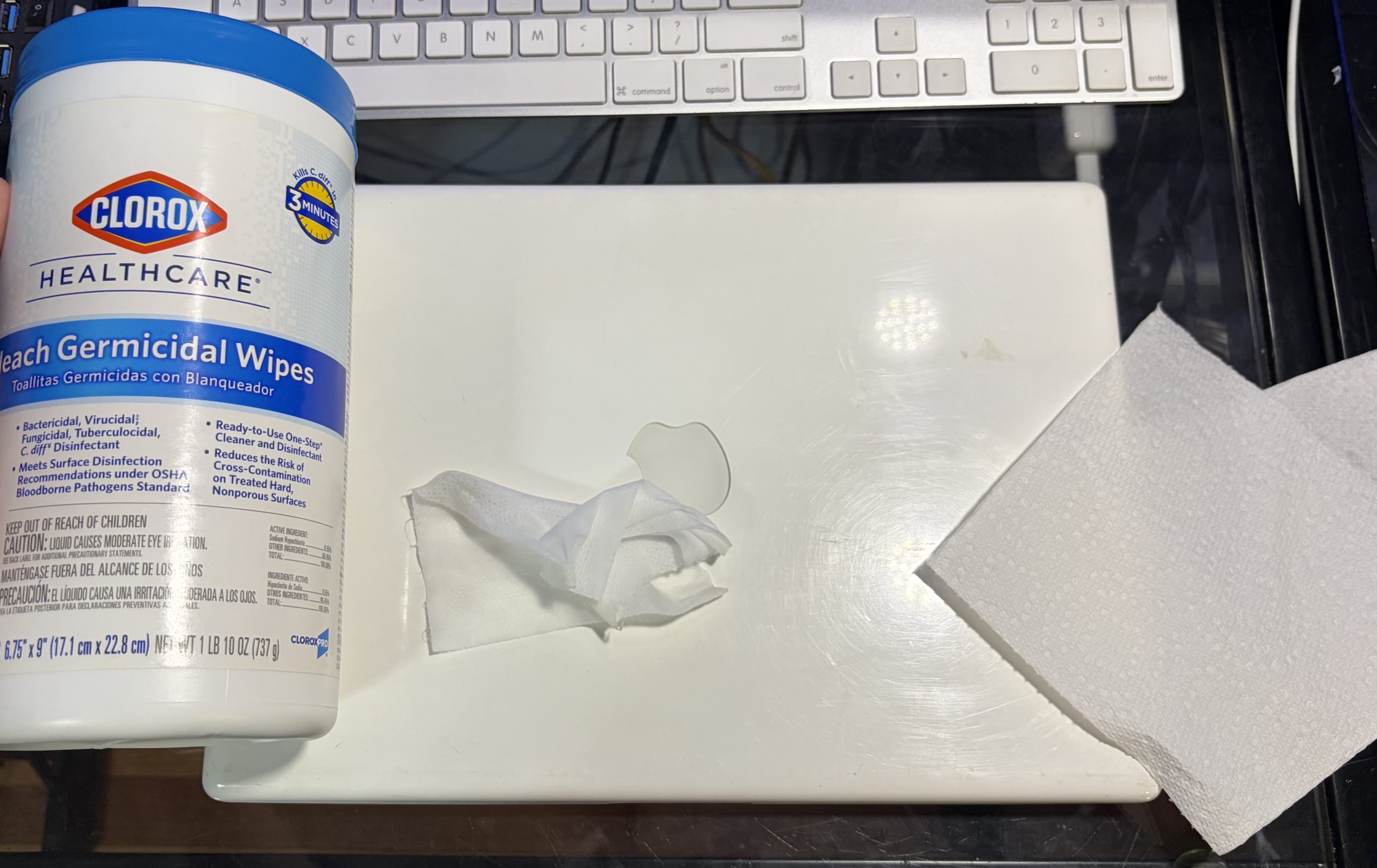
Now that I know it works, time to wipe down the polycarbonate plastic shell. This type of Clorox works well for the white MacBooks; removing some residue inside scratches, buffing out certain discoloration and marks, while also cleaning the ‘Book very well.
Taking a look inside
At some point for fun, I tried out the mini PCIe to PCIe adapter, getting a video signal out from a Radeon HD 2600 XT – but later forgot to re-replace the AirPort card. It’s nice to know an eGPU works with this MacBook, but I don’t think that’s what I’ll do with this one.. unless? Old thermal paste was flaking so it had to be replaced, put some Arctic MX-4 in there.
 |
 |
For now, I’m using an Ethernet wire. I’ll keep the 80 GB drive that was in here until I get an SSD, wiping the old Snow Leopard install in favor of something more.. peculiar.
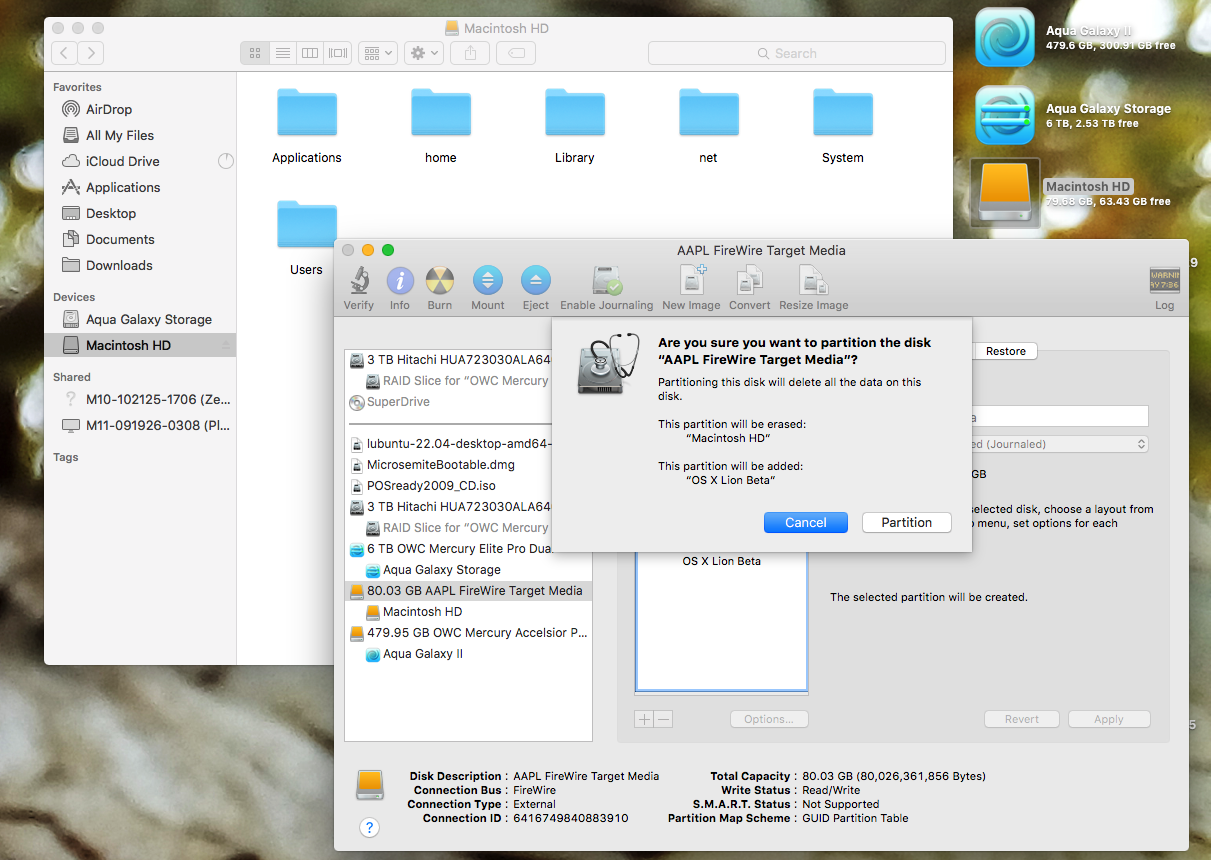
Wiping the drive, cloning the new OS
While this may indeed be a 32-Bit Core Duo Intel Mac, that does not mean it’s stuck on Mac OS X Snow Leopard. You may install any variety of 32-Bit OSes; Linux, older versions of Mac OS X for better performance, 32-Bit Windows, even Windows 10 can be installed on here with some tricks.
 |
 |
As usual, I opted for a VERY unsupported configuration.. this time it’s Mac OS X 10.7.2 Lion! At first I stubbornly used my own method of Carbon Copy Cloner 4, only to find a Crossed-Out symbol when trying to boot. Next, I used the exact instructions provided on the MacRumors post about this topic, and it still didn’t work.
 |
 |
That’s when I decided to try booting in Verbose mode by holding down the Shift button.. but unbeknownst to me, I was about to trigger what appeared to be a sudden firmware update. Managed to capture it on camera. It didn’t reboot or make any firmware update chimes, but now it successfully boots into Mac OS X Lion every time. Earlier I named the boot volume “Mac OS X Lion Beta”, but as it turns out, the disk image is actually running Mac OS X Lion 10.7.2 Build 11C74 – more specifically a MacRumors uploaded build.
Mac OS X Lion
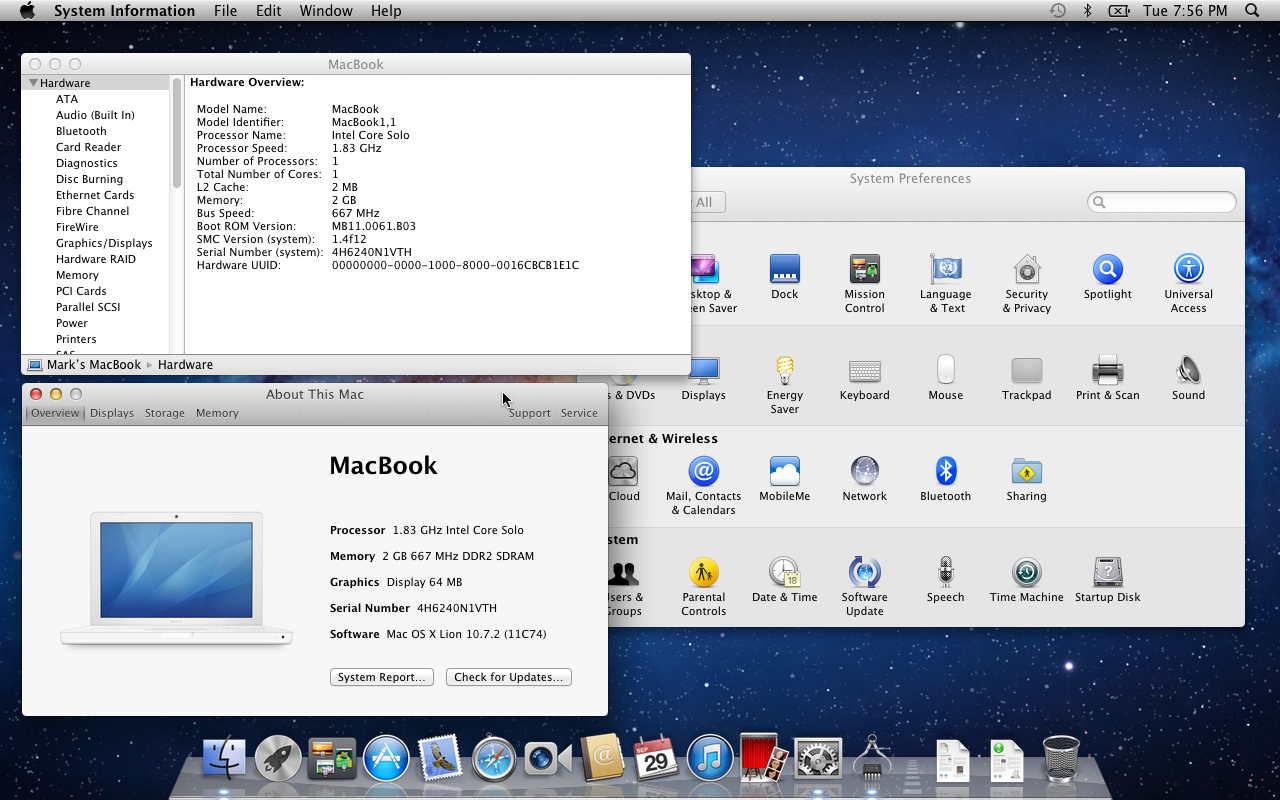
What’s interesting is how both this 2006 Core Duo and a 2007 MacBook have an Intel GMA 950, a supported GPU under this OS, however, graphical hardware acceleration is a bit wonky on here. At first PowerFox wouldn’t launch at all, presenting an all-black screen. I’m not sure if un-checking “use hardware acceleration when possible” on another Mac as a networked volume then restarting the Mac did the trick, but PowerFox fired up after.

YouTube was very sluggish on this configuration, I’ll have to try again on an SSD + 3 GB RAM. As it is, Google loads up fine as does Apple, and our website too.


While the MacBook doesn’t have a battery, an SSD or maxed RAM for the time being, it’s showing promise on Mac OS X Lion with the PowerFox browser. This marvelous, community-developed 32-Bit browser is keeping this early Intel ‘Book alive and kicking on the web, in addition to all the 32-Bit apps it’s able to run. I think it’s worth getting this MacBook together.
What’s next?
Since aftermarket batteries seem cheap, I’ll also look for a SATA SSD to drop into here, and get it going on 3 GB RAM. It’s nice to see the display isn’t flickering, the case isn’t at all cracked, and hinges are holding up. It’s nice to get Lion going on a Core Duo Mac, but I wanna see just how usable this Mac can be when given some reasonable upgrades.
