
It was a cold, record-setting winter in Late 2009 when I was in the process of switching from PC to Mac, I decided to tinker around with Windows XP in such a way where I decided to call whatever I made.. into “my own operating system”, and gave it a kinda cheesy name. Indeed, I knew what was running underneath, yet, I became all too consumed with a wonderful little app called ResHacker.

Bit by bit, I set out to completely change everything in my own vision – to the point of making the OS visually unrecognizable from Windows. I wasn’t changing the system code, wasn’t a programmer, but was surprised at how many elements of the system and UI could be tweaked. Furthermore, I downloaded add-ons to further tweak the OS. This is the story of “Aerocore”; A long lost OS project I worked on many days after school. In the end, guilt made me want to stop doing it altogether; because too much work went into something which started feeling like my own creation, despite ultimately still being a then-supported OS with a large install base.
Start of the project
It all started when the upgraded PC started having issues on Windows Vista, making the computer less and less usable everyday. After reverting to XP and also receiving an iMac G3 from a family friend, I decided to start experimenting. Not entirely sure when or how I discovered Reshacker, but that was the first program on the smorgasbord of modifications.
 |
 |
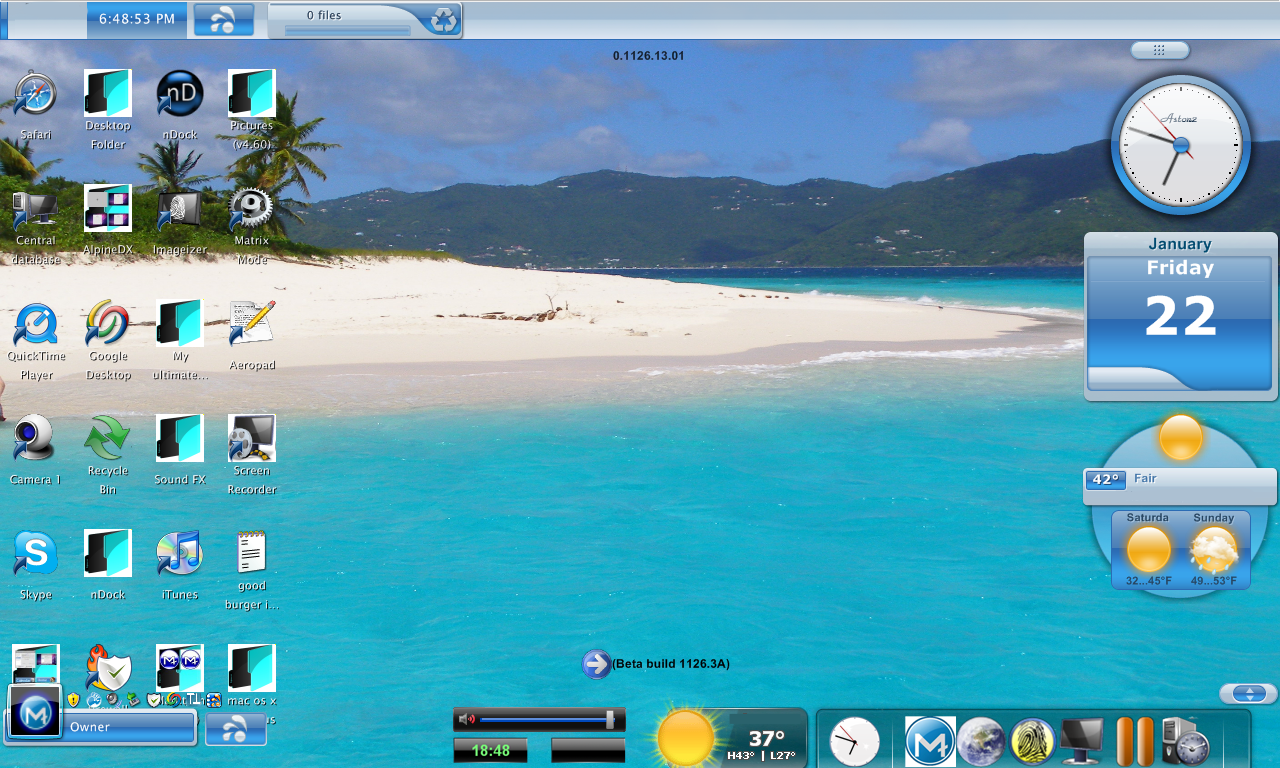
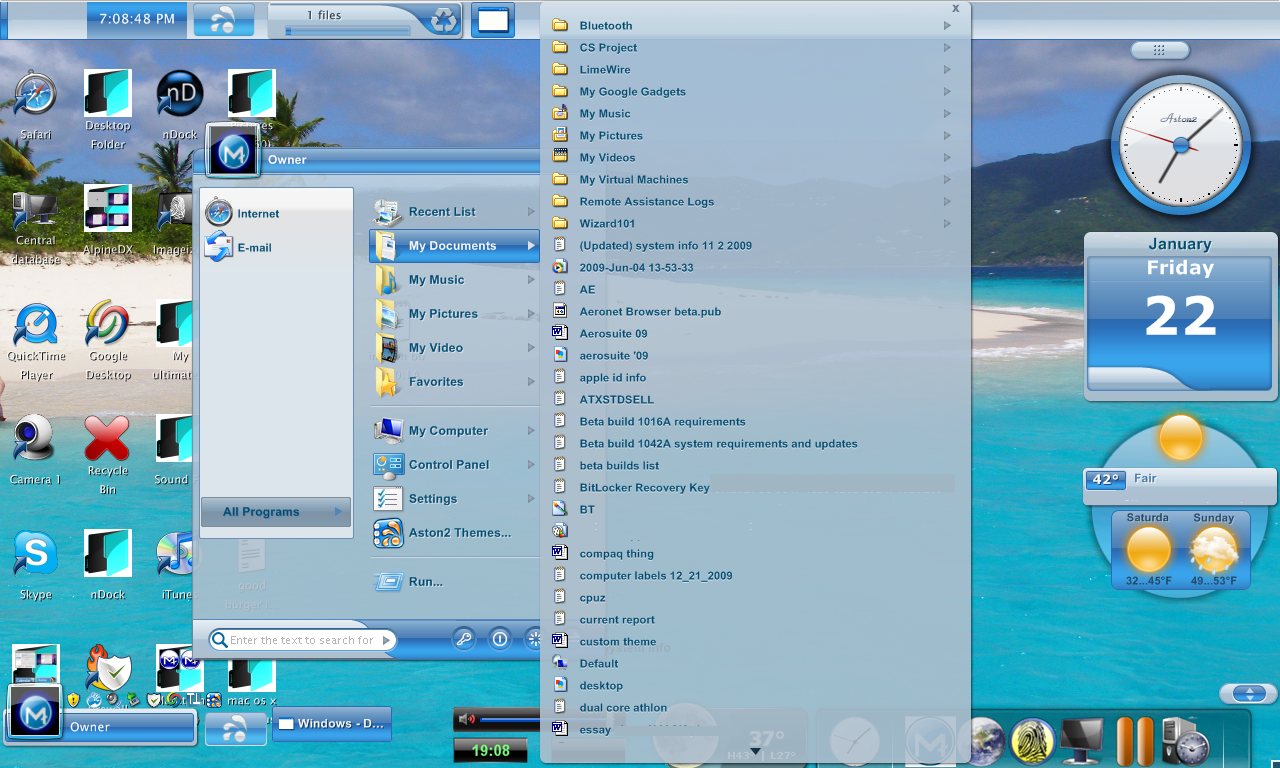
The earliest screenshot I have of the OS clearly shows the XP underpinnings, but also shows some already modified visual elements through reshacker as well as something else. Keeping track of builds + additions through notepad, I started off at 1000A, with the final build being 1126.4B around Late January.
I never backed this OS up in any way shape or form, the only remnants left are the screenshots to be shared in this article. The goal of this project was to simply.. experiment, have fun, visually restyle an OS, and possibly configure it to work best to my liking.
Build 1020A
The OS doesn’t feel too too different yet, though shows some up-front UI modifications alongside a linux-style desktop switching app I downloaded. Not sure if I kept it in the builds or not, all I remember is this taking up too much GPU resources so I ended up disabling it and never using it again.
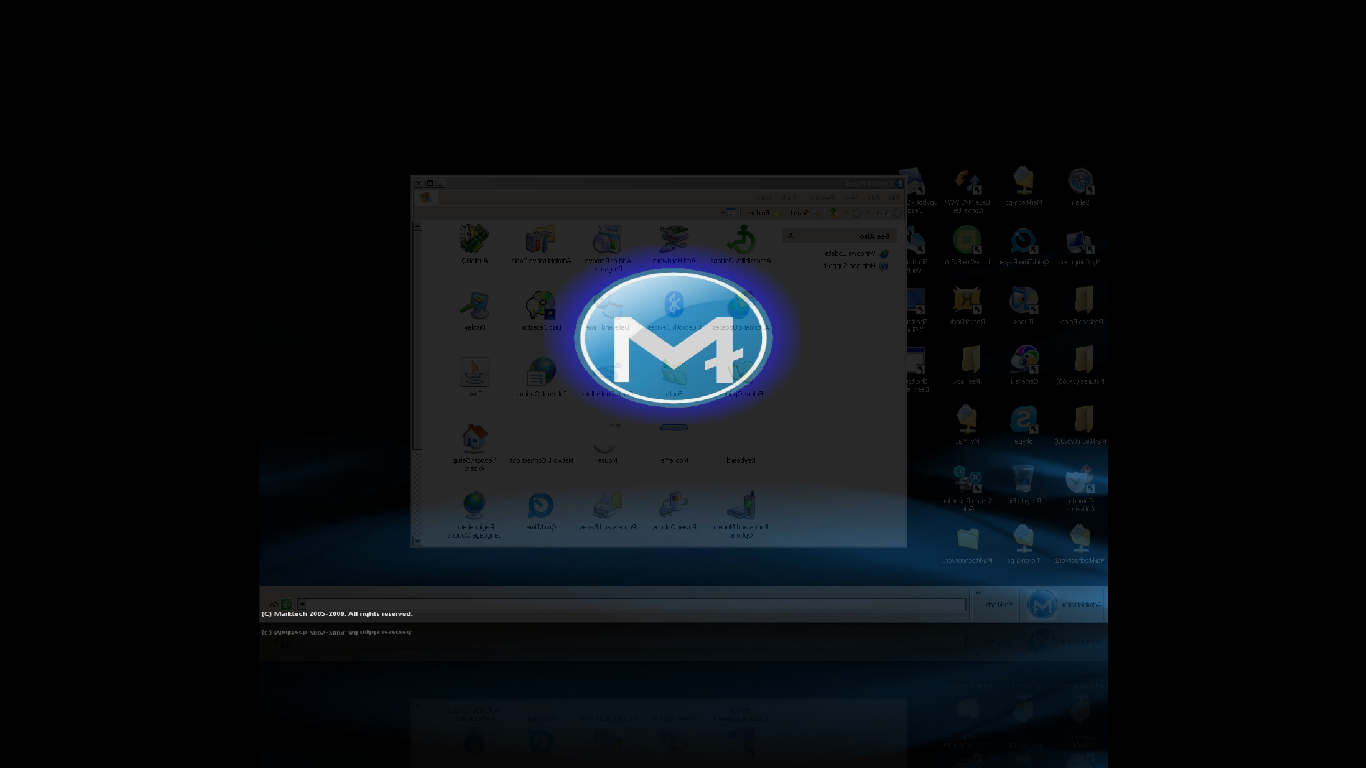
At this point I had only just begun discovering what Reshacker could do, and mostly did surface level tweaks; putting a logo everywhere, making the desktop obvious different, and some app-level UI changes.
Build 1045A
Being inspired by Mac OS X, I moved the task bar up top, downloaded rocket dock as an app launcher, made the windows minimize to it, deleted the start button (bEcAuSe ThIs IsN’t WiNdOwS xP!), started using this skeuomorphic looking icon pack I found online, and kept packing on more and more changes. From random downloads I found, to apps, to ResHacker, RocketDock, etc; I slowly built the OS day by day.
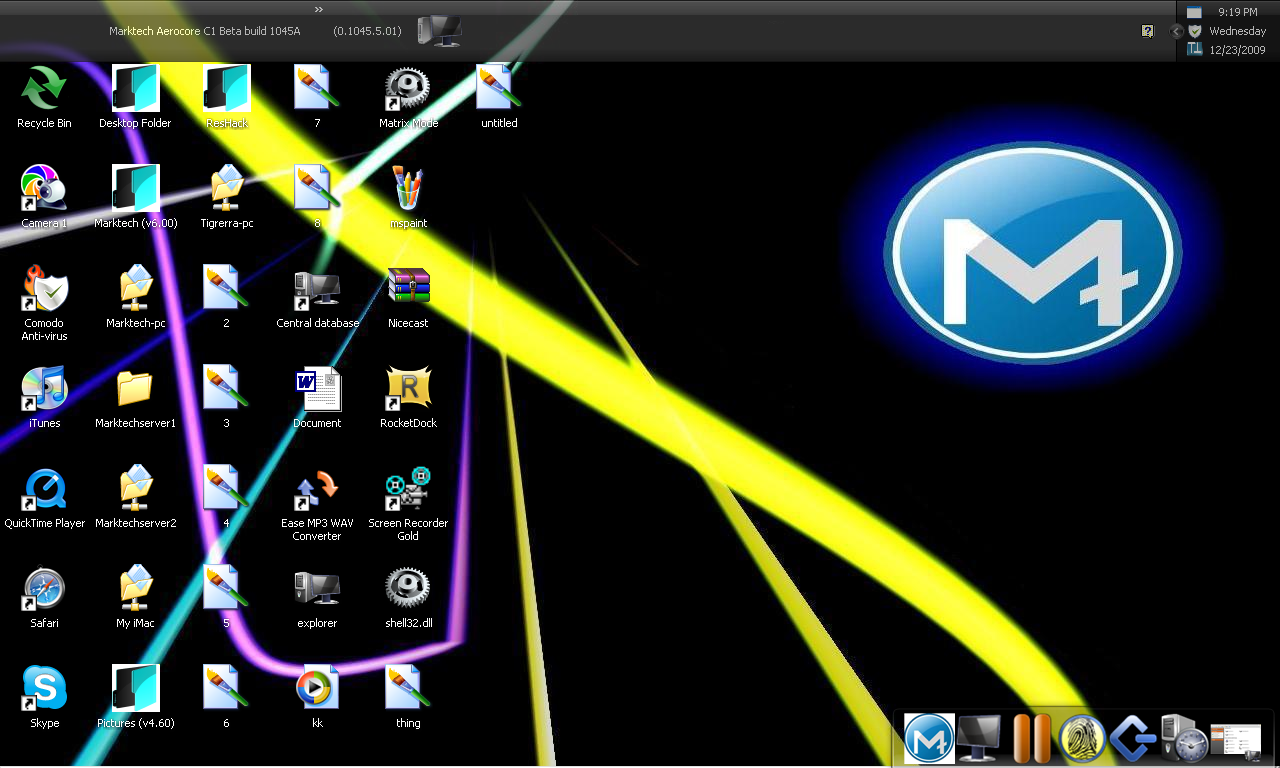
Some other UI modifications were to apps like: Run, Calculator, as well as other minor elements easily accessible in the start menu. In an effort to distance this project as far away from Windows as possible, the run app became unrecognizable: I renamed it to QuickProg, an deleted everything in the window except the text box (even the ok/cancel) so all you could do is type the app name and hit enter or close.
Build 1067A
This is when I started experimenting more with desktop widgets, gadgets, and more of the desktop itself. It’s also a build of the OS I remember fondly as it lasted the longest between builds, and was used over the holidays.
- New Google Widgets, in the same style as Windows Vista.
- Multiple options/apps for weather widgets
- Even more icons swapped out
- New system wide theme to replace Windows classic
- New window effect: black glass transparency
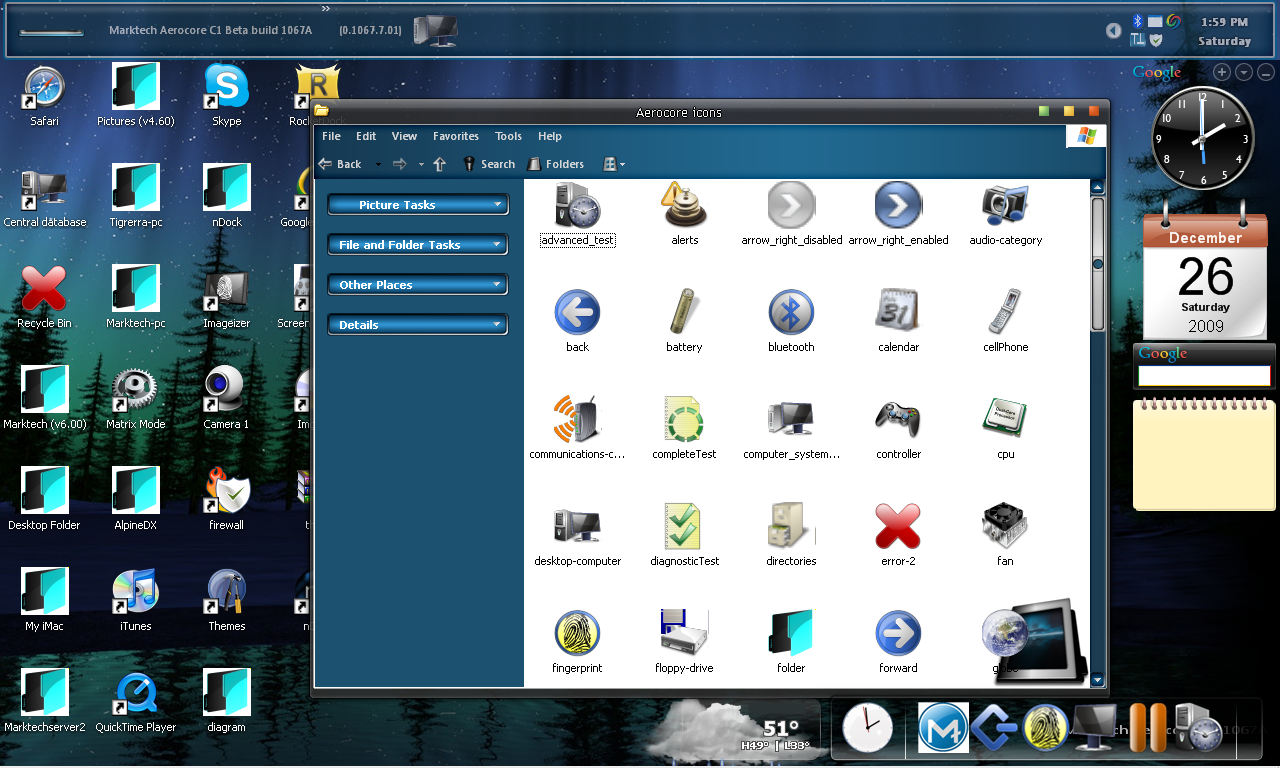
Sometimes the dark glass would crash, forcing the system to use the other part of the theme which took over, resulting in a blue window border instead. Don’t have any screenshots of that of course, I wanted the project to look as presentable as can be.
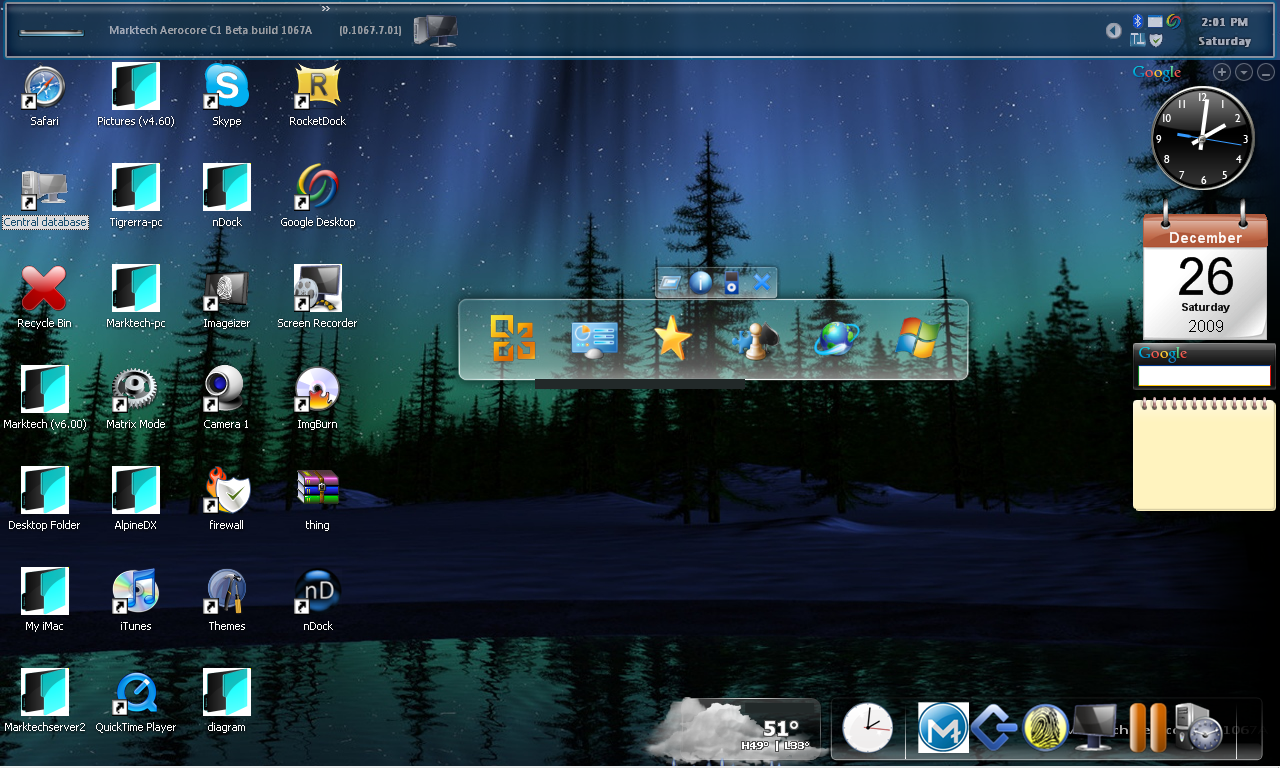
This was a theme I mostly stuck on, although later builds substantially changed/removed the taskbar. Just like how users didn’t like their start button removed, neither did I. The dash on the top left corner served as one for then.
Build 1080A
At some point or another, I stumbled into a program which touted itself as a windows shell replacement, called Aston 2. It completely reskinned the desktop environment, making it feel more like a Linux distro with bits of XP sprinkled in. This was mostly the only change done as it was a seemingly major one – if not through engineering, certainly through installation.
Also added in 1080A:
- Fixed desktop widgets like in macOS Tahoe, in addition to the sidebar.
- You can now have weather on your desktop, sidebar, or anywhere on the floating dock below.
- Multiple icon app launchers; Aston 2 icon dock (task bar or on bottom of screen), on the rocket dock, or on this extra floating icon dock.
- Google search from desktop (press CTRL twice)
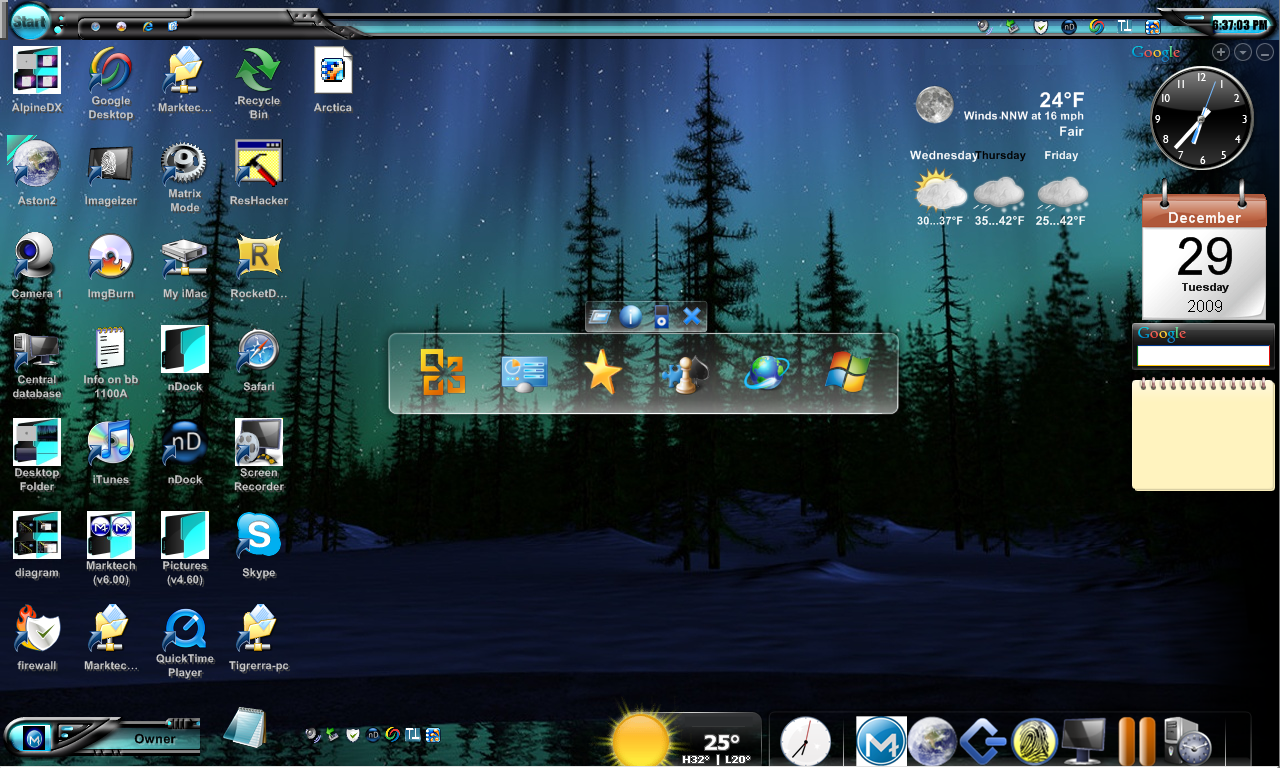
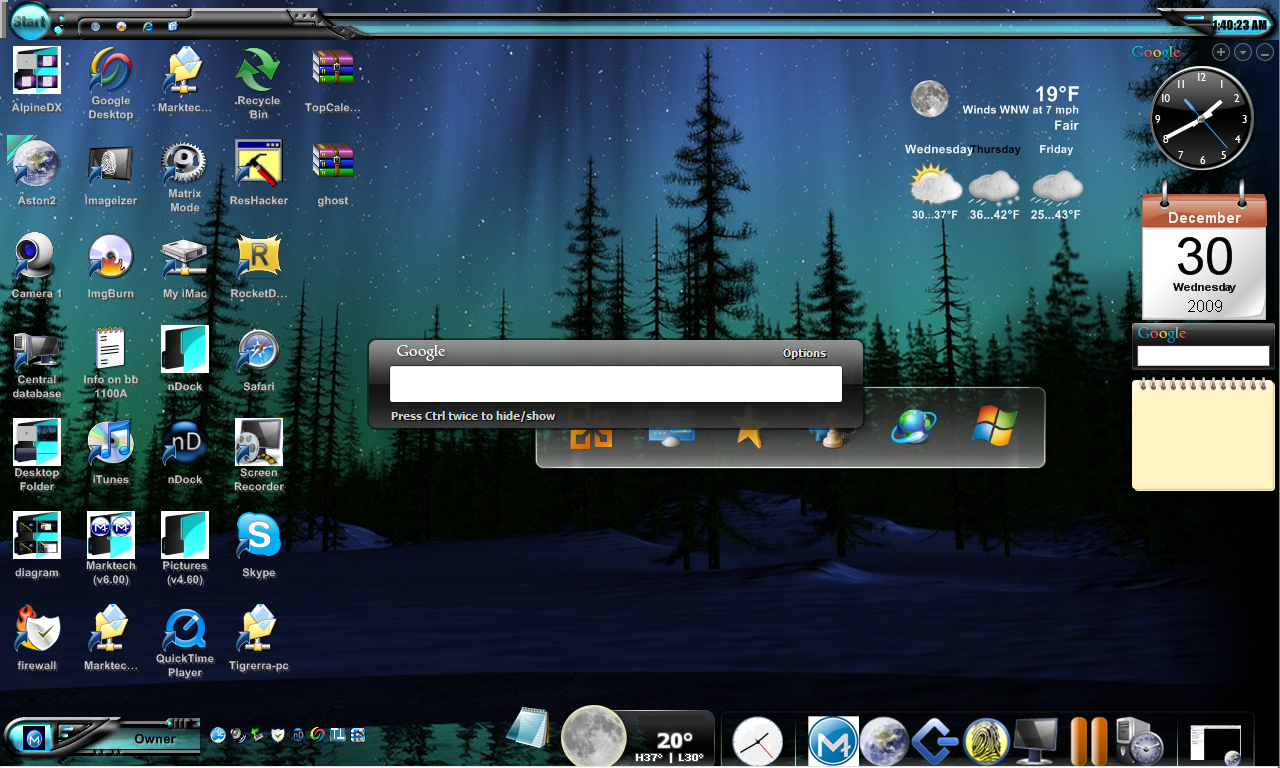
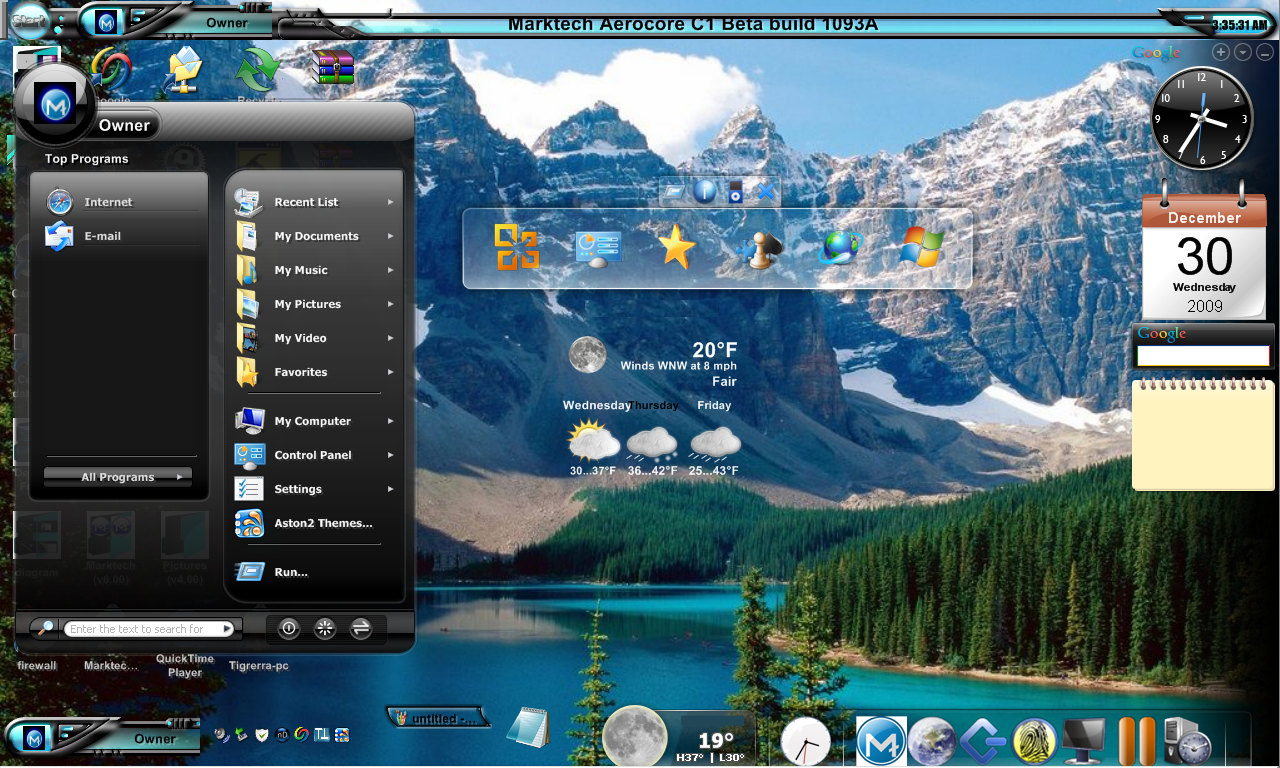
Build 1093A
Kept experimenting with the placement of different elements: Icon rows for app launchers, minimized window locations, micro-widgets, and some more work in Reshacker. I had an entire folder full of screenshots from 1067A or 1080A where I showcased the most complete changes that weren’t just the desktop – which I can’t find unfortunately. We continue onto build 1093A, which isn’t too different from build 1080A:
- Windows still minimize to the Rocket Dock, but now also show as floating active apps on “the front row” (the floating arrangement of icons/widgets on bottom)
Build 1103A
The thing about trying to remember all the way back to 2009 is – I don’t have the build logs saved from this computer either. I’m only including changes I know happened for sure, while distancing from things I’m not too sure about. There were even more builds than what the article contains, and each one had its own set of changes. While 1103A is two builds after 1093A (skipping over 1100A), the desktops look identical. I know for sure, however, some things changed which aren’t on the desktop.
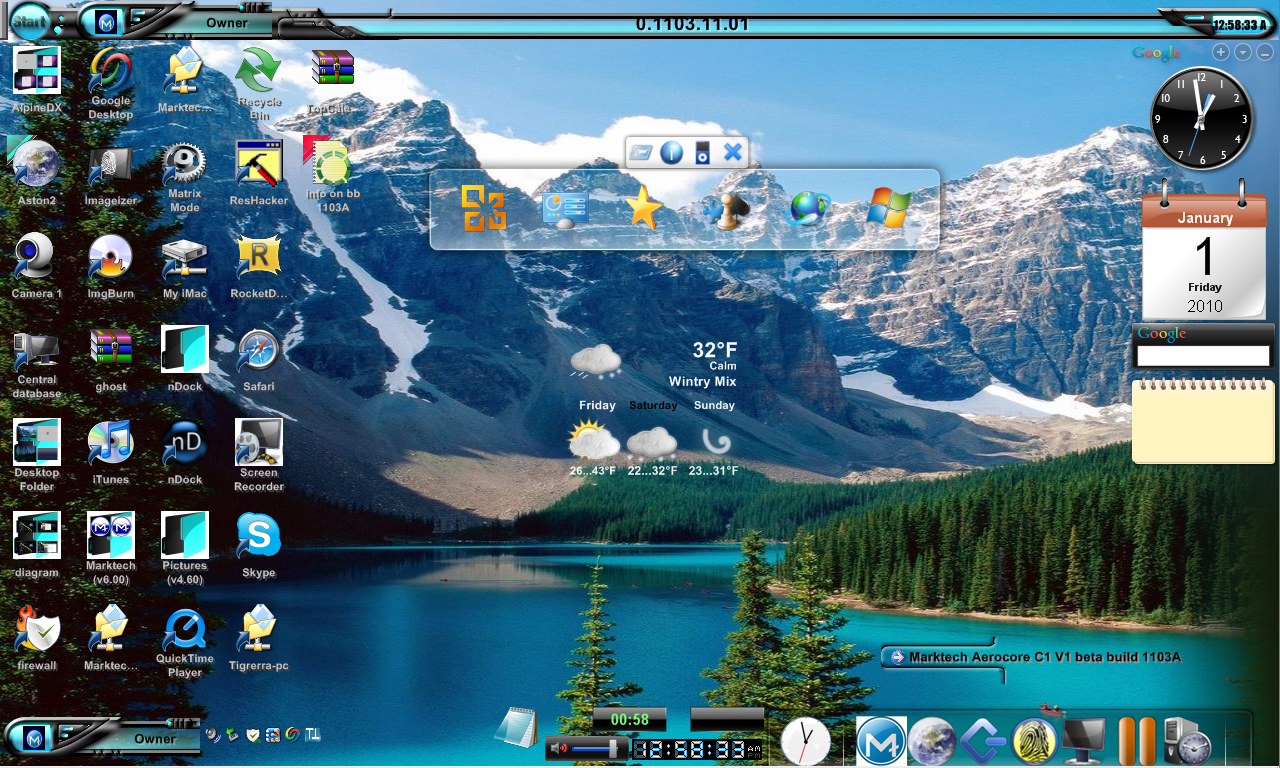
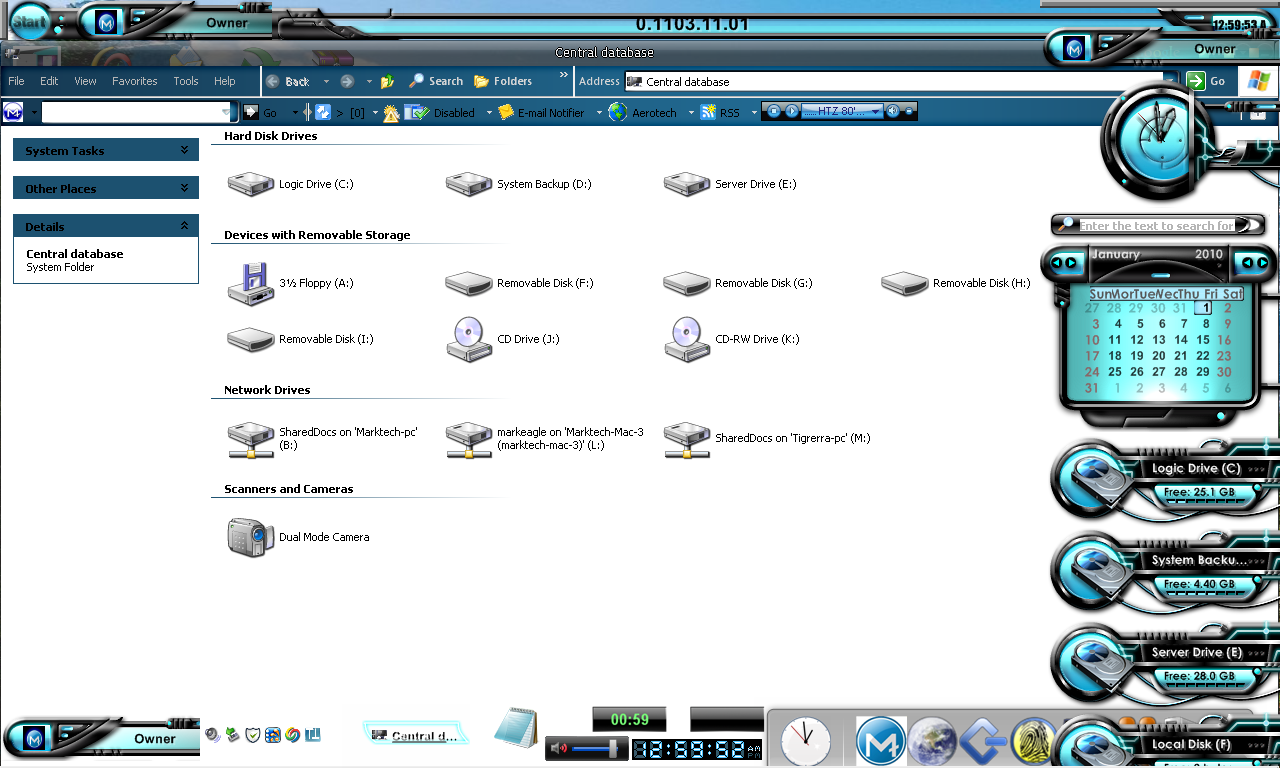
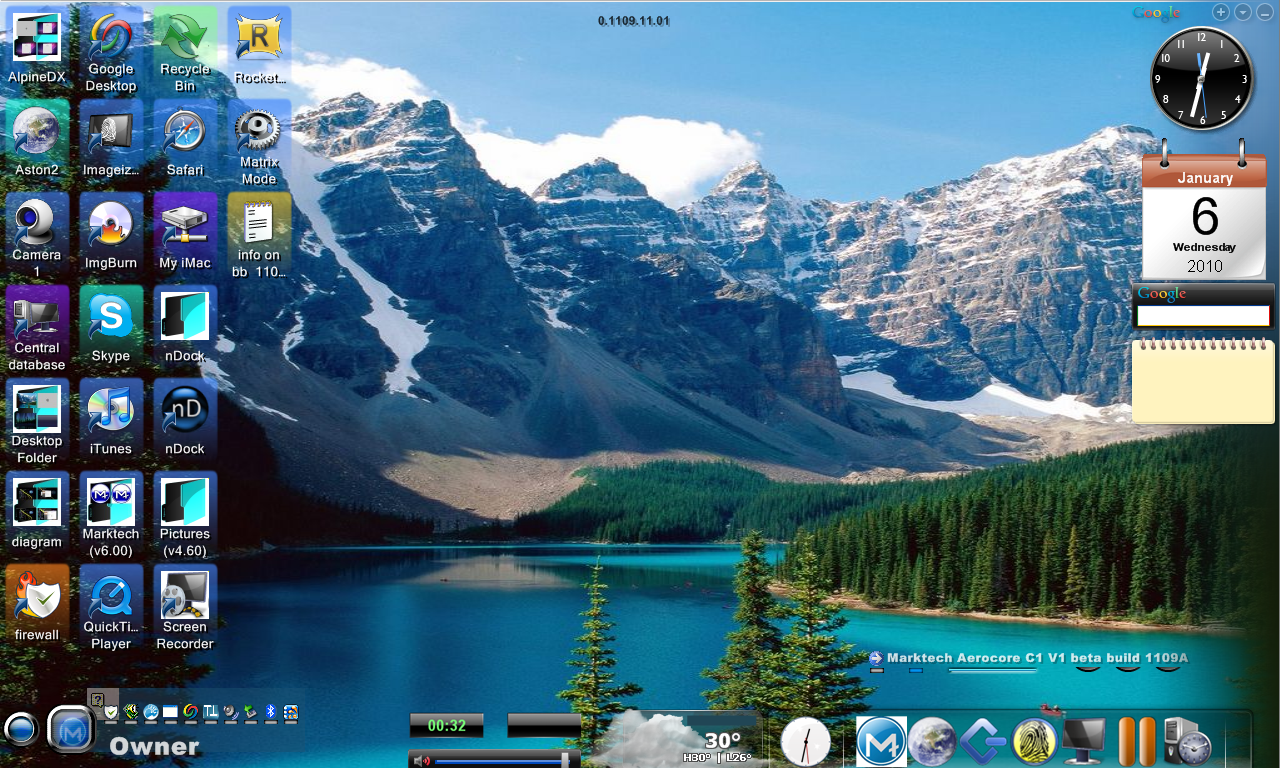
Builds 1105A and 1109A
- Removed the task bar up top completely. It felt useless, and made it look more like windows. Not sure why I kept the floating icon dock in the middle of the screen, never used it. Removed it in 1109A for a cleaner look.
- Desktop icons now had categorical colors on them, like in macOS.
- Notification tray was moved next to the start button, windows still minimize to dock.
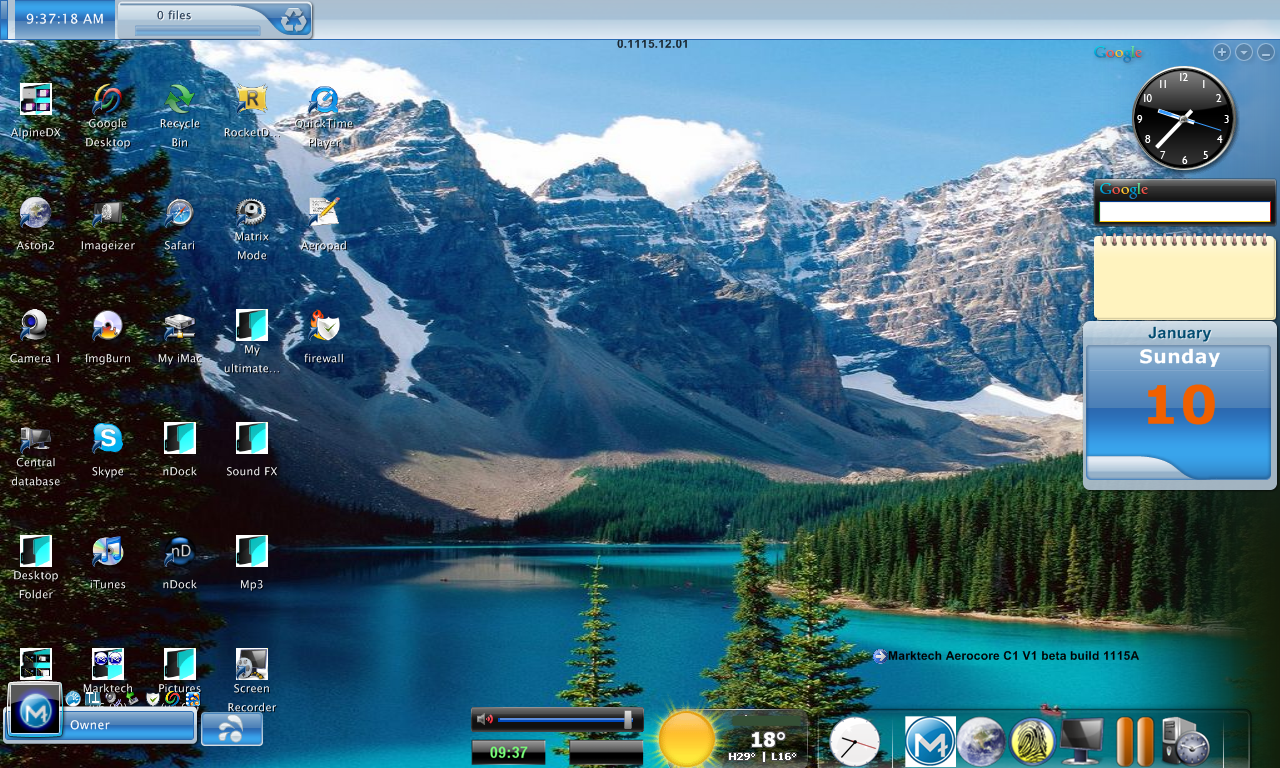
Build 1115A
- Notable for having a new system theme, the first overhaul since Build 1080A (and is the final major system theme overhaul for the experiment).
- Color tags are now turned off by default by can still be used.
- Default icon size was made smaller to make the desktop feel like it has more space.
- Notification tray just sits on top of the user + start button on “the front row” now.
- Thought the task bar was gone for long? It’s back, and you can also access your recycling bin from there also.
The Final Builds
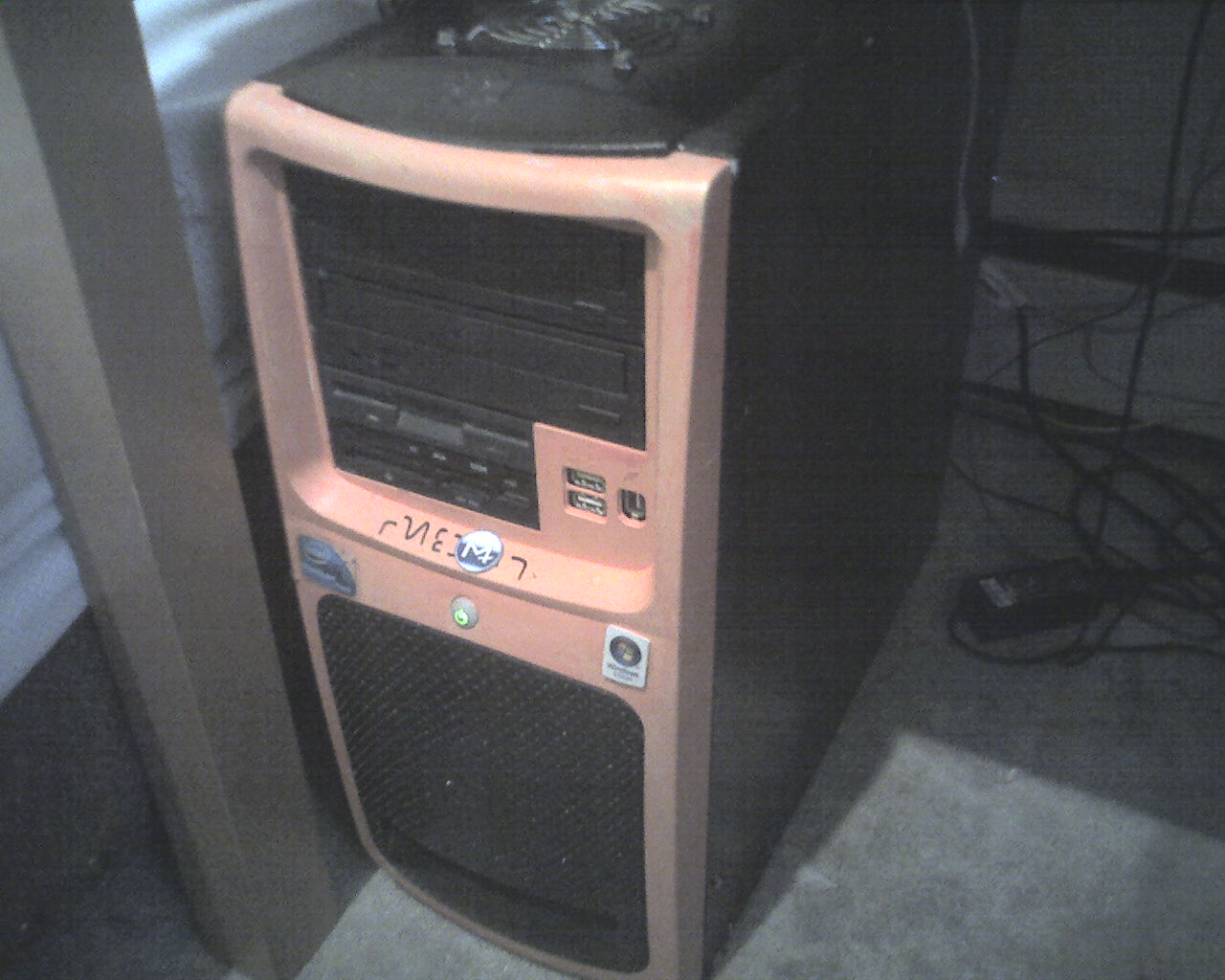
The last builds were: 1116A/B/C, 1120A, 1126.3A, and lastly, 1126.4B. By this point the project was sputtering under the growing pressure of being a thinly veiled Windows-based OS, the monotony of working on the same thing for months on end in my free time with no specific goal, all the while not knowing (at the time) how to clone this project altogether. It was better to back up the files and move onto other things. Below is an actual picture of the computer this OS was hosted on, slightly before I started chipping away in Nov 2009.
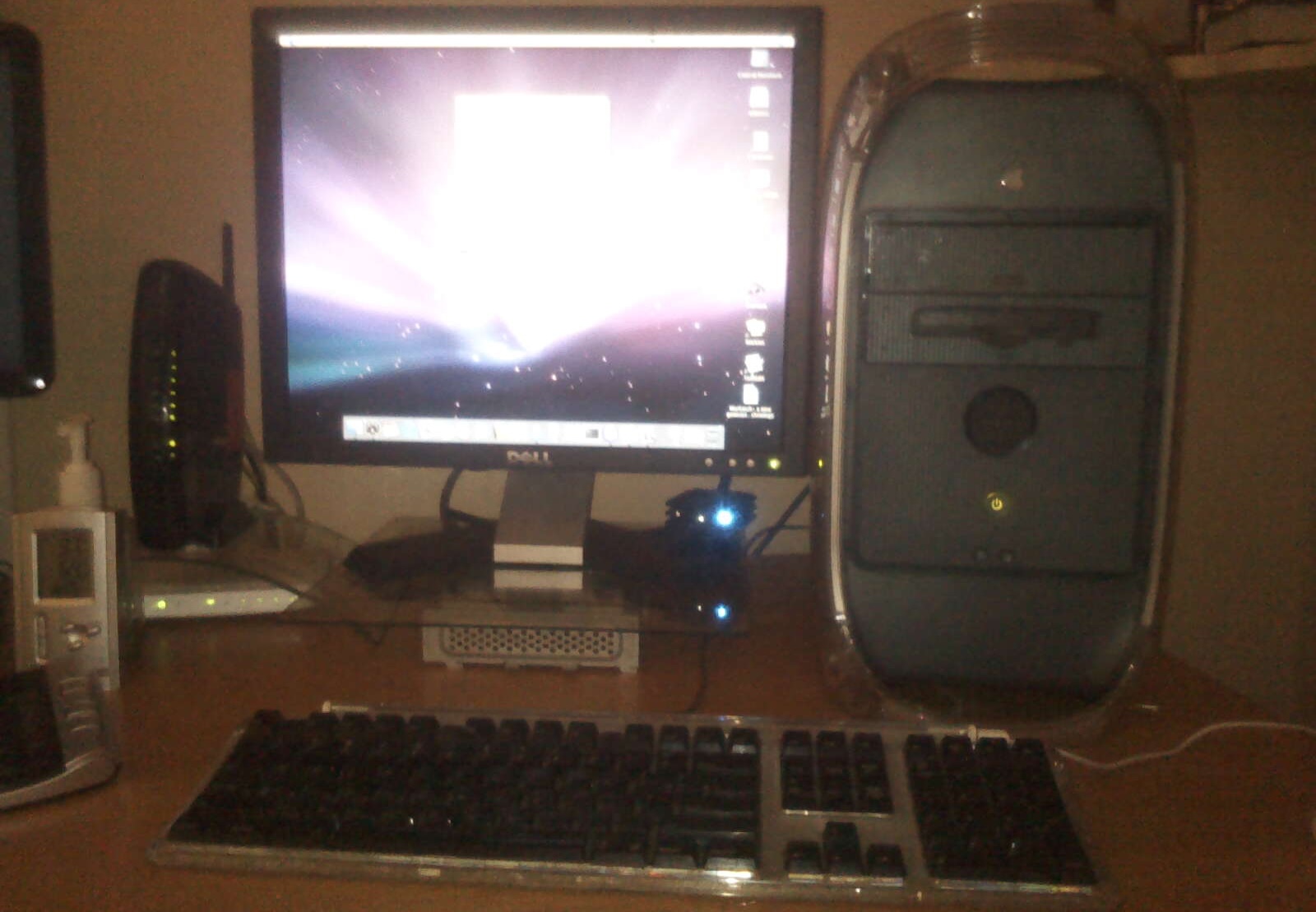
Around this point in life is also when I picked up my first serious Mac daily driver, the Power Mac G4 (which I still have to this day)! It later sat to the right of this computer, and I’d swap monitors on and off to see which looked better on which. Obviously the widescreen was better, so I kept it on the Mac for web browsing. While the iMac G3 introduced me to Apple’s aesthetics, the Power Mac G4 is the first Apple device to have wowed me, and felt like a serious computer.
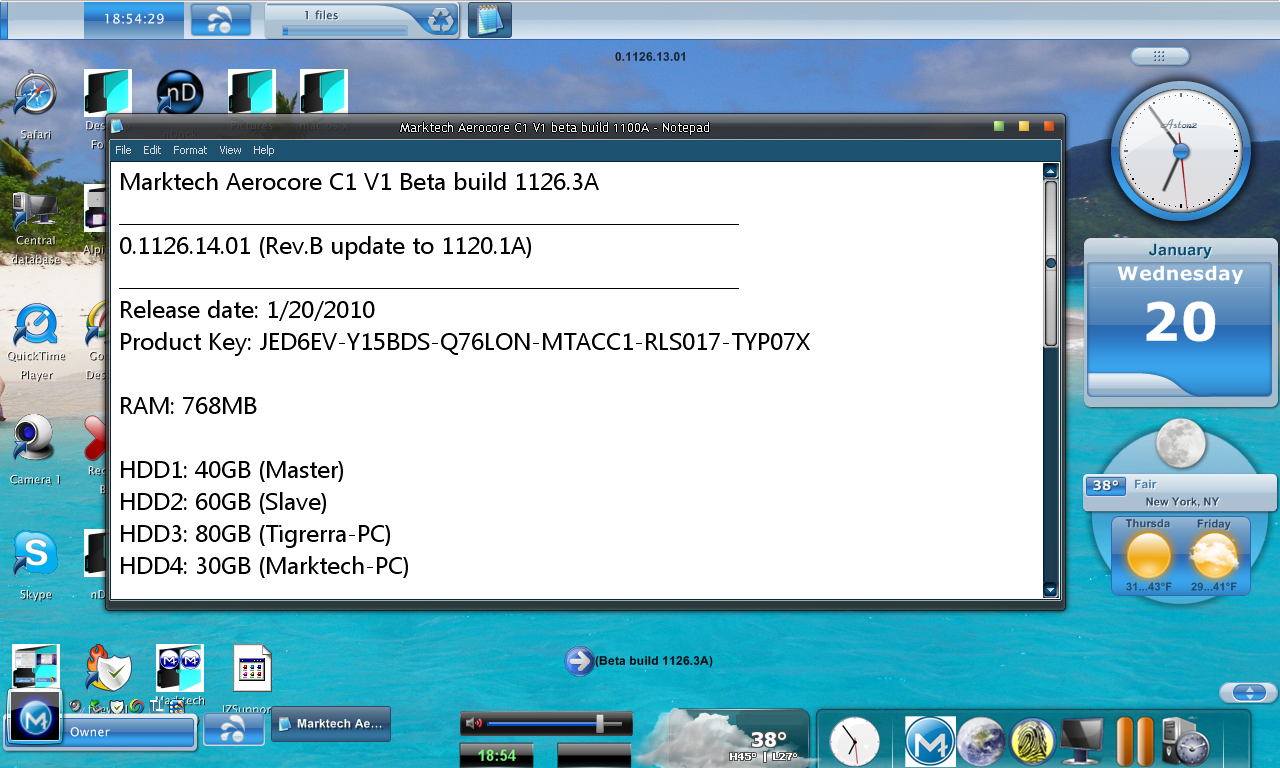
In Conclusion
This is just one of the many computer projects I’ve done over the years dabbling with computers/tech, one I stumbled into again recently and have fond memories of – at a time when I still went to school. During the months I worked on the project, I spent alot of time on it while also playing around with new-to-me Macs; a Graphite iMac G3, a Tangerine iBook G3, and then the Sawtooth Power Mac G4. This project is also what sparked my interest in visiting Moraine Lake someday!
Though I wish I had more information to share (and more retained from the project overall), if I find anymore I’ll have to make a part 2.
I’ve always wanted to build my own operating system, probably because my brain is fascinated with organizing and designing things. I’ve made a few OS mockups on and off over the years using apps like MS publisher, a little Photoshop, etc; but nothing ever as extensive as this.. until bringing this same spirit to redesigning Low End Mac today. Thank you for reading!
