
I am a firm believer in getting the very most out of older hardware – part of the reason I like and write for Low End Mac. With the move to Mac OS X 10.5 Leopard, Apple cut out a lot of older computer users and began a slow death for the G3.
But do we need the latest OS to get on with our computing lives?
Quite frankly, no.
Developers have only recently stepped the minimum requirements for software to Mac OS X 10.4 Tiger (and some still develop latest versions of their software for Mac OS X 10.3 Panther), so there is still life in older operating systems. I know people eight years on who haven’t made the move to OS X and still praise the fantastic Mac OS 9.
But what about hardware?
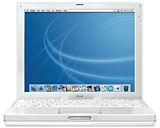 High-end G3s topped at 900 MHz. My wife had an 800 MHz iBook G3 maxed with 640 MB of RAM until a few months ago, and this screamed along. For video editing or heavy picture editing, it would struggle, but for basic word processing, listening to music, surfing the Web, and emailing, it was lightning fast. She was running Mac OS X 10.4 Tiger on it, and it was not sluggish at all.
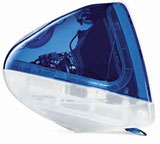 My son has an 500 MHz iMac G3, also with 640 MB of RAM, which I hadn’t used for a while myself until the other day, and I was still surprised how responsive it was, even under Tiger.
I had a Clamshell iBook G3 to repair recently and took the opportunity to test it out. It was a 366 MHz with 576 MB of RAM, a new 30 GB hard drive, and DVD-ROM fitted, so this was not a stock machine. It coped very well, although the 800 x 600 screen resolution was it’s one let-down.
I only recently laid to rest my Blue & White G3 tower with a 350 MHz processor and 640 MB of RAM; even this coped very well with Tiger. I had this kitted out with two large hard drives and a DVD burner, and I managed to burn data DVDs on it.
If you are still following this, you will have noticed that with each machine listed above they are getting further and further down the processor speed road, yet they are still going strong and are suitable for the user’s needs with OS X 10.4.
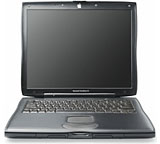 I am writing this article on a Lombard PowerBook G3. This is a 333 MHz model with 256 MB of RAM. It has Tiger installed (even though it is not supported officially by Apple). Now here comes the change: This machine struggles with everyday tasks. This has nothing to do with Tiger being installed, as it actually runs better with on this computer than Panther did.
The Key to Good Performance
Even at this level, the processor is not the main contributing factor to it’s speed. The main factor in all of these machines is RAM. Tiger requires 256 MB of RAM as a minimum, and as we know, minimum means not snail’s pace. For any machine, be it a G3 or G4, that is going to be running Tiger, I recommend 512 MB as a realistic minimum – and more if you can get it. It takes a lot of pressure off the processor and hard drive, it gives the whole system breathing room, and it increases the speed of the machine.
A friend of mine has a Lombard PowerBook G3 (a 400 MHz model), but is fitted with 512 MB of RAM and a 20 GB hard drive. The speed difference between hers and mine is amazing. Her machine really is useable; RAM is the key.
To answer my original question, the answer is yes. It obviously depends on the tasks you are looking to perform. As a machine for writing on the move or surfing away from home, these are superb. As a writer, I spend most of my time in a word processor or using a web-based writing program, which doesn’t require much processing power once the machine is running, so an older G3 is superb. I even edit images for the Web on it without too much trouble.
Looking Ahead
However, with Leopard requiring a midrange G4 (867 MHz) as bare minimum and the forthcoming Mac OS X 10.6 Snow Leopard looking to cut out the entire range of PowerPC Macs, how much longer can we hold on to these aged machines and use them every day?
When developers start requiring Mac OS X 10.5 as a minimum spec for their software, then G3 and early G4 users will struggle. But for now I am not worried.
To prove my loyalty to older Macs, I have just ordered a Pismo PowerBook G3 to replace my Lombard. My Lombard is still working well, but the cost to max out the RAM to 512 MB is expensive. and I got a good deal on a Pismo. Plus my Lombard is rather battered.
Long live the G3.
Follow Simon Royal on Twitter or send him an Email.
Like what you have read? Send Simon a donation via Tip Jar.
keywords: #g3 #mac #techspectrum #simonroyal
short link: http://goo.gl/LVIozY
searchword: g3macviablework
