
This column began as an email exchange with Sonic Purity in relation to Why Does a Mac Die, Why Macs Die, More About Why Macs Die, Why Some Mac Die: Bad Capacitors, and Aging Capacitors and Tin Whiskers. It has been adapted with his permission.
Having worked with older Macs for well over a decade, I have seen most of what has been described so far.
In terms of your thoughts on, “I’m wondering what would be the feasibility of disconnecting the hard drive (and probably the CRT as well, in Macs with built-in displays) and creating a current reduction system that could be used to restore old Macs before applying full power”, yes, well, sorta. I need to point out to all Low End Mac readers who may not already know that techniques that work on old radios and so forth are not safe for Macs.
Specifically, all the Macs I know of – and many peripherals – use switching power supplies rather than traditional linear or “brute force” power supplies used in most audio equipment, older equipment, and most “wall wart” small device supplies. Linear power supplies are very happy to have their input slowly increased from 0V to 120V over, say, an hour, to re-form the unit’s electrolytic capacitors. (I worked in home audio equipment repair professionally for 15 years and did this all the time – still do.)
Switching power supplies will not even start to run until a certain threshold powerline input voltage (varies greatly – approx. 40 to 80 VAC is common), and when they do start working, they will see the low incoming voltage, assume there is a brownout, and compensate by drawing tons more current to produce their rated output voltage/current. This can be even more stressful on the electrolytics in these supplies than just slamming them on, as they have much more filtering work to do. Devices attached to the power supply suffer no additional strain (if the switching supply is well-made), yet also are not benefiting from a slow power up: On the output side, it is just the same as being plugged in and turned on normally.
Other experienced electronics hardware readers know, as I do, that there are sometimes ways to carefully bypass parts of the switching power supply and make it temporarily act like a linear supply. This requires good knowledge of how the particular power supply circuit works, a schematic, and very careful monitoring of current draw and output voltages. I did this for repairing the (few) audio amplifiers with switching supplies (Carver loved these), yet I have not bothered with Macs: No schematic accessible to me and too much trouble.
Now, if one was not concerned about the power supply yet wanted to re-form electrolytics on a motherboard, drive, or other item, careful gradual application of pure, well-regulated DC power from 0 to 5V, then 0 to 12V (order should not matter), and so forth (3.3V, -5V, -12V, maybe more) for each different power supply input to a part, should do the job. No guarantees: Some items may be unhappy seeing one power supply voltage and not another it expects to always be there at the same time. I don’t bother with this, ever, so far. As Steve Lubliner notes, maybe someday when my old Macs are considered collectibles and not doorstops by most of the world, other actions may be taken. Even then, I think I would tend to just re-cap as needed (see below).
Oh, I doubt the hard drive will be too bothered by having its voltages ramped up. CRTs themselves will not be hurt – if one wanted to protect the display circuitry, unplugging the CRT would more likely hinder than help. The circuits driving the CRT may not take kindly to a slow voltage turn-up – I have not tried.
In terms of why Macs die, I find:
- Dust and dirt
- Oxidized electrical connections
- Failing electrolytic capacitors
- Fractured solder joints (mostly the original compact Macs)
Here is what I do when working on an older Mac for the first time, for me, clients, friends, family:
Clean It!
I start by vacuuming it on the outside, then open it up and really go at it on the inside. I continue to disassemble and remove drives, the power supply, fans, and sometimes more. Static electric discharge is a consideration, yet it has not been a problem for me in either coastal central (Bay Area, mostly moist) or southern somewhat inland (can be very dry) California – as long as only the drives and power supply are pulled out. I leave the RAM, PCI cards, and other items attached to the motherboard, and usually the power supply is still connected electrically to the motherboard during this stage.
If the relative humidity is under 40%, it may be a good idea to add some antistatic protection (I usually wait for a more moist day). Wrap at least the bottom 10 cm of the vacuum nozzle with aluminum foil, being sure to wrap some into the open tip area insides. Electrically attach this foil to the chassis of the Mac being cleaned. Optionally, run a connection to powerline ground.
After vacuuming, I take the Mac (and pieces when disassembled) outside the garage and use my air compressor to blow away the remaining dust. The pressure should be regulated to 60 PSI or under to avoid blowing away small components or parts of them. This is especially nice for cleaning fans.
Next, I open up the cases on optical drives, floppies, and the power supply and repeat the vacuuming and compressed air cleaning steps.
Most optical drives for computers are pretty well sealed and usually quite clean inside. Often the platter will have some small particles, which may hinder proper disc seating and reading/writing; these may benefit from a cotton swab and rubber cleaner or, if rubber cleaner is not available, isopropyl alcohol (preferably anhydrous [99%]). If the drive has been in a place with smokers, the lens may need cleaning with a cotton swab and isopropyl alcohol . . . gently, swirling from the center to the outside. Most lenses I see are clean incoming, even when the rest of the Mac is filthy.
It has been well documented that Mac floppy drives act as air filters, so it should be no surprise that these often need serious cleaning, which often restores operation to a flaky floppy drive. Correctly disassembling and cleaning these could be an article unto itself.
I consider opening up and cleaning the power supply in an older Mac mandatory, as these are most often filled with dust and dirt, some of which may be partially conductive. Definitely the second step, after the PRAM battery, where power supply concerns are involved. Not easy most of the time, yet IMO essential.
Clean Electrical Contacts
Once everything has been cleaned as above, I simultaneously do a visual inspection and disconnect, clean, and reconnect every electrical connection in the Mac: every internal connector, every plug-in item (RAM, PCI, modem, AirPort, etc.). In the few cases where there is visible contact discoloration or serious, visible oxidation, a solvent may be used on the ubiquitous cotton swab. Usually, they look great, yet they may still have oxidation.
Once the solvent has evaporated (or if none was used) I sparingly apply my favorite contact cleaner, whose name seems to change as often as I change underwear (daily). It has been called Cramolin, DeoxIT® (spelled many ways), and its close relative ProGold sometime shares one of these names. All are from Caig Laboratories, with which I have no affiliation except as a very satisfied customer for decades. This is waaaay beyond the pencil eraser method and works extremely well when done properly. Connect-disconnect-connect-disconnect several times, wipe off any excess with a dry cotton swab, then finally reconnect one last time for a long-lasting, reliable electrical connection. (This stuff is great for audio equipment, cars, and nearly anything electrical.)
All this cleaning can often cure those wacky, totally random crashes, freezes, or other problems which happen no matter which OS the Mac boots from (including locked volumes like CDs) nor how pristine clean they are. Sometimes RAM really is bad; other times only its connections to the motherboard are intermittent.
For those who believe in SCSI (or, more recently for a couple of my clients, FireWire and USB) voodoo (I do not!), a topnotch contact cleaner makes a great witch doctor to make the voodoo vanish. I have personally had flaky external SCSI chains which “should have worked” in terms of IDs, termination, bus power, and so forth, yet did not, come alive and work reliably with contact cleaning, mostly of the big 50-pin Centronics connectors, though sometimes also the internals or the DB-25s.
Resolder Fractured Solder Joints
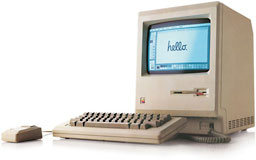
I have not seen this often on Macs newer than the original all-in-ones . . . the power jack on PowerBooks I guess would be the next most common place. This, too, is an article unto itself, and I bet one already exists online somewhere. [If so, neither Sonic nor I have been able to discover it. dk] Uncommon in my experience, yet worth checking. Mandatory for the flyback transformer pins on the analog board of those original all-in-ones (128K, 512K, Plus, SE, etc.).
Re-cap the Power Supply
Usually after Step 2, sometimes after Step 3, the Mac is again working reliably. Every now and then that is not the case, and normal troubleshooting needs to ensue. In cases where the Mac is squeaky clean mechanically and electrically, software has been categorically ruled out, and the Mac (and its user!) are suffering from random freezes and/or crashes and/or similar unpredictable weirdness, it is time to scrutinize the power supply.
I have a friend with an 8500 used as a dedicated digital audio workstation (great Mac for that: ProTools free!) who was having totally random freezes and/or crashes, most often within the first half hour after turn-on. He was able to start the machine, let it freeze, let it sit frozen and powered on for an hour, restart, and do useful work with no particular problems. While not blatantly obvious, I could see hints on the oscilloscope (attached to various power supply output lines, one at a time) that the Mac’s power supply was struggling.
My theory (tough to prove, especially now that it is years later) is that the power supply electrolytics were losing their filtering capacity (actual capacitance and/or gaining series impedance) and that they were partially re-forming when the Mac was allowed to idle for an hour or so. I do know for sure what I did – and the result: I “re-capped” the power supply, which is to say, I replaced every single electrolytic capacitor within the power supply with a new one. Result: Random crashes and freezes gone. Once again a solid, stable Power Mac 8500.
Anyone thinking of seeking out a NOS (New Old Stock) power supply should consider this: All these power supplies are the same age. Ones which have not seen power since being tested 12 or so years ago are likely to have their electrolytics in even worse shape than the existing power supply! Really no good option other than re-capping with fresh, good quality electrolytics.
Keywords: #whymacsdie #macresurrection
Short link: http://goo.gl/WnpWq5
searchword: resurrectoldmacs
