
On June 8th 2026 at WWDC 2026, Apple announced the iOS 27 Developer Beta, which is set for consumer release in September 2026. iOS 27 was announced alongside macOS Golden Gate, iPadOS 27, visionOS 27, watchOS 27, and tvOS 27. Aimed to be a like a “Snow Leopard” sort of release, this new version brings many new features and improvements over iOS 26, including the ability to adjust translucency levels on the Liquid Glass UI.
 |
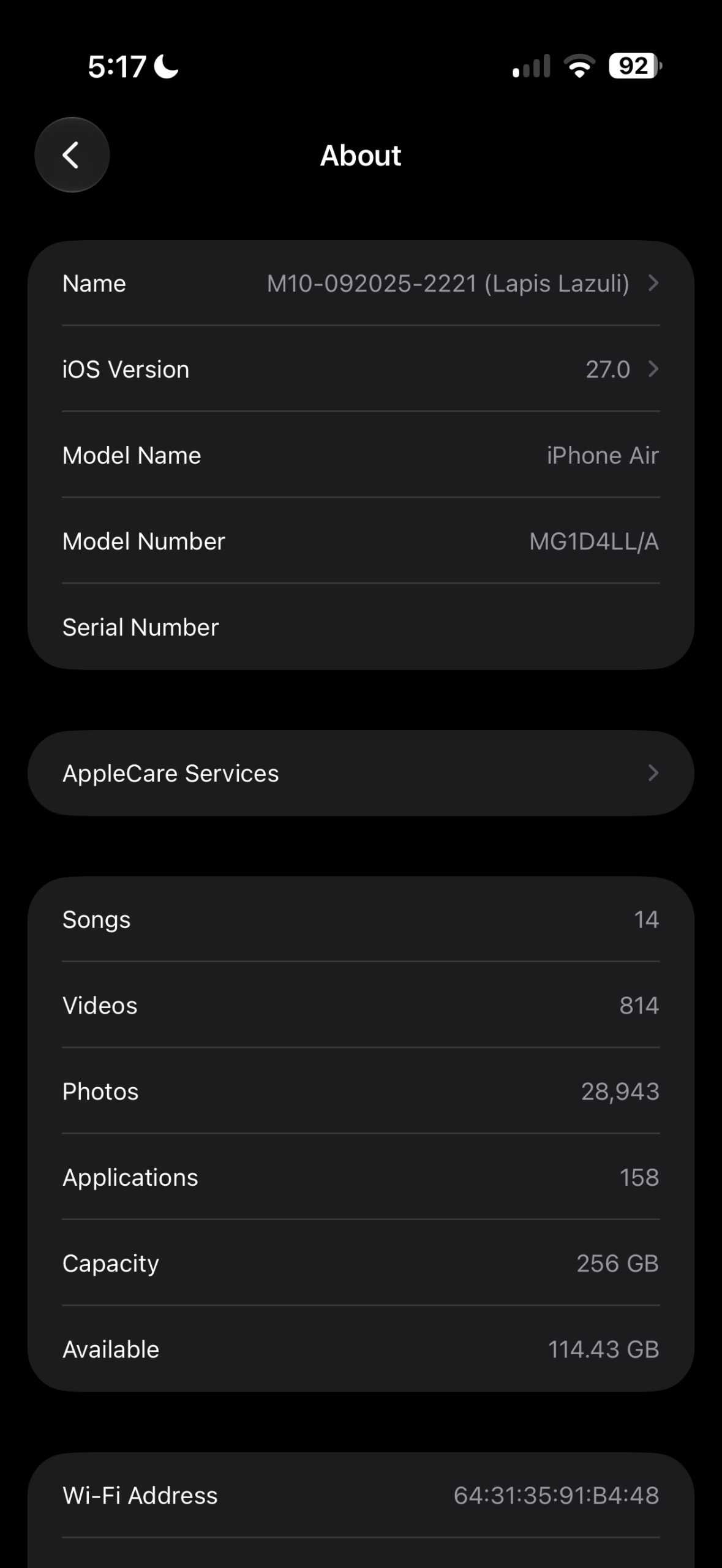 |
No iPhone models were dropped out of support from the last iOS, which means as long as you have an iPhone 11 or newer, it can run iOS 27. Apple took its most advanced CPU scheduler, and passed along algorithmic advancements to all supported devices as well.
What you need to know
- If you’re interested in trying out the iOS 27 Developer Beta, you must first register as an Apple developer here. Then, go to Settings > General > Software Update > Beta Updates to make sure.
. - Liquid Glass transparency level can now be adjusted
- You can make things as translucent as you’d like, or more opaque.
.
- You can make things as translucent as you’d like, or more opaque.
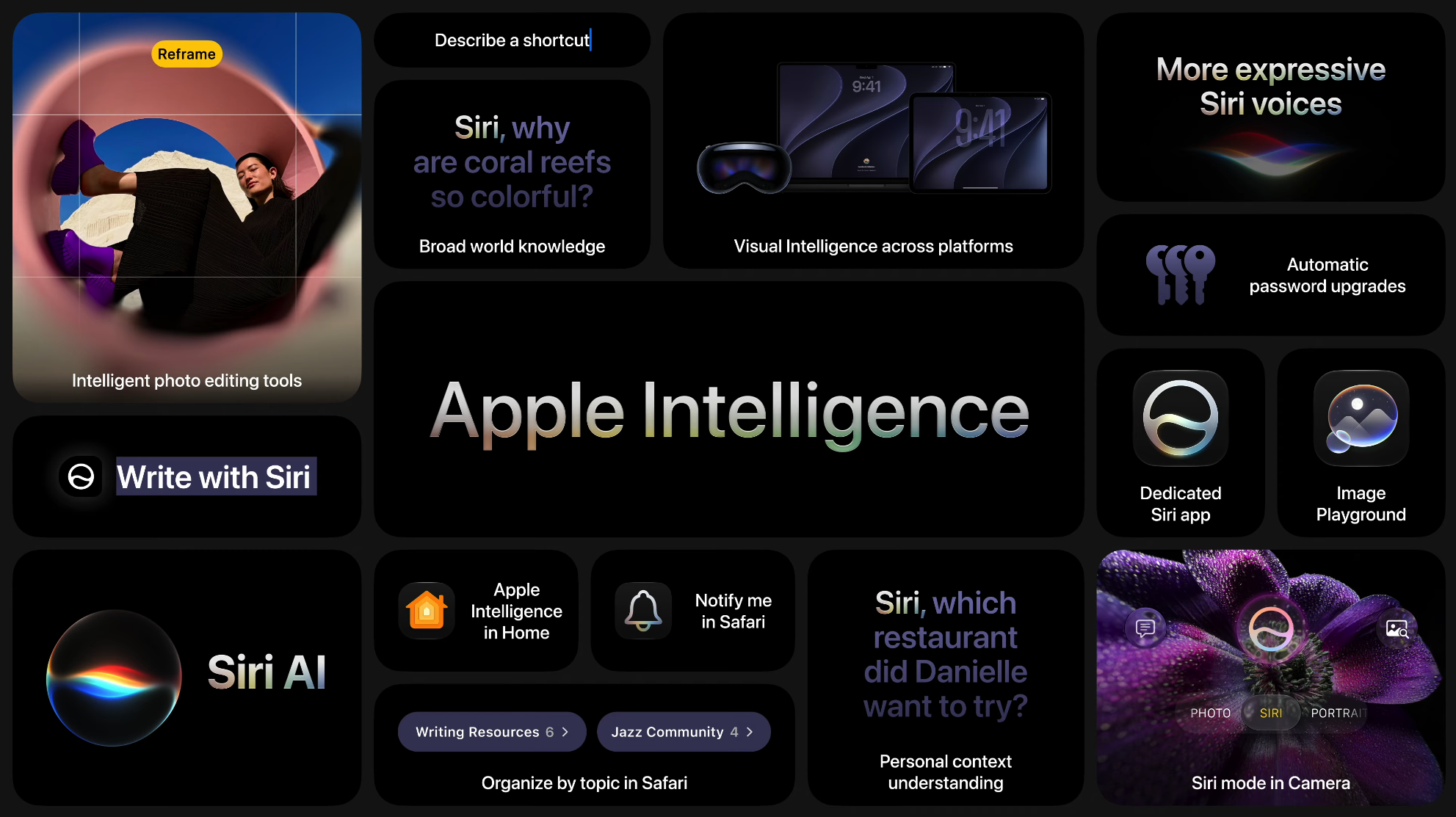
- The new Siri + Apple Intelligence is available by joining a wait list in Settings.
. - There are a large number of improvements.
Features and Improvements Added
These are just some of the many changes iOS 27 has over iOS 26, in no specific order.
- System/UI: New Ul language for English (Canada) and English (Philippines)
- Web audio no longer interrupts system audio
- Control Center access in iPhone Mirroring
- Natural language time formats for Chinese and Hindi
- Improved game controller settings
- Improved battery insights
- Smoother scrolling in App Library and unlocking in lock screen
- Increased rendered FPS in Low Power Mode – helps the phone feel faster
- Faster Voice Control response
- More power-efficient Personal Hotspot on N1 devices
- Faster AirDrop transfer
- Improved Bluetooth power management
- Optimized CPU scheduler
- Smoother paging between Home Screen pages
- Smoother scrolling in Control Center and Control Gallery
- Faster and more reliable NFC reading
- Smoother animations in Mission Control and Spaces
- Redesigned Liquid Glass icons
 |
 |
- Camera: All options displayed in Camera settings
- Camera uses less power and launches faster in Low Power Mode
- Support for 4K camera recordings in the Home app
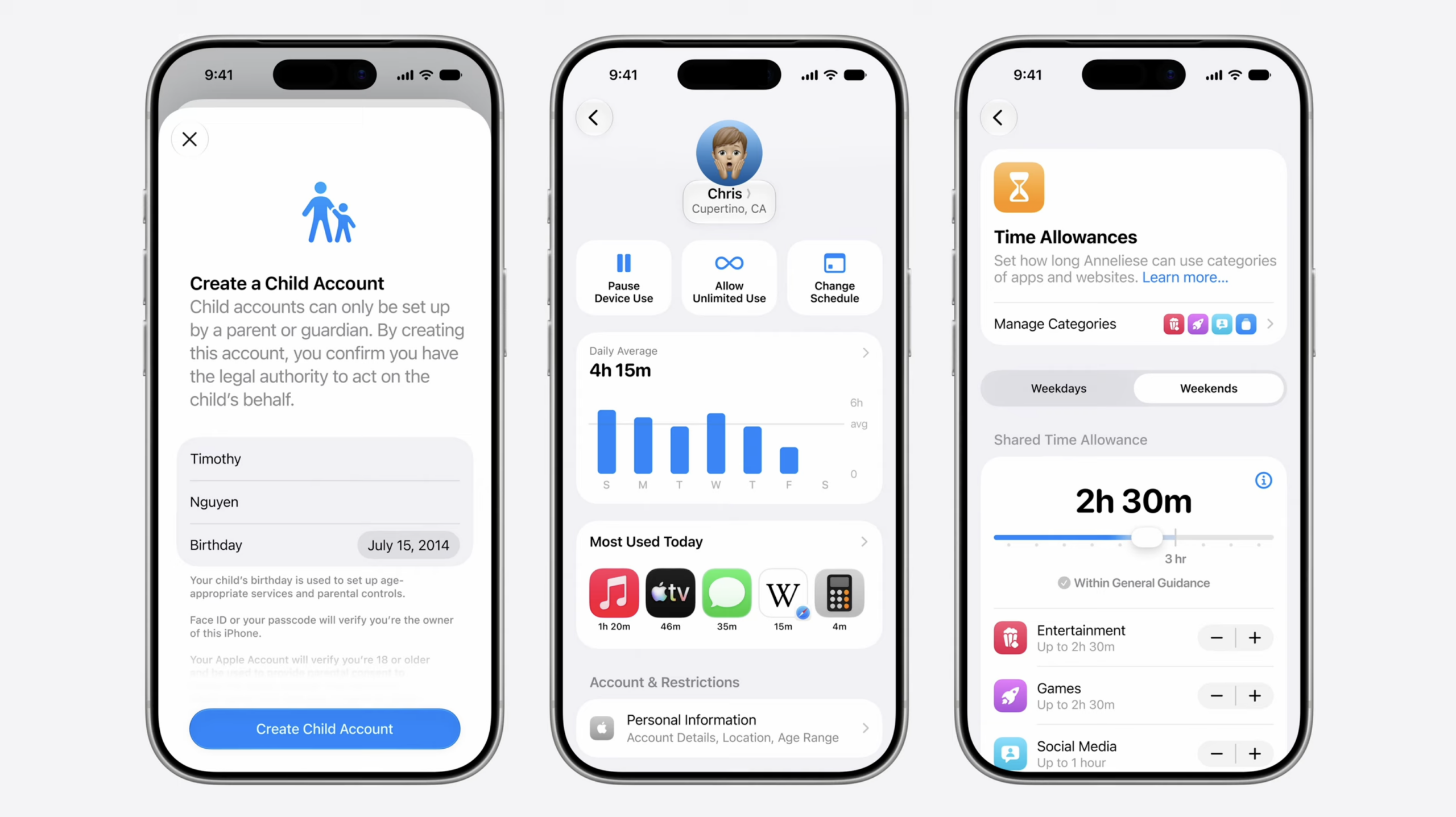
- Child Safety Features: New tools to help parents create safer, tailored digital experience
- Child account – tailored to age, limit websites/media, set age-based App Store restrictions
- Screen Time Passcode Notifications
- User Reporting Tools
- Apple Watch For Your Kids
- Apple Music: Improved reliability of Apple Music streaming
- Refreshed album pages in Apple Music
- Health: Faster data updates in the Health app
- Perimenopause and menopause symptom logging, support and education in the Health app
- Phone Calls: Call Recording transcriptions support for Traditional Chinese, Japanese, and Brazilian Portuguese.
- Switch between two iPhone devices with the same phone number
- Messages: Drawing app in Messages
- Find offloaded media in Messages
- Group conversation support in Shortcuts
- Content-based recipient suggestions for sharing photos and links
- Improved Messages syncing across devices
- Failed messages automatically retry sending
- Continuous sending of photos, videos, and texts in Messages
- Photos: Filter photos and videos in Shared Albums
- Add keywords to photos and videos in Photos
- Album organization improvements in Photo
- Full-resolution photos and videos in iCloud Shared Albums
- Save any slideshow as a video in Photos
- Expire your Shared Albums
- Faster Text Recognition in photos and documents
- Recent activity in Shared Album
- Faster loading of new captures in Photos
- Choose a specific pet in Photo Shuffle
- Save a video frame as a photo
- Option to prioritize syncing to iCloud Photo
- Weather: Updated hourly and 10-day views in Weather
. - CarPlay: Audio scrubbing in CarPlay Now Playing
- Improved wireless CarPlay reliability
- Safari: Faster web application performance in Safari
- Enhanced power efficiency for Safari in iOS and macOS
- Smoother animations and graphics in Safari
- FaceTime: Dual camera in FaceTime (You can record rear and front cameras at same time)
- Improved FaceTime quality on poor connections
- Keyboards: New layout for Slovenian and Estonian
- New keyboards for languages: Afrikaans, Basque, Baybayin, English (Philippines), Galacian, Guarani, Luxembourgish, Xhosa, and Zulu.
- New keyboards for Indigenous languages: Blackfoot, Comanche, Cree, Kiowa, and Tsuu’tina
- New features: Automatic punctuation when typing on multilingual keyboards
- Faster loading of emoji and sticker keyboards
- Additional new features: Extra-large widgets in iOS
- Independent alarm volume
- Smoother camera switching when zooming in video
- Onscreen context for more relevant typing suggestions for Chinese and Japanese
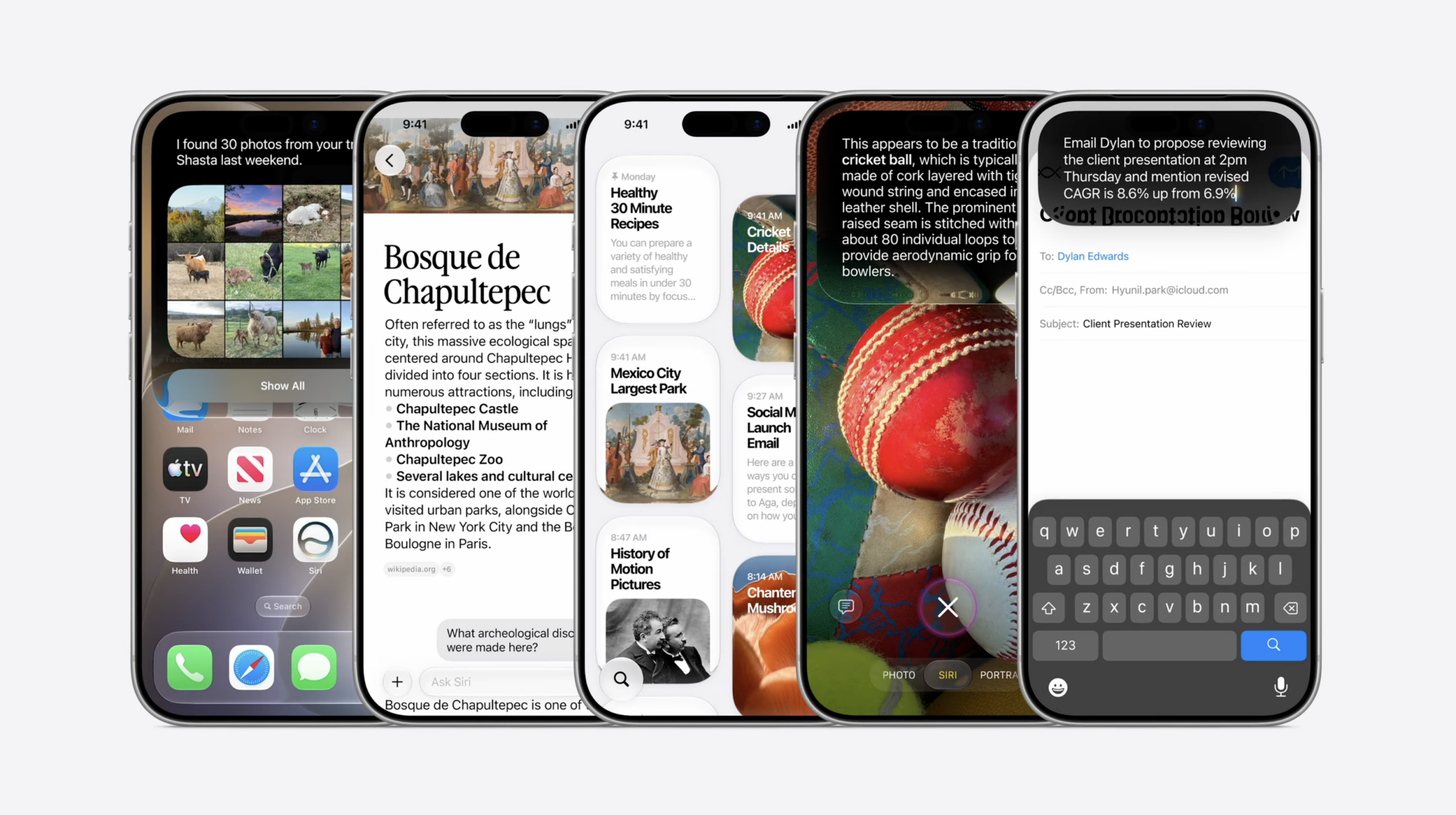
Siri + Apple Intelligence
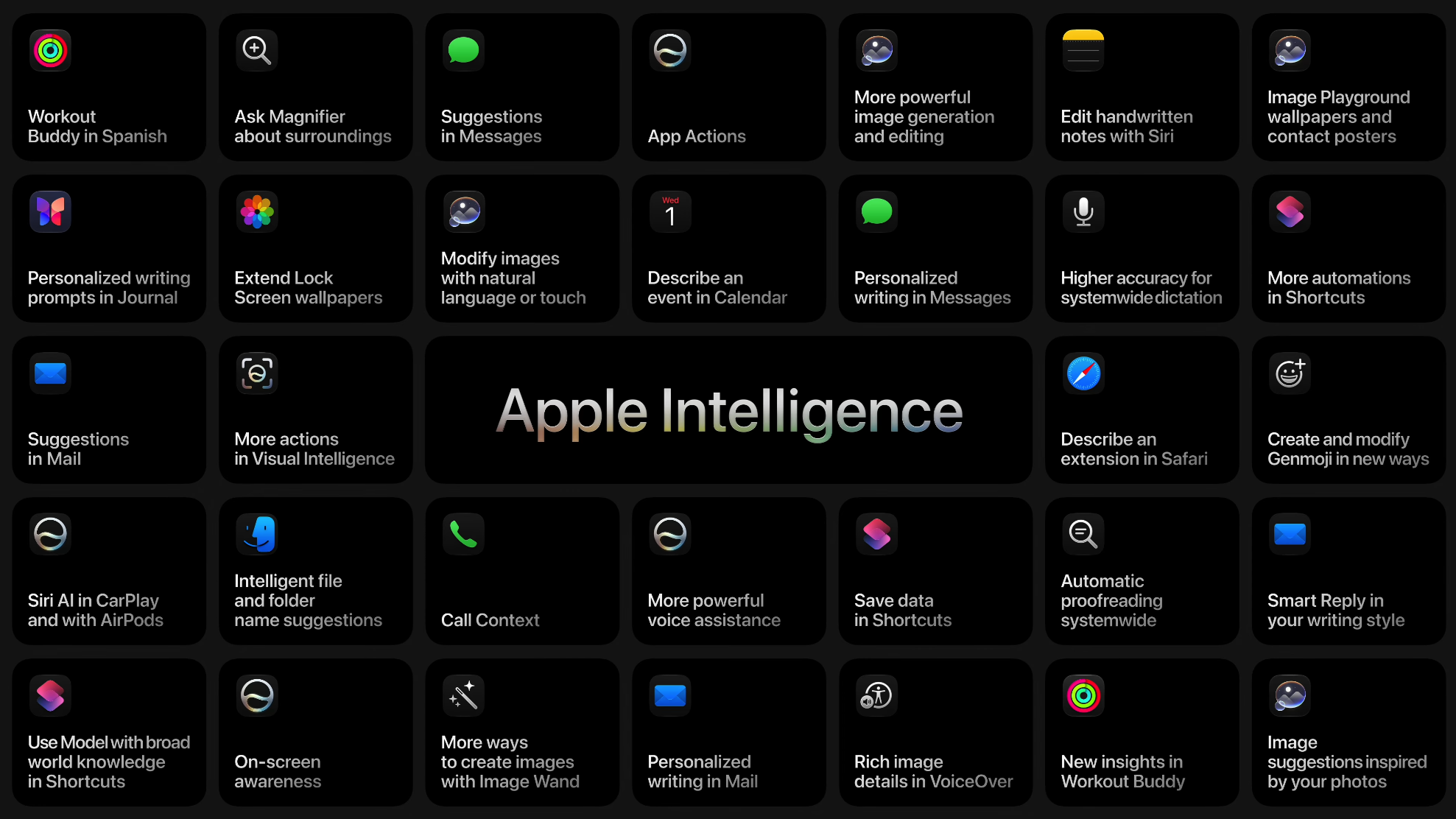
Apple Intelligence uses on-device processing as well as private cloud compute ensure data isn’t stored, with a strong focus on privacy for the individual. The new Siri is not available right away, you must enter a wait list in the Settings app.
Key Points
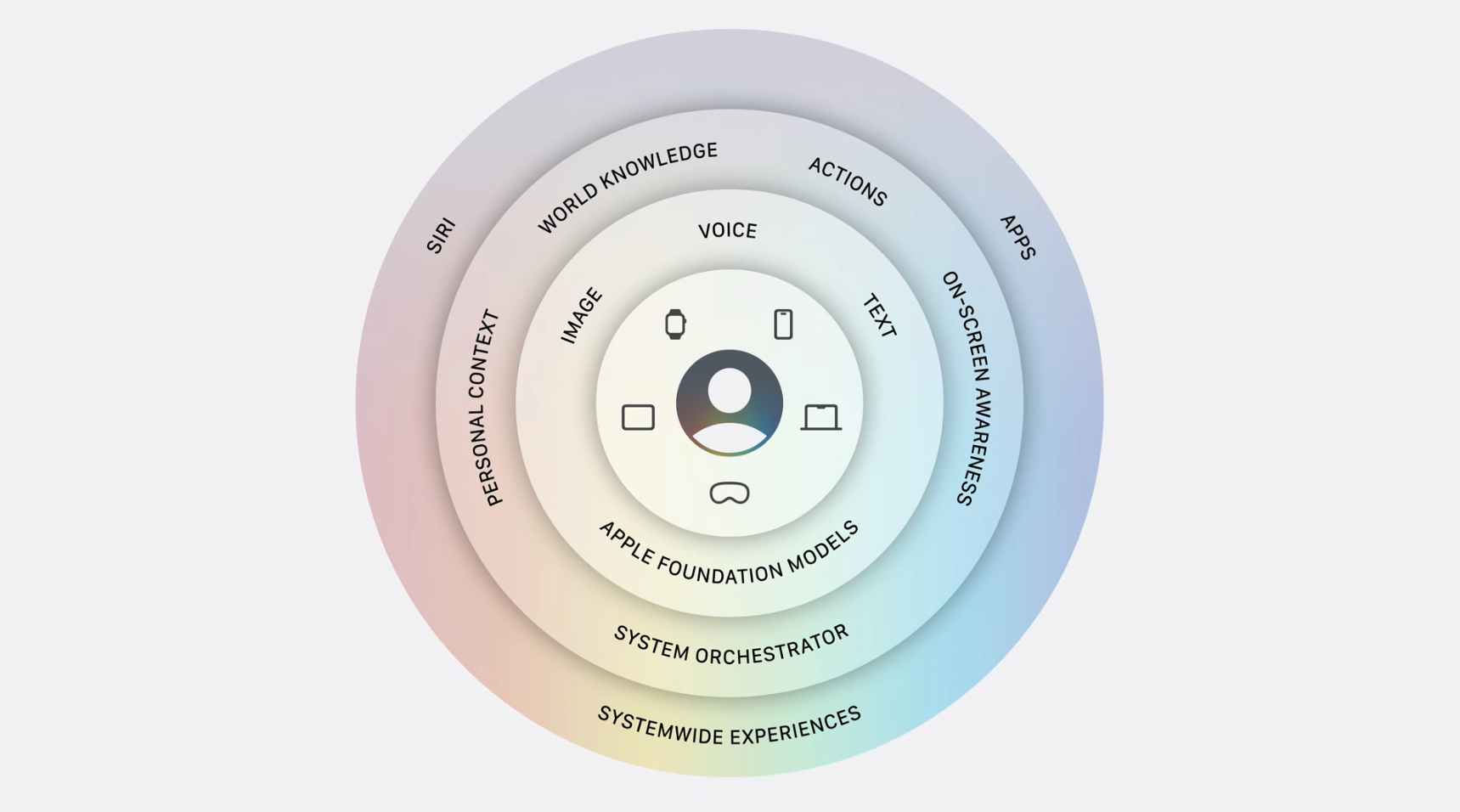
- Core: Apple foundation models. The next generation of Apple Intelligence foundation models were made from a collaboration with Google using Gemini models.
. - More powerful model: understands/generates speech, understanding text/images, higher accuracy dictation, better language understanding and expressive voices.
.- More powerful model requires an iPhone Air, iPhone 17 Pro, or iPhone 17 Pro Max.
- Personal Context Understanding: In the background, Siri AI leverages the power of Spotlight which uses a semantic index to quickly find what you’re looking for.
. - App Actions: Draws from the toolbox of “right actions” (ex; undo send, create a note, rotate photo left, etc;) to complete spoken request.
. - Broad world knowledge: Searches the web for more context/information.
. - On-Screen Awareness: Tailors assistance to what you’re doing at the moment.
. - Dedicated Siri app: Write with Siri, Visual Intelligence, more conversational, and is far more capable by leveraging the improved components of Apple Intelligence.
System Requirements
|
|
|
|
Versions
- Up until WWDC – Internal Testing Only – Before June 8th, 2026
.
- iOS 27 Developer Beta 1 (Build 24A5355q) – June 8th, 2026
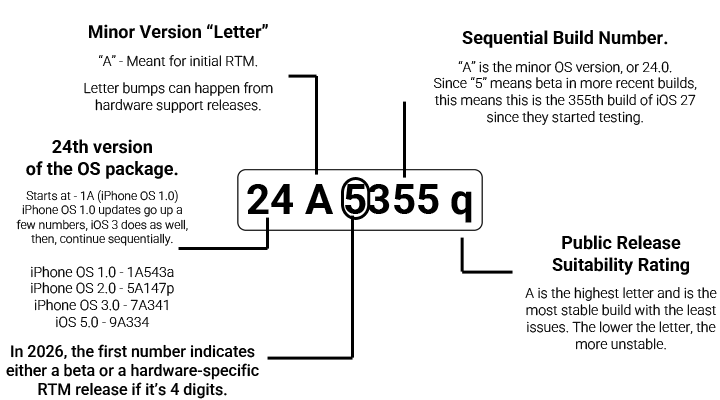
- Note: This version of the build number breakdown applies specifically to iOS and iPadOS build numbers. To see how macOS numbers break down, see this article instead.



