
On June 8th 2026, Apple announced the first version of macOS intended solely for Apple Silicon – macOS Golden Gate. This version of the operating system brings some refinements to the Liquid Glass UI, making some changes through user feedback. It’s also the final version of macOS to natively run Rosetta 2.
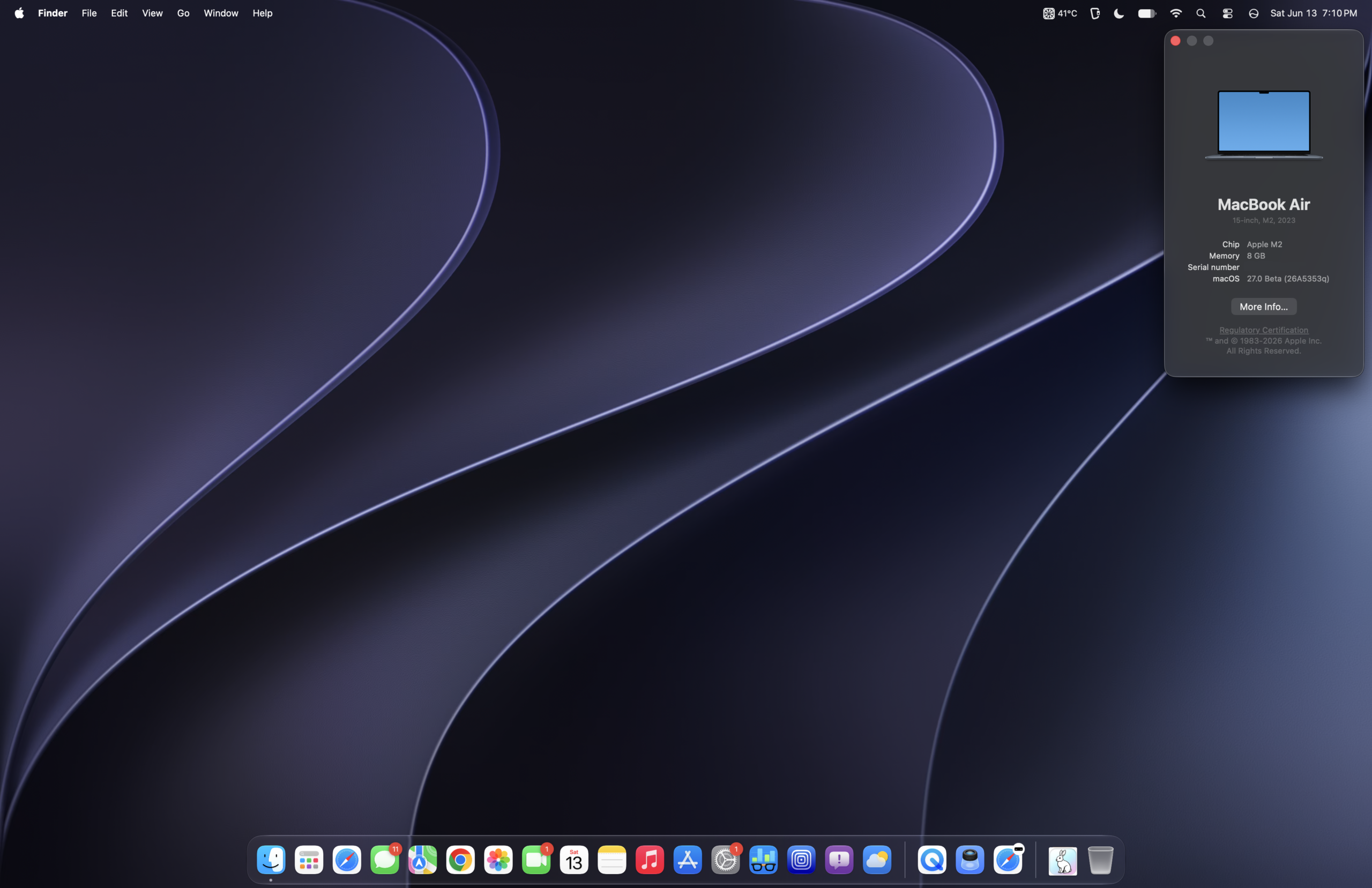
This version of macOS is named after the Golden Gate Strait, which connects the Pacific Ocean to the San Francisco Bay. The name was also previously internally used for macOS Big Sur.
Golden Gate is aimed to be like a “Snow Leopard” release – stripping out Intel binaries whilst simultaneously improving performance and design. Even as early as the first Developer Beta, users report a more responsive OS.
Some noticeable, up-front UI changes
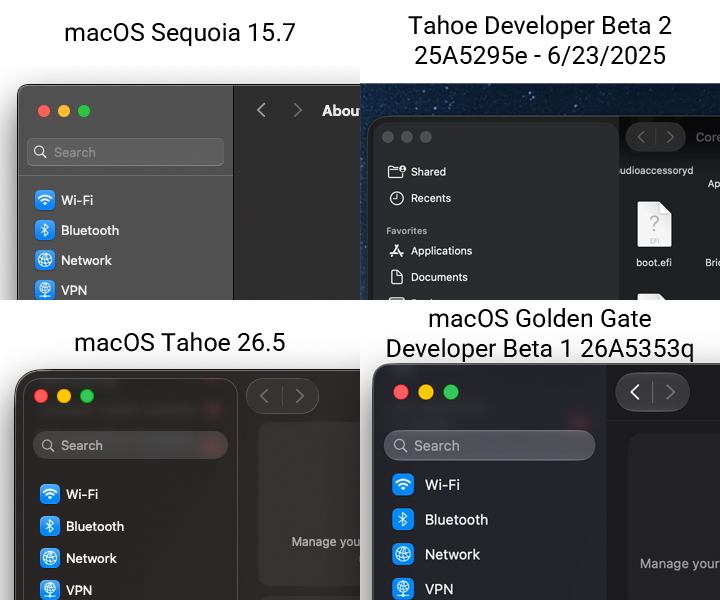
- Liquid Glass refraction, contrast and translucency levels are better than in Tahoe, which also makes text more legible. Complex content is diffused better, with more depth + separation.
. - A more uniform toolbar across all apps
. - Sidebars inside of apps now expand to the edges of the window, instead of being a rounded rectangle inside the window on the left hand side. Apple says this eliminates distractions, and this design reintroduces how sidebars were done in Sequoia.
. - The radiuses on window borders have been standardized across all apps, they’re now uniform.
. - Icons have been refreshed
. - Much of the Icons on Menu Items from macOS Tahoe have been removed.
What You Need To Know
These are just some of the many improvements macOS Golden Gate has over Tahoe, in no specific order.
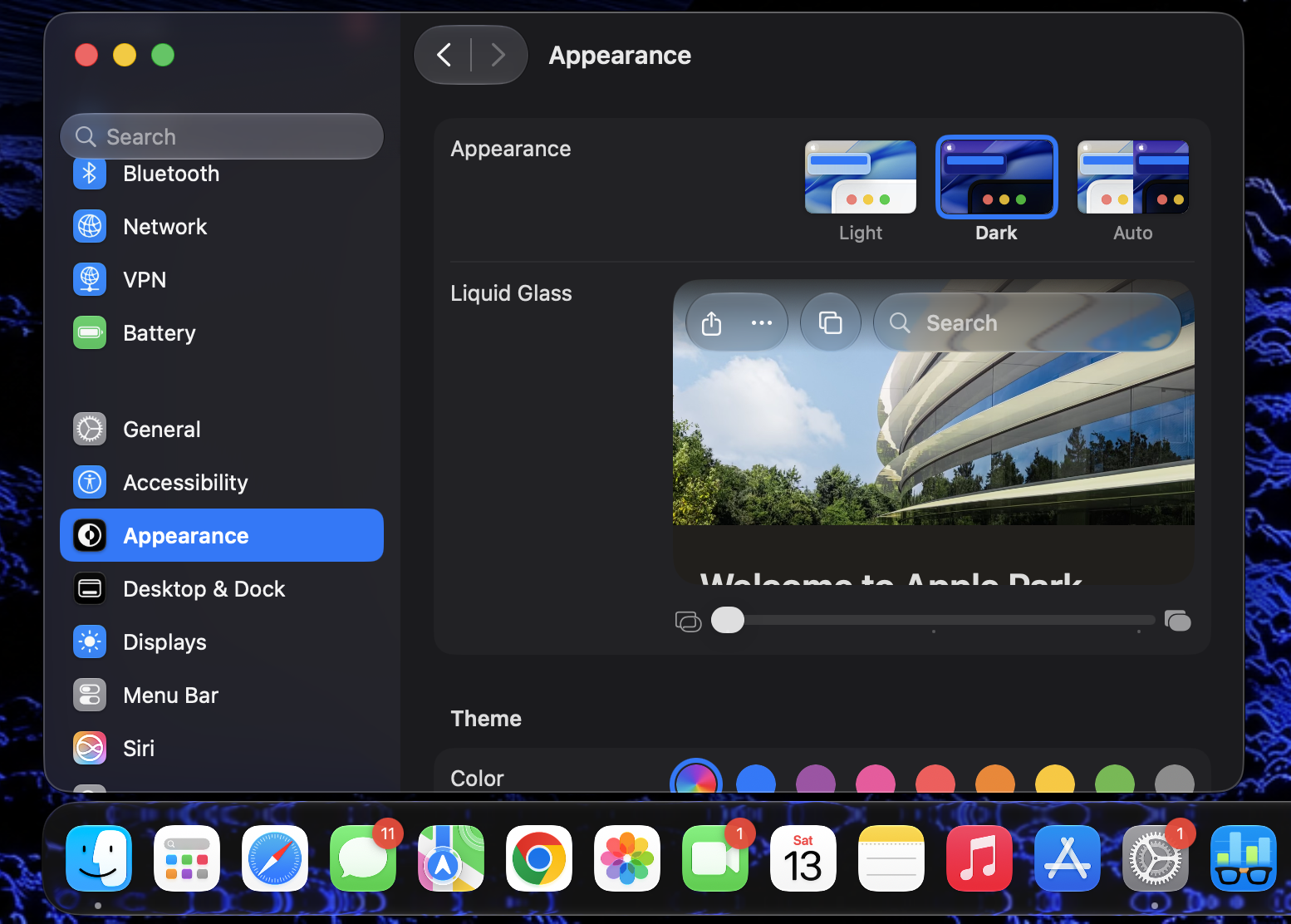
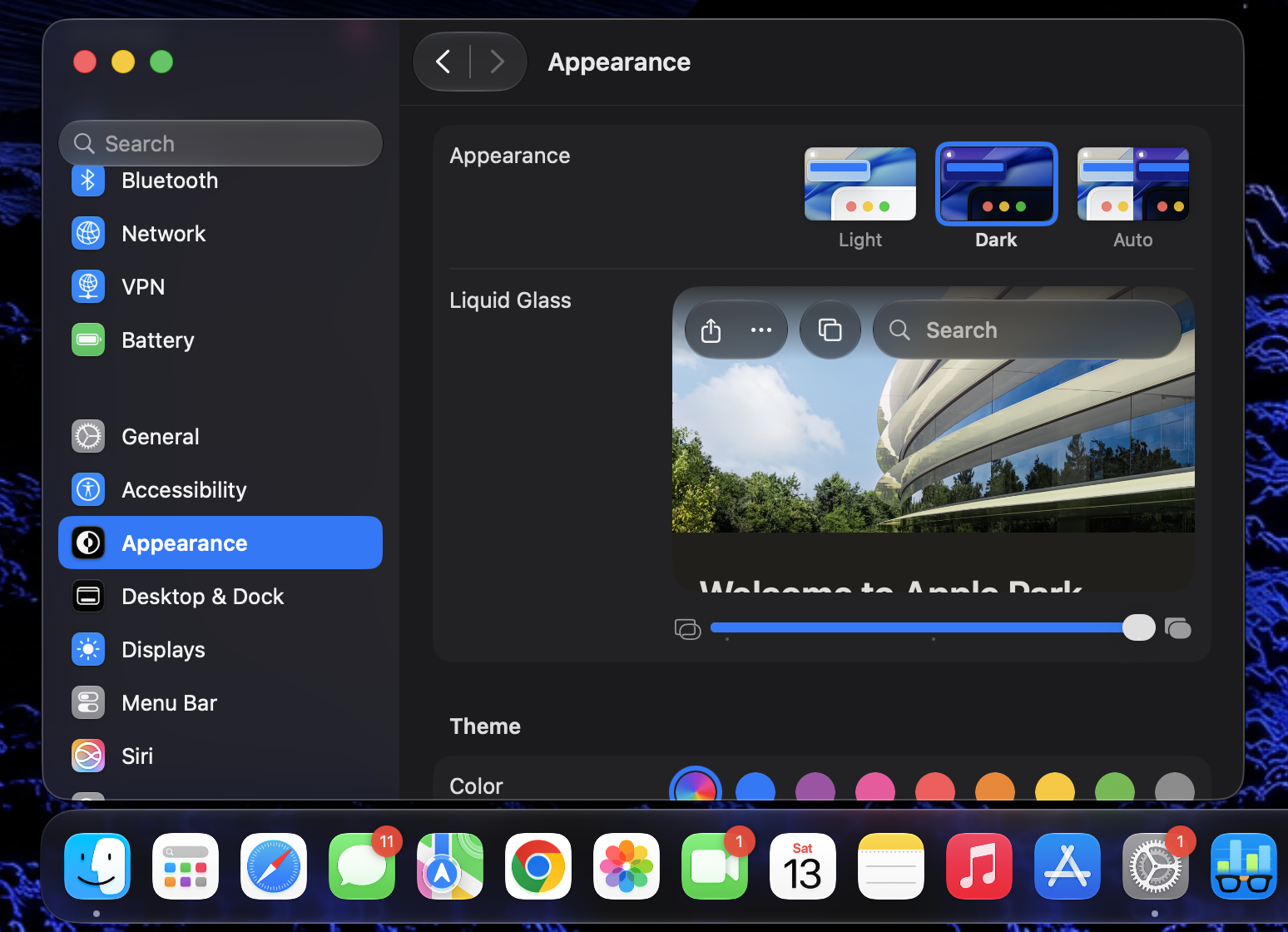
- Liquid Glass transparency level can now be adjusted
- You can make things as translucent as you’d like, or more opaque.
.
- You can make things as translucent as you’d like, or more opaque.
- It comes with the updated assistant, Siri AI – but your Mac must have an M3 chip or newer, and greater than or equal to 12 GB RAM.
. - Support dropped for: Apple Filing Protocol (AFP), Time Machine backups to AirPort Time Capsules, Boot Camp
. - Apple added HDR for the macOS system UI.
. - Features Added: Pull-to-refresh in Safari, Mail, News, Podcasts, and Calendar apps.
- Ethernet status in menu bar
- Independent alarm volume
- Holiday-aware alarms in China
- More high-resolution and high-refresh-rate display modes for external displays
- More document formats in Preview
- Save video frame as a photo
- Perimenopause and menopause symptom logging, support and education in the Health app
- The iPhone mirroring app can now be resized into multiple aspect ratios, and now you can also access the control center.
- Filter photos and videos in Shared Albums
- Dual camera in FaceTime & – Improved call quality on poor connections
- Add keywords to photos and videos in Photos
- Live Activity for Precision Finding with Friends
- Natural language time formats for Chinese and Hindi added
- Enhanced power efficiency for Safari
- Call Recording transcriptions support for: Traditional Chinese, Japanese, and Brazilian Portuguese
- Password help accessible from the Lock Screen
- New AutoMix transitions and refreshed album pages in Apple Music
- Camera uses less power + launches faster in Low Power Mode
- iCloud sync status for Journal entries, and Increased Journal attachment limits
- Faster network file browsing
- Stylized notes from third-party Calendar accounts
- Captured by Me collection in Photos, Expire your Shared Albums, react with any emoji
- Faster web application performance in Safari
- Improved Bluetooth power management
- Expanded touch support in Sidecar
- Faster Text Recognition in photos and documents
- Support for Mac mirroring in 5K resolution
- Smoother scrolling in Control Center and Control Gallery
.
- Keyboards: New layout for Slovenian and Estonian
- New keyboards for languages: Afrikaans, Basque, Baybayin, English (Philippines), Galacian, Guarani, Luxembourgish, Xhosa, and Zulu.
- New keyboards for Indigenous languages: Blackfoot, Comanche, Cree, Kiowa, and Tsuu’tina
- New features: Automatic punctuation when typing on multilingual keyboards
- Further Redesign: Mouse cursor re-introduces the glove design similar to how it looked before macOS Tahoe.
- Updated menu bar icons
- More consistent window positioning persistence across external displays
 |
 |
Siri + Apple Intelligence
Apple Intelligence uses on-device processing as well as private cloud compute ensure data isn’t stored, with a strong focus on privacy for the individual. The new Siri is not available right away, you must enter a wait list in the Settings app.
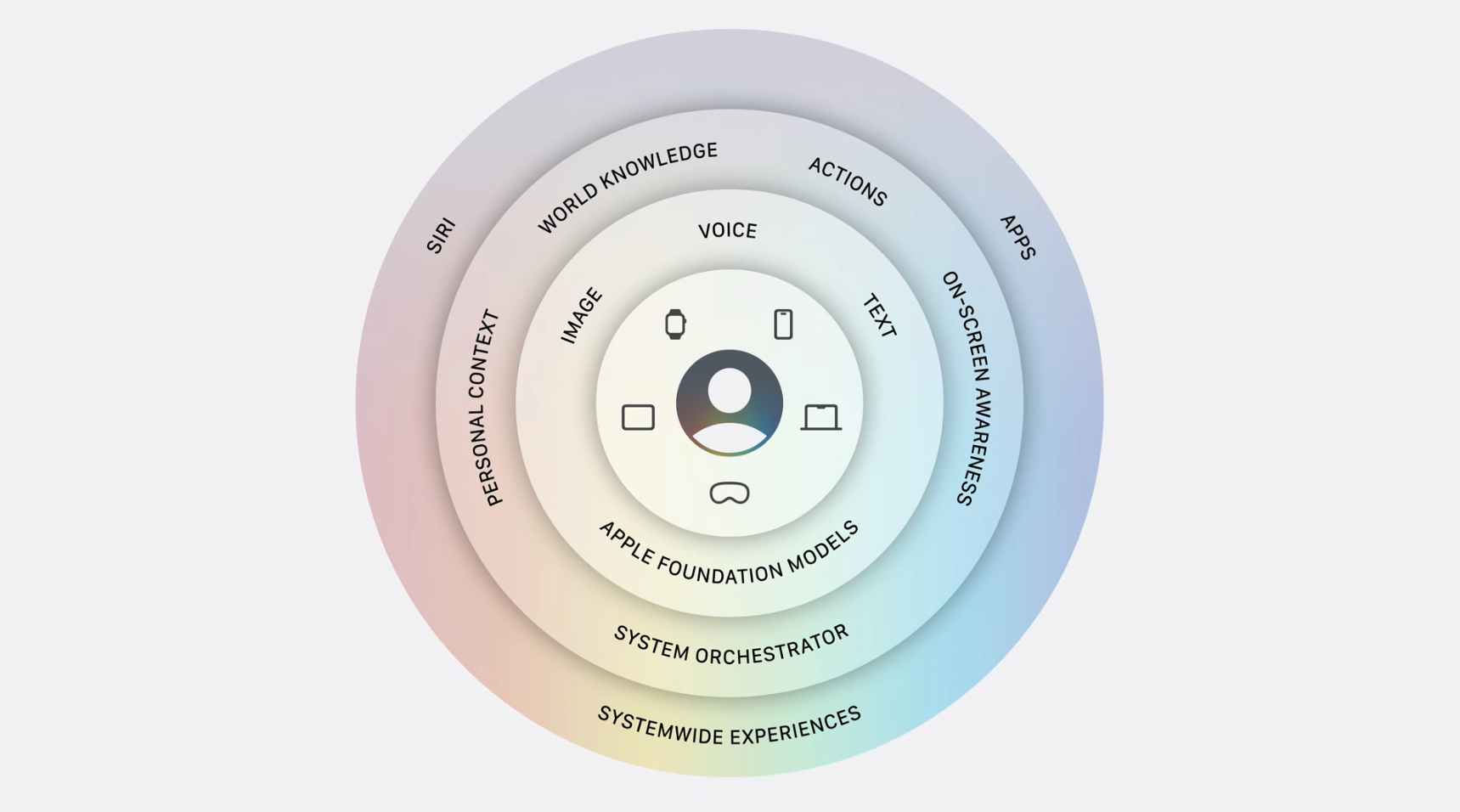
Key Points
- Core: Apple foundation models. The next generation of Apple Intelligence foundation models were made from a collaboration with Google using Gemini models.
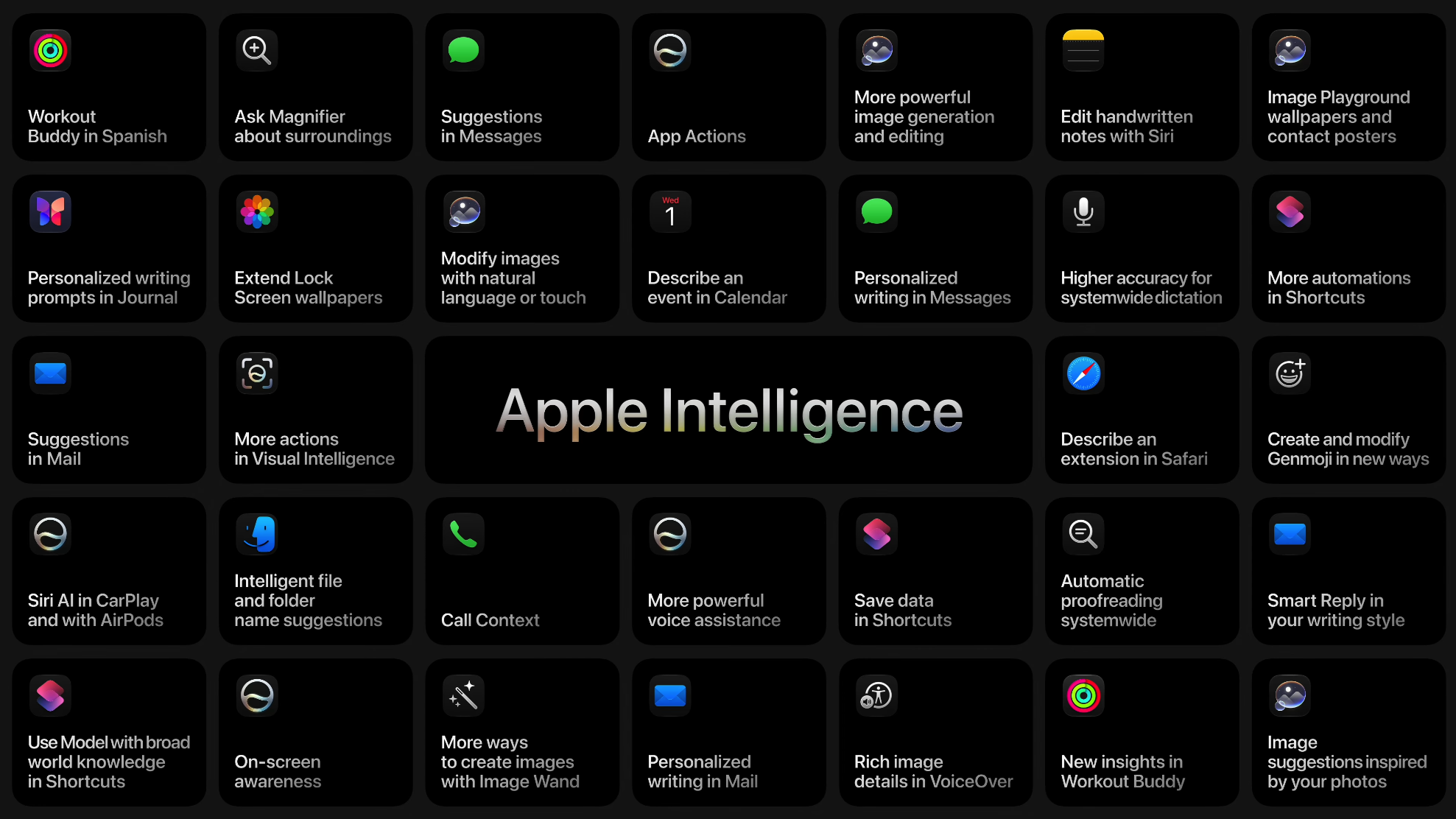
. - More powerful model: understands/generates speech, understanding text/images, higher accuracy dictation, better language understanding and expressive voices.
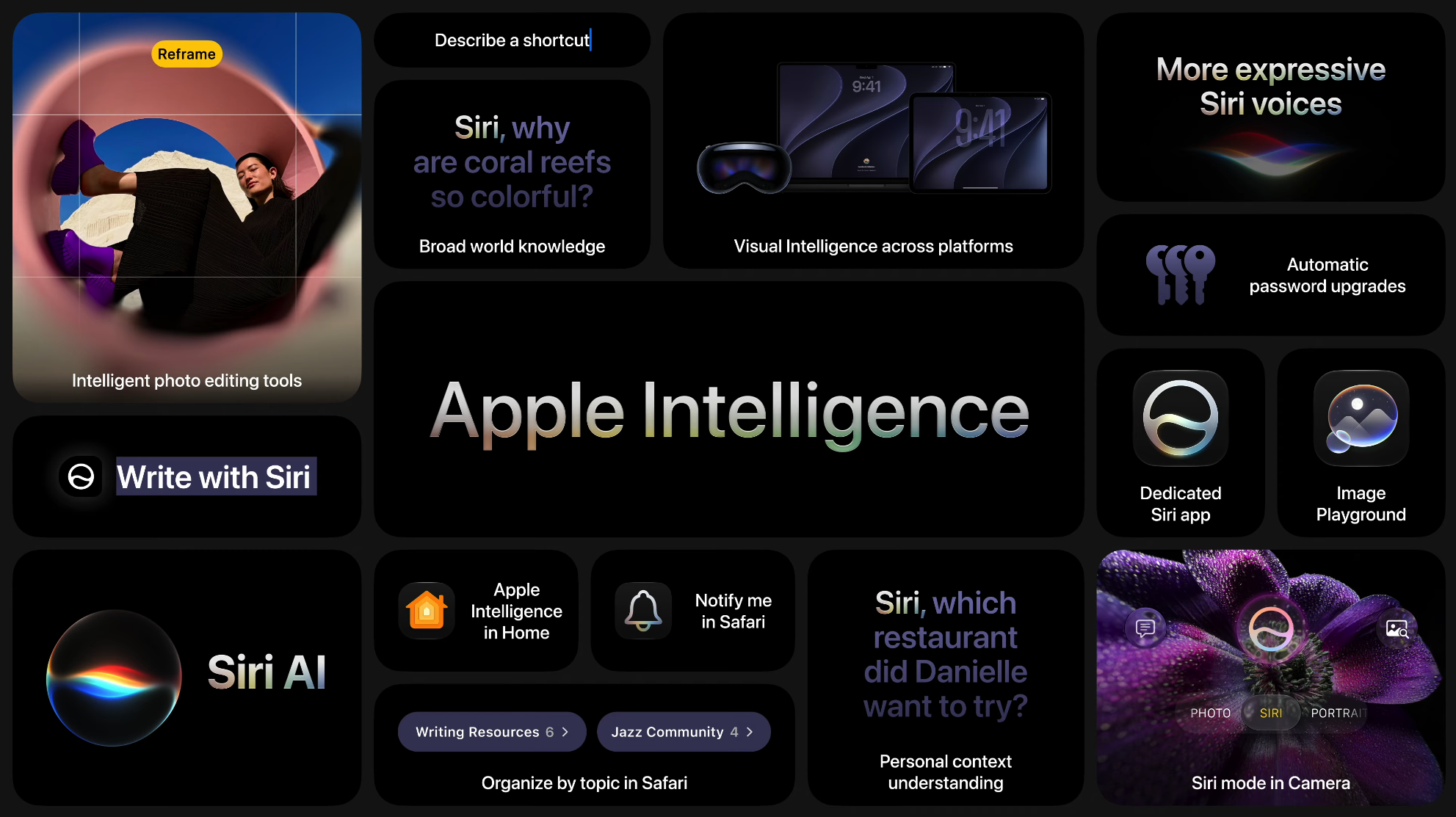
- Personal Context Understanding: In the background, Siri AI leverages the power of Spotlight which uses a semantic index to quickly find what you’re looking for.
. - App Actions: Draws from the toolbox of “right actions” (ex; undo send, create a note, rotate photo left, etc;) to complete spoken request.
. - Broad world knowledge: Searches the web for more context/information.
. - On-Screen Awareness: Tailors assistance to what you’re doing at the moment.
. - Dedicated Siri app: Write with Siri, Visual Intelligence, more conversational, and is far more capable by leveraging the improved components of Apple Intelligence.
System Requirements
 Any Apple Silicon Mac made so far. Although no RAM amount is specified as a requirement, we recommend you run with at least 16 GB of RAM instead of 8 GB for smooth operation. 8 GB will get you by and get the computer to boot the OS, although there is absolutely nothing wrong with using a Mac with 8 GB of RAM. It is also strongly recommended to avoid running this OS off of a hard drive as it would be quite slow – although every Apple Silicon Mac already ships with an SSD, standard.
Versions
- Up until WWDC – Internal Testing Only – Before June 8th, 2026
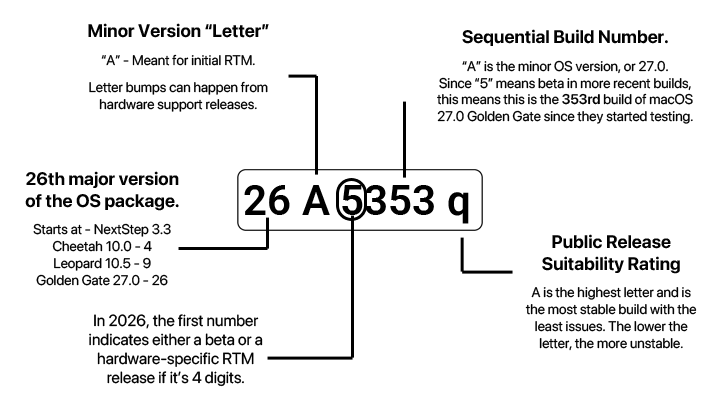
.- macOS Golden Gate Developer Beta 1 – Build 26A5353q – June 8th, 2026
Golden Gate retains PowerPC Mac VNC support
If you have a PowerPC-based Mac with screen sharing enabled and, you will still be able to access it from macOS Golden Gate. This is fantastic news for those of us who hang onto our PowerPC Macs!
- See also: Bluetooth file exchange between Apple Silicon and PowerPC Macs
. - Viewing a PowerPC network volume may be hit-or-miss, unlike in macOS Tahoe.
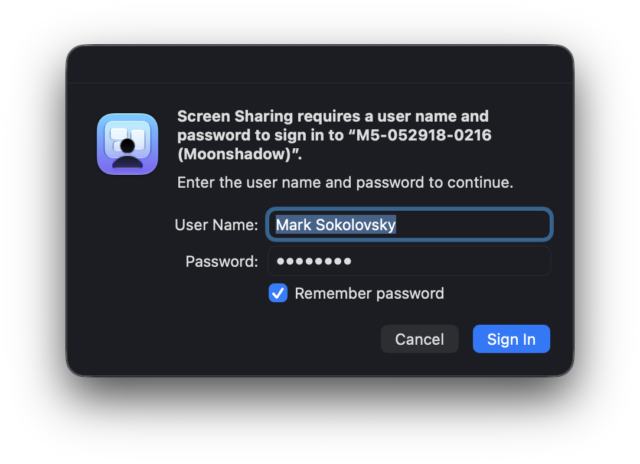

If you have a Mac running macOS Golden Gate, you can screen share into your PowerPC Mac directly from macOS. Screen Sharing must be enabled from Mac OS X Leopard’s end.
Just like in Tahoe, you’re also presumably able to access the files on your PowerPC Mac directly, if file sharing is enabled in Leopard as well. Currently as of Beta 1 (Build 26A5353q), it seems to be hit-or-miss. Faster network file browsing is among the improvements in macOS 27, so it’s possible this feature was altered.
Unsupported Macs
OpenCore is a boot loader used to inject and patch data in memory, instead of on disk. This allows for a near-native experience on unsupported Macs, and allows macOS Big Sur – Sequoia to be installed on Intel Macs which otherwise couldn’t run it. macOS Golden Gate is for Apple Silicon Macs only, and there are currently no patches available to allow 27.0 to run on an unsupported Mac.



