Low End Mac Reader Specials
TypeStyler For Mac OS X is Now Shipping! Download The Free Fully Functional 60 Day Tryout at www.typestyler.com
Don't install Parallels to play poker online! Poker Mac will show you how
to download and install a native Mac poker application such as Full
Tilt Poker Mac.
Compare products like desktop computers, apple laptops, apple macs, and LCD Monitors side by side! All the information and reviews to make the best purchasing decision for new mobile phones, sat nav systems, or MP3 players. The Ciao online shopping community makes searching products easy for you.
Apple Archive
Radio Design and the Mac, Part 2
- 2001.09.28
My earlier article comparing the design of Macintosh computers and antique radios proved to be very interesting to write, so this week I have continued the idea to talk about the hardware components and the idea that both Macs and antique radios have a certain way of simplicity about them that is appealing.
In 1991, when the Quadra 700 was released, Apple had their own custom power supplies, hard disks, CD-ROM drives, logic boards, and more. Today, Apple has switched to using more generic parts. The hard drive, DVD-ROM, power supply, and video card inside the Power Mac G4 are not Apple specific. The RAM inside the new iMac is not Apple specific.
By the mid-1960s, it was almost impossible for a U.S. radio company to survive unless it built its radios with some foreign made components. Even Zenith, which was one of the last companies with a transistor radio made entirely from U.S. components, eventually resorted to using foreign components.
One of the reasons why the Macintosh is popular is because it is very straightforward. The Macintosh is for getting work done, not trying to make it work. You don't usually have to play with it too much to get the settings the way you want them. One may argue that Windows is better because it has more preferences that you can set. Think about it. Do you really need to be able to set a picture that you see on a website as your desktop picture without downloading it to the hard drive? Do you need to change the colors of the menus and the style of system font?
The average home computer user uses the Internet, email, and word processing. The Macintosh includes an easy to use email program, a fast Web browser, and a full featured word processor, spreadsheet, and presentation suite known as AppleWorks (for the record, AppleWorks is only free with the iMac and iBook).
One of the reasons old radios are popular is because when they work, they work well, sound good, and are simple to use. Think about it. Do you really need stereo sound? Do you need a graphic equalizer? If you want to listen to the radio, you probably don't need 25 switches on the front. The average radio user only really uses two of those switches. Power/volume and tuning. Wouldn't it make things simpler if your radio only had a few switches?
I personally use a 1958 Zenith AM/FM radio in the kitchen, and I listen to it every morning. I like it, not just because it is old, but because it is easy to adjust the settings (volume, tuning), it picks up a lot of stations (stations from NY city [I live in southern Connecticut] come in as if they were local), and it sounds very good. No, it does not have presets, but I have done the next best thing. I bought some sticky labels, cut them in small pieces, and wrote down the call letters of the stations I like. Then I stuck them next to the position on the dial (no, it does not ruin the dial face on this radio) of that station. Now if I want to tune into a station quickly, I know just where to find it on the dial.
Apple, like radio manufacturers of the 1920s and 30s, is betting on people buying a computer because it looks nice and works well. This appeals to many people - the looks of my computer are important to me. And if it works well, that's even better. When a computer works well, without slowdowns or crashes, it actually puts me in a better mood.
Whatever type of radio you choose to use, there is an
unmistakable similarity between antique radios and Macintosh
computers. Both have form and function. An antique radio looks
great (at
least most of them do), and, when
working, is very simple to use and does just what you want it to.
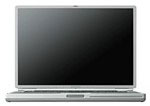
Macintosh computers look great (especially the TiBook), are very simple to use, and do just
what you want them to.
The following are some links to websites where you can obtain more information about antique radios and design.
- The Antique Radio Page
- Radio Attic Archives
- Urban Antique Radio
- Radio Designers
- Raymond Loewy
- Inventing the "Jet Age" in America
- Television Designers
- John Vassos Bibliography: Biographical Information
There are many more websites to visit. For further information I suggest doing a search on Google.

Recent Apple Archive articles
- iPods, notebooks, and other modern electronics more readily replaced than repaired, 12.07. Whether it's an intermittent failure or a broken display cable, more often than not it's cheaper to replace a broken electronics device than repair it.
- Options for replacing your older iPod, 11.19. Whether you've run out of space on your old iPod or want features it doesn't have, here are your options in new and used iPods.
- Could the $200 'green' PC with gOS Linux become a threat to Apple?, 11.14. The low cost, low power Everex desktop comes with a customized version of Ubuntu Linux, has a Mac-like Dock, and sells for $400 less than the Mac mini.
- Leopard different, a bit buggy, but worth the upgrade, 11.02. Leopard on a Power Mac G4 and a MacBook Pro: It runs well on both computers, but each has some odd bugs, and some of the changes are a step backwards.
- More in the Apple Archive index.
Links for the Day
- Mac of the Day: Power Mac G5/2.7 GHz, Apr. 2005 - The fastest G5 CPU Apple ever used, this model included a 16x SuperDrive and shipped with 'Tiger' (OS X 10.4).
- Group of the Day: MacBook List for those using a MacBook or MacBook Pro.
- March 12 in LEM history: 01: When should I replace my Mac? - 02: Who stole my domain? - Happiness is a new Power Mac - 03: USB for wireless networking - 04: PowerBooks have some room for improvement - 07: 11 ways to optimize Mac performance - Finding older software for Macs - Booting PowerPC Macs from USB - Installing Leopard from an Intel Mac
- Support Low End Mac
Recent Content on Low End Mac
- OS X 10.4 Tiger Still Very Usable on a 500 MHz G3 Mac, Simon Royal, Mac Spectrum, 03.11. For writing and basic Internet access, a 500 MHz G3 provides sufficient power and Tiger provides fairly up-to-date software.
- iPad Gaming Potential, Dan Bashur, Apple, Tech, and Gaming, 03.11. Two years of developing games for the less powerful iPhone and iPod touch has prepared developers to unleash the iPad's potential.
- WPA for Original AirPort, Stainless Browser, Multiple Input Bug Persists in Snow Leopard, and More, Charles W. Moore, Miscellaneous Ramblings, 03.11. Also kudos for Shiira, G3 vs. G4 upgrade for Pismo PowerBook, and 17" PowerBook still suffices.
- Apple Now Sees Microsoft as Less Evil than Google, Frank Fox, Stop the Noiz, 03.10. With Android threatening the iPhone's dominance, Apple views Microsoft and Windows 7 Mobile as the lesser threat.
- Back to My Comfortable Place with OS X, Simon Royal, Mac Spectrum, 03.09. After 10 years on Macs, switching to Windows and Linux only highlighted the elegance and consistency of the Mac experience.
- MacBook vs. HackBook: You Get What You Pay For, Andrew J Fishkin, Best Tools for the Job, 03.09. You can buy a used PowerBook or a hackable netbook, or you can buy a notebook with enough computing power to do real work.
- The iPad as Your In-between Mac, Dan Bashur, Apple, Tech, and Gaming, 03.09. Apple's iPad will have a place as the in-between Mac that can do a lot of the light duty tasks typically done on a notebook.
- Apple vs. HTC Will Delay iPad Competitors, Tim Nash, Taking Back the Market, 03.09. By filing suit against HTC, Apple may slow adoption of the Android platform while giving Windows 7 Mobile an unexpected boost.
- More links in our archive.
Recent Deals
- Best iPod classic Deals, 03.12. Used 20 GB, $119; 40 GB, $139; 60 GB, $159; 30 GB video, $129; 60 GB, $159; 80 GB, $169; refurb 120 GB, $189; new, $214; 160 GB, $228 shipped.
- Best G3 iBook and AirPort Card Deals, 03.12. 366 MHz 12" clamshell, $89; 466, $125; 500 white CD, $100; 600, $199; 800 Combo, $239; 14" 900, $225.
- Best Xserve Deals, 03.12. Used 1 GHz dual G4, $499; 2.0 dual G5, $599; 2.3, $749; refurb 2.26 4-core Nehalem, $2,499; new, $2,699; 8-core, $3,449; refurb 2.66, $4,299; new, $4,799; more.
- Best iPod touch Deals, 03.11. Refurb 8 GB, $149; 16 GB, $199; 32 GB, $249; 64 GB, $339; new 3G/8 GB, $184; close-out 2G/16 GB, $229; 3G/32, $270; 64, $355. Shipping included.
- Best Mac OS X 10.5 Deals, 03.11. "Leopard" one user, $180; upgrade from 10.4, $150; 5 users, $400; Server, 10 users, $493; unlimited users, $600.
- Best 17" MacBook Pro Deals, 03.11. Used 2.33 GHz, $1,099; 2.5, $1,349; refurb 2.66, $1,949; 2.93, $2,199; new 2.8, $2,249 after rebate; 3.06, $2,749.
- Best iPod nano Deals, 03.10. Refurb 4G/8 GB, $99; 16 GB, $119; 4G/8 GB, $129; 16 GB, $139; new 5G/8 GB, $134; 16 GB, $160. Shipping included.
- Best 15" PowerBook G4 Deals, 03.10. 1 GHz Combo, $400; 1.25 GHz, $460; 1.33 GHz SuperDrive, $539; 1.5 GHz, $550; 1.67 GHz, $589; hi-res, $800.
- Best iPod shuffle Deals, 03.10. New 3G/2 GB, pink, $53; other, $55, 4 GB, blue, $71; other, $73. Shipping included.
- More deals in our archive.
About LEM | Support | Usage | Privacy | Contacts
Navigation
Used Mac Dealers
Apple History
Video Cards
Email Lists
Favorite Sites
MacSurfer
MacMinute
MacInTouch
MyAppleMenu
InfoMac
Macs Only!
The Mac Observer
Accelerate Your Mac
RetroMacCast
PB Central
MacWindows
The Vintage Mac
Museum
DealMac
DealsOnTheWeb
Mac2Sell
ramseeker
Mac Driver Museum
JAG's House
System
6 Heaven
System 7 Today
the pickle's Low-End
Mac FAQ
Abandonware
Petition
Mac vs. PC Info
Affiliates
The Apple
Store
Mac
Connection
B&H
MacMall
TechRestore
ExperCom
Crucial
Memory
batteries.com
MacMinute
MacInTouch
MyAppleMenu
InfoMac
Macs Only!
The Mac Observer
Accelerate Your Mac
RetroMacCast
PB Central
MacWindows
The Vintage Mac
Museum
DealMac
DealsOnTheWeb
Mac2Sell
ramseeker
Mac Driver Museum
JAG's House
System 6 Heaven
System 7 Today
the pickle's Low-End
Mac FAQ
Abandonware
Petition
Mac vs. PC Info
Mac Connection
B&H
MacMall
TechRestore
ExperCom
Crucial Memory
batteries.com


