
2000 – Let’s look at some options for 68040 based computers. If you do not have one, I will discuss which model might be right for you.
 I didn’t get into these machines until I got my Quadra 610 earlier this year. Before that, I always figured Quadras as being too highly valued for what they offered. Now that their prices are dropping, I was able to get my Quadra 610 for only $25, so I joined the world of computing Quadra-style.
The 68040 machines are 68K class computers, but they were a great deal faster than the earlier 68030-based machines – and some are even as fast as early PowerPC models. (I found that my Quadra 610 felt faster than my Power Mac 6100/60, and the 610 only has a 25/50 MHz processor!*) When the Quadra 700 was introduced in 1991, Apple coined the phrase “The Most Powerful Macintosh Ever.” The Quadra is the most powerful of the 68K class of machines.
- * You’ll often find ‘040s specified with two speeds. The lower one (in this case, 25 MHz) is the speed at which the CPU talks to the system board. The higher one (50 MHz) is the internal speed of the CPU. Intel did something similar with clock doubled ‘486 processors. This also paved the way for today’s CPUs running at many times the speed of the system board.
If you do not have a 68040 or 68LC040 based machine and would like one, take a look at these options.
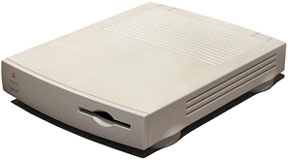 If you are on a limited budget, and want a cool Quadra to play around with, go for a 25 MHz Quadra 605, or LC or Performa 47X series. They have good performance, take up little room, are still very upgradeable and usable, but by far the best thing about them is the price. You can get them for next to nothing! ($20-30 for a 4/80 or 4/160) They can also be upgraded to PowerPC via the Macintosh Processor Upgrade card, which was made for the low profile Quadra 605, LC 475, and Performa 47X, and the all-in one LC 575 and Performa 57X. These typically sell for around $100.
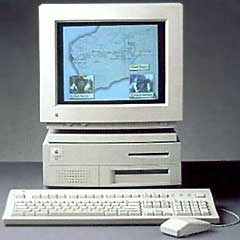 If you have some more money and want a better machine, go for a Quadra 650 or 800. They both run a 33 MHz 68040 processor, can accept over 200 MB of memory, and have 3 NuBus slots. Both can be upgraded to PowerPC with the Apple Power Macintosh Card, which was made in 1994 for the Quadra/Centris 610 and 650, Quadra 800, 700, 900, and 950. It plugs into the PDS slot, giving you twice your 68040 processor’s speed in PowerPC 601 performance! I use one in my Quadra 800, and it is a very nice product. However, the ability to upgrade your Quadra or Centris comes at a price. Expect to pay over $150 for the card.
You can also upgrade some Quadras with Power Mac logic boards that fit in the case you have (7100 for the 650, 8100 for the 800). Be prepared to cut bits away from the case, as the ports will not line up with the holes in the back of the case. If you choose to upgrade them with a Power Mac logic board, they can be upped to G3 and G4 power (see Cheap Power Macs: The $500 G3 and $750 G4).
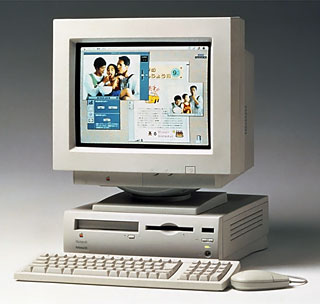 Another option is the Quadra 630. It has a speedy 33 MHz 68040 processor, a nice small case, a good built in speaker, and (usually) a CD-ROM drive. It also gives you the option of a TV tuner card, so you can watch TV on your Mac! It comes in a case shared by the Power Mac and Performa 62XX and 63XX family. This means that you can swap out the logic board for a board in a 6200, 6300, or 6360 (the 6200 and 6300 have some serious design flaws. See Road Apples. The 6360 is an excellent machine, and still quite valuable to those who have them. For those who want them, they are a bit harder to get. It is even harder to find motherboards for them.)
To speed up your LC 630, Performa 63X series, LC 475, LC 575, or Performa 57X series, you can upgrade the processor to a full 68040 chip. These Macs shipped with 68LC040 chips, which are a variety of 68040 which is lacking the FPU. Adding a full 68040 will improve performance in applications that make use of the FPU, and if you are using the Internet, it will speed that up as well. If you deal with photographs, the FPU will help you – you will notice that the pictures will show up on the screen faster.
 If you have some spare money floating around, and want to buy a really cool computer, take a peak at the Quadra/Centris 660AV or Quadra 840AV. The 660AV and 840AV can do all sorts of AV tasks, from simply viewing an image on a TV screen to importing and exporting video. They come with built in AT&T 3210 digital signal processors, which also supports GeoPort telecommunications. The Quadra and Centris 660AV run on a 25 MHz 68040. The Quadra 840AV runs at a blazing 40 MHz! It was the fastest Macintosh before the PowerPC, and it even rivaled some of them! The only way to upgrade these to PowerPC is via logic board. Pull the old one, install the new one.
However, my advice for those needing a PowerPC upgrade is to just go out and buy a first-generation Power Mac, like the 6100/60, 7100/66, or 8100/80. You can get a Power Mac 6100 for as little as $50, put the hard drive from your Quadra into it, and buy some extra memory. If you need information about those, you can read my articles about them and look on Low End Mac’s list of many resellers of used equipment.
Consider System 7
If you can use Mac OS 8, why use System 7? There are some good reasons to stick with a version of System 7 on 68040 based Macs; there are also some tempting reasons to go to 8.
I use System 7.5.3 Update 2.0 on my Quadra 660AV, and I use Mac OS 8.0 on my Quadra 610. The 660AV is definitely faster, but it is not as stable as the 610 running 8.0. I don’t think the 610 has crashed once during the year I have owned it. However, the 660AV has crashed a few times, and I got that more recently.
System 7 has some good points: It is much faster than 8, which means if you want your Mac to feel fast while in the Finder or starting up, you should probably stick with a version of 7. It also lets you use some of the older (System 6-era) programs with fewer system errors (okay, you may still get them, but if you insist on using those apps, don’t expect your computer to be trouble-free).
System 7 also has some bad points. It is missing many features, such as popup windows, spring loaded folders, desktop pictures (which is not really a big deal), Appearance support (which is not a big deal as well, only a few applications require it, and, if you can find it, you can download it on the internet; it’s called “Appearance SDK”), and a few other features that have been taken for granted by Mac OS 8 users.
Mac OS 8 has so many tempting features, I can’t even list them all! Some of my favourites include the popup windows and spring-loaded folders, the control strip with a whole bunch of enhancements (it comes with 7.5 as well, but you have to do a custom install), and the option to view everything by name in icon form.
It also has a lot of bad points. It slows down your system and hogs RAM. You will experience a much longer startup time, things will be slower for you in the Finder, and you will have less memory to work with (Mac OS 8 can use 8 MB or more, depending what is installed). You also really need to have at least 16 MB or more memory to run Mac OS 8.
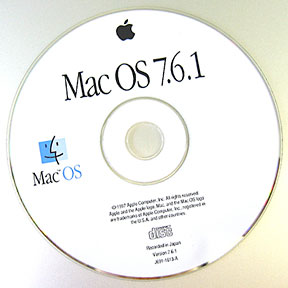 My advice: Go with 7.6.1. It’s fast, stable, and still quite compatible with older software.
Load Up on Memory
Your Quadra (Performa, LC, or Centris) will be your best friend if you treat it to some memory. If you have a Quadra 605, Performa 47X, or LC 475, try to upgrade memory to at least 20 MB (that requires one 16 MB 72-pin SIMM on these models). If it is your main computer, or you have a bit more cash, go for the full 36 MB (with a 32 MB SIMM). Your computer will thank you for it.
If you have a 610 or 660AV, upgrade the RAM to at least 36 MB if you can afford it. You can do it two ways, you can use two 16 MB 72-pin SIMMs, or one 32 MB SIMM (both models have 4 MB built in). I would suggest the 32 MB SIMM path, in case you want to upgrade the RAM in the future.
If you have a Quadra 650 or 800, you can upgrade it way up to 136 MB. I recommend an upgrade to 40 MB, using either one 32 MB 72-pin SIMM (recommended), or two 16 MB 72-pin SIMMs. If you can afford to upgrade it to 136 MB, by all means do so!
If you have a Quadra 700, you will be using 30 pin SIMMs for your upgrading. You can upgrade it all the way to 68 MB. However, half that should be sufficient.
If you have a Quadra 900 or 950, you can upgrade the RAM, using 30 pin SIMMs, up to 256 MB!
The Quadra 650, 800, 700, 900, and 950 all come with NuBus slots. There are an endless amount of cards to fill up these slots: video cards, ethernet cards (you won’t need these with your Quadra or Centris if it is a 650, 800, 700, 900, 950, 610, or 660AV, they have built in ethernet), DOS compatibility cards, fast SCSI cards, and much more.
Until then, for all you new Quadra-users, I hope your experience with the “Most Powerful Macintosh Ever” is worthwhile. For all those who are hoping to upgrade their machines, I hope your upgrade goes well. For those who don’t have a Quadra, and never knew a thing about Quadras until you looked at Low End Mac, I hope my article has convinced you to look into one.
Keywords: #68040 #quadra #centris
Short link: http://goo.gl/l5k5XE
searchword: 040options
