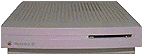
 The LC and LC II are not among the best vintage machines
available, but by performing the right upgrades and running the
right programs, they can be made very useable.
The LC and LC II are not among the best vintage machines
available, but by performing the right upgrades and running the
right programs, they can be made very useable.
The LC and LC II were some of the first Macs able to use
a PC's VGA monitor. If you bought the original 12" RGB or
monochrome monitor, you may want to buy a larger monitor. The fact
that the LC and LC II support 640 x 480 on a PC monitor makes it easy
to find a monitor. Just pick up any old PC monitor, such as a Sony
Trinitron 14" or another VGA compatible 14" monitor. Get a Mac to
VGA adapter from a place like CompUSA; if one of their employees is
in a good mood, he may just give you one for free.
Once you get your monitor hooked up, you might notice you are
only getting 16 colours on the screen. This is because the LC and
LC II came standard with only 256K of VRAM. You can upgrade it to
512K by replacing the 256K VRAM SIMM with a 512K one.
The next thing to do is upgrade the RAM to the 10 MB maximum.
The LC comes with 2 MB on the motherboard, whereas the LC II
comes with 4 MB. There are two RAM slots, right next to the
VRAM slot (the two small slots are for RAM). These slots are for
30-pin SIMMs. To upgrade to 10 MB, install two 4 MB 30-pin
SIMMs. Although on the LC II it seems like you are upgrading to 12
MB, the ROMs limit what can be addressed to 10 of the 12 MB.
There is a wide choice of operating systems for your LC or LC
II. The LC and LC II shipped with either System 6.0.8L, 7.0, or 7.0.1. 6.0.8L was shipped
in some other countries, since at that time the international
version of System 7 was not ready. The LC or LC II will not boot
with a standard System 6 disk; 6.0.8L is the only version of System
6 that will work with them.
Some LCs shipped with 7.0, but most came with 7.0.1. System
7.0.1 was a bug fix for several models of Macintosh, including the
LC and LC II. It makes no difference if you are running 7.0 or
7.0.1 on a IIx, but it improves the reliability of the LC and LC
II.
If you need your LC or LC II for a simple task such as word
processing, I recommend running System 6.0.8L. It is very fast. If
you need your Mac for the Internet or email, I would go with System
7.1. I wouldn't use 7.0.1• (• is with the tune up) since
most semi-modern internet applications will not run on anything
before 7.1. This includes FreePPP, which is one of the best PPP
connection tools for older Macs. It is almost essential for getting
on the Internet with an older Mac.
For word processing, try to install something that is not as
processor demanding as most of the newer programs are. Good choices
would be ClarisWorks 3.0, WriteNow 3.0, MacWrite/MacWrite Pro, or
early versions of Microsoft Word
(4.0-5.1a). Don't use Word 6 on an
LC or LC II; the computer can't handle it, and you will find
yourself facing crashes several times a day.
For email, don't use anything more feature laden than Eudora
3.1.3, or Microsoft Internet Mail and News 1.1. Claris Emailer Lite
1.1v3 works fine as well.
For web browsing, try MacWeb, Internet Explorer 2.1, or Netscape
Navigator 2.0.2. Of course you can use the whole Microsoft Internet
Explorer and Outlook Express 4, but it tends not to work very well
at all on an LC or LC II. Either application uses almost all of the
10 MB of RAM maximum, and the whole combination uses about 30 MB of
hard disk space, whereas most LC and LC II Macs came with 40 or 80
MB hard disks.
If you want to give your LC or LC II a new life, there are a
number of upgrades available, including several from MicroMac, and
even one from Sonnet that includes a 68040 or 68LC040 processor, 32
MB of RAM, and a 10Base-T Ethernet card, all in one upgrade. The
Presto Plus comes at a high
cost though, about US$399.
There is another way to go. Buy a used LC 475 or Quadra 605 logic board, a 32 MB 72-pin
SIMM, and an ethernet card. If you have an original Macintosh LC,
you must replace the speaker/fan assembly with a separate speaker
and fan like that used in the LC II and higher. With the logic
board upgrade, you will get very similar performance to that of the
upgrade card for only about $75, instead of the $399.
If you do decide to go this route, make sure you have System 7.1
with enabler 065 installed on the hard drive of your computer
before you install the new motherboard. You can find information on
what software to run on your new Macintosh "LC" Quadra 605 by
reading Quadras Still Useful.
With a few upgrades, your Mac LC or LC II can last as long as
any other 68030 based Mac.
Editor's note: The LC and LC II can handle huge hard drives, so
the biggest limitation is memory. After you've upgraded to the 10
MB maximum, you can use RAM Doubler on the LC II to simulate 30 MB
of memory. (Alas, the LC doesn't have the memory manager that makes
that possible.) You still don't want to run anything that uses more
memory than you have installed, but it does make it possible to
have more programs in memory at the same time.
Also, it should be noted that LCs and LC IIs are dirt cheap
these days. You may pay more for a mouse or keyboard than for the
computer itself. These are great little email and word processing
machines. They even play some games well.
Low End Mac is an independent publication and has not been authorized,
sponsored, or otherwise approved by Apple Inc. Opinions expressed are
those of their authors and may not reflect the opinion of Cobweb
Publishing. Advice is presented in good faith, but what works for one
may not work for all.
unless otherwise noted. All
rights reserved. Low End Mac, LowEndMac, and lowendmac.com are
trademarks of Cobweb Publishing Inc. Apple, the Apple logo, Macintosh,
iPad, iPhone, iMac, iPod, MacBook, Mac Pro, and AirPort are
Additional company and product names may be trademarks or
registered trademarks and are hereby acknowledged.
: We allow and encourage links to
any public page as long as the linked page does not appear within a
frame that prevents bookmarking it.
Email may be published at our discretion unless marked "not for
publication"; email addresses will not be published without permission,
and we will encrypt them in hopes of avoiding spammers. Letters may be
edited for length, context, and to match house style.
: We don't collect personal
information unless you explicitly provide it, and we don't share the
information we have with others. For more details, see our



