Low End Mac Reader Specials
TypeStyler For Mac OS X is Now Shipping! Download The Free Fully Functional 60 Day Tryout at www.typestyler.com
OWC: Plug & Play Hardware RAID up to 8.0TB. High Performance, Data Redundant Solutions. FireWire 800, FireWire 400, USB2, or eSATA. Hot Swappable Bays, Data Rates over 200MB/s. Click here
Don't install Parallels to play poker online! Poker Mac will show you how
to download and install a native Mac poker application such as Full
Tilt Poker Mac.
Laptop Hardware Provided by TechRestore - Overnight Mac & iPod Repairs.
Compare products like desktop computers, apple laptops, apple macs, and LCD Monitors side by side! All the information and reviews to make the best purchasing decision for new mobile phones, sat nav systems, or MP3 players. The Ciao online shopping community makes searching products easy for you.
Mac Spectrum
Hacking a WiFi PC Card to Work in Apple's AirPort Card Slot
- 2009.04.21 - Tip Jar
Popularity: ![]()
![]()
![]()
![]()
![]()
I first started looking into the AirPort (802.11b) alternatives when a friend of mine had a slot-load iMac G3 and the original AirPort Card was the only option - other than USB dongles - to go wireless. Original AirPort Cards are expensive nowadays. Ever since Apple stopped selling them, there are less and less of them around - and everyone wants them.
As a way to make a Mac wireless, AirPort is superb in every way. Newer Macs use AirPort Extreme (802.11g) Cards, which are still sold by Apple, and more recently Apple has implemented the next stage in its latest range of Intel machines, 802.11n.
The guy over at Geek Technique took a further look into what the original AirPort Card was made of. Apple's AirPort Card is basically a repackaged Broadcom-based PC Card. (See WiFi PC Cards Compatible with PowerBooks for a list of cards that includes chipset information.)
With that information, it is easy to see a cheaper alternative. Geek Technique found that the Orinoco Silver range of 16-bit PC Cards were exact matches for the original AirPort Card. To prove this, they fitted a stripped down Orinoco Silver card into an iBook G3, and it worked. (I have tried the exact same iBook and card, and I could not get the keyboard back in place in a usable fashion.)
There are a number of Orinoco cards. There are Bronze, Silver, and Gold. There are also Classic and Combo cards. Intrigued by this, and with my ever growing taste for hacking hardware, I decided to give it a go.
What I found interesting was that while the Orinoco Silver card worked in the AirPort slot in my 400 MHz PowerBook G4, it would not work in the PC Card slot. While the AirPort and Orinoco Silver cards are the same, there is something about the AirPort slot that is obviously different.
There are a number of machines that accept the original AirPort cards:
- PowerBook G3, 400 & 500 MHz (Pismo)
- Titanium PowerBook G4, 400 MHz to 1 GHz
- Clamshell iBook G3, 300 to 466 MHz
- Dual USB iBook G3, 500 to 900 MHz
- 2002 eMac G4 700/800 MHz (this is the original eMac before the ATI Graphics)
- iMac G3, 350 to 700 MHz, AirPort Card adapter required
- iMac G4, 700/800 MHz
- Power Mac G4 with AGP graphics, but not the FireWire 800 Power Mac G4
- Power Mac G4 Cube
While Geek Technique installed this AirPort hack into an iBook, I tried it in an iMac G3. Here's how:
- First off, lay a soft cloth out, put your Mac face down, and undo
the access door on the back.
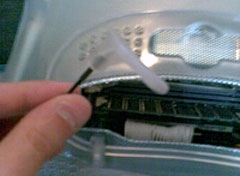
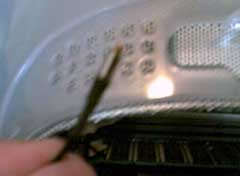
- Just above the RAM slots you will see a little white plastic tab -
pull it out.

- Remove the cover off the antenna - just pull it.

- Remove the little silver card restraint from the AirPort bracket.
This will give your new card a little more room to move.
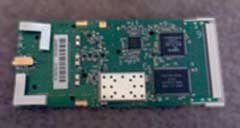
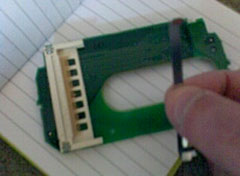
- This is your stripped down PC Card. We are going to use it in place
of an original AirPort card.
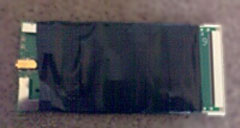
- Cover it in insulating tape to prevent any metal touching where it
shouldn't. Leave the antenna connector and the PC Card connector end
free from tape.
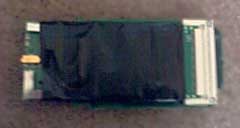
- Simply slide the taped up card into the AirPort bracket. It will
only fit one way, so do not force it, if it is tight, turn it
over.
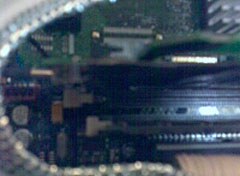
- This is the tricky part. Push the bracket with the card installed into the two white rubber grips just above the RAM slots. Make sure it is fully home - you will know because the bracket will click into its connector. You may need to squeeze the card into place.
The awkward part is that the hacked card is longer than the Apple AirPort card. To ensure that the card fits properly, you need to squeeze it in between the top RAM slot clip and the bottom of the left-hand AirPort bracket. Once installed correctly, you will have no problems.
Please note: I tried this in a PowerBook G4/400 MHz, Power Mac G4/400 MHz 'Sawtooth', and a G4 Cube. While the card worked, the length of the card means it will not install without sticking out by an inch, so you cannot put the machine back together in a usable fashion.
Also note that this may only work with Broadcom-based PC Cards. If
you want to attempt this with other hardware, you do so at your own risk.
Recent Columns by Simon Royal
Royal also has his own Mac specific website.
- A Place for the Classic Mac OS in the Age of Snow Leopard, 10.19. Mac OS 9 has been out of production for nine years, but for basic tasks, such as word processing and email, it provides plenty of power.
- Adding USB 2.0 to a Titanium PowerBook G4, 08.20. TiBooks have built-in USB 1.1, but with a compatible USB 2.0 CardBus card, you can go 2.0. Problem is, not all cards work.
- 'Snow Leopard' and the End of PowerPC Macs, 08.14. Mac OS X 10.6 will be the first version of OS X without PowerPC support. That marks the beginning of the end for G4 and G5 Macs.
- Lombard, the Forgotten PowerBook, 05.06. Sitting between the legendary WallStreet and the widely known Pismo, Lombard provides great value and handles OS X nicely.
- More in the Mac Spectrum index.
Links for the Day
- Mac of the Day: Power Mac 4400, Nov. 1996 - Apple does cheap to compete with clones - and nobody is impressed.
- Group of the Day: Puma List is for anyone using Mac OS X 10.1.
- November 7 in LEM history: 00: PowerBook Lite dreams - Our first Macs - 01: OS 9, OS X, or Linux? - 02: Xserve for the classroom - 03: Panther on slot-loading iMacs - High capacity Lombard/Pismo battery - 05: Clean keyboard residue from laptop screen with ROR - SeaMonkey - 06: Dan Bricklin, inventor of the spreadsheet - Turn any Mac into a gameshow buzzer - 07: The transforming PowerBook 1400 - PowerBook 540 on Compact Flash
- Support Low End Mac
Recent Content on Low End Mac
- Quad-Core CPU Makes Sense in MacBook Pro, OS X 10.6 Causing Overheating, Overseas Power, and More, The 'Book Review, 11.06. Also Late 2009 MacBook reviewed, how to add RAM to new MacBook, 18.4in Acer notebook used Intel i7, and SanDisk SSD chosen for Sony VAIO X.
- Dumping Macs for Google Apps, SSD in iMac, Late 2009 iMac Performance Problems, and More, Mac News Review, 11.06. /newsrev/09mnr/1106.html
- WiFi Paranoia, iMac-O-Lantern, Magic Mouse Does Click, Free Clipboard Managers, and More, Charles W. Moore, Miscellaneous Ramblings, 11.05. Also strange time stamps, problem with ColorIt on Intel Mac, and the story behind OS X 10.5.4 install discs.
- IDE Is Dead; Long Live SATA!, Dan Knight, Mac Musings, 11.04. SATA has displaced parallel ATA. While IDE hard drives haven't disappeared, the best deals are in SATA hard drives.
- QuickTime X in Snow Leopard Imports, Trims, and Publishes Video Quickly and Easily, Alan Zisman, Zis Mac, 11.04. The long, slow process of importing video into iMovie to edit it, then render it to another format, is history as QuickTime X does that much more quickly.
- More links in our archive.
Recent Deals
- Best Mac Pro Deals, 11.03. Used 2.66 GHz 4-core, $1,300; 3.0 8-core. $2,299; refurb 2.66 4-core Nehalem, $2,149; 2.93, $2,549; 2.26 8-core, $2,799; 2.93, $4,999.
- Best iPhone Deals, 11.03. New 8 GB iPhone 3G, $$99; refurb 16 GB 3GS, $149; new, $199; 32 GB, $299.
- Best 12" PowerBook G4 Deals, 11.03. Used 867 MHz SperDrive, $348; 1 GHz, $499; 1.33 Combo, $298; SD, $559; 1.5 Combo, $448; SuperDrive, $589.
- Best Power Mac G3 and PCI Video Card Deals, 11.02. Used beige 300 MHz, $25; G4/366, $49; blue & white 350, $80; 400, $90; 450, $105; PCI video cards from $15; shipping additional.
- Best Power Mac G4 and AGP Video Card Deals, 11.02. Used 400 MHz, $50; 733 MHz, $69; 933 MHz, $209; 1.25 GHz dual, $299.
- Best 15" MacBook Pro Deals, 11.02. Used 2.0 GHz, $800; 2.2, $900; 2.4, $1,000; refurb 2.53, $1,449; 2.66, $1,699; 2.8, $1,949; 3.06, $2,169; new 2.53, $1,579; 2.66, $1,799; more.
- Best Mac mini Deals, 10.30. Used 1.33 GHz G4 mini, $379; 1.42, $389; 1.5, $419; 1.83 GHz Core Duo, $350; Core 2, $439; new 2.26 GHz nVidia, $580; 2.53 GHz, $770; Server, $990.
- Best G4 iBook Deals, 10.30. Used 12" 1.07 GHz Combo, $225; 1.33 GHz, $298; 14" 1 GHz, $349; 1.33 GHz, $398; 1.42 GHz SuperDrive, $498.
- Best Classic Mac OS Deals, 10.30. System 6.0.8 floppies, $10; 7.1, $12; 7.5, $20; 7.5 CD, $4; 7.6 $13; 8.1, $11; 8.5, $20; 8.6, $90; 9.0, $20; 9.2.2, $30.
- More deals in our archive.
About LEM | Support | Usage | Privacy | Contacts
Navigation
Used Mac Dealers
Apple History
Video Cards
Email Lists
Favorite Sites
MacSurfer
MacMinute
MacInTouch
MyAppleMenu
InfoMac
Macs Only!
The Mac Observer
Accelerate Your Mac
RetroMacCast
PB Central
MacWindows
The Vintage Mac
Museum
DealMac
DealsOnTheWeb
Mac2Sell
ramseeker
Mac Driver Museum
JAG's House
System
6 Heaven
System 7 Today
the pickle's Low-End
Mac FAQ
Abandonware
Petition
Mac vs. PC Info
Affiliates
The Apple
Store
Mac
Connection
B&H
MacMall
TechRestore
ExperCom
Crucial
Memory
batteries.com
Advertise
MacMinute
MacInTouch
MyAppleMenu
InfoMac
Macs Only!
The Mac Observer
Accelerate Your Mac
RetroMacCast
PB Central
MacWindows
The Vintage Mac
Museum
DealMac
DealsOnTheWeb
Mac2Sell
ramseeker
Mac Driver Museum
JAG's House
System 6 Heaven
System 7 Today
the pickle's Low-End
Mac FAQ
Abandonware
Petition
Mac vs. PC Info
Mac Connection
B&H
MacMall
TechRestore
ExperCom
Crucial Memory
batteries.com