Why are some computers more reliable than others?
This is a question that has bothered me over the years and for
which there are very few answers - and considerable
speculation.
I'm not a technician or programmer, so here goes my attempt at
speculation, which - while not scientific in any way - is the
result of over 25 years of using and often fighting with
computers.
First off, I've noticed two arguments when it comes to computer
reliability. One, which is an entirely logical argument: The more
complex a given system, the more likely it is to have reliability
issues. The other, also based on logic but also on the variable of
quality: The less you spend, the more likely you are to have
problems.
...device drivers are the real factor in whether
a machine will be rock solid or make a great paperweight.
I'll look at these two arguments separately and then look at
specific computers that I've had over the years - and why neither
of these arguments, in my opinion, dictates how reliable a given
system will be. Rather, the quality and maturity of device drivers
are the real factor in whether a machine will be rock solid or make
a great paperweight.
Increased Complexity
As computers incorporate additional features, there are simply
more things to go wrong with them. Back in the early days of
laptops, I kept having modems fail and trackball rollers gum-up in
my PowerBook 145B. This was an
issue of complexity. An internal modem on a laptop was amazing
technology when the PowerBook 145 was introduced in 1991, and even
though my 145B was made in 1993, it used the same troublesome 2400
baud modem that early users complained about.
The trackball was simply a mechanical device that accumulated
dirt and required frequent cleaning, but to someone used to DOS
desktops which had no mice, a stuttering trackball was often
mistaken for a hardware problem instead of a simple maintenance
issue.
Computers have grown far more complex, with DVD writers,
wireless network cards, Bluetooth, and gigabytes of memory. As that
complexity has increased, so has the failure rate.
In 1993, it was almost unheard of to have a bad pixel on a
laptop screen, but with today's high resolution panels it is
considered lucky to not have at least one, with most
manufacturers having "pixel policies" in place that determine how
many bad pixels make for a "defective" screen. Sadly, this number
is almost always higher than 0.
Decreased Cost
The second factor is price, and this is a strange thing to look
at, as a low price can be achieved three ways - two of which
actually improves reliability.
The first way to lower price, at least with laptops, is to
increase bulk. It's a lot less expensive to build an 8 lb. laptop
than a 4 lb. laptop with everything else being equal. In an 8 lb.
casing everything can simply be mounted wherever the manufacturer
wishes, while the sheer amount of case material, however cheap the
plastic, will ensure a reasonably rigid and sturdy enclosure for
those components.
...updated, mature drivers . . .
are the biggest reliability factor.
The second way to reduce cost is to use older technology. A
two-year-old video chipset or processor architecture costs a lot
less than the latest and greatest, even at the low-end, and these
components, while offering less than cutting-edge performance, have
also benefited from bug-fixes and firmware updates during their
production runs, not to mention updated, mature drivers, which I
believe are the biggest reliability factor.
The last way to reduce cost is to specify low-end components
that aren't old leftovers, but rather new items built to a price.
Here the drivers are just as new as on the high-end models, and,
since the components are fitted to mostly low-end models, they
rarely see the driver and production updates that once high-end
(but now outdated) components do.
It's the Drivers
This finally brings me to drivers and why I believe that the
software drivers and firmware written for the many components in
our computers are the key factor in determining how reliable a
given computer will be.
Let's look back at a few of the computers that I've owned over
the years and see how drivers directly affected their reliability,
both when new and as revised drivers were written and made
available.
PowerBook 5300c: Improved with Age
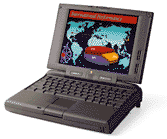
In 1996 I bought an Apple
PowerBook 5300c. This machine came with the much-maligned
System 7.5.2 and was probably the most unstable, buggy computer I
had ever used. It was so bad that it locked up the very first time
I powered it on, not even making it through the process of loading
its factory installed OS and extensions to reach the Macintosh
desktop.
 Fortunately for me,
by the time I bought my PowerBook, Apple had already issued the
7.5.2 "PowerBook Update", which was for the most part of prerelease
of the much-improved System 7.5.3.
Fortunately for me,
by the time I bought my PowerBook, Apple had already issued the
7.5.2 "PowerBook Update", which was for the most part of prerelease
of the much-improved System 7.5.3.
All the instability of that PowerBook could be traced to a
single item in the System Folder called "PowerBook 5300 enabler",
which was the classic Mac OS equivalent of a device driver to allow
the computer's logic board chipset to work on an OS introduced
before the computer was. The system enabler was so buggy and poorly
written (they had a lot of pressure to get things to market
quickly) that most of the 5300's bad reputation (everything except
for power connectors and case plastics) could be traced to that
humble PowerBook 5300 enabler.
With the PowerBook update and later versions of the Mac OS
(8.1 was probably the best
on the 5300), that "extremely buggy" computer was transformed from
one of the least stable, buggiest, and absolute worst computers
I've ever had the misfortune to use into one of the very, very
best. With OS 8.1 that PowerBook would alternate between heavy use
and its very fast and reliable sleep mode for days or even weeks
without a restart. The hardware didn't change, the device drivers
did.
Toshiba Portégé 4000: Great until Windows XP
In the beginning of 2002, I bought a Toshiba laptop, a Portégé
4000, which was a high-end ultraportable model roughly equivalent
to the 12" PowerBook in size and weight, though considerably
slower, due to its older, low-voltage components.
This machine was not designed to be cheap, but to be small and
light. It was meant to run forever on its batteries.
Part of that design was an early version of what is now known as
"vampire video", where a portion of the system RAM is used by the
graphics chipset. This was before the days of Intel's built-in
video, and it used a chipset known as the ALI Cyber Aladdin (made
by Acer), with the graphics portion provided by Trident, a low-end
laptop graphics chipmaker that has since been bought-out, folded,
or otherwise no longer exists. "Vampire video" was generally
offered on budget machines to cut costs - and on road-warrior
machines to reduce power consumption.
The reason I mention this machine is because the drivers for
that chipset vary wildly in quality. The computer came preloaded
with Windows 2000 and a whole slew of Toshiba-provided drivers for
every aspect of that chipset, including modules for sound, AGP (to
enable the graphics), the graphics themselves, and power
management. It worked well, was extremely stable, and, except for
the poor graphics performance, the system was actually very fast
for its time and intended use. Even the lousy graphics performance
was adequate for a machine aimed at business use. 2D application
performance was stellar, and DVD movie playback was also extremely
good - as good as on current laptops when using older decoder
software.
Where things went bad was when I installed Windows XP on that
machine. Yes, there was a whole slew of Toshiba-provided XP drivers
available, and they've even been updated a few times over the
intervening years, but in XP there is a sluggishness in the
system's power management that just wasn't there in Windows 2000.
To make matters worse, the graphics driver produces washed-out
color in XP, instead of the beautiful and vibrant color it shows in
Windows 2000.
The hardware is exactly the same; only the
drivers are different.
The hardware is exactly the same; only the drivers are
different. Better color on the built-in display under Windows XP is
as easy as uninstalling the graphics adapter driver, but then you
also lose power management and most other modern chipset-sourced
features. I own three Portégé 4000s and like them a great deal, but
I won't run Windows XP on them because of the drivers.
The MacBook
My last example is Apple's current MacBook.
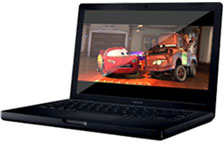
I had a MacBook until last month and was blown away by the
superior design, construction, and speed of this system - when it
worked. I went through three MacBooks and four logic boards, and
I'm convinced that I was revisiting the PowerBook 5300c of a decade
ago.
 Apple now has a firmware update that reportedly
solves the shutdown issues, quiets the mooing cow, and makes the
machines run at sane operating temperatures. Firmware on the
MacBook, like the Windows XP device drivers on the Portégé and the
PowerBook 5300 system enabler in System 7.5.2, caused otherwise
reliable hardware to be unreliable.
Apple now has a firmware update that reportedly
solves the shutdown issues, quiets the mooing cow, and makes the
machines run at sane operating temperatures. Firmware on the
MacBook, like the Windows XP device drivers on the Portégé and the
PowerBook 5300 system enabler in System 7.5.2, caused otherwise
reliable hardware to be unreliable.
So where does that leave the working professional who depends on
his or her laptop? How about the student buying a back-to-school
computer who needs it right now?
Lesson Learned
Simply put, let someone else buy the bleeding
edge.
This is a lesson that I have learned the hard way, twice, and
never again will I go against my own advice (until the next time,
that is). Simply put, let someone else buy the bleeding edge. Be
content with the best of last year. That way someone else can be
Apple's, Toshiba's, or whoever else's beta tester, and I can enjoy
reliable machines with stable, mature drivers and firmware.
My experience with the MacBook was something that I could easily
have prevented by following the lessons I'd learned a decade
ago.
Of course, in an ideal world companies wouldn't have to rush
products like the MacBook and PowerBook 5300 to market before the
software was adequately tested and stabilized. Beta testing would
be done inside the company, and everything in the store would be
reliable right out of the box.
We can dream. 
The MacBook Repair Saga
- MacBook pleases, but two weeks
for repair is excessive, 2006.07.25. The 13" MacBook has
replaced 12" and 15" PowerBooks and makes a very nice Windows
gaming machine, but nobody should have to wait 14 days for Apple to
fix their new computer.
- Icons, status symbols, and the
MacBook, 2006.08.03. The MacBook combined the best of PowerBook
and iBook designs in a fresh new way that's nearly perfect.
- MacBook repair saga: Botched
and botched again, but third time's the charm, 2006.08.07.
After 2 weeks at Apple, the MacBook came back running hotter than
before. The first replacement MacBook ran cooler but had its own
issues. The third MacBook, however, fulfills all expectations.
Andrew J Fishkin, Esq, is a laptop using attorney in Los Angeles, CA.



