Eight years ago, when I was 11, I came across the Lisa Emulator Project. [The site
is temporarily inaccessible as they replace a failed hard
drive.]
I had heard about the Lisa, but I
had never had a chance to use the Lisa Office System (LOS). The
reason was that the emulator project didn't have a working Lisa
emulator, and neither did anyone else - until now.
Ray Arachelian, creator of the Lisa Emulator Project, has
finally created a working Lisa emulator (for more on that, see
Interview with Ray Arachelian,
Creator of the Lisa Emulator).
I, like many others, have been waiting for years for this
emulator to be up and running, so, I downloaded the Lisa emulator,
got a ROM, and found a copy of the LOS, both of which are necessary
for the emulator to work.
I got a copy of LOS 7/7 Version 3.1, installed it on the Profile
disk image, and started up the virtual Lisa.
I'm going to show you several features of the LOS - I made over
a dozen screen shots to help demonstrate.
When you turn the Lisa on, this is the first thing you see:
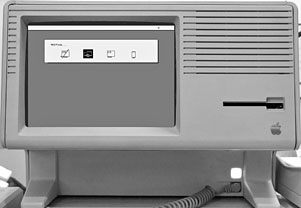
System Test
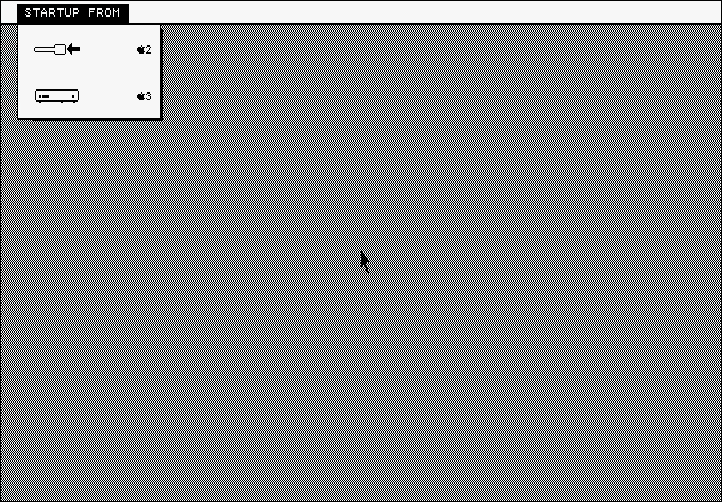
Startup From Menu
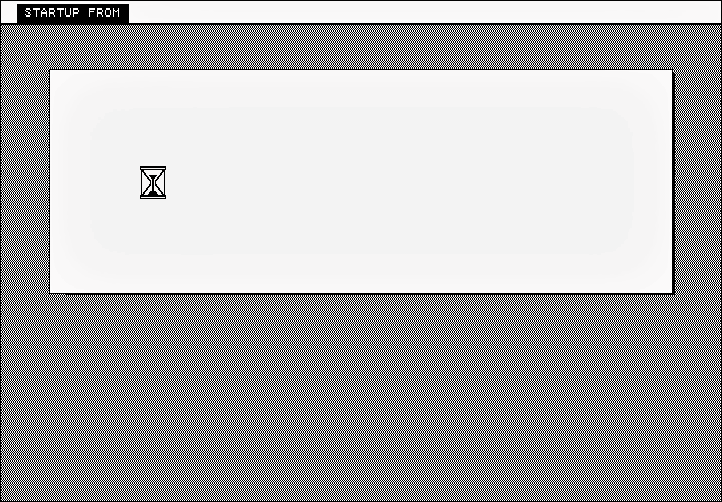
Starting up
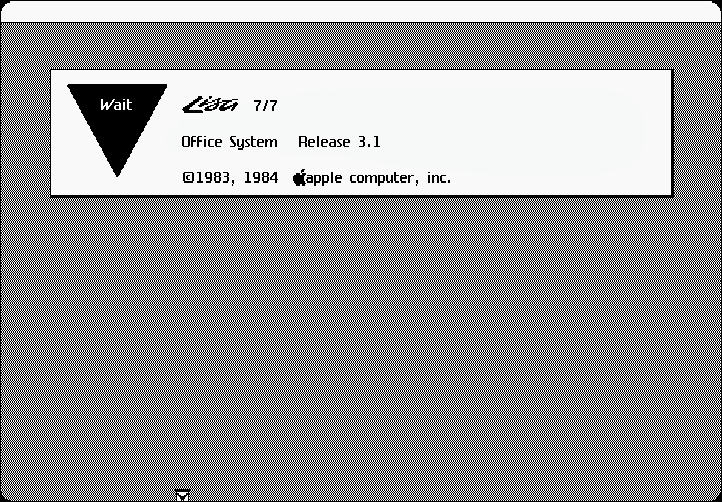
LOS startup dialog box
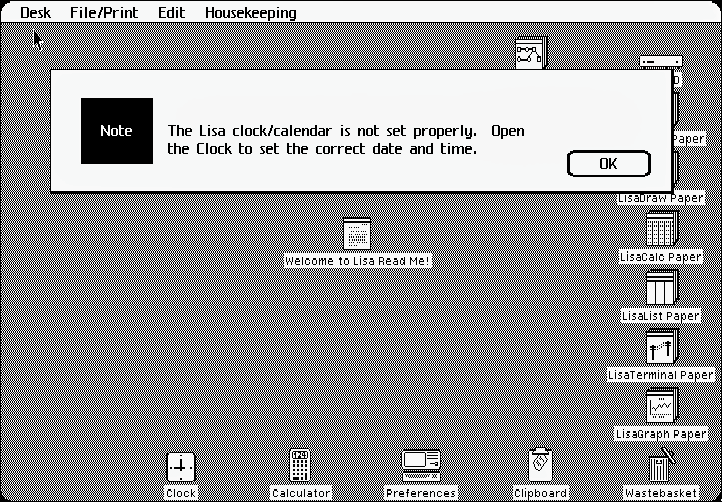
Clock not set
Notice there is one thing that Microsoft didn't steal from the
Mac when they made Windows: the hourglass (the classic Mac OS shows
a wristwatch). No, they stole the Windows hourglass from the
Lisa.
Anyway, you've seen the startup process - now down to
business.
First off, the Lisa really does act differently from other
computers.
For instance, you don't open LisaWrite, LisaDraw, or any other
application, select the type of document you want to make, then
make the document, anhd then save it with a title like you would on any
newer GUI. On the Lisa, you tear off a piece of paper from a
stationary (such as LisaDraw Paper or LisaWrite Paper) by double
clicking on it.
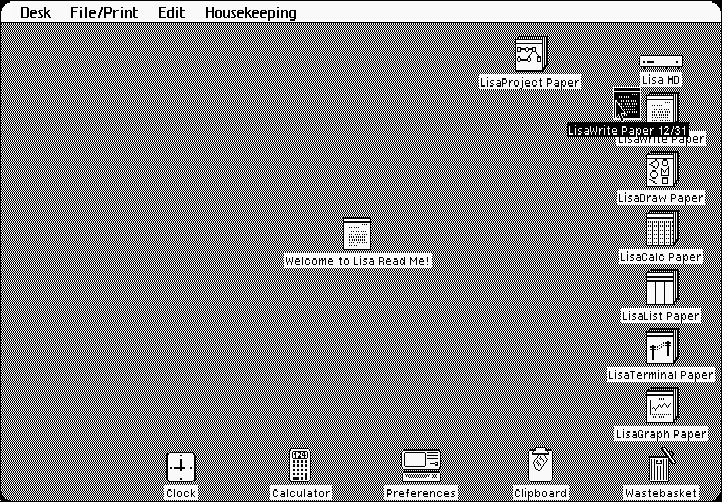
Then you title the piece of paper you just tore off:
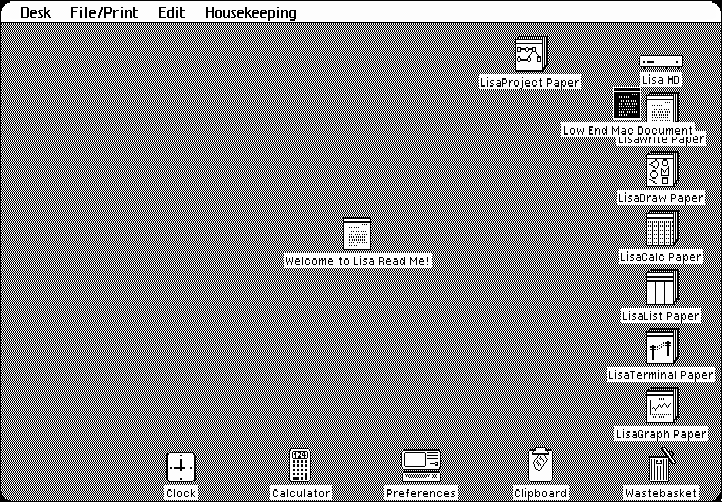
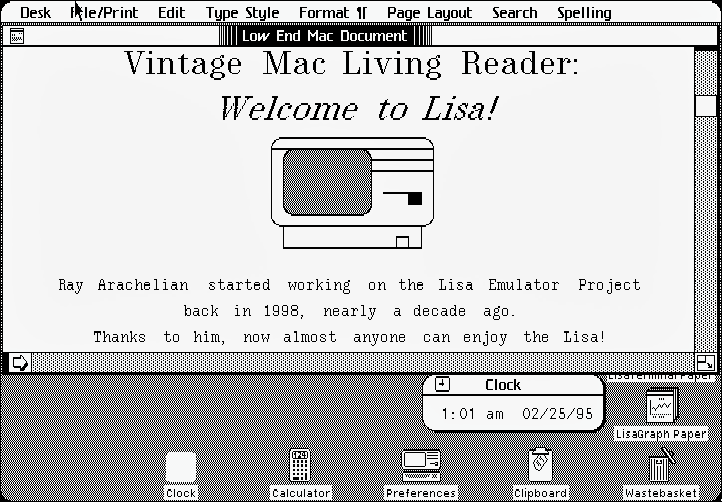
Then you open that piece of paper, and start writing (or
drawing, or whatever)
I wonder why this isn't the way modern operating systems work -
it makes more sense to me.
You might be wondering why I have the clock set to 2/25/95.
Well, the Lisa's clock stopped rolling over in 1995. (At least Lisa
didn't have a Y2K problem.)
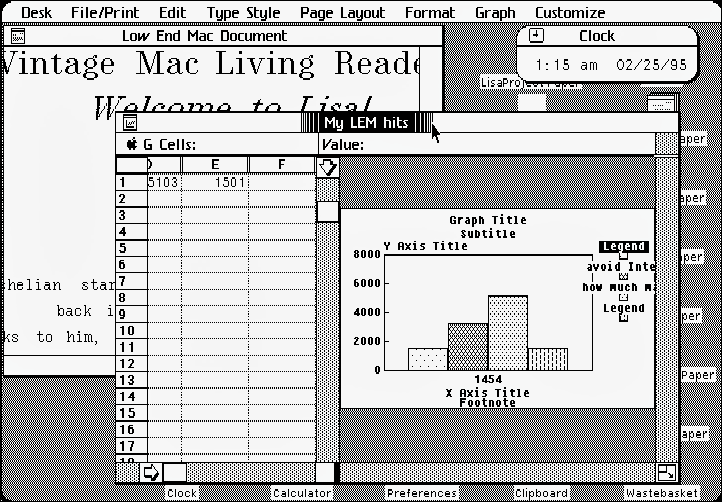
Another thing Lisa had was preemptive multitasking, so you
could hold a menu open and the rest of the system wouldn't
stop.
That's right - preemptive multitasking was a standard feature on
the Lisa in 1983. (It wasn't a feature on the Mac until OS X
arrived in 2001.)
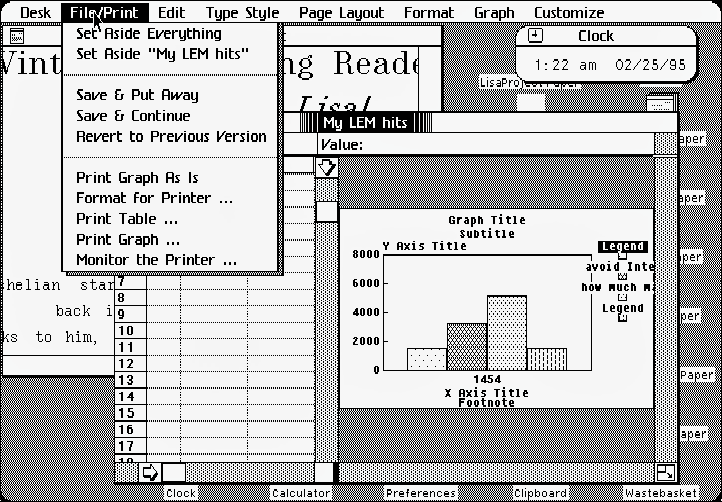
Another thing you'll notice about Lisa is that there is no Quit
option. You can set everything aside, set the document you are
working on aside, Save and Continue, and Save and Put Away, but you
can't Quit.
The reason you can't quit is because all of the programs are
always open. The LOS is totally document oriented.
Another nice thing is that you never have to tell a Lisa to save
something. If you do tell it to save something, it makes a
reference file that you can revert to at a later time.
Say you started working on something last week, and the last
time you saved it was two days ago.
The Lisa keeps track of all of the changes you made since the
last time you saved, so every time you set aside your document, it
updates it without even asking.
But say you screwed something up in your document? You can
simply tell Lisa to revert to the previous version! In fact, the
only reason you would ever want to save anything on a Lisa is so
you could revert to the previous version later on.
Other than the revert feature, there's absolutely no reason you
would ever have to save a document; it's automatic.
Here is another thing I really like: If you have a document open
on a disk and you try to eject that disk, the Lisa will save the
document(s), close them, and only then eject the disk.
This would come in handy if someone (like your boss) gave you
another disk and told you to check it out.
And as soon as you put the first disk you were working with back
in the Lisa, it automatically reopens the document(s) you were
working with just as you had them before you ejected the disk.
The same thing happened when you hit to Power Button.
Even if you have 20 documents open and you hit to Power Button,
the Lisa will save all of them, set them aside, put everything
away, and only then turn itself off.
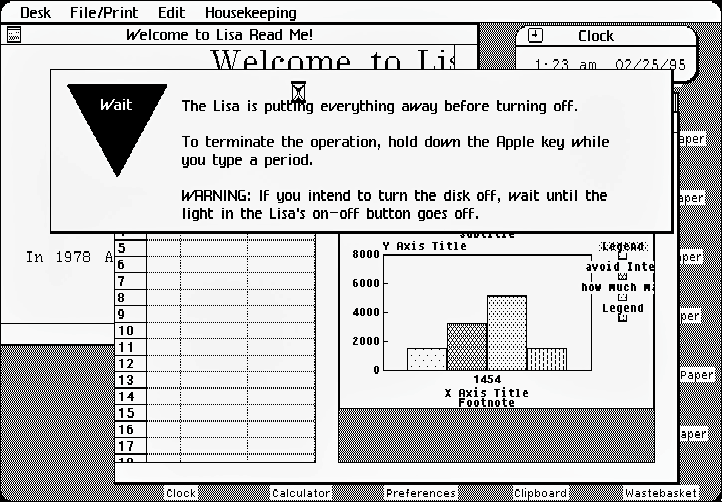
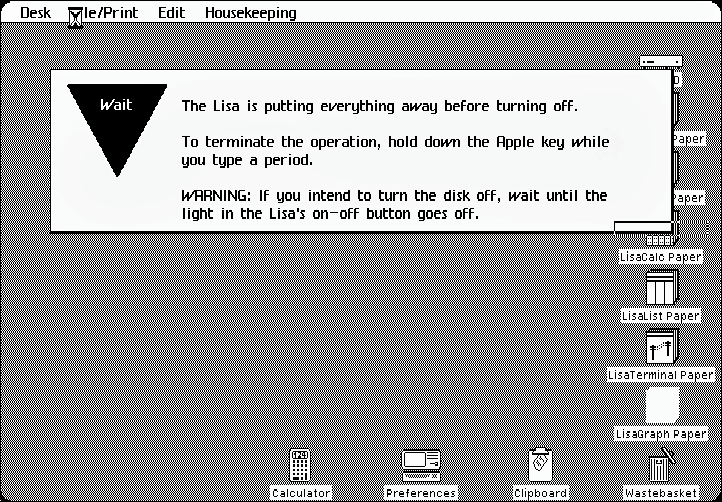
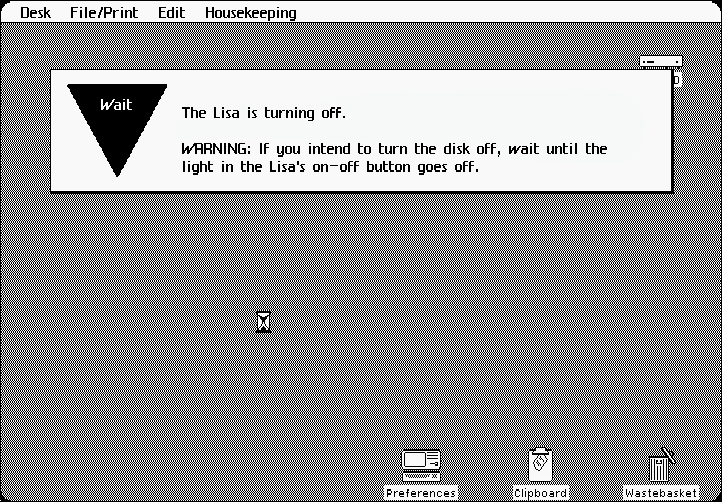
As soon as you turn Lisa back on, it reopens everything and puts
it just like you had it before you turned it off. It works kind of
like Sleep on a Mac, the only difference is all of your documents
are saved.
Another feature I like is when you tell Lisa to duplicate a
file. It creates a flashing icon resembling the file you wish to
duplicate. Before it duplicates the file, you have to drag the
flashing icon where you want it before it duplicates it.
I imagine this was because back in 1983 disk space was limited,
and in some cases you didn't have enough room on the disk to simply
duplicate the file on the same disk.
Another thing that is a little strange - but not when you think
about how things work in the real world - when you drag a program
from one disk to another, once the file is copied, Lisa deletes the
program from the first disk. This may sound strange, but when you
thing about it, when you move a real file from one folder to
another in real life, the file no longer exists in the folder from
which it came.
The Lisa Emulator
You're all probably wonder what the emulator is like. Well, it's
very well designed.
Not only does it emulate the UI, it emulates the entire
computer, including the power light and the disk drives. When you
run the emulator, it really feels like you are sitting in front of
a Lisa!
As of right now, the Windows version is the only version where
the disk drive motor sound and disk animation works, and there is
currently no documentation on the emulator.
There is also a bug in the emulator causing the scroll bar
arrows not to appear in some programs. The same bug causes the Desk
menu to malfunction. (The desk menu is supposed to show all of the
items that are on the desktop.)
However, the only major problem I have with the emulator is it
runs really slow on my 733 MHz G4 (the emulator reports it is
running at about 3 MHz, that's only 3/5 of the Lisa's slow
5 MHz hardware speed). Ray Arachelian assured me that the next
release, due sometime next week, will run much faster on G4
machines.
The Windows version, on the other hand runs pretty fast, so if
you have a Windows machine, I suggest running the emulator on there
for the time being (unless you have a really fast Mac).
Well, I hope you enjoyed your look into the LOS. If you have any
questions or comments, please feel free to email me. And be sure to
stay tuned, because I'm in the process of interviewing Ray
Arachelian so I can share more about the Lisa Emulator Project.

Update: LisaEm 1.2.0 (released 2007.09.23) and later no longer
require a ROM image.
Further Reading
- The Lisa Emulator
Project
- Retro Computing: First
Impressions of a Newly Acquired Apple Lisa, Ted Hodges,
2006.02.14
- The Innovative Lisa, Dan Knight,
Online Tech Journal, 2001.05.31
- A History of Apple's Lisa,
1979-1986, Tom Hormby, Orchard, 2005.10.05
- The Lisa Legacy: Looking Back
on Lisa's 20th Anniversary, Dan Knight, Mac Musings,
2003.01.20
- Lisa,
Wikipedia



