This week we're looking at each of these G3 PowerBooks in turn. As
with all Macs, each has strengths and weaknesses. To simplify things,
we'll typically use the street names Kanga,
WallStreet, Lombard, and Pismo for these 'Books.
For a quick overview of the four lines, see our Guide to G3 PowerBooks.
WallStreet
The original PowerBook G3
(Kanga) was something of a stopgap. Six months after it was
release, Apple unveiled a family of laptops, the PowerBook G3 Series. These
models used a whole 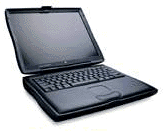 new motherboard designed around a 66 or 83 MHz
bus, vs. 50 MHz on Kanga, and supported two batteries for well over 5
hours of untethered power in the field.
new motherboard designed around a 66 or 83 MHz
bus, vs. 50 MHz on Kanga, and supported two batteries for well over 5
hours of untethered power in the field.
Commonly known as the WallStreet models, the G3 Series was available
in three CPU speeds: 233, 250, and 292 MHz. The two faster models has a
512 KB level 2 cache; the 233 MHz one didn't, which reduced
performance, earned it a Road
Apple rating, and led to it being called MainStreet (as opposed to
WallStreet) for its pedestrian performance.
There were also three different display options: 12.1" 800 x 600,
13.3" 1024 x 768, and 14.1" 1024 x 768. There were some real problems
with the ribbon cable between the 13.3" screen and the computer's base,
so this one is probably best avoided on the used market.
By default the entry-level model came with a 2 GB hard drive,
which is slow and small by modern standards. The midlevel model doubled
that, but that 4 GB drive is also slow and undersized today. At
the top, the 292 MHz WallStreet had a 6 GB drive, which is also
slow but just might be large enough to hold onto.
Series II
Three months after introducing WallStreet, Apple updated the line.
They dropped the 13.3" screen completely, eliminated the 83 MHz bus,
and made the 14.1" display standard on all but a special edition of the
233 MHz model.
Speeds were simplified to 233, 266, and 300 MHz, and this time the
low-cost model had a level 2 cache, making it much more efficient than
the MainStreet "Road Apple" version it replaced.
Where the floppy drive had been standard with Series I, it became
optional with Series II.
The 12" WallStreet 233 sells for around US$300 on
eBay these days, the 14" for around $350 and the 266 MHz for around
$400. This varies with the configuration and condition of the
machine.
Upgrades
All versions of WallStreet can support 512 MB of RAM, which is a
huge step up from the 160 MB ceiling of the Kanga. The G3 Series has
two memory slots, and with 128 MB modules selling for as little as $19
and 256 MB as cheap as $46, there's no reason in the world not to have
at least 160 MB (32 MB stock plus a 128 MB upgrade) in one of these
today.
Today's 5400 rpm hard drives, especially the ones with 2 MB and
8 MB caches, can seemingly double hard drive performance. I put 20
GB in my PowerBook G4 last year for about $100, and prices are even
better today. If you can afford it, skip right past the 4200 rpm drives
to the faster ones.
Got plenty of memory and a fast hard drive - and it's still not
enough speed? Consider a processor upgrade. Sonnet's Crescendo/WS
comes in 500 MHz G3 and G4 versions that include a 1 MB level 2
cache. Price is $300 for the G3, $400 for the G4.
PowerLogix makes the BlueChip
upgrade, which also offers a 500 MHz G4 with a 1 MB L2 cache for
$400.
Mac OS X
The stock WallStreet is a competent performer under the classic Mac
OS, but OS X is far more demanding. WallStreet's two biggest
drawbacks are ancient video technology with minimal hardware
acceleration under X and the need to partition any drive larger than
8 GB before you can install and boot from OS X.
If you want to use OS X on a WallStreet, you want no less than 192
MB of memory - and more is always better. Give OS X lots of
breathing room for best performance. At today's prices, a pair of 128
MB modules for $38 plus shipping should be affordable, and if you can
swing $92 plus postage for two 256 MB modules, even better. OS X
loves lots of free memory.
Regardless of what Apple says, you need a hard drive no smaller than
4 GB, and that's really pushing it once you have some applications
installed and need to run the 10.3 updater that's bound to show up
someday. At a minimum, I'd say a 10 GB hard drive with a first
partition of 8 GB or less for OS X and the remaining space
for the classic Mac OS, your favorite utilities, etc. And ante up for a
5400 rpm drive if possible - because virtual memory is always active in
OS X, you don't want the hard drive slowing you down.
Unless you've already done most of the other upgrades, it hardly
makes economic sense to drop a $300-400 CPU upgrade into a computer
worth $300-400 on the used market. But if you've got the RAM and
faster, larger hard drive, then it might make sense to look at the fast
500 MHz G3 and G4 upgrades.
Failings
There have been sporadic field reports of WallStreet death under Mac
OS X. Whether that's due to old age as they approach five years of
use or OS X putting additional stress on the machines remains
unknown. Here are some field reports:
I don't know how widespread the problem is, but it seems much less
common than the well documented hinge problem. You can learn a lot more
about it by searching for wallstreet and hinge on Google.
And here's a nice
tutorial on how to fix the problem if you see it.
Conclusion
WallStreet is the oldest PowerBook that supports OS X, but the
outdated video chips and 8 MB partition issue make it less than
ideal as an OS X machine. It's a competent machine, don't get me
wrong, just underpowered.
For the classic Mac OS, if you don't mind the 7-8 pound weight, it's
got a lot going for it. If you're willing to travel without a floppy,
CD-ROM, or DVD drive installed, you can get 5-7 hours of life with a
pair of fresh batteries. Avoid the Road Apple cacheless 233 MHz version
and you'll have a very nice classic Mac OS computer, either as a field
machine or even as a primary computer.
WallStreet is very upgradable, much more so than Kanga, making it a
pretty good buy either as it comes for $300-400 or as something that
can grow with you for a couple of years as you have the finances for
more upgrades.
As with the beige Power Mac G3, WallStreet
is a transitional model. Although both support OS X, antiquated
video and the boot partition issue make both good choices - but not as
good as the models that replaced them. Both are very good buys,
especially at today's prices, but not quite best buys if you plan on
using OS X.
Of course, it's also a matter of what your budget can handle. With a
good solid design and plenty of upgrade potential, as long as you're
aware of a few limitations before you buy, I think you can find real
happiness with a nice used WallStreet. I know my third oldest son has,
and my wife loved hers (until it met the insides of a can if Diet
Coke), especially if you stick with the classic Mac OS.
Let's call WallStreet a very good buy with the classic Mac OS, but
less so with OS X.
Tomorrow we'll look at Lombard and determine whether it's a better
value. 



