
1999 – Occasionally you just stumble into a job that gets bigger and bigger the more you look at it. I’d airily made a promise early last summer to help our school’s technology coordinator clean up the machines in our two elementary computer labs. “It shouldn’t be too difficult,” I thought, “just wipe the drives, install everything to one machine, and make an installer boot CD to do the rest.” I really should have known better.
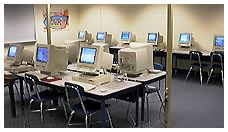 I’d had an inkling of the condition of the lab machines the previous year, when my teaching assistant was pulled out of my class once a week to supervise the lab for a class period. Often, some of the machines were reluctant to boot, and she’d need help to get them up and running. I found renamed hard drives, files with random or no characters in the name, and the occasional malicious renaming with words that no kindergarten through 6th grader should know. All of the machines appeared to need a PRAM battery replacement.
Both the “evil NT techie” and I got busy toward the end of summer, and it just never happened. It turned out to be just as well, as the intermediate lab was turned into a sixth grade classroom and its complement of LC 5200s went into storage until they could be refitted for placement in classrooms.
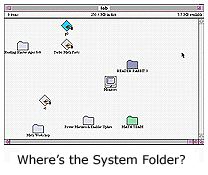
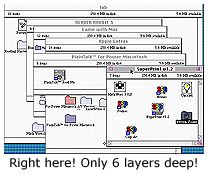
During the first week of school, we discovered that the remaining lab, the primary grades’ computer lab, was a total disaster. It contained a mix of LC 5200/75s and Power Mac 6100/60s. Some of the machines were protected with At Ease, while others presented kindergarten through third graders with the standard Macintosh Finder. I guess somewhere I’d learned that all you really need in a System Folder are the System, Finder, and, if necessary, an enabler file, for a Mac to boot. Upon checking the unprotected machines, I was continually amazed the things would even fire up with the renaming and dismemberment of System Folder items.
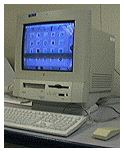 A little deeper check revealed that the LC 5200s had either 12 or 16 MB of RAM each, instead of the expected 24 MB, while the Power Mac 6100s had only the 8 MB soldered to the motherboard! Obviously, every license of RAM Doubler we had available was going to be in use. The only bright light, if you can call it that, was that we wouldn’t have to discard SIMMs from the 6100s if we could eek out the funds for RAM upgrades.
While this sounds a bit negative, I am really thankful for the machines we have. Many folks out there are running Mac labs with far less in the way of hardware. Reader Jim Crittenden had written me this fall about his Kayenta Middle School Mac Museum, running the following assortment of Macs: SE/30; IIfx; IIsi; IIci; IIvx; several LC IIIs; several LC 520s; two LC 575s (oooh, I love that one); two Quadra 700s; Quadra 660AV; Quadra 800. In all, he has 27 vintage Macs up and running on Ethernet and online, served by a Power Mac 5200/75 on AppleShare 3.0. Way to go, Jim!
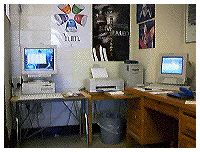 Rather than try to clean up individual machines, we quickly agreed upon a game plan of properly setting up one computer of each type, making a self-mounting disk image (.smi) of the hard drive contents, and burning a bootable CD. We’d run a lean and mean version of Mac OS 7.6.1 in case the RAM upgrades didn’t materialize and selected software to match.
We plucked an Ethernet equipped LC 5200 from storage to use as the lab dummy, as we already had most of the needed files on the MacServer, which now sits beside my desk in my classroom. I never did get the DaynaPort Ethernet to install properly, but I got a good enough take so that we had local AppleTalk access to the server.
After reformatting the drive of the 5200, we transferred the files from the server, and installed others from the server, floppies (yes, Steve, floppies really are still necessary!), and CDs. The “final” install was of At Ease. Using Pete Mellows’s FileSmiler, we created a self-mounting image of the drive contents and transferred it over the network to my Mac IIfx to which the CD burner is connected.
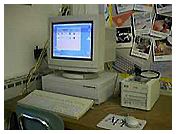 Our learning curve was just beginning! While the Corel CD Creator software had worked on my G3 at home during a summer test and worked for the techie on the 8550 server, it wouldn’t launch from my upgraded 7500/G3. Since my primary use for the old JVC CD burner was to give our Mac IIfx a CD drive, I decided to burn the CDs from that machine. Surprise! Duh! A self-mounting disk image created on a Mac OS Extended (HFS+) formatted disk will be an HFS+ disk image. The 68K Mac IIfx running on System 7.6.1 wasn’t able to open the image. We also discovered that the Corel CD Creator software we were using couldn’t read many regular disk images or wouldn’t write them to the CD. In addition, it wouldn’t create a bootable CD!
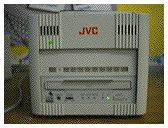 On to plan B. We transferred the files to the IIfx and burnt our CD with uncompressed files and some extra utilities. Since we never did get a proper boot disk, we booted from the 5200s original startup CD, transferred a usable system, restarted, renamed the system, and dragged the contents of the CD to each machine – when the CD drive worked! In a few other cases, we transferred files over the network to the hard drive, using a Zip boot disk to start the machines. But – and there’s always a but – this involved lugging the machines to my classroom, as the old lab didn’t have any network connections! The lab that was converted to regular classroom use had had all of the Ethernet wiring in it.
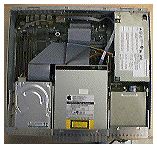 We repeated the task with the Power Mac 6100s, which proved a bit trickier to do. The 6100s have been in near-constant service for many years and are extremely tired. Besides cleaning out some dust bunnies rhinos, we did some serious cannibalizing of RAM, hard drives, floppy drives, and CD-ROM drives. In a perfect world, we’d slap some inexpensive 1 GB drives into them, cough up some major bucks for G3 cards, and pop each one up to 72 MB of RAM.
We are hoping to get a couple of 4 MB chips for each 6100 to bring them to a passable 16 MB of RAM each. The 5200s will also go to 16 MB. Fortunately, both the 6100 and the 5200 use 72-pin SIMMs, so we can swap 4 MB chips out of the 5200s into the 6100s.
Having spent all this space describing what we’ve done and plan to do, we now get to the real challenge of the exercise: Software on a budget. We’re fortunate to have site licenses for a number of programs at my school, including ClarisWorks 4, SpellTutor 1.2, Math Stars 4, HyperStudio, Reader Rabbit 2 & 3, SpellBound!, and a few others. Unfortunately, the lab will be used mostly for kindergarten through 2nd graders.
A very talented and wise group of teachers have invested PTO and personal funds in many CDs, which considerably eases software demands. I frequently see our primary teachers with a book bag full of Mac CDs headed for the lab with their class! With that kind of help, we needed to leave hard drive space for the CD installs, but also provide a good base of programs for those without CDs.
While challenging due to budget constraints, selecting the software for the lab Macs turned out to be the most interesting and enjoyable part of the whole exercise. Elementary school teachers are basically scroungers and pack rats, always looking for a freebie. I’m not any different, and I set about finding some good freeware and inexpensive shareware to flesh out the basic hard drive set of applications. Two great places to hunt for cheap software are Grace Sylvan’s Kids’ Domain and Xoom.com’s Old Mac Games.
ColorIt! 2.3.4, the poor man’s Photoshop, was an immediate choice for the graphics folder. I’ve already seen several students using ColorIt!’s patterns with text. The smiley face and rainbow patterns seem to be favorites so far. Our copy of ColorIt! came from the Macworld Mac Secrets CD. NIH Image also helped make the graphics folder look a little less barren.
There always seem to be more math shareware and freeware than in reading. We chose the “virtual” freeware Math Flash Bash (78K) to go with Math Stars 4, Time Teacher and Be Fruitful and Multiply (314K).
The Just Games” folder was easy to fill. Snake Byte, Bert, Board Games, GNU Chess 4.0, Josh’s Apple Game (189K), PhrazeCrazePlus, and MacCheckers pretty well took care of business there.
The two biggest student favorites so far in the “lab refit” have been a couple of programs for which we just had two or three licenses. Amazing Animation is getting rave reviews from the kids who get to the machines that have it. ClarisWorks for Kids is also getting a lot of traffic, but it takes 125 MB of hard drive space for a full install and still carries a $49 education price!
While that’s not an awful lot of software, it’s enough to get us by until the Software Fairy again visits our school corporation. And the next time the techie hints at needing just a little help, I’m gonna run and hide somewhere!
Short link: http://goo.gl/WtGO2g
