"Why in the world would I want a freestanding spell checker?"
you might ask. "My word processor has a perfectly good one, doesn't
it?"
Well, it probably does. However some other programs that you
compose text in may not have built in spell checkers, such as text
editors (like Tex-Edit Plus and
BBEdit Lite, Apple's SimpleText) and
some email programs. You will also find that a powerful,
freestanding spell check program like SpellTools
offers powerful features likely not supported by the built in spell
checker in your word processor.
I've discovered that Tom Bender's wonderful little text editor,
Tex-Edit Plus, can handle about 95 percent of my word processing
requirements and is quicker and more nimble than any word
processor. For the sort of writing I do, Tex-Edit Plus has pretty
well all the features I require, except one - a spell checker.
SpellTools 1.3.3/1.4 is a wonderful spell check program that is
currently freeware - more or less. 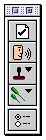 Developer Craig Marciniak
says: "I am releasing this version [1.4] on the honor system with
the hope you will pay for the forthcoming update. Of course, I
certainly wouldn't mind if you wanted to send me $10 via snail-mail
now."
Developer Craig Marciniak
says: "I am releasing this version [1.4] on the honor system with
the hope you will pay for the forthcoming update. Of course, I
certainly wouldn't mind if you wanted to send me $10 via snail-mail
now."
SpellTools gives you a suite of text tools available to
virtually all your applications, like prooflistening, rubber
stamps, and text cleanup and editing tools in addition to a
powerful spellchecker engine. A small floating palette appears when
the program is active, and contains all the Text Tools.
SpellTools Features
- Spelling: Handles all sorts of problems like ROger but
also allows for neologism like TrueType, catches double wording
errors errors, has computer terms like "motherboard" in the
(customizable) dictionary, and ignores most HTML tags.
- Prooflistening: Reads your text aloud. Speaks
highlighted text.
- Stamper: The Stamp Tool allows you to set up rubber
stamps of text that can be inserted into any document by clicking
on the stamp tool popup and selecting the appropriate stamp from
the menu. User defined stamps and standard date and time stamps are
available from the menu.
- Cleanup Incoming Email: Line Normalization" fixes bad
line wraps. Some email servers add hard carriage returns causing
paragraphs not to wrap as you would like (see example below).
SpellTools allows you to "Normalize Returns of Text Selection" from
the text tools popup.
- Strip Extra Spaces: Sooner or later you get tired of
trying to "normalize" spaces. SpellTools will strip superfluous
spaces for you when you highlight text and choose "Normalize Spaces
of Text Selection" or "Strip Leading Spaces of Text Selection" from
the text tools popup.
- Garbage Removal: Caret Stripping" (removes ">")
Backspacing and forward spacing ">" characters is tiresome.
SpellTools can clean up text such as the following by highlighting
it and choosing "Strip ">"from Text Tools Selection" from the
text tools popup.
- Find & Replace: SpellTools has a standard find and
replace routine that works in any application. When running
SpellTools, simply choose "Find & Replace the Text Selection"
from the text tools popup. The find and replace tool is
case-sensitive.
- Word Counting: When running SpellTools, you can count
the number of words, lines and characters of a text selection by
choosing "Word Count of Text Selection" from the text tools
popup.
- Case Changing: Converts selected text to UPPERCASE,
lowercase, Title Case, etc. SpellTools allows you to change the
case characteristics of text by highlighting it and choosing
"UPPERCASE the Text Selection", "lowercase the Text Selection", or
"Capitalize the Text Selection" from the text tools popup. This
feature is aware of diacritical things like "möbius", or
contractions like "they're".
SpellTools is an application, not a slow and/or conflicting
system extension. It is accelerated for Power Macs and provides a
more sophisticated set of spelling algorithms
SpellTools works with most Mac applications because it is an
application, not an extension or control panel. Therefore, it will
not conflict with other things in your System Folder. It is encoded
FAT binary, so it works on older 68K Macs, as well as taking full
advantage of the speed capabilities of PowerPC processors.
System Requirements
- Mac OS version 7.5 to 8.6 required (version 1.4 supports OS
9.x)
- 8 MB of RAM or more
- Hard disk with at least 1 MB of available space
I have become addicted to SpellTools, and I find version 1.4
reasonably stable on MacOS 9.x, although it will occasionally crash
Tex-Edit Plus if I haven't restarted for several days and the
memory is getting a bit squirrelly. Make sure to save your document
before running SpellTools.
Getting SpellTools is a two step process if you're using OS 9.x.
First you can download the SpellTools 1.3.3 application from
Tucows.com,
then you must go to Craig Marciniak's SpellTools Web page and
download the version 1.4 updater. If you are running Mac OS 7.5
through 8.6, you only need version 1.3.3.
There is no word on an OS X native version of SpellTools
yet, which poses another inhibition for me moving to OS X from
OS 9.x. I hope Mr. Marciniak will be able to find the time to write
a carbon version of this extremely useful tool.
SpellTools 1.3.3 (supports up to OS 8.6) can be downloaded from
Tucows.com.
The version 1.4 OS 9 updater for SpellTools is available on
the
SpellTools page (along with details on where to send that ten
dollar shareware fee if you are so inclined).
Go to the Miscellaneous Ramblings Review index.



