MacUser's Derik DeLong has highlighted
a troubling issue related to Mac OS X 10.5 Leopard's Time
Machine backup feature, which I just love, as it takes most of the
tedium and hassle out of routine hard drive backups.
DeLong says that over many years of using the weekly hard disk clone
backup mode, he never suffered a catastrophic disk failure, but with
Time Machine's arrival he gave up his cloning ways and switched to an
external two disk RAID setup for backups. Unfortunately his backup RAID
has suffered a catastrophic disk failure.
DeLong says he wonders if the regular (sometimes near constant) disk
access of an always-connected Time Machine backup setup puts undue
stress on the hardware for that purpose?.
How can it not?
I was skeptical about Time Machine when it was first announced as a
Leopard marquee feature enhancement, but I quickly became a convert.
Time Machine is slick. Basically, you just connect an external hard
drive and let it do its stuff with no fuss or bother. It's the slickest
backup software I've ever used by a wide margin.
Annoyingly Noisy
However, I would find having Time Machine running constantly in the
background rewriting every trivial little change in my hard drive data
would drive me bananas. Of course, I use relatively slow Macs, but I
find any sort of constant disk activity going on in the background
annoying and distracting. And it stands to reason that all that
relentless disk activity is not only going to exacerbate wear and tear
on your backup media, but also your primary hard drive in the
computer.
No thanks.
My backup regime is a bit unorthodox and idiosyncratic - and
certainly not belt-and-suspenders certain to ensure that every jot and
tittle of work is backed up at any given time - but so far it has
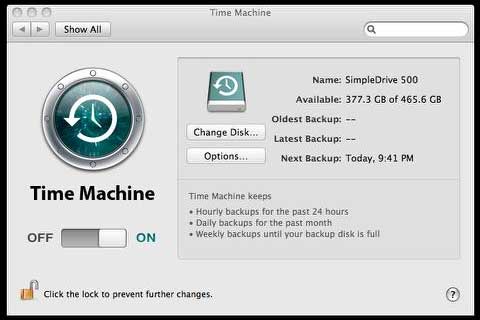
worked for me. My primary backup is now via Time Machine, for which I
connect an external Maxtor 500 GB external USB 2.0 drive in a
SimpleDrive Pininfarina housing. I do updates periodically, but most
of the time I keep Time Machine turned off. I just couldn't stand
having that 7200 RPM 3.5" drive, which is a literal screamer, spooling
up and powering down all the time and the disk chatter of Time
Machine's hourly busy-busy going on.
My second line of defense is to every couple of weeks or so do a
manual backup by dragging everything that's been changed to a second
Mac via ethernet or FireWire Target Disk Mode.
I know I'm risking some data loss by not running constant backups,
but so far so good, and if there's something in particular I really
couldn't risk losing, I can always plug in the backup drive and run a
Time Machine session.
This is not a prescription or a recommendation, just a report, and
if you have zero tolerance for data loss, best to put up with the
racket and system slowdown and keep Time Machine running.
However, for my purposes I also need the USB port for a variety of
other things, and, yes, I do have a 4-port USB hub plugged into the
PowerBook's other USB port - and it's oversubscribed as well.
Hard Drive Failure
While my periodic and targeted use of the Time Machine feature is
not likely to substantially hasten catastrophic hard drive failure, I
did have one scare with my Time Machine drive - but it wasn't something
I can blame on Time Machine, not even indirectly. A few months ago, I
plugged in the SimpleDrive to do a routine Time Machine run, and
instead of chattering energetically as it normally does upon mounting,
it just made some feeble and pathetic clicks and grunts, and after
twenty or thirty seconds, the dreaded "this disk is unrecognizable by
this computer" dialog sheet appeared.
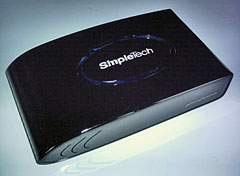 This had never
happened before in the two years or so that I'd been using this drive
(which I like a bunch; it's sooo cool looking), and while two years is
not an insignificant passage of time, the drive had only been used for
backups on a periodic basis, so the number of hours was pretty low.
Anyway, I tried removing the USB cable and re-plugging it several times
to no avail.
This had never
happened before in the two years or so that I'd been using this drive
(which I like a bunch; it's sooo cool looking), and while two years is
not an insignificant passage of time, the drive had only been used for
backups on a periodic basis, so the number of hours was pretty low.
Anyway, I tried removing the USB cable and re-plugging it several times
to no avail.
I launched Disk Utility, which was able to see the drive and
recognized it as a 500 MB unit, but no details as to content. The
Verify and Repair buttons in Disk First Aid remained grayed out.
Figuring that I had little to lose at this point (there was nothing
important on the drive except for my Time Machine backups, which would
be recoverable if I could get it working again, I attempted to erase
and repartition the drive. That caused Disk Utility to crash. Twice. it
wasn't even able to properly eject the disk, so I was obliged to
unceremoniously cut the power and pull the cable out.
I tried plugging the drive into another PowerBook to see if the
issue might have been with my workhorse 17" G4's system or possibly
that overworked USB port, but it wouldn't mount on the second computer
either.
This was all more than passing strange. While everything has to
start sometime, there hadn't even been a hint of trouble the last time
I had used the drive. However, it was beginning to seem probable that
perhaps the hard drive had failed, which had only happened to me once
before some years ago with a Fujitsu 2.5" hard drive in an external
FireWire housing with less than 50 hours on it.
On the other
hand, there was still a possibility that it was something else, so some
more thorough diagnostics were in order. I decided that since the
SimpleDrive is well out of warranty, I had little to lose in popping it
open, which happily turned out to be quite easy, requiring the removal
of just four easily accessed Philips machine screws and a bit of
judicious prying to snap the case halves apart. Thumbs-up to the
SimpleDrive folks for making the unit user-serviceable (so to speak)
using ordinary tools. I love stuff that is easy to take apart (and put
back together).
The Drive Works!
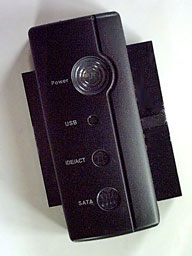 I removed the drive from the housing and connected it to my
handy
Daystar AnyDrive USB 2.0 Adapter, which has the happy facility of
being able to connect virtually any 2.5", 3.5", or 5.25" ATA or SATA
hard drive to Macs or PCs via USB.
I removed the drive from the housing and connected it to my
handy
Daystar AnyDrive USB 2.0 Adapter, which has the happy facility of
being able to connect virtually any 2.5", 3.5", or 5.25" ATA or SATA
hard drive to Macs or PCs via USB.
I can't recommend this extremely useful and relatively inexpensive
unit highly enough. Anyway, I connected the power supply and plugged
the drive into the PowerBook, and it spun right up and mounted without
hesitation or drama whatsoever.
Okay, it evidently wasn't the drive itself, which was a relief.
Perhaps it was the cable. I reinstalled the hard drive in the
SimpleDrive housing and connected it using the USB cable from my
printer. Again, it powered up and mounted normally.
Was it the cable? Apparently not, since when I tried it again with
its own cable, it was working fine now with that as well.
I was happy but perplexed. This sort of mysterious fault can make
you tear your hair in frustration if it recurs. I did a Time Machine
backup run, and that went completely smoothly as well.
Cause of the Problem
So what had been the problem? The thing to do in this sort of
situation is to try to remember if any even slightly unusual occurrence
comes to mind.
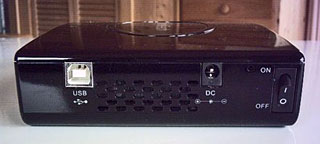 I don't
as a rule pack the SimpleDrive around from place to place much, but I
do keep it in a computer messenger bag for storage, and I now recalled
that the day before I had picked up the case upside down, and the drive
fell to the top with a noticeable thump. It wasn't a hard bump like
being dropped on the floor, and it was inside a generously padded
computer case, but then I further recalled that when I opened up the
SimpleDrive housing, the large multi-pin ATA connector plug had popped
loose a little too easily.
I don't
as a rule pack the SimpleDrive around from place to place much, but I
do keep it in a computer messenger bag for storage, and I now recalled
that the day before I had picked up the case upside down, and the drive
fell to the top with a noticeable thump. It wasn't a hard bump like
being dropped on the floor, and it was inside a generously padded
computer case, but then I further recalled that when I opened up the
SimpleDrive housing, the large multi-pin ATA connector plug had popped
loose a little too easily.
My assumption was initially that the plug got disconnected as I
separated the case halves, but upon further reflection I settled on a
provisional theory as to what probably happened: When the SimpleDrive
shifted inside the computer messenger bag, the ATA connector, which I'm
guessing had not been inserted securely at the factory, quite likely
got jarred loose, resulting in only partial electrical contact and data
transfer when I connected the drive to the computer.
The fact that the drive has performed flawlessly ever since -
several months now - convinces me that is what happened. The drive got
"fixed" when I reinstalled it in the housing and plugged the multi-pin
connector in properly.
Just one of those weird glitches that crop up from time to time to
keep life life from getting dull.
Link:
Daystar AnyDrive USB 2.0 Adapter



