Are PalmOS handhelds the only game in town for Mac users? For
PDAs, yes, but there is something else that might like your Mac as
well. I'm talking about Texas Instruments' line of graphing
calculators. In this article, I'll share some information on them,
my personal favorites, and how to link them to your Mac. In order
for this article to fit into the whole "Low End Mac" thing, think
of these as peripherals for your Mac.
Texas Instruments seems to be embracing the fact that there are
Macs in schools. After all, they are the #1 calculator company for
education, so it's only natural for them to support the #1 computer
company for education. Although Texas Instruments' graphing
calculators are called calculators, don't let the name deceive you.
Most of them use a Z-80
processor and are capable of running 3rd-party software.
Technologically, they are similar to the Radio Shack TRS-80 Model
100 portable computer.
One model, the TI-80 uses a proprietary processor, and it, as
well as the TI-81, can't connect to a computer, so I'm not going to
talk to them. Two models, the TI-89 and TI-92, are essentially the
same and are based on Motorola 68000 processors.
Why?
Why get a TI instead of a Palm? Here you have a true computer.
You can link it to your Mac relatively easily and even write your
own programs for it. If you don't want to spend tons of money for a
Palm, you might want to look into one of these. You can transfer
information between the two, and they're more durable in terms of
being dropped, abused, and otherwise being beaten up.
TI-82/83/83 Plus
These are what most students use. Based on the Z-80, they're
cheap, reliable, powerful, and easy to use. They have pull-down
menus, so navigation is similar to most computers. There are tons
of games, math, science, and business programs for these. There is
even a nice OS for the TI-83 Plus called MirageOS from Detached Solutions that
resembles a Mac-style "open/save" dialog box. My calculator is a
TI-83 Plus. This is the model I recommend out of these. They
generally cost about $79-$95.
TI-85/86
These are the more powerful Z-80-based TIs. They have lots more
functions, more memory, and better graphics. Navigating them is
more DOS-style (all the commands are accessed by pressing F1-F5).
For most users, I'd still recommend the 83 Plus. It has more memory
and a bigger selection of programs. The TI-85/86 doesn't seem to be
worth the extra $15.
TI-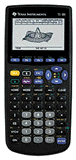 89/92/92 Plus
These are almost like handheld Macs (minus the Apple ROMs). They
are based on the Motorola
68000 processor just like the fist Macs, have true pull-down
menus, real dialog boxes, and about 512 KB of RAM on the new
models. By standards of graphing calculators, that's a ton. These,
in theory, might run Mac 128 software with some modification, but
I'm not going to guarantee it. The people who buy these usually use
them for complex scientific and math work, 3D graphing, or other
really demanding tasks.
Linking
To link any of these to a computer, you need to buy the Graph
Link package from Texas Instruments. There are three models. The
first, the "gray" cable ($50), allows connection to Macs and PCs
through the serial port. The second, the "black" cable ($20),
allows connection only to Windows 95 or later computers. The third
is a USB cable ($50) that allows connection only to USB Macs (as of
now).
In each of these packages, you get the appropriate cables and a
CD-ROM. The CD contains software for Mac and Windows, regardless of
what cable you bought. The CD also contains miscellaneous utilities
and some demo programs for your calculator.
Linking is pretty simple. You plug one end of the cable into the
Mac, the other into the TI's link port (a 2.5mm stereo jack). Then
open the software on the computer, select the port and model of
calculator you have, and copy the files. It's relatively easy. The
Mac version seems much better than the PC version in terms of
usability.
You can also copy files from one calculator to another, provided
they are in the same group (82/83/83+, 85/86, 89/92/92+).
Conclusion
It doesn't matter which model you get, just be sure to research
and see which one best fits your needs and budget. I don't really
recommend the TI-82, since this is a relatively limited model in
terms of assembly programs (you're stuck with BASIC programs).
Spend the extra $5 to get a TI-83 Plus.
If you want to see what kind of cool programs you can get, go to
TIcalc.org's download
section <http://ticalc.org/pub/>.
If you have any questions about the TIs, I'm always willing to
help and am working on setting up a Web site for these calculators.
Until next week, take care of yourselves and each other.





