The G4 processor is the pinnacle of processing power. The whole
time it has been around (since August 1999) it has been the best of
the best compared to competing processors. However, many of the
original G4s no longer seem the speed-demons they used to be.
Is it time to replace these 350 and 450 MHz computers with new
ones? Of course not! This is Low End
Mac!
Let's get started renovating your former PIII wreckers into the
PC eaters they should be.
Processor speed is probably the biggest concern for speeding up
these computers, and it should probably be the major 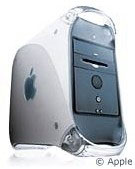 concern for anyone upgrading. Companies such as XLR8
and Sonnet make upgrade cards for the Power Mac G4, some running as
fast as 1 GHz! Low End Mac has an excellent page where you can
find an upgrade card to suit your needs.
concern for anyone upgrading. Companies such as XLR8
and Sonnet make upgrade cards for the Power Mac G4, some running as
fast as 1 GHz! Low End Mac has an excellent page where you can
find an upgrade card to suit your needs.
Memory is another big concern for those using an older G4. They
originally came with only 64 MB in the lowest models, but they can
hold up to a half-gig. Adding on memory will definitely help. The
PC100 SDRAM that the G4 uses can be found on the cheap. A quick
look on
eBay shows 256 MB sticks going for as little as US$30.
The next G4 slowdown is the video card. The original PowerMac
G4s had two different configurations, each with a different type of
video card. The "Yikes!" model,
with a 350 or 400 MHz processor, supports PCI video cards, just
like the Blue and White G3 it was
based on, so card choices for this computer are rather limited
today. There are a few Voodoo cards that will work with the PCI
version, however, you might be better to spend your money on other
upgrades for this computer, which we'll cover later. Adding a
second video card, instead of replacing the one you have, will add
the capability for multiple monitors, which is a whole other
topic.
The "Sawtooth" version of
this computer came with a 2x AGP port. AGP is another way of
connecting a video card to a computer. It is much faster than PCI.
For this computer, there is a plethora of available video cards.
There all kinds of ATI cards that can be had very cheaply from
after-market vendors, eBay, or even places like CompUSA.
Lastly, the 10 GB hard drive found in these Macs seemed huge
three years ago. However, with MP3 and video editing an everyday
use for many Mac users, a larger hard drive may be needed. The
Power Mac G4s all use some flavor of an Ultra ATA drive (33 on the
first Yikes, 66 thereafter). These drives are the cheapest to find.
60 GB 7200 RPM drives can be found for less than US$90.
For true speed-demons, a SCSI drive can be installed, too.
However, since an additional SCSI card needs to be installed,
prices can really climb here (in addition to the cost of the card,
SCSI drives cost more than IDE drives), and since we're trying to
stay under the price of buying a newer Mac, this probably isn't the
best solution. Also keep in mind that some SCSI cards have problems
with Mac OS X, so if you're running or plan to run OS X,
do your homework.
Why buy a new computer when you can easily upgrade yours?
There's no reason, especially with great resources such as eBay.
Low end isn't necessarily slow. 
Evan Kleiman has been writing for Low End Mac since January
1999. He also runs his own site, Evansite. Evan uses an iMac,
along with some vintage hardware. You can read more about his
computing experience in The Many Macs of
Evan Kleiman.



