Low End Mac Reader Specials
TypeStyler For Mac OS X is Now Shipping! Download The Free Fully Functional 60 Day Tryout at www.typestyler.com
OWC: Plug & Play Hardware RAID up to 8.0TB. High Performance, Data Redundant Solutions. FireWire 800, FireWire 400, USB2, or eSATA. Hot Swappable Bays, Data Rates over 200MB/s. Click here
Don't install Parallels to play poker online! Poker Mac will show you how
to download and install a native Mac poker application such as Full
Tilt Poker Mac.
Laptop Hardware Provided by TechRestore - Overnight Mac & iPod Repairs.
Compare products like desktop computers, apple laptops, apple macs, and LCD Monitors side by side! All the information and reviews to make the best purchasing decision for new mobile phones, sat nav systems, or MP3 players. The Ciao online shopping community makes searching products easy for you.
Mac Daniel's Advice
Picking the Right Multibutton Mouse for Your Mac
Korin Hasegawa-John - 2003.05.01
Popularity: ![]()
![]()
![]()
![]()
![]()
![]()
Q: I'm a recent Windows convert, and I miss the functionality of a two-button mouse. What two-button mice work with Macs and which do you recommend?
First of all, congratulations on switching! That being said, the lack of a two-button mouse is annoying for many people. Of course, the control-click combinations work just as well as two buttons, but they're certainly not as convenient.
The good news is that any two-button USB mouse will work without drivers in OS X, and most two-button USB mice will work in OS 9 with drivers.
The available mice on the market for Mac span a wide range - from
the $20 USB Logitech two button mouse
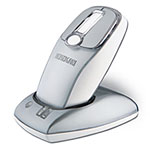
with
scroll wheel that is attached to the family iMac to the $89 wireless StudioMouse Pro
from Kensington. For basic "I want a second button and a scroll wheel"
desires, the cheapest optical 2-button mouse is probably the easiest
and most cost-effective solution.
Generally speaking, most of the mice available today are optical, meaning that instead of using a ball and roller system to track movement they use a red LED and an optical sensor that tracks movement. Optical mice have several advantages, the primary one being that you never have to clean them. They also track more accurately and require less effort to move, since they're lighter.
A few mice I recommend:
For OS 9 use, I recommend Kensington's mice. Kensington's driver package, known as MouseWorks, is by far the superior driver system under OS 9, allowing you to customize what buttons do, change the tracking on a curve, and generally modify almost every aspect of the mouse's performance. MouseWorks is not quite as amazing under OS X, but it still does a very excellent job.
Favorite OS 9 mouse
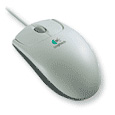
For sheer cheapness, the Logitech
standard two-button
optical mouse with scroll wheel can't be beat. However, Logitech
doesn't include Mac drivers in the box, so you have to download them.
The driver is not nearly as refined as the MouseWorks software.
Slightly more expensive and capable is the $32 Kensington Optical Elite with four buttons and scroll wheel. This mouse is very good for gaming, with precise tracking and many buttons (I own the predecessor, the Kensington Optical Pro).
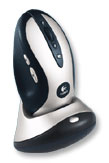
Favorite mouse for Gamers (X)
Gamers will enjoy a mouse such as Logitech's MX-700. The MX-700 is wireless, has dual optical sensors for even better tracking, and has more buttons than a normal human would ever need. It has rechargeable batteries and recharges in a special dock that doubles as a wireless receiver.
Favorite mobile mouse (X)
Kensington's PocketMouse series is designed for mobile users and has
a smaller, easier-to-carry size than a normal mouse. The PocketMouse Pro has a
retractable cord (very handy),
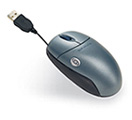
and the
PocketMouse Pro
Wireless has a wireless reciever. However, the PocketMouse Wireless
sometimes has tracking issues, especially when close to it's 3-foot
range limit. The wireless model requires 2 AAA batteries, which last a
couple months with normal use.
Hopefully, this handy guide to mousing with multiple buttons will
help you decide which mouse is right for you. In this article, I have
not cover a very wide range of mice by any means, so if you're in the
market for a mouse, I recommend going down to a local computer store
and trying some out. After all, the most important thing is how it
feels in your hand.
Editor's note: Logitech and Kensington are two of the best brands of mice I've ever worked with. For those still using ADB Macs, the Kensington Mouse-In-A-Box (USB/ADB) merits consideration at $22.95; it's the only optical mouse I know of for ADB.
A third company that impresses me is Contour Design. Their original UniMouse was the best USB mouse I could find in the early days of USB on Macs, and it has since been supplanted by an optical version. I keep their MiniPro mouse in my TiBook's carrying case; it's a very nice compact two-button optical mouse that even comes with a case of its own to prevent the cable from getting tangled. dk
Korin Hasegawa-John is a student hailing from the netherworlds of Vermont. He has used Macs from the SE and Macintosh II to iMacs and DP G4s. He is most familiar with post-7.5 OS customization and setup, PowerBooks, and PCI PowerMacs. He currently owns a Mac II, a Power Mac 9600, and a PowerBook 2400. You can read more about his computing experience in Korin's Power Mac and PowerBook. He runs a Mac troubleshooting business on the side and plays in a band.

Not sure if you should upgrade your old Mac or replace it? Check the Mac Daniel index to see if we've already addressed your problem.
Recent Mac Daniel columns
- WiFi Hardware Compatible with Desktop Macs Running OS X, MetaPhyzx, 03.11. USB, ethernet, PCI, and other wireless hardware compatible with Mac OS X.
- WiFi CardBus Adapters Compatible with PowerBooks, MetaPhyzx, 03.11. CardBus hardware and drivers compatible with PowerBooks running Mac OS X.
- WiFi PC Cards Compatible with PowerBooks Running OS X, MetaPhyzx, 03.11. PCMCIA/PC Card hardware and drivers compatible with PowerBooks running Mac OS X.
- WiFi PC Cards for PowerBooks Running Mac OS 9, MetaPhyzx, 03.10. PCMCIA cards and drivers reported to be compatible with PowerBook running the Classic Mac OS.
- More in the Mac Daniel index.
Links for the Day
- Mac of the Day: iMac Core Duo, Jan. 2006 - The first Intel-based iMacs ran at 1.83-2.0 GHz, came with 17" and 20" displays.
- Group of the Day: Mac Pro List is for those using a Mac Pro.
- November 22 in LEM history: 99: Gradebooks - 00: Leveraging Apple design - Quadra 630 to Power Mac 5200 - 02: Laptop or desktop? - 04: SuperDuper: Quick, easy, efficient backup - Cross-platform programming for the rest of us - 05: Mac video surveillance on the cheap - Which OS is best for my vintage Mac? - No 'best browser' for the Mac - Sorry state of browsers for classic Macs - 06: Core 2 means cooler running 'Books - 2.0 GHz G4 upgrade
- Support Low End Mac
Recent Content on Low End Mac
- Apple's Tablet an End Run Beyond Netbooks, Frank Fox, Stop the Noiz, 11.20. Whatever Apple has planned will leverage existing technologies while going beyond what its competitors can offer.
- i5 iMac Benchmarked, Mac mini 'Shouldn't Be Overlooked', Twitter Client for Classic Mac OS, and More, Mac News Review, 11.20. Also why Apple leaves the low end to others, 10.6.2 fixes video playback problem in 27" iMac, 3D Leopard and Snow Leopard performance, and more.
- Apple #4 in Reliability, Apple Tablet a Gadget for All?, HP's i7 Notebook Outdoes Mac Rivals, and More, The 'Book Review, 11.20. Also Flash 10.1 improves video on Hackintosh netbooks, thin-and-light notebooks impress, Windows XP finally on the way out, and more.
- NASA Chemical Sensor for iPhone, Smartphone Death Match, iPhone Earrings, and More, Ian R Campbell, 11.20. Also mobile phone dangers, new apps, GPS solution for iPod touch, new iPod and iPhone cases, and more.
- Replacing the Hard Drive in a Clamshell iBook, John Hatchett, Recycled Computing, 11.19. Yes, it is one of the most difficult Apple notebooks to disassemble and reassemble, but a 10 GB hard drive just will not do.
- IBM Model F: A Great Old Keyboard with an Outdated Layout, Tommy Thomas, Welcome to Macintosh, 11.19. Although it used a different technology than the revered IBM Model M keyboard, the Model F was a great keyboard in its own right.
- Soft Touch Keyboards, Wireless Mouse Options, Loving SeaMonkey 2, and More, Charles W. Moore, Miscellaneous Ramblings, 11.18. Also the future of browsing with PowerPC Macs and the multiple mouse input bug introduced with OS X 10.5.8.
- More links in our archive.
Recent Deals
- Best eMac Deals, 11.18. Used 1 GHz Combo, $100; SuperDrive, $269; 1.25 GHz Combo, $119; SD, $319; 1.42 GHz Combo, $289; SD, $498.
- Best Mac OS X 10.6 and Mac Box Set Deals, 11.18. "Snow Leopard", single user, $25; 5 users, $45; Mac Box Set, single user, $139; 5 users, $180; Server, $414. Shipping included.
- Best Xserve Deals, 11.18. Used 1 GHz dual G4, $649; 2.3 dual G5, $795; 3.0 4-core Xeon, $1,899; refurb 2.26 4-core, $2,499; new, $2,888; refurb 8-core, $2,999; new, $3,449; more.
- Best 15" MacBook Pro Deals, 11.17. Used 1.83 GHz, $750; 2.16, $800; 2.33, $900; refurb 2.4, $1,299; 2.53, $1,449; 2.66, $1,699; 2.8, $1,899; new 2.53, $1,579; 2.66, $1,799; more.
- Best Power Mac G4 and AGP Video Card Deals, 11.17. Used 400 MHz, $50; 933 MHz, $80; 500 dual, $60; 867 dual, $90; 1 GHz dual, $150; 1.25 GHz dual, $225; 1.42 GHz, $499.
- Best Mac OS X 10.5 Deals, 11.17. "Leopard" upgrade, $80; single user license, $135; 5 users, $173; Mac Box Set, 5 users, $230; Server, 10 users, $340; unlimited, $850. Shipping included.
- Best Mac mini Deals, 11.16. Used 1.42 GHz G4 mini, $379; 1.66 GHz Core Solo, $419; 2.0 Core 2, $450; new 2.26 GHz nVidia, $580; 2.53 GHz, $769; Server, $990.
- Best iBook G4 Deals, 11.16. Used 12" 1.07 GHz Combo, $210; 1.33 GHz, $298; 14" 1.33 GHz, $398; 1.42 GHz, $479; SuperDrive, $498.
- Best iPod shuffle Deals, 11.16. Used 1 GB, $35; 4 GB, $65; refurb 1 GB, $39; 2 GB, $59; new 2 GB, $55, 4 GB, $75. New and refurb prices include shipping.
- More deals in our archive.
About LEM | Support | Usage | Privacy | Contacts
Navigation
Used Mac Dealers
Apple History
Video Cards
Email Lists
Favorite Sites
MacSurfer
MacMinute
MacInTouch
MyAppleMenu
InfoMac
Macs Only!
The Mac Observer
Accelerate Your Mac
RetroMacCast
PB Central
MacWindows
The Vintage Mac
Museum
DealMac
DealsOnTheWeb
Mac2Sell
ramseeker
Mac Driver Museum
JAG's House
System
6 Heaven
System 7 Today
the pickle's Low-End
Mac FAQ
Abandonware
Petition
Mac vs. PC Info
Affiliates
The Apple
Store
Mac
Connection
B&H
MacMall
TechRestore
ExperCom
Crucial
Memory
batteries.com
Advertise
MacMinute
MacInTouch
MyAppleMenu
InfoMac
Macs Only!
The Mac Observer
Accelerate Your Mac
RetroMacCast
PB Central
MacWindows
The Vintage Mac
Museum
DealMac
DealsOnTheWeb
Mac2Sell
ramseeker
Mac Driver Museum
JAG's House
System 6 Heaven
System 7 Today
the pickle's Low-End
Mac FAQ
Abandonware
Petition
Mac vs. PC Info
Mac Connection
B&H
MacMall
TechRestore
ExperCom
Crucial Memory
batteries.com


